EN
 PL
 ES


Three-Dimensional Floors in SketchUp for Free
Creating a realistic floor in SketchUp has always been a compromise. A flat texture looks fake when zoomed in, and manually modeling each tile and grout takes hours. Older plugins like Floor Generator have stopped working in newer versions of the program.
See What Justin Geis from TheSketchUpEssentials Says About Custom Ground Wizard
Custom Ground Wizard FREE generates real 3D geometry. Each tile is a separate solid, separated from neighboring tiles by a grout line of specified depth, so light on the visualization falls on the floor naturally. You cannot achieve this effect with just a Bump or Displacement map.
The FREE version is free, even for commercial projects. It has the same generation engine as the PRO version, control over grout lines and chamfering, the ability to specify a starting point, and the two most commonly used patterns.
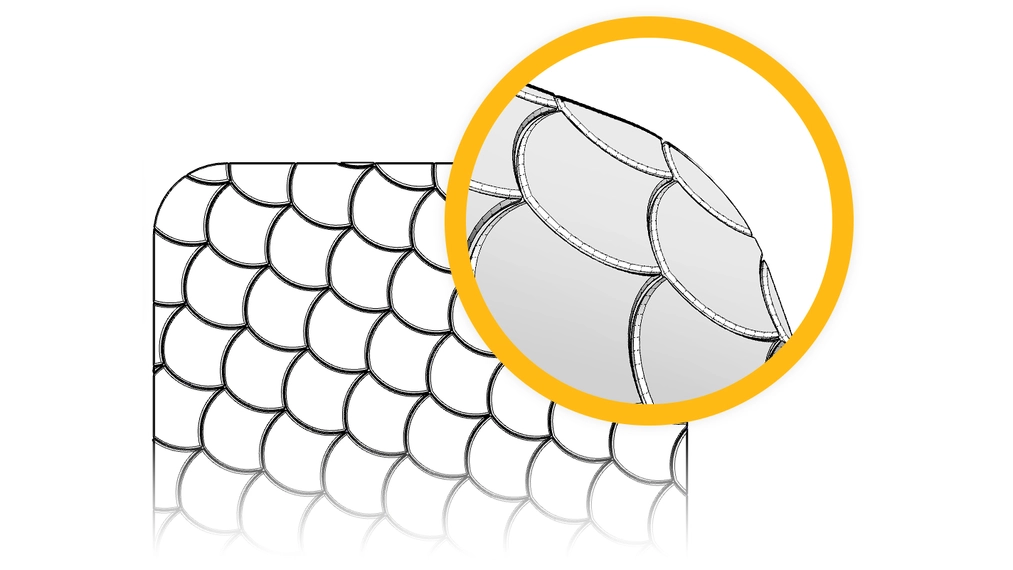
Two Patterns, Hundreds of Variations
The pattern in Custom Ground Wizard is a flexible base. By changing the tile dimensions, grout width, and chamfering, you can get completely different materials from a single layout in the render.
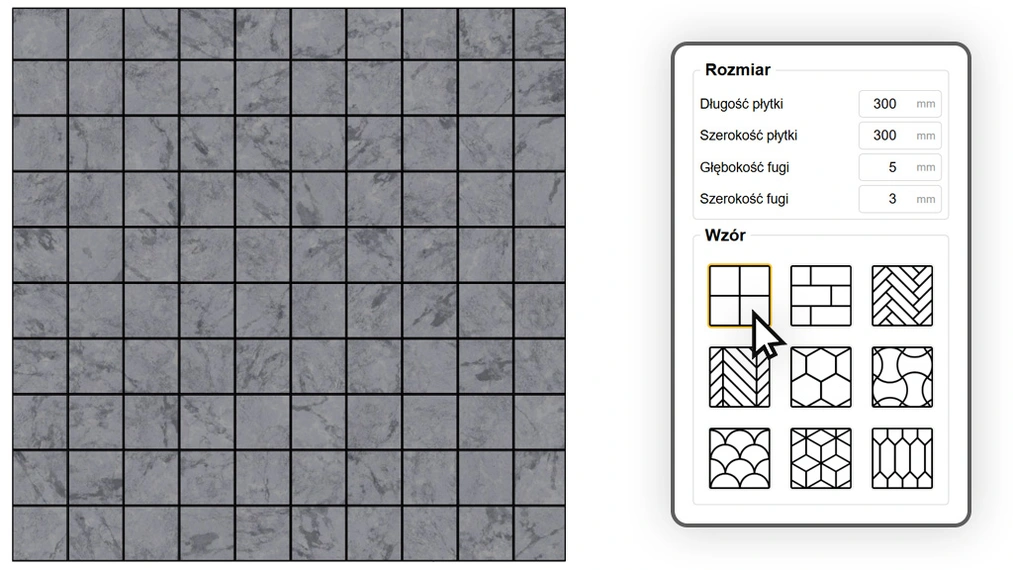
Equal Grid
The most versatile layout in modern design. It works well with large-format concrete slabs, 60x60 porcelain tiles, and coffered ceilings. With a wide tile and narrow grout, you get a monolithic floor with subtle expansion joints, and with a small format, a fine mosaic for a bathroom.
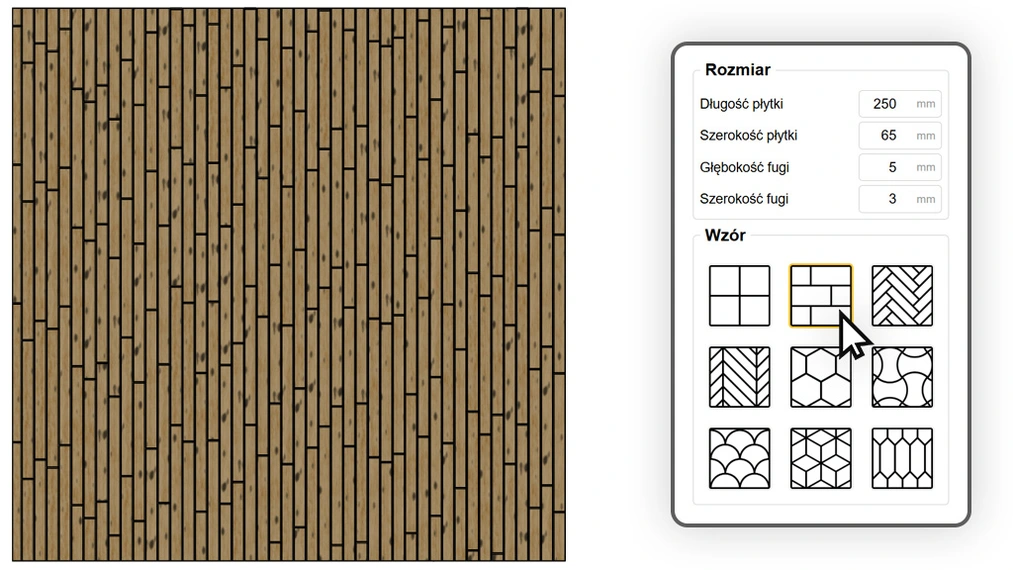
Brick
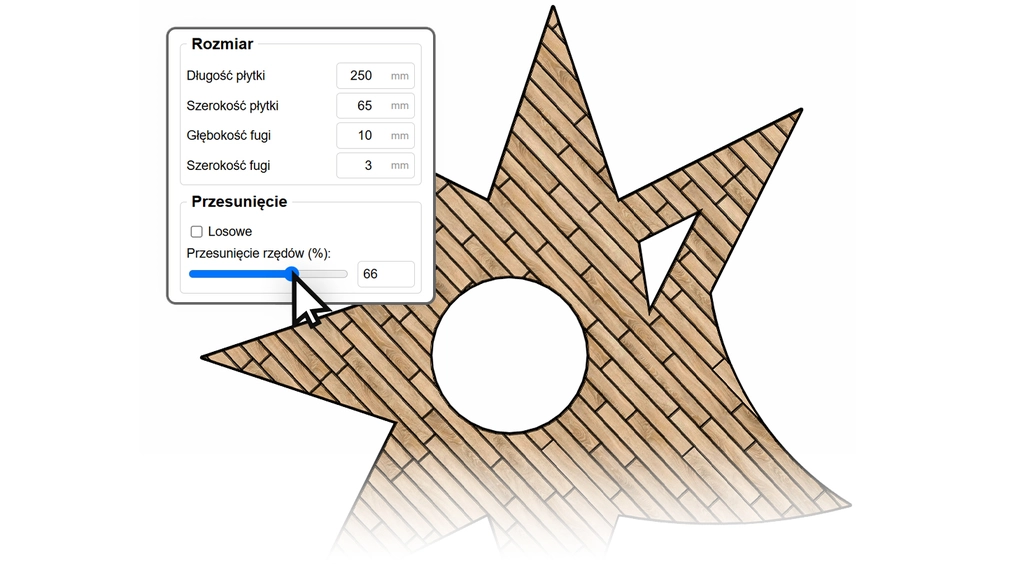
You have full control over the dimensions and row offset, so a single pattern yields vastly different materials. A small format with heavy chamfering gives a classic subway tile wall. By lengthening the element and changing the offset, you get a floor made of planks or a ship deck pattern. Random row offsets turn an even floor into a rustic parquet or old cobblestone with each grout line in a different place.
You Decide Where the First Tile Lies
Automatic generators often lay out the pattern randomly in relation to the walls, placing the ugliest cuts in the most visible areas. In Custom Ground Wizard, you set this yourself:
- Grid Rotation (no edges selected): enter any angle, e.g., 45°, for the entire pattern.
- Align to Wall (1 edge): select the floor and one edge, and the plugin aligns the tile rows parallel to that wall.
- Starting Point (2 edges): select the floor and two edges, and their intersection becomes the beginning of the pattern. A full tile will start at the room’s corner or threshold.

Grout and Chamfering Visible in the Render
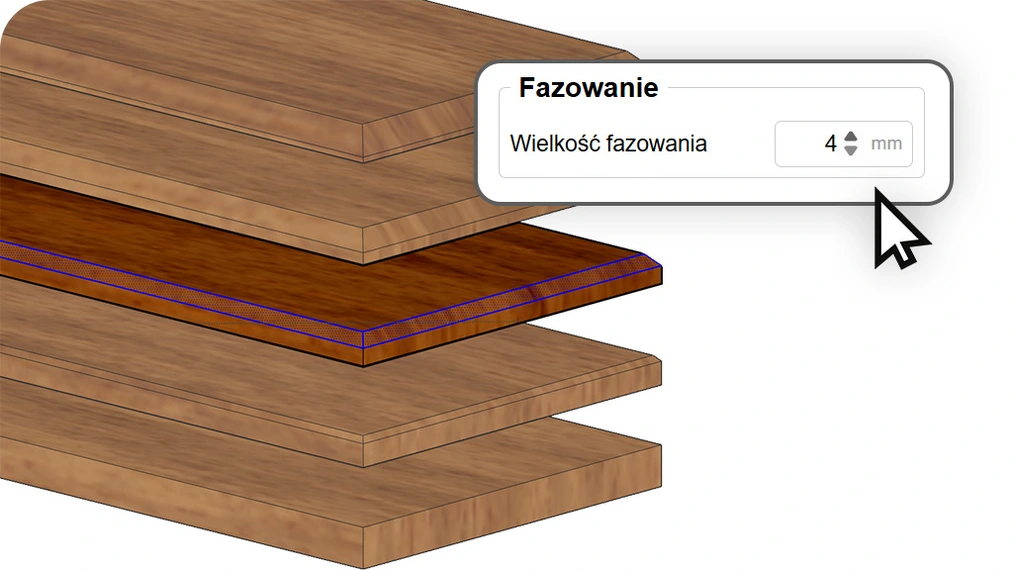
You can set the grout width and depth down to the millimeter, but chamfering makes the biggest difference in the render. No real tile or plank has razor-sharp edges, so the plugin lets you add a millimeter chamfer to each element. Engines like V-Ray or Corona pick up this detail and create natural highlights on the edges that distinguish a good visualization from a photorealistic one.
Texture Aligns Along the Tile
In Longitudinal mode, the plugin detects the longer side of each element and aligns the texture along it, so wood grain on planks runs as it does in reality. Transverse mode rotates the mapping by 90°, which is useful for certain ceramic patterns.
Floors in Rooms with Challenging Shapes
Curved walls, arches, a column in the middle of the living room, or an opening for a staircase are handled automatically by the plugin. The algorithm detects surface boundaries and internal holes, then cuts tiles to the specified shape. Select the entire floor outline and click Generate, and large surfaces are ready in seconds.
When You Need More: Custom Ground Wizard PRO
The FREE version is enough for modern interiors with porcelain stoneware, concrete, and planks. If you design parquet floors, historic buildings, or bathrooms with artisanal ceramics, the PRO version gives you:
- Advanced Patterns: herringbone and chevron with automatic board trimming at walls.
- Geometric Patterns: hexagon, basket weave, fan, cube, and arrow—layouts that take the longest to model manually.
- Random Texture Offset on X and Y Axes, so that each tile looks different from the same material sample.
- Random Texture Rotation by 90° or completely random, ideal for terrazzo, marble, and concrete.
- Priority Technical Support.
You can purchase PRO under a yearly or perpetual license. Find the details on the Custom Ground Wizard PRO page.
| FREE Version | PRO Version | |
|---|---|---|
| 3D Geometry Generation | ✓ | ✓ |
| Commercial License | ✓ | ✓ |
| Handling Complex Shapes | ✓ | ✓ |
| Ability to Specify Starting Point | ✓ | ✓ |
| Longitudinal and Transverse Texture Alignment | ✓ | ✓ |
| Edge Chamfering | ✓ | ✓ |
| Basic Patterns (Equal Grid, Brick) | ✓ | ✓ |
| Advanced Patterns (Herringbone, Chevron) | ✕ | ✓ |
| Geometric Patterns (Hexagon, Basket Weave, Fan, Cube, Arrow) | ✕ | ✓ |
| Texture Rotation (90° increments and fully random) | ✕ | ✓ |
| Random Texture Offset (X and Y axes) | ✕ | ✓ |
| Technical Support | Basic | Priority |
Download and Lay Out Your First Floor
We created Custom Ground Wizard so you spend less time on geometry and more on design. Download the FREE version, select the room outline, and see porcelain stoneware, planks, or subway tiles with real grout on your model in seconds.
Show Off Your Projects
We want to see how Custom Ground Wizard works in your projects. Do you have a finished bathroom with free brick tiles or a living room with large-format porcelain stoneware? When posting your visualizations on Instagram or Facebook, tag us: @cgwisdom.pl. We will share the most interesting works.