
 EN
EN PL
PL ES
ES-
Online courses
- All
 3ds Max
 AI - Artificial Intelligence
 Blender
 Corona renderer
 GstarCAD
 LayOut
 Photoshop
 Interior Design
 Revit
Revit Sketchup
 Stable Diffusion
 V-ray
V-ray
"Online courses" are comprehensive online training programs that will help you quickly master the software you are interested in.
- Plugins
- 3D Models
- Help
- Articles


Blender Courses - online training and learning
Blender is a popular tool used for creating 3D graphics. Unlike other programs, Blender is open-source software. This means that it is completely free. What's more, Blender's creators believe that everyone should have the ability to create 3D works in free computer graphics software. The program is compatible with the most popular operating systems such as Linux, Mac OS, and Windows. Users are encouraged to make changes to the code and improve the program's functionality. In our Blender courses, you will learn how to create interior visualizations or 3D models for computer games.
-
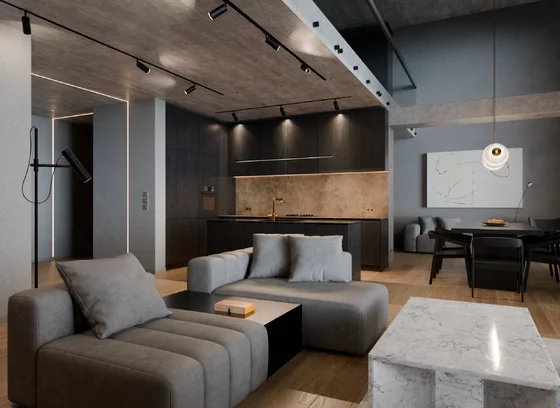
Blender + Cycles Course - Advanced Interior Visualization Training
5.0
Limited-time
Promotion- Modeling Techniques
- Lighting Techniques
- Rendering
- Animation
34.90 USD
74.90 USD -
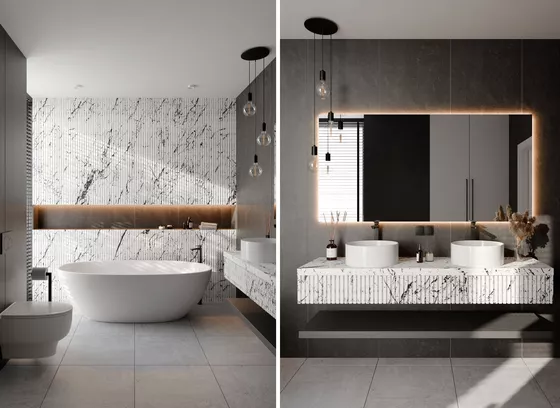
Blender Course - Bathroom Project - Various Lighting Techniques
5.0
New- Modeling Techniques
- Lighting Techniques
- Rendering
- Animation
59.00 USD
-
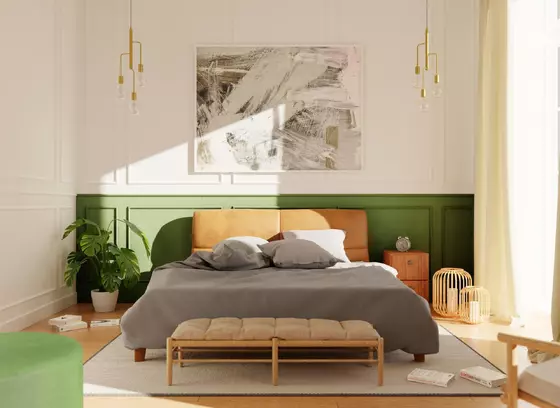
Blender Course - Beginner's Training from Scratch Online
5.0
- Interface overview
- Modeling techniques
- Lighting
- Cycles rendering
49.00 USD
-

Course - Blender + Cycles - Creating a single-family home visualization from scratch
4.9
- Program basics
- 3D modeling
- Material creation
- Rendering in Cycles
74.50 USD
-
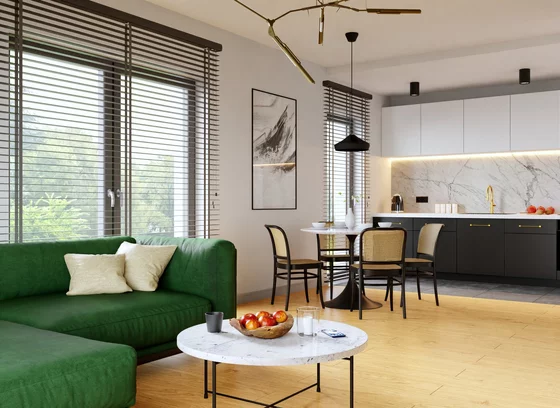
Course - Blender + Cycles - Interior Visualizations from Scratch
5.0
- Blender Basics
- Modeling
- Lighting
- Post-production
74.50 USD
-
Didn't find the course you're interested in?
Blender - what is it?
Blender is a free 3D graphics program. In this popular tool, you can model three-dimensional space, work on materials, and render using the free Cycles rendering engine. You can also create advanced animations and games, and even edit videos and add special effects to films. The popularity of this software is constantly growing, so we encourage architects, decorators, and interior designers to include visualizations in Blender + Cycles in their offerings.
Blender - key program information
The main advantage of Blender is that the program is free. Furthermore, using Blender, you can also use Cycles - a free rendering engine. You can use Blender + Cycles software for all tasks related to 3D graphics and animation. Check the practical applications of Blender on the manufacturer's website.
What else distinguishes Blender? Because Blender is open-source software and users can make changes to the code themselves, all bugs are fixed almost immediately. So, you don't have to wait long for an official update with corrected code.
What is Blender used for?
Blender allows you to create three-dimensional graphics and animations. It is widely used by computer graphics artists, game developers, and computer animators. Architects and interior designers also use the program. In our online course Blender + Cycles, you will learn how to create interior visualizations from scratch. Choose online Blender training to learn how to create interior visualizations in a free program.
How long does it take to learn the Blender 3D design program?
Like other online courses for architects and interior designers, learning Blender requires time spent on independent work. The online course for creating interior visualizations from scratch Blender + Cycles consists of over 10 hours of recorded video lessons. You can assume that for each hour of training videos, there are 3-4 hours of individual work on creating visualizations in the program. Learning Blender in Warsaw is less effective than using online Blender training because the student cannot devote the necessary amount of time to independent attempts at creating graphics and 3D visualizations.
How to learn Blender? Why do we recommend online training?
If you want to learn how to create 3D visualizations and graphics, choose online training instead of a Blender course in Krakow. During stationary classes, you won't have enough time to fully understand how the program works and independently test the discussed features. We have divided our online Blender + Cycles courses into short video recordings. You can take a break in your studies at any time and come back to the discussed topic after some time.
Remember that to learn how to efficiently create photorealistic architectural visualizations, you need about 3-4 hours of independent work for each hour of video recordings.
What types of online Blender courses do we offer?
In the offer of CG Widsom - one of the most popular platforms in Poland with online training for architects, graphic artists, and interior designers - you will find various Blender courses. You can learn how to create photorealistic visualizations of buildings in Blender + Cycles. Interior decorators will be interested in the interior visualization course in Blender + Cycles from scratch. And people who want to enter the computer game industry will pay attention to Blender courses dedicated to creating 3D models for games.
What is the subject of the Blender courses?
Our computer graphics and 3D visualization courses in Blender can be divided into two thematic groups. The first one will interest architects and interior decorators who will learn the secrets of creating visualizations of buildings or interiors in Blender + Cycles. The second group of online Blender courses is where we show what it takes to prepare a professional model for a computer game.
What makes our online Blender training stand out?
Teachers - practitioners- Individuals who will teach you in the Blender courses can boast of enormous experience. We guarantee that each of our trainers works with the program they teach on a daily basis. Furthermore, we place a strong emphasis on developing correct work habits right from the beginning of our courses. Our trainers will show you how to optimize your work to make creating graphics, visualizations, and 3D models in Blender more enjoyable and efficient.
- We keep up to date with Blender's development. We follow the updates added by users and improve our qualifications. All this is to ensure that in our online Blender courses, you will receive comprehensive knowledge and skills that will be useful to you in your work.
- Blender training for beginners from scratch online consists of nearly 100 video lessons that show you how to create your first 3D model and visualization. In 12 hours of recorded material, you will see how to independently create simple 3D models and animate them in Blender.
- As part of a subscription, you can access all the courses available on our website. Learn more about the package of online courses for graphic artists and interior decorators. Timely access to the CG Wisdom platform is a better investment than Blender courses in Poznan.
What will you learn during our Blender courses?
In our online Blender courses, you will learn how to create photorealistic interior visualizations. In Blender courses for architects, we will show you how to prepare a model of a single-family building. For graphic artists, we recommend courses on creating models for computer games.
Blender online course in video form - how does it work?
Immediately after paying for the course, you will get access to the lessons. We have divided Blender training for interior designers into short video recordings. Blender courses in Lublin are conducted according to the schedule of classes. In our online training, you decide when you want to learn. Try to allocate 3-4 hours for each hour of recorded lessons. Learning will be effective only if you devote time to independent work in the program.
Blender course for architects and interior designers - levels of advancement
Blender courses for beginners
In the course Blender - basic training for beginners, you will gain solid foundations, systematize your knowledge, and create amazing visualizations and 3D models. Blender courses for beginners start with explaining the program's configuration. We want you to understand the operation of the software from the beginning and know how to optimize your work. This way, in a relatively short time, you will learn how to create photorealistic visualizations.
Blender courses for intermediate learners
The Blender training for creating 3D models for games is a course in which you will learn how to prepare a shield model. In the course, you will go through the entire process of creating a professional model. If you feel that you want to develop in the direction of work related to computer games, our Blender course for graphic artists will equip you with the necessary skills.
Blender courses for advanced learners
Even advanced Blender users will find something for themselves in our online training. Our tutorials are a good way to systematize your knowledge.
How are the programs of our Blender courses organized?
Online Blender courses are organized in such a way that even beginners can easily keep up with the instructor. Unlike in the case of stationary Blender courses in Gdansk, you can stop recorded video lessons at any time. This possibility will be useful when you lose focus for a moment and become distracted. At any time, you can stop the recording and come back to it after a break.You do not risk missing important news that could be difficult for you to visualize in 3D.
Whom do we recommend online Blender training for?
Considering that Blender is a free alternative to expensive 3D graphics programs, we recommend our courses to anyone who wants to develop their skills and feels resistance to spending huge amounts on software.The free Cycles rendering engine offers capabilities similar to V-ray. The combination of both of these programs makes them extremely popular among architects, interior designers, graphic artists, and game developers.
Blender course for architects
In the Blender + Cycles course for developing visualizations of single-family homes from scratch, you will learn how to create photorealistic architecture visualizations from the ground up. Architects, and especially their clients, will appreciate the ability to see how the designed buildings and their surroundings will look in the end.
Online Blender training for interior and garden designers
Interior designers can expand their range of services by creating interior visualizations. We have prepared Blender + Cycles course for decorators and interior designers, in which we show how to create realistic room visualizations.
Blender online training for you :)
Learning to create visualizations in the free Blender software can be a good idea for a new hobby. And who knows? Maybe in the future, you will turn your passion into a professional career? Choosing Blender is a great idea if you want to find out if computer graphics are something for you. Do not wait for an in-person Blender course in Szczecin. Start learning today in our online training.
Who are the authors of our online Blender courses?
The internet Blender courses available on the CG Wisdom platform are created by professionals who work in the architectural, design, or computer graphics industry every day. You learn from the best. We want to show you that you too can create photorealistic building and interior visualizations.
How long do the Blender video courses from CG Wisdom last?
The Blender courses for architects, interior designers, and computer graphics artists last from 10 to even 16 hours. Although the individual recordings are short, remember to find time for independent creation of 3D models and visualizations in Blender + Cycles.
Blender course with a certificate
After completing each of our online courses for interior designers and computer graphics artists, you can generate a certificate confirming your new skills. Collect diplomas from schools - you will present them along with your portfolio to potential clients.
What other courses besides online Blender schools might interest you?
In online Blender training for creating models for computer games we also show work in other programs such as Zbrush and Photoshop. If you see your future in computer graphics, it's worth to be interested in our online Digital Painting courses.
For architects and interior designers, training in creating 3D models in Sketch-Up or 3ds Max may be of interest. Then follow with online training for creating photorealistic visualizations in V-ray.
With the purchase of temporary access to our platform, you can try internet courses for architects from any software.
Blender online courses - FAQ
Will I receive a certificate after completing the Blender course?
Yes, after completing each of our courses, you can generate a certificate. Read more about CG Wisdom certificates.
How much does a Blender license cost?
Blender is open-source software, meaning it is available completely for free. This is a great alternative to commercial solutions. Blender enthusiasts claim that it is not left behind leading 3D modeling programs. Furthermore, Blender has a dedicated rendering engine - Cycles. As you can see, creating photorealistic animations and visualizations does not have to mean buying expensive programs.
Is Blender free?
Yes.Blender software for creating 3D models and graphics is free.There is also a compatible free rendering engine - Cycles.
Where to download Blender for online course purposes?
You can download Blender software for free directly from the manufacturer's website.
What computer for Blender?
The appropriate computer equipment on which an architect or interior designer will be able to create 3D models and visualizations should be equipped with a good graphics card. Read the article and find out which computer to choose for 3D graphics.
Is the course for me if I have no experience with Blender?
Yes, in beginner Blender courses, we show all stages of working with the program from scratch. From configuration, through 3D model creation, rendering, and post-production. We have divided our Blender courses for interior designers and architects into short films. Thanks to this, even if you lose the thread, you will be able to conveniently return to the selected part of the lesson. Learning in Blender courses in Wrocław will not give you as much time for a calm understanding of the material.
Will I receive a VAT invoice for my order?
Of course. Just provide us with the necessary data to issue an invoice when placing your order.
Read tutorials about Blender on our blog
Read an article by one of our trainers about what Blender is and what it is used for.