
 EN
EN PL
PL ES
ES


Revolution in Creating Floors in SketchUp
Designing realistic floors in SketchUp has always involved compromises. Flat textures look fake up close, and manually modeling each tile and grout takes long hours. Old plugins like Floor Generator have stopped working in new versions of the software, leaving architects without tools.
See what Justin Geis from TheSketchUpEssentials has to say about Custom Ground Wizard
Custom Ground Wizard fills this gap, offering a modern, stable, and extremely powerful solution. This is not a texture generator – it’s a 3D geometry generator. The plugin creates physical objects for each tile, separating them with a grout line of specified depth. The effect? Light in your visualizations reacts naturally, highlighting the floor’s three-dimensionality, which is impossible to achieve using only a Bump or Displacement map.
9 Patterns That Will Transform Your Interiors
The heart of the plugin is its pattern library. Depending on the chosen version (Free or PRO), you have access to layouts that cover 99% of design needs – from modern apartments to stylized tenements. Each is not a rigid template but a flexible base that you can modify in size and grout width, yielding hundreds of different finish variations.
Even Grid
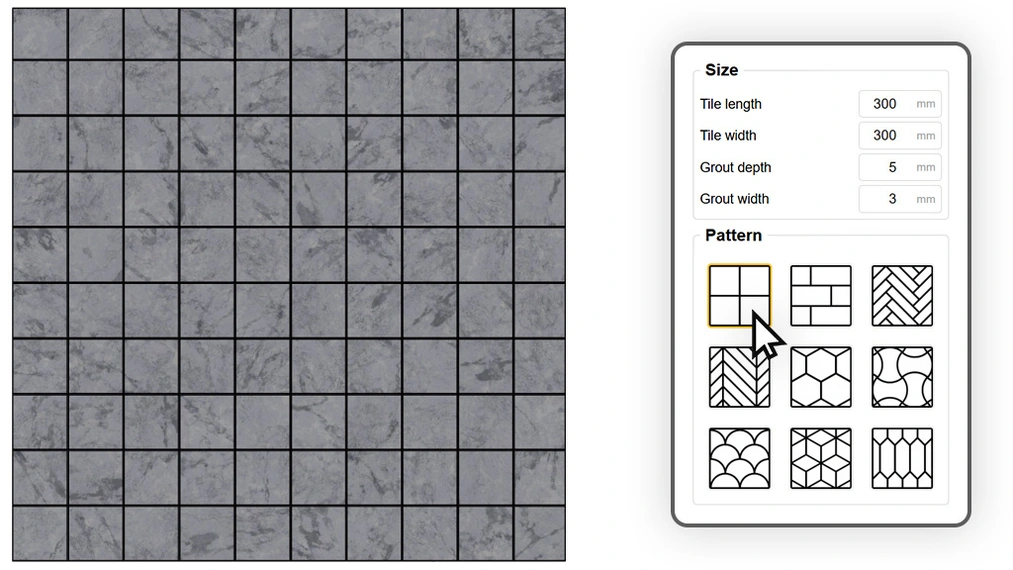
This is the foundation of modern design and the most versatile layout in the library. It’s perfectly suited for large-format concrete slabs, 60×60 porcelain stoneware, as well as for designing coffered ceilings. By adjusting the grout size, you can achieve a monolithic floor with subtle expansion joints or a fine decorative mosaic ideal for bathrooms.
Brick Pattern
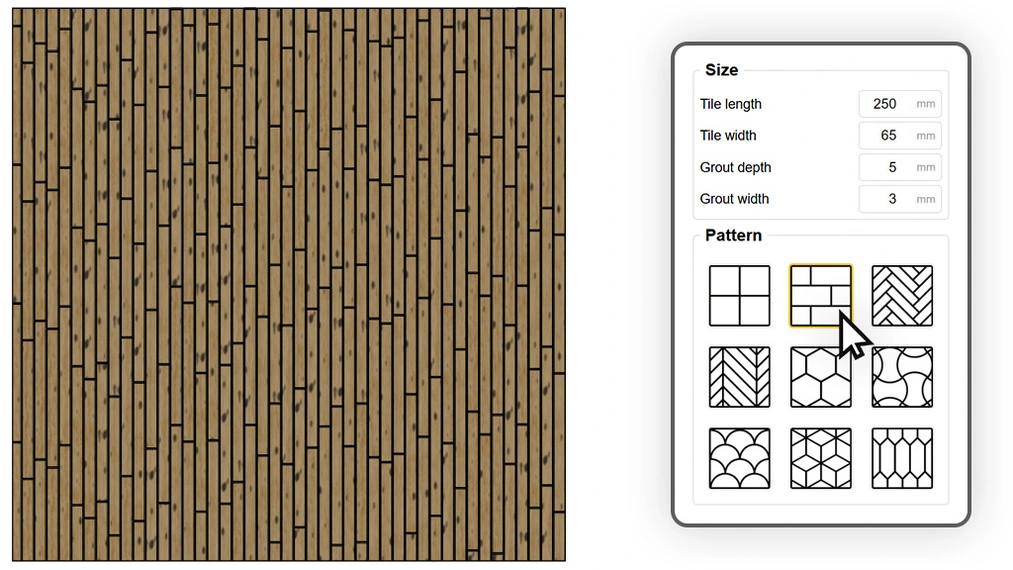
A true chameleon among patterns. With full control over dimensions and row offsets, one algorithm can produce vastly different materials. Setting a small size and deep beveling creates the iconic subway tile wall. Lengthening the element and changing the offset yields a classic wooden floor or a ship-lap brick pattern. Moreover, enabling random offset transforms a perfect layout into a rustic parquet or old cobblestone, where each grout line falls at a unique, unpredictable spot.
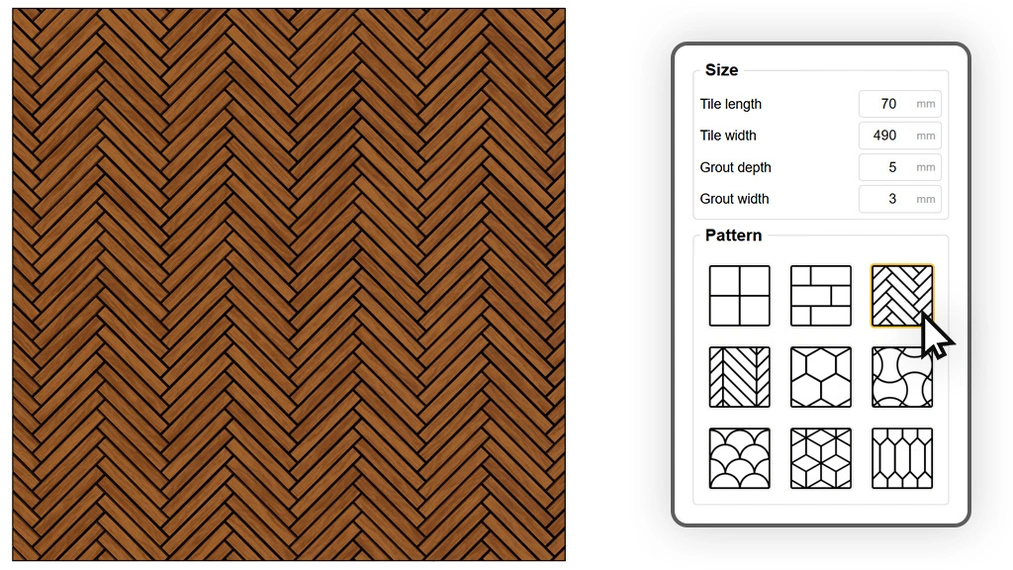
Herringbone
A timeless classic known as English herringbone, where boards meet at their short ends at a 90-degree angle. This pattern is extremely time-consuming to model by hand, especially when cutting boards at angles against walls. Custom Ground Wizard automates this process, generating a perfectly fitted floor that works both as a luxurious oak parquet in the living room and as a modern ceramic tile arrangement in the bathroom.
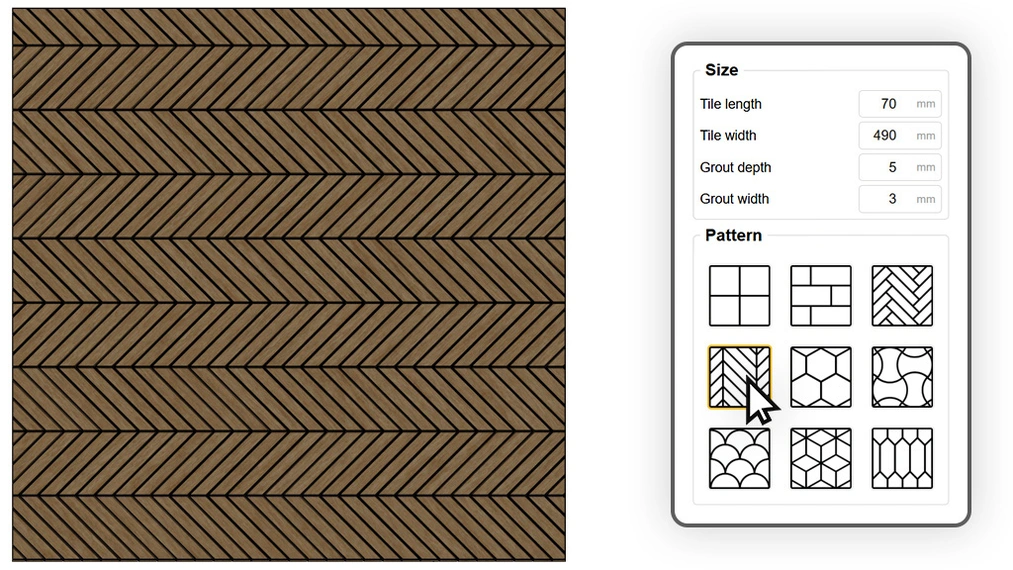
Chevron
A synonym of elegance and Parisian chic, available in the PRO version. Unlike the classic version, here the boards are cut at a 45-degree angle, creating the characteristic joint line in a point. Thanks to the physical grout generated by the plugin, this detail is clearly visible in renders, giving interiors a high-end flair.
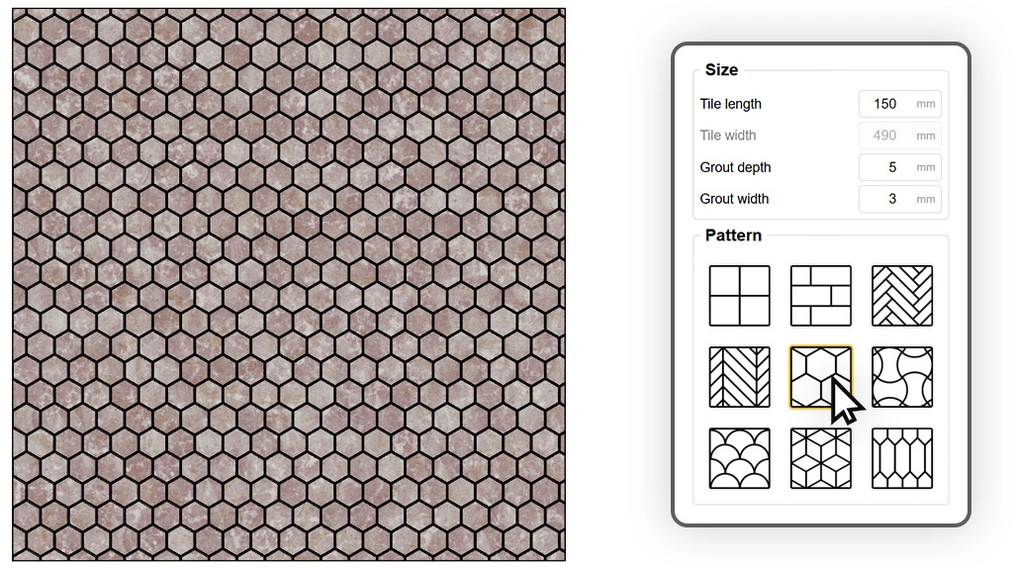
Hexagon
Geometric hit that has dominated modern kitchens and bathrooms. The honeycomb layout is great for creating trendy transitions between different types of flooring (e.g., porcelain stoneware merging into parquet). By using the random rotation function for the texture, you can make each hexagonal tile look slightly different, perfectly mimicking expensive handcrafted ceramics.
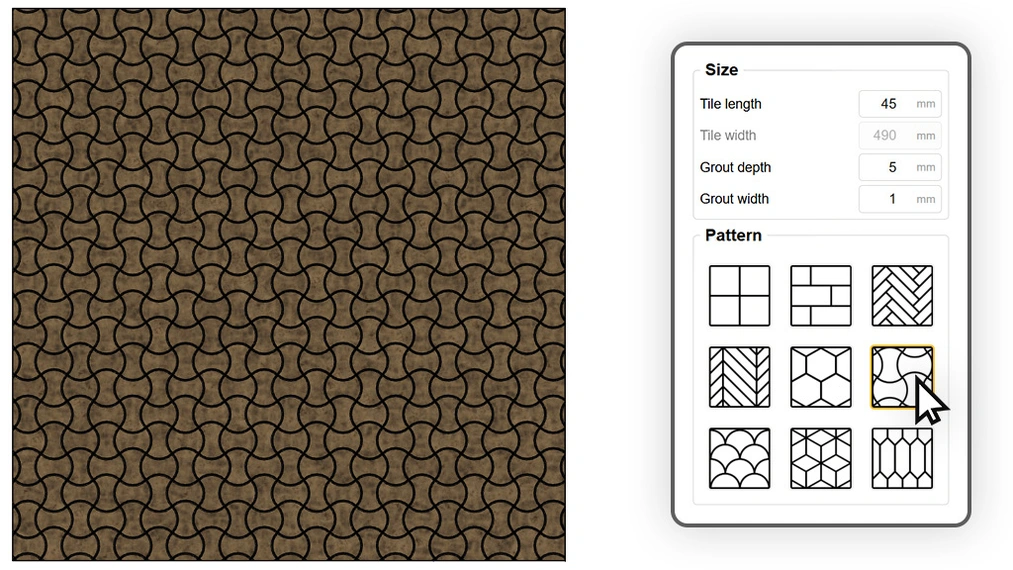
Corset
Pattern with soul, characteristic of interwar architecture and old tenements. Manually drawing these curves in SketchUp is extremely difficult and tedious. Custom Ground Wizard generates this complex shape in seconds, allowing you to recreate a retro atmosphere with a single click in stairwells, entrance halls, or stylized bathrooms. It also offers the option to choose the level of detail according to your needs.
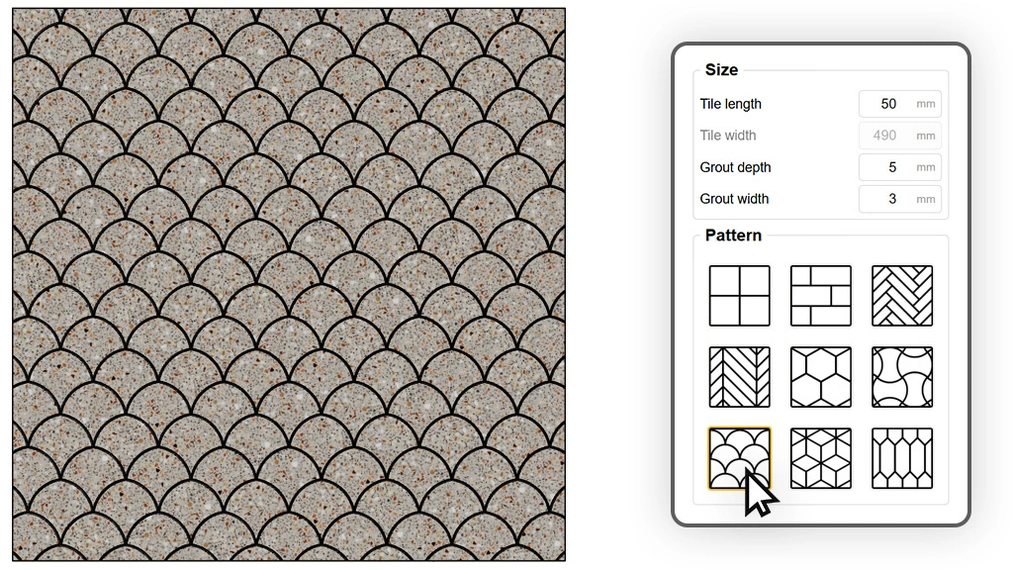
Fan
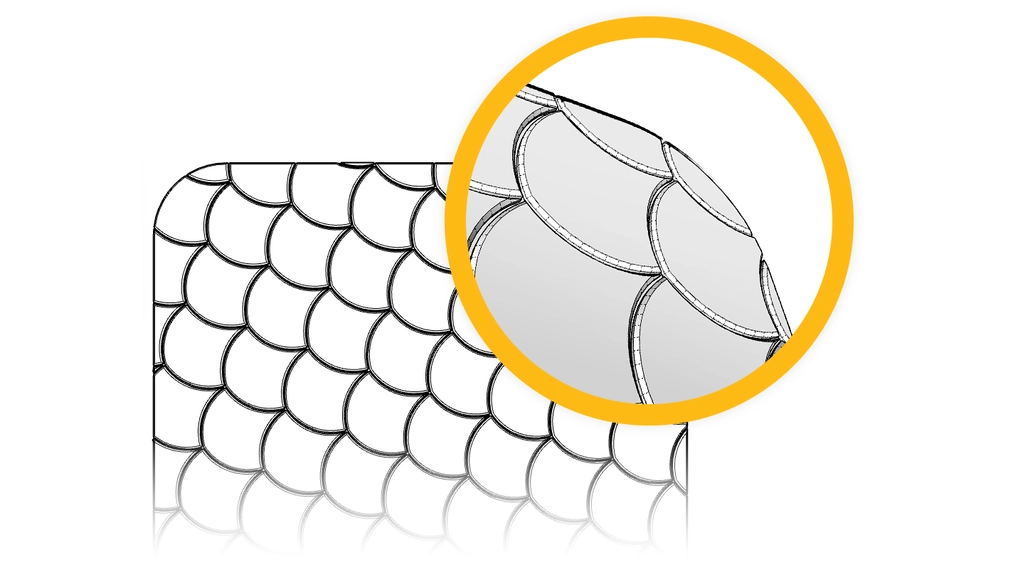
An organic, arched shape that introduces softness and decorative character into a design. This pattern, also known as fish scale, is used both indoors as a decorative wall tile (e.g., in bottle green) and outdoors, mimicking classic fan-laid granite cobblestones on sidewalks.
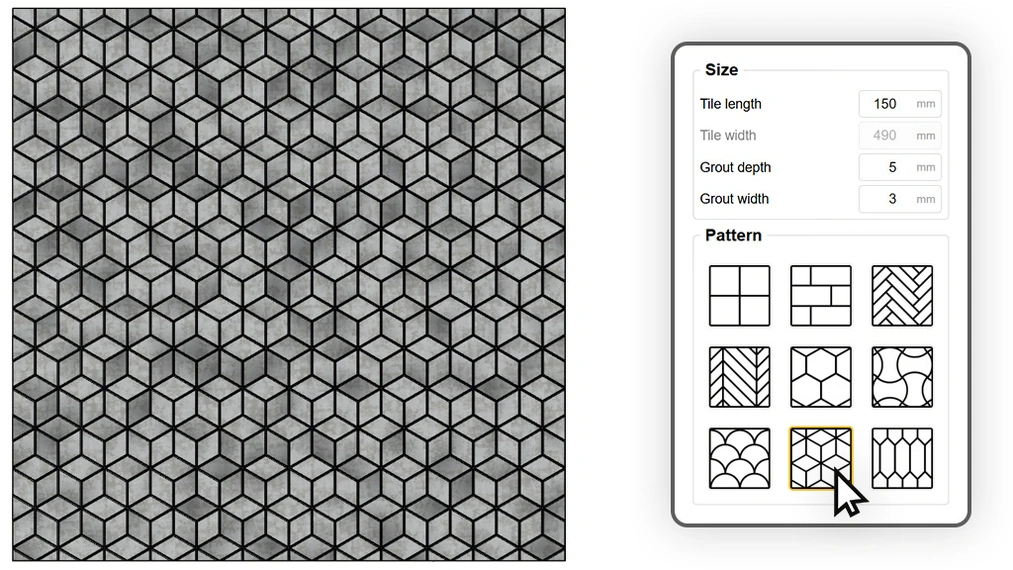
Cube
Creates an impressive three-dimensional optical illusion by arranging rhombuses into spatial cubes. It’s a pattern often found in representative halls and palace interiors. Since the plugin generates geometry, you can easily color each face of the “cubes” in three different stone shades, enhancing the 3D depth effect.
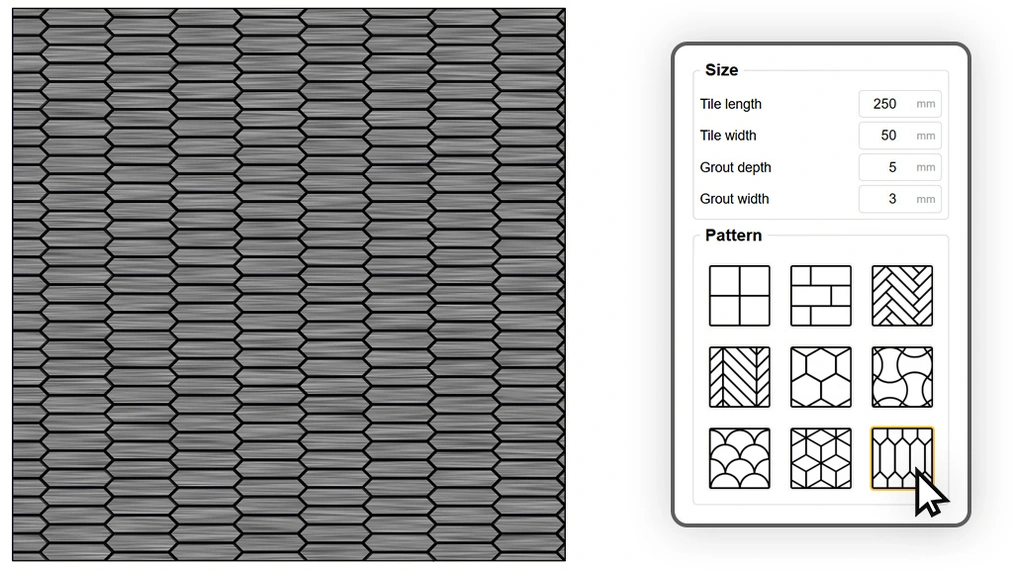
Arrow
A modern variation on the hexagon, often called the “picket” tile or arrow. This slender shape works great as a vertical wall cladding, visually raising the room, or as a dynamic alternative to classic parquet. It introduces modern geometry to interiors in a lighter form than a typical honeycomb pattern.
Startup Precision and Orientation – You Decide Where the First Tile Lies
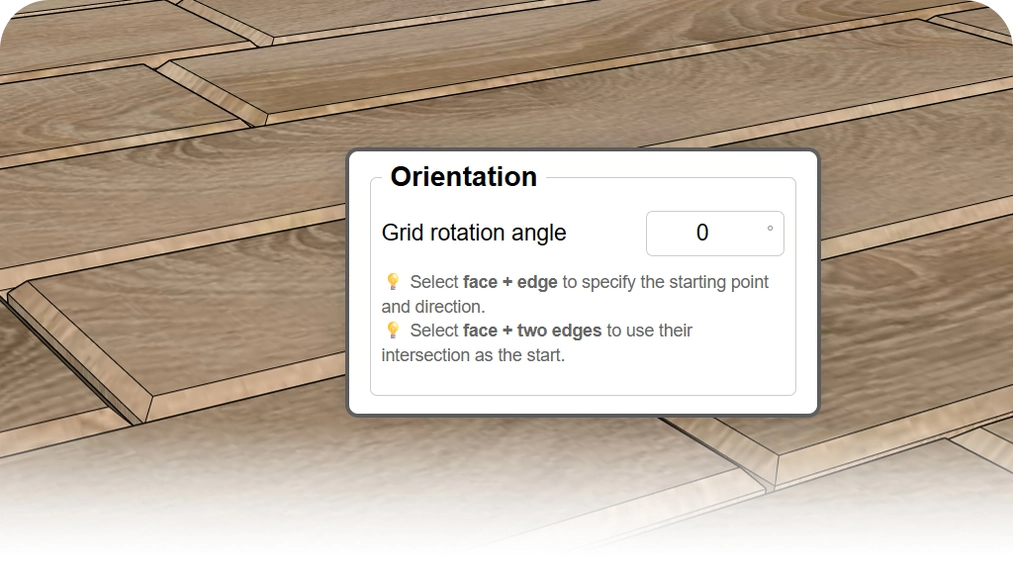
The biggest pain point of automatic generators is usually the lack of control over how the pattern aligns to walls. It often ends with ugly cuts in the most visible spots. Custom Ground Wizard solves this with its smart orientation feature.
- Grid rotation (no selection): You can enter any rotation angle (e.g., 45 degrees) for the entire pattern.
- Align to wall (1 edge): Select the floor plane and one edge, and the plugin will align the tile rows perfectly parallel to that wall.
- Start point (2 edges): This is an absolute game-changer. Select the plane and two edges, and the plugin will treat their intersection as the generation start point. This ensures that in a corner or at a threshold, a full, nice tile begins rather than a random cut.
Realism of Detail: Control Grout and Add Bevel
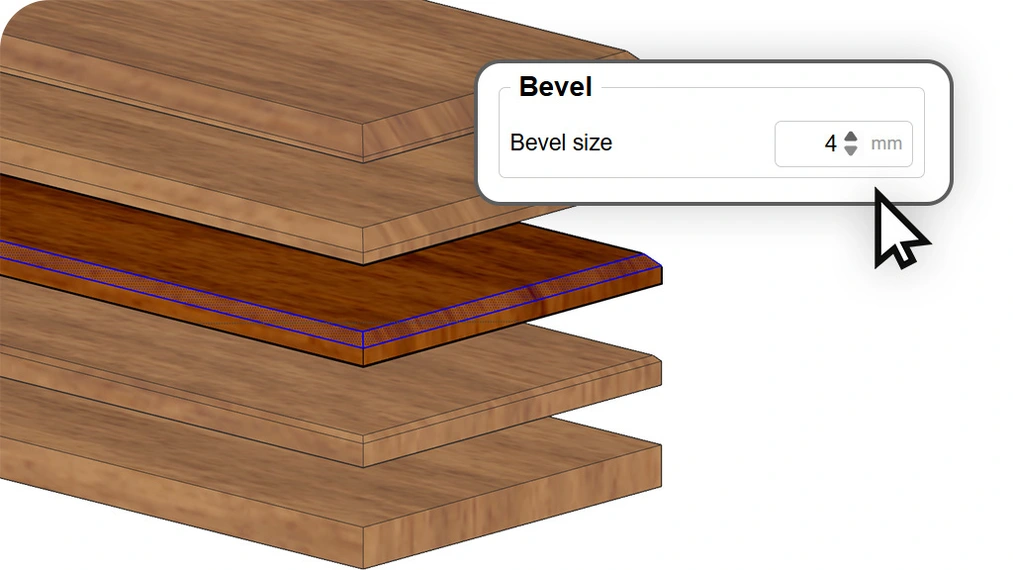
The devil is in the details. The plugin allows you to precisely define grout width and depth. But it’s the bevel that makes the biggest difference in rendering.
In reality, no ceramic tile or board has an edge as sharp as a razor. Edges are always slightly rounded or chamfered. Custom Ground Wizard lets you add a millimeter bevel to each tile. This way, rendering engines like V-Ray or Corona pick up this detail, creating natural light reflections on the edges. It’s that "secret ingredient" that separates a good visualization from a photorealistic one.
Texturing Without the Repetition Effect
Generating the 3D model is only half the success. For the floor to look photorealistic, the way the material is applied must be perfect. Custom Ground Wizard has a built-in texture coordinate (UV) management engine, giving you capabilities not available in standard SketchUp tools.
Intelligent Direction Alignment (Longitudinal / Transverse)
No more manually rotating the texture on each board! By selecting the "Longitudinal" mode, the plugin automatically detects the longer side of each element and aligns the texture (e.g., wood grain) along it. Whether you’re laying a herringbone, chevron, or a complex parquet pattern – the wood will always look natural.
The "Transverse" mode rotates the mapping by 90 degrees, which is useful for specific ceramic patterns.
Repetition Elimination (Random Offset X and Y)
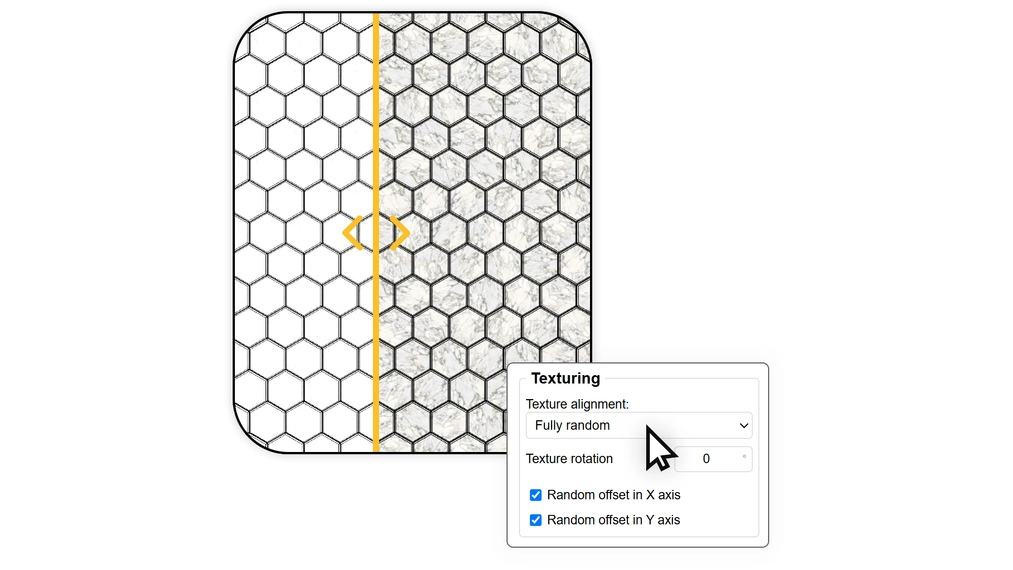
This is the most important feature for achieving a natural effect. By selecting the Random Offset X and Random Offset Y options, the plugin randomly "shifts" the texture sample for each individual tile.
What does this give you? By using just one texture (even a small sample of a board or concrete), you get a floor where each tile looks unique!
This way you avoid the artificial "stamp" effect, where the same knot or stain repeats in the same spot on every other tile. The plugin creates the impression of vast material diversity without burdening the file with heavy textures.
Controlled Randomization (Rotation)
For ceramic and stone tiles, we have prepared dedicated randomness modes:
- Random (rotate by 90°): Perfect for square tiles with an abstract pattern (e.g., terrazzo, patchwork). The plugin randomly rotates the texture by 0, 90, 180, or 270 degrees. You maintain geometric consistency of the pattern while introducing natural variation.
- Completely random: Best solution for uniform materials like concrete, granite, or marble, where direction doesn’t matter and uniqueness of each fragment counts.
Our Floor Generator Handles "difficult" Rooms
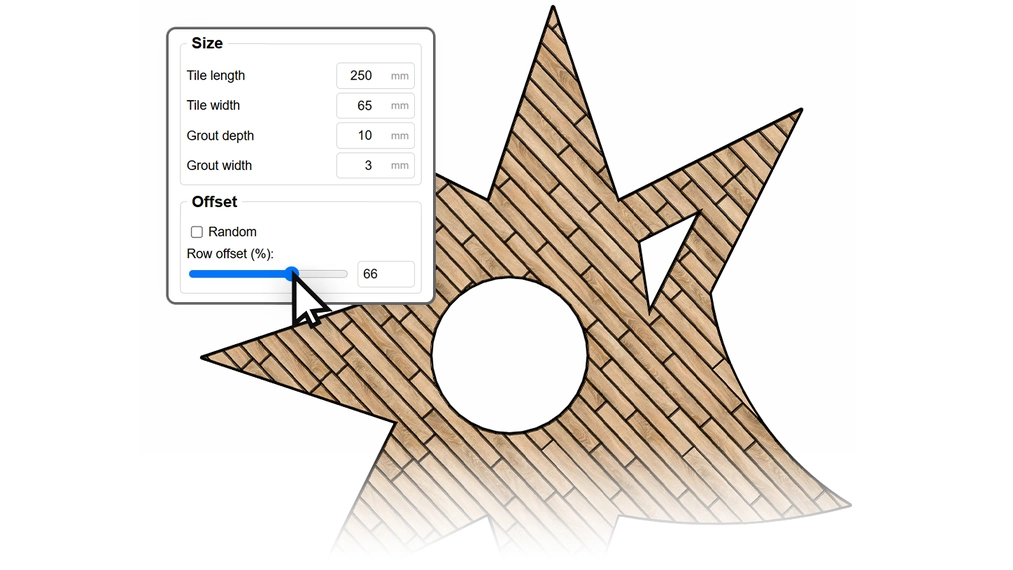
Curved walls? Arches? Structural column in the middle of the living room?
Need a stairwell opening? For Custom Ground Wizard, it’s no problem! The plugin’s algorithm detects surface boundaries and internal openings, perfectly cutting tiles to the desired shape. You don’t need to split the floor into smaller rectangles – just select the entire complex outline and click "Generate".
Version Comparison: Free vs PRO
We’ve created two versions of the plugin. The FREE version is our gift to the SketchUp community – it’s fully functional and free for commercial use as well. The PRO version is a tool for professionals who need access to the full pattern library and want to maximize their workflow speed. In the table below, we present their key differences:
| FREE Version | PRO Version | |
|---|---|---|
| 3D Geometry Generation | ✓ | ✓ |
| Commercial License | ✓ | ✓ |
| Complex Shape Support | ✓ | ✓ |
| Starting Point Selection | ✓ | ✓ |
| Longitudinal & Transverse Texture Alignment | ✓ | ✓ |
| Edge Beveling | ✓ | ✓ |
| Basic Patterns (Grid, Brick) | ✓ | ✓ |
| Advanced Patterns (Herringbone, Chevron) | ✕ | ✓ |
| Geometric Patterns (Hexagon, Gorset, Fan, Cube, Arrow) | ✕ | ✓ |
| Texture Matching (90° Rotation & Fully Random) | ✕ | ✓ |
| Random Texture Offset (X & Y Axis) | ✕ | ✓ |
| Technical Support | Basic | Priority |
Two flexible PRO license options
We know that every designer and architect works in a different system. That's why we have prepared two access models to the full version of Custom Ground Wizard PRO, so you can choose the option perfectly tailored to your needs and budget:
- Annual license: You get full access to all PRO features, geometry, and patterns for a full 365 days. It's a great option to start.
- Perpetual license: The most cost-effective choice. You pay once and use the plugin without any time limits, forgetting about subscriptions forever.
One key, full freedom
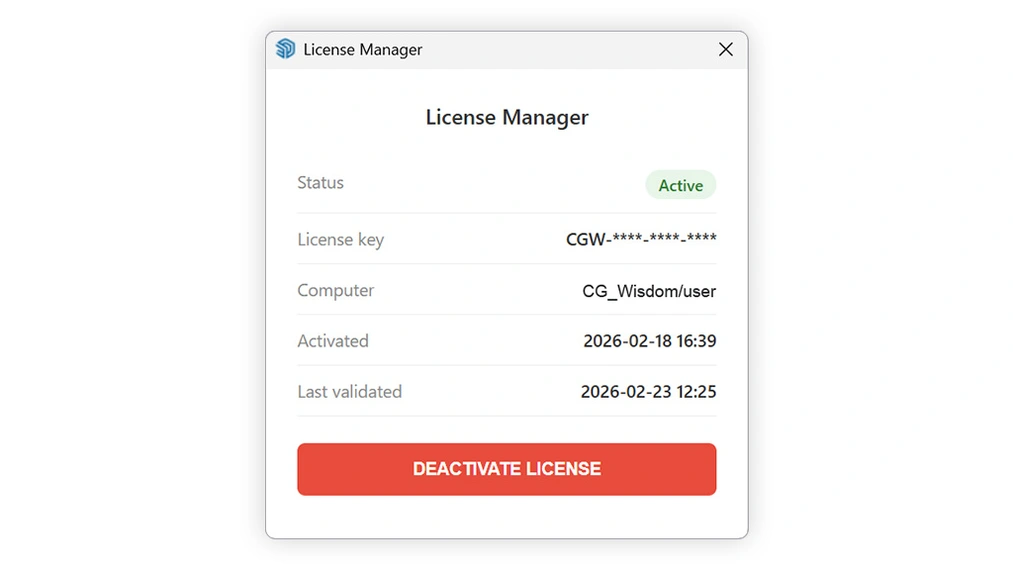
After completing the order, you will receive your unique activation key, which you paste into the plugin window. The license is valid for one workstation at a time, but we have ensured maximum flexibility for your work.
We have implemented an incredibly simple management system: if you finish work on your office computer and want to complete a project on your laptop at home, all you have to do is deactivate the key on the first device with one click. This immediately frees up the license and allows you to activate it again on the second device. You gain full mobility without needing to buy dual access!
Take Your Visualizations to the Next Level
Custom Ground Wizard is not just another plugin – it’s a new standard for working in SketchUp. We created this tool to let you stop struggling with geometry and focus on what matters most: design. Whether you choose the Free version to lay perfect bricks, or invest in the PRO version to create complex herringbone parquet – we guarantee you’ll feel the difference from the very first use.
Show Off Your Projects!
We are proud of what the CG Wisdom community creates. We really want to see how our tool performs in practice. Do you have an amazing bathroom ready using the free "brick" pattern? Or is a living room with French herringbone in the PRO version currently under way? When posting visuals on Instagram or Facebook, be sure to tag us: @cgwisdom.pl. We’ll gladly share the most interesting works! Let’s build a knowledge and inspiration base together.
