EN
 PL
 ES



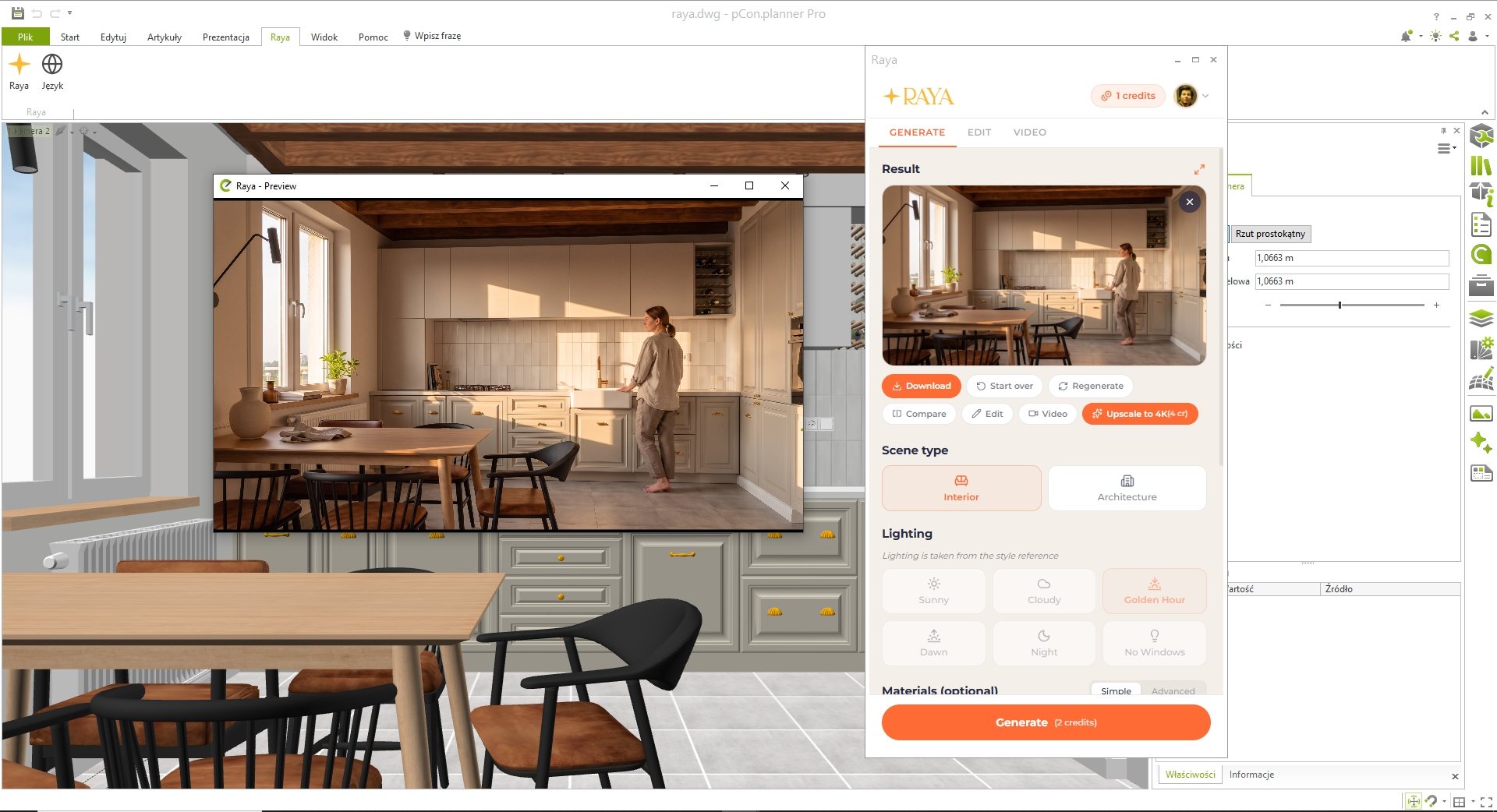
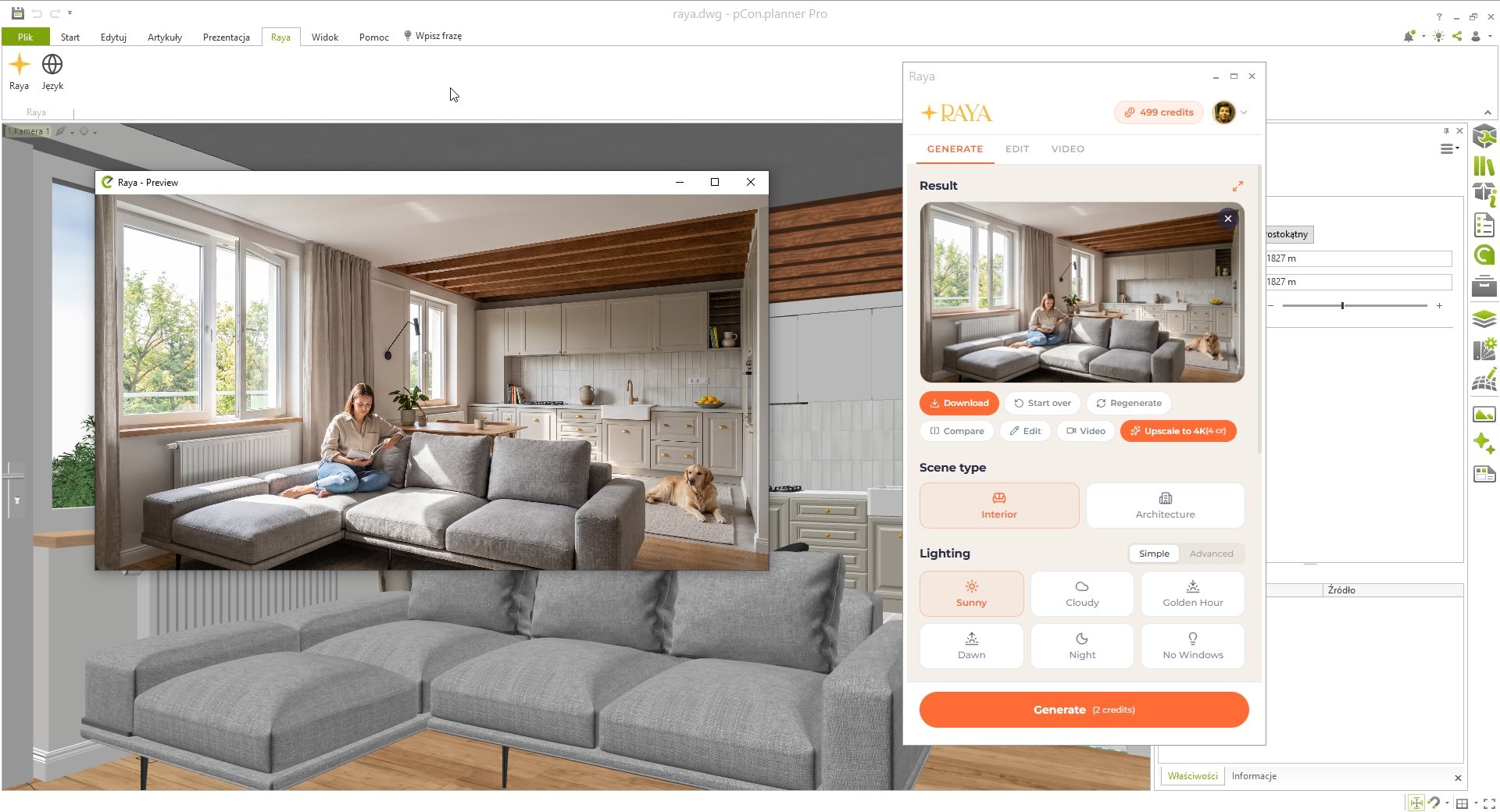
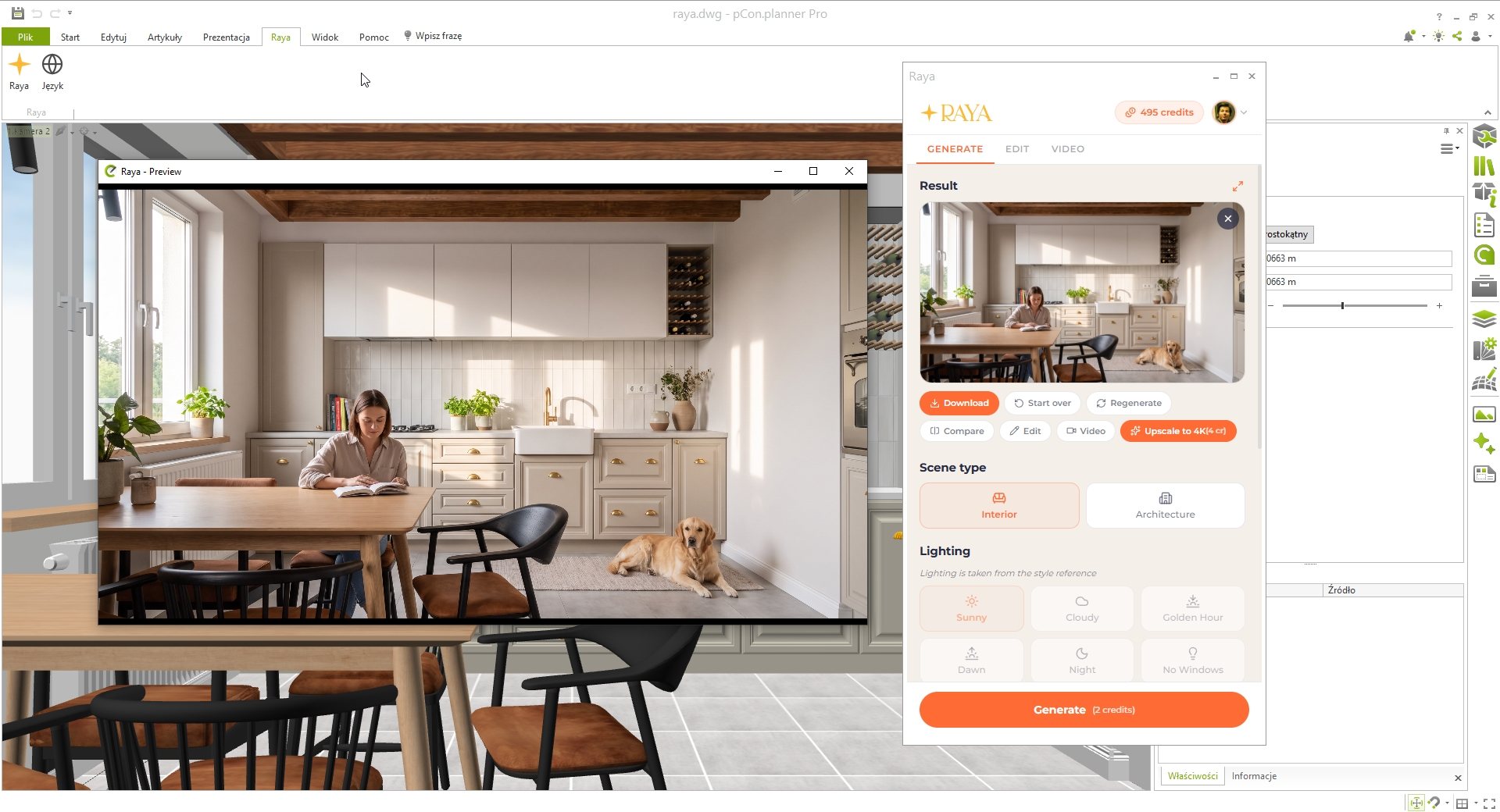
An arrangement from pCon.planner that looks like a photograph
In pCon.planner, you can create an arrangement quickly because the furniture comes directly from manufacturers' catalogs.The challenge is creating an image for the client.The working view is flat, and a decent render means setting up lights and materials or exporting to a separate program.In a furniture showroom or sales department, nobody has time for that between one client and the next.
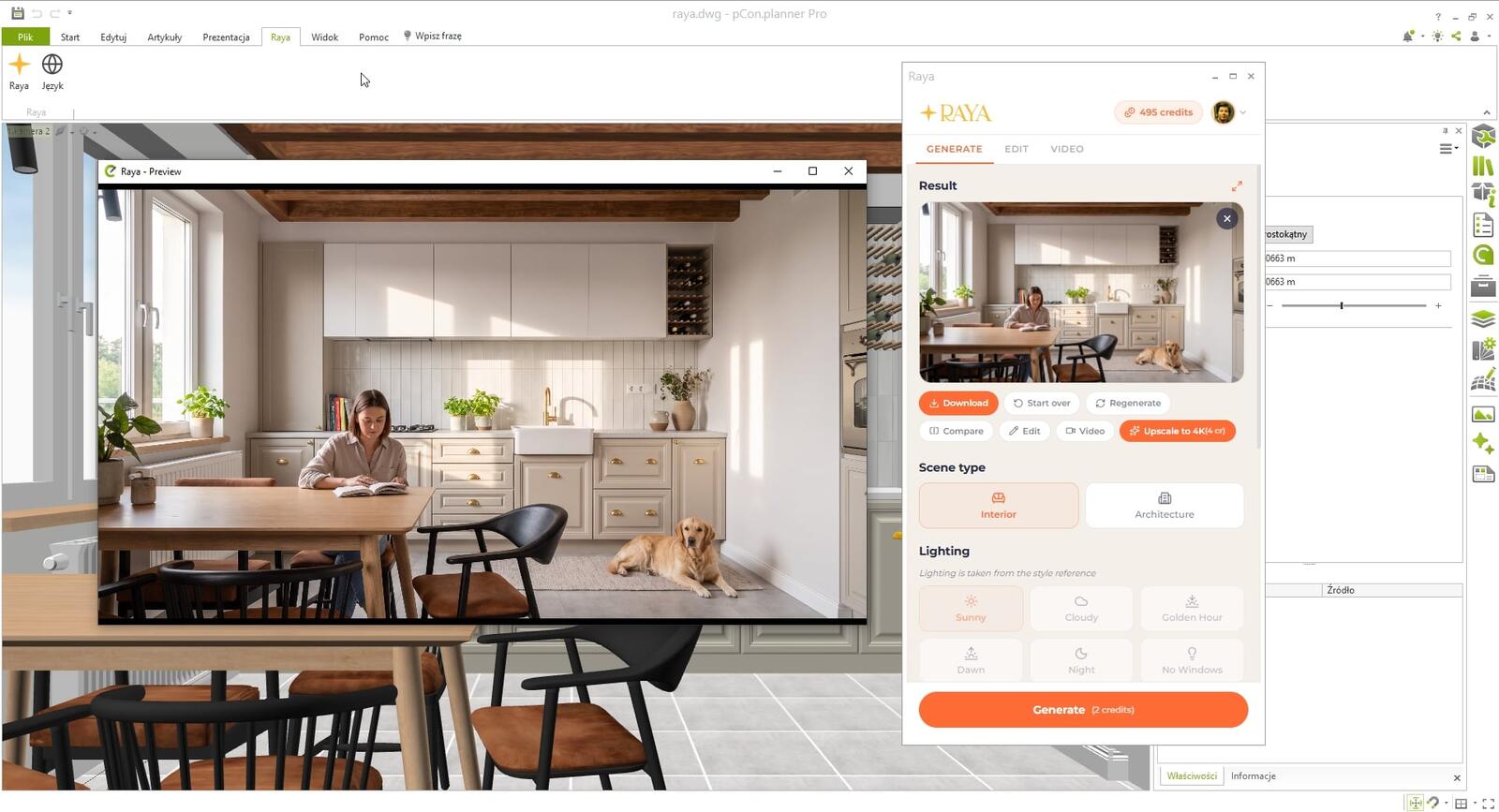
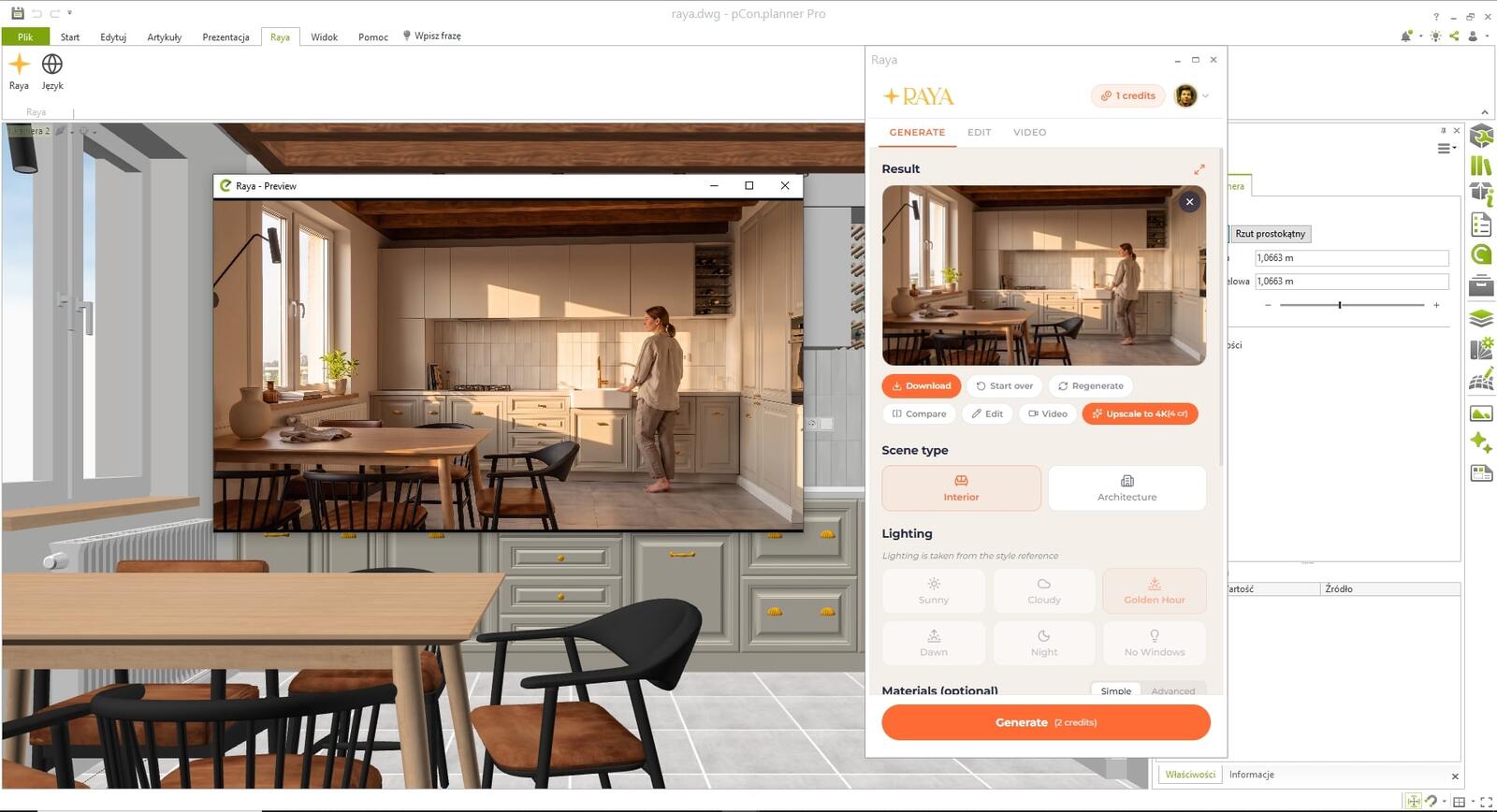
Raya is a free AI plugin for pCon.planner that turns the current arrangement view into an interior visualization that looks like a photograph, in less than a minute. You open the panel from a separate Raya tab on the ribbon.The furniture retains the shape and layout from the design, while AI adds daylight, fabric, wood and stone textures, plants, and small decorations.
Who is the Raya plugin for pCon.planner for?
Furniture showrooms and dealers
The client sees their sofa in a real, cozy room right at the sales desk.Such an image is easier to justify in an offer than a list of catalog item numbers.
Office and commercial space designers
You can immediately show arrangements of workstations, conference rooms, or receptions in several lighting variants before the order goes into production.
Furniture manufacturers
The same scene in pCon.planner can become lifestyle images for a catalog, website, and social media, without organizing a studio shoot.
Your first visualization step by step
- Raya tab. On the pCon.planner ribbon, open the Raya tab and sign in to your account.
- Frame. Set the arrangement view as you want to show it to the client and capture it in the panel.
- Settings. Leave the scene type as “Interior”, choose the lighting, and optionally add fabrics or colors.
- Result. In less than a minute, you have an image ready to insert into your offer.
An atmosphere straight from a manufacturer's catalog
Furniture brands take care to maintain a consistent photo style.To make the visualization match it, upload a catalog photograph as a reference using the Match style option.Raya will adopt its lighting, color palette, and mood, while the lighting settings in the panel will be disabled because the reference then determines the lighting.
People, animals, and details that bring an arrangement to life
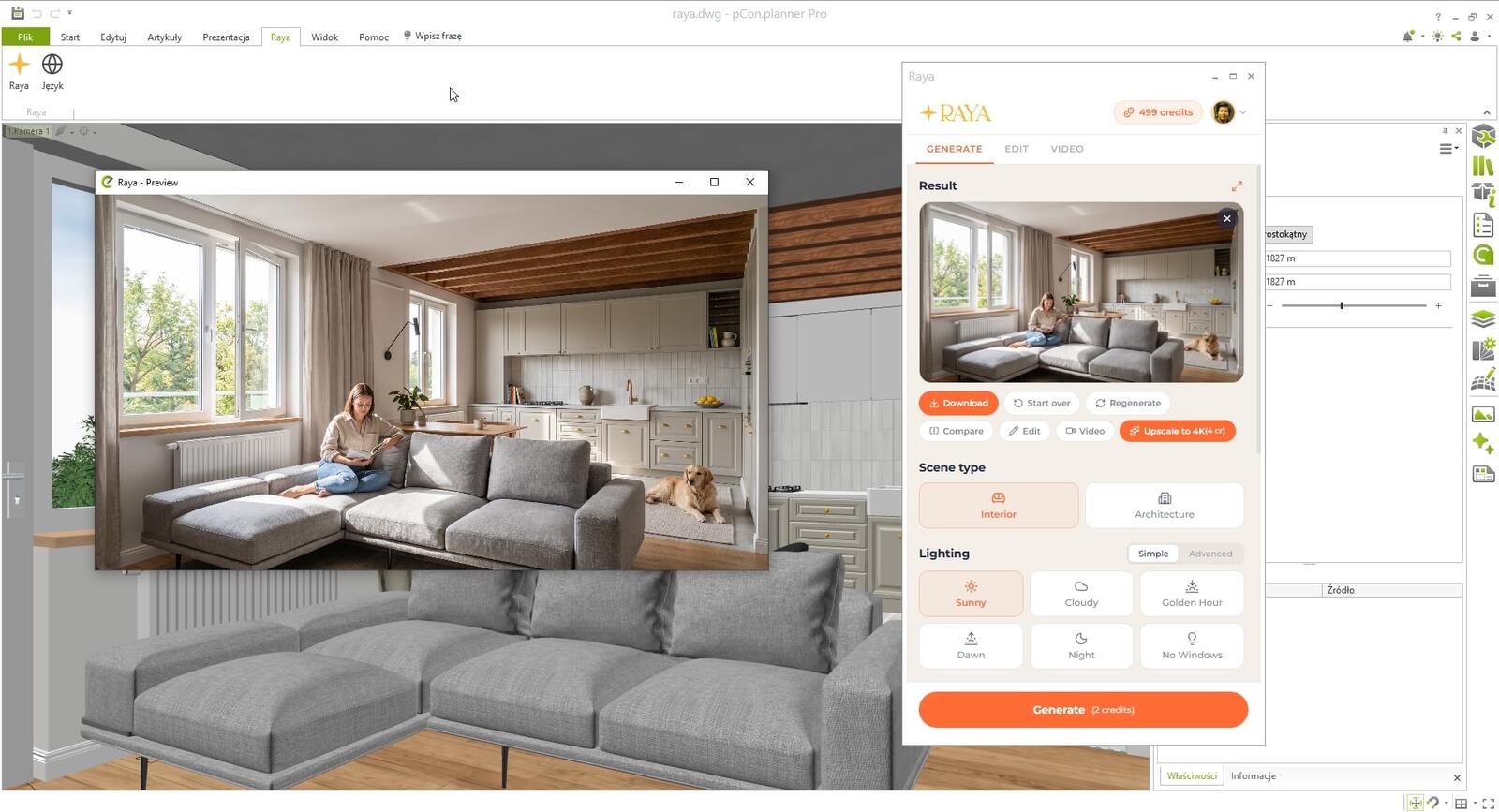
An empty arrangement looks like a catalog board, while the same scene with someone reading on the sofa and a dog on the rug immediately feels like a home.You add a person and an animal using toggles in the panel, and you can further specify their description.Additional options add books, plants, and small items on shelves or turn on the lights.
Close-ups and edits in the Edit tab
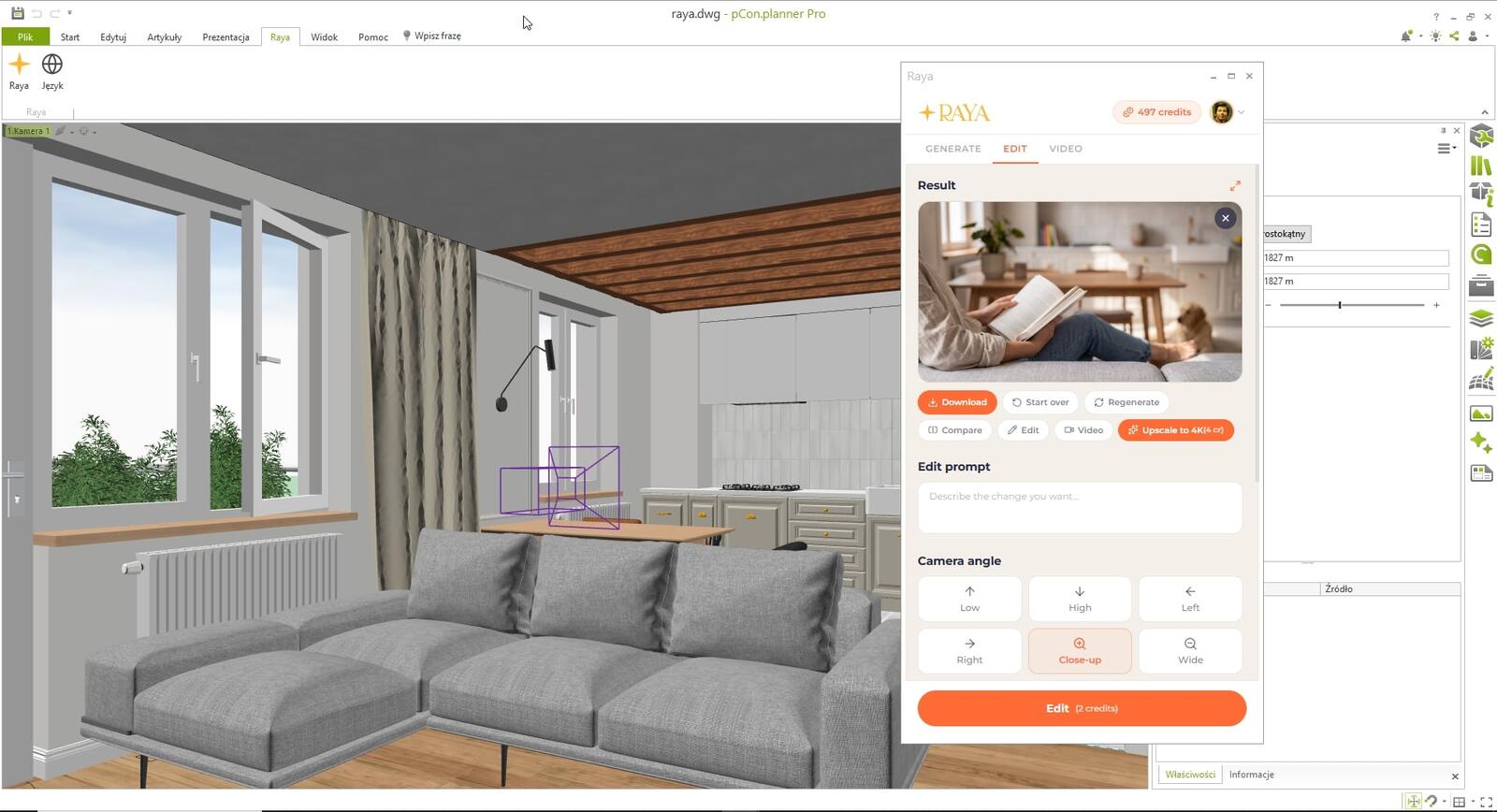
Does the client want to see the upholstery texture up close?In the Edit tab, choose the “Close-up” camera angle, and a detailed frame is created from the finished visualization.You can also change the shot to a view from above, below, or from the side.Change the upholstery or countertop color by selecting a section of the image and describing the change, or add a new lamp or table from a product photo.
Video for your offer: furniture out of a box and furnishing an empty room
On social media, video usually attracts more attention than a photo, and with the plugin you can prepare it in just a few minutes.The ready-made shots are particularly effective for furniture sales: an empty room where furniture slides into place, furniture popping out of a cardboard box, or changing light throughout the day.A video costs from 5 credits and is immediately ready to send to the client.
How much does the Raya plugin for pCon.planner cost?
The plugin itself is free, and so is a Raya account.You only pay in credits for completed images and videos.A new user receives 20 starter credits, valid for two weeks, which is enough for up to ten 2K arrangements—just right for testing with real clients.You can freely include images from this pool in your offer because the commercial license also covers free credits.When you need more, choose a package or subscription from the Raya pricing.
| Service | Credits |
|---|---|
| Plugin download and account | 0 |
| Welcome gift | 20 (for 14 days) |
| One arrangement | 2 in 2K, 4 in 4K |
| Edit or close-up | 2 in 2K, 4 in 4K |
| Print-ready file | 4 for 4K, 5 for 6K |
| Video from an arrangement | from 5 |
If an image is not generated for technical reasons, the credits spent on it are returned to you without any formalities.
Important: the plugin works in pCon.planner PRO
Raya requires pCon.planner PRO version 8.14 or newer.In the free STD edition, the program does not load plugins, so the panel will not appear.The plugin works on Windows 10 and 11.If you work on a computer without pCon.planner PRO, save a screenshot of the view and generate the visualization in the Raya web app.
Raya vs. the pCon.planner renderer
The pCon.planner renderer shows exactly the material variants selected from the catalog.Raya builds an image based on the view, so it focuses on the mood and realism of the interior, and may interpret the shade of a specific upholstery in its own way.When a client orders fabric with a specific code, attach its photo as a reference and check the color in the visualization before sending the offer.For sales images and inspiration, this is more than sufficient.
The pCon.planner project remains untouched because the plugin only uses the captured image.
One panel, five languages, shared credits
- Language versions: you can switch the panel between Polish, English, Spanish, Italian, and German.
- One shared account for the web application and plugins for SketchUp, Revit, ArchiCAD, 3ds Max, and Rhino.
- Job history. Generated arrangements are stored in your account, so you can download them again from another computer.
An offer with a visualization on the very same day
Raya was created so that the image for the client does not become a sales bottleneck.You can send an arrangement created in pCon.planner in the morning that same afternoon as a realistic visualization and a short video.Download the plugin and test it on the project you are currently pricing.
If you are just getting to know the program, start with the pCon.planner course.
Your arrangements with us
Do you have an arrangement from pCon.planner and Raya worth showing?Post it on Instagram or Facebook and add @cgwisdom.pl.We will show the best works to our followers.