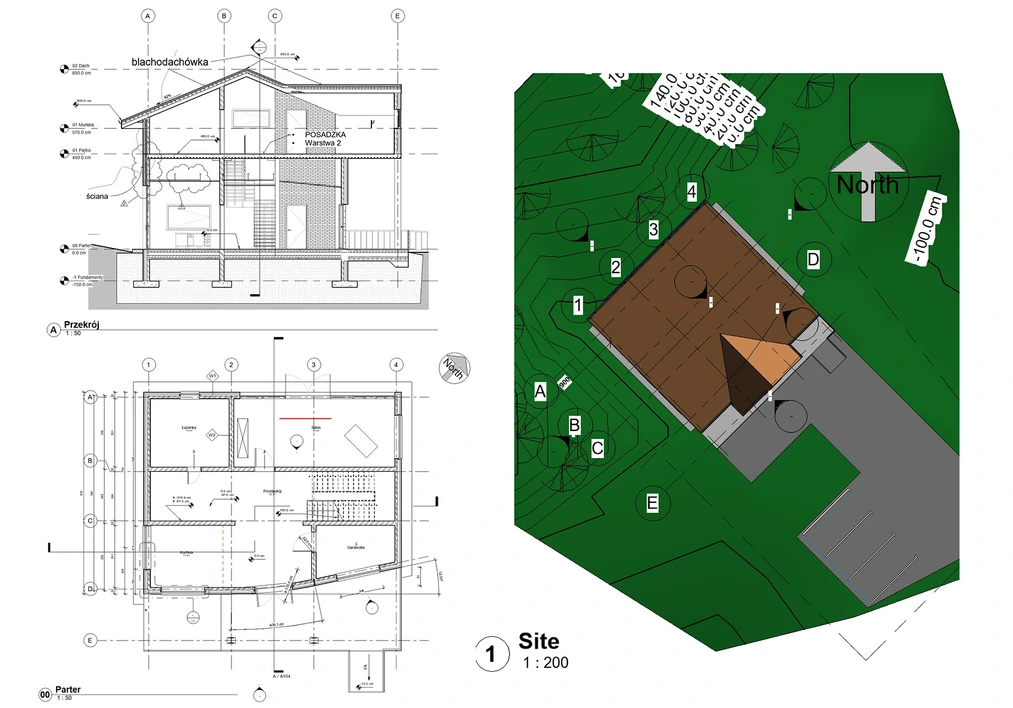
Revit Course - training for beginners from scratch online

Do you want to learn Revit but don't know where to start? Our course from scratch will be the perfect choice!

Course rating: 5.0     (20 reviews)

Revit Course - training for beginners from scratch online

What you will learn from this course?

  • Interface overview
  • Navigating the program
  • Useful tools
  • Terrain modeling
  • Stair creation
  • Annotation and dimensioning
  • Sheet creation
  • Print preparation

This course includes

  • 7 hours 52 minutes
  • 69 lessons
  • Training materials
  • Level: basic
  • Programs used: Revit 2023 - Wersja angielska
Buy permanent access to this course for

39,90 USD 32,44 USD netto
59 USD 32% zniżki
Najniższa cena z 30 dni: 29,90 USD

Who is this course for?

The course is mainly designed for those who are just beginning their BIM modeling journey and have not had any prior experience with Revit. It is therefore ideal for future architects, builders, and other participants in the design process.

Despite its basic nature, it can serve as excellent review material for intermediate users. Whether you are a student or already working, the course will provide you with tangible benefits in the future.

Requirements

  • The student  should have Revit software installed to be able to fully benefit from the course. You can use the free 30-day trial or the educational version, which are available on the manufacturer's website.

Course participant testimonials Revit - training for beginners from scratch online

  • Grzegorz Kamyno 14-01-2024 Featured review Verified purchase review

    Very thorough and calmly presented program basics. A step-by-step review of all its functions. A must-have for those starting with this software or for anyone wanting to refresh their memory on how it worked.

  • Paulina 30-05-2025 Verified purchase review

    Very helpful course for people who are starting their adventure with Revit. Everything is explained in detail step by step. I recommend it!

  • Paola Barberis 12-05-2025 Verified purchase review

    I recommend the course to everyone who wants to learn Revit professionally. The instructor was an excellent teacher, and the course provided me with all the necessary skills.

  • Claudia 22-04-2025 Verified purchase review

    Specific and to-the-point course. I sincerely thank you and recommend it!

  • Janusz 04-01-2025 Verified purchase review

    I recommend this course to anyone starting their journey with Revit. The instructor conveyed the knowledge with enthusiasm, which made learning much easier.

  • Nina Kuczyńska 10-11-2024 Verified purchase review

    The course is very helpful and easy to follow. I recommend it.

  • Hania 31-08-2024 Verified purchase review

    Very helpful

  • Bartłomiej Kubański 29-08-2024 Verified purchase review

    Thanks to this course, I have mastered Revit at a level I could only dream of before. The instructor was incredibly helpful and always ready to clear up my doubts.

  • Daria Kowalska 24-08-2024 Verified purchase review

    Thanks to the course, I understood the basics of Building Information Modeling (BIM) in Revit. The instructor’s teaching method was exceptionally effective.

  • SUDO DESIGN 05-08-2024 Verified purchase review

    A very accessible course that allows you to quickly master the basics of working in Revit. I recommend it!

  • Michał 28-12-2023 Verified purchase review

    Clearly explained the most important features of the program and their applications.

  • Daniel 29-11-2023 Verified purchase review

    Hello
    So, let’s go step by step :)
    1. The course was very well prepared and conducted. And convenient and cost-effective.
    2. Unfortunately, I got lost a few times. I have the 2024 trial version.
    3. My "failures":
    - My A and B axes in the ground-floor plan disappeared somewhere
    - North arrow - missing
    - Terrain modeling is a bit different from your version, so I did it my way

    I will definitely attend an in-person course in the future. With strong fundamentals it will be easier for me. However, it’s faster to ask someone when something doesn’t work than to look for solutions online... :)

    Thank you and best regards

  • Michał 01-10-2023 Verified purchase review

    Short and to the point.

  • Kacper 26-09-2023 Verified purchase review

    helpful course

  • Maria Fusiek 11-08-2023 Verified purchase review

    A very nice course, interesting and well-conducted :)

  • Filip 05-05-2023 Verified purchase review

    The course was very helpful

  • Marlena 23-02-2023 Verified purchase review

    Until now, I wasn’t a fan of online courses, but after completing this course, I changed my mind. The best course for someone just starting their journey with Revit. I recommend it!

  • Anita T 10-02-2023 Verified purchase review

    A nice course as a foundation for further learning. All options are very well explained, and their application in design is demonstrated.

  • Tomasz Wieteska 26-10-2022 Verified purchase review

    A very nice introductory course guiding a new user through the program step by step. I recommend it.

  • Jakub 19-08-2022 Verified purchase review

    Great course. I highly recommend it for beginners :)

SEE MORE COLLAPSE


What is the course about?

The online course Revit from scratch is the ideal training for those who want to start working in one of the most popular BIM programs.Autodesk Revit allows the creation of complete architectural and construction projects – from concept, through 3D modeling, to technical documentation. During this course, you will learn all the most important features and how to use them in practice.

What is Revit and what is it used for?

Revit is an advanced tool for Building Information Modeling (BIM) used by architects, engineers, and designers around the world. It enables the creation of three-dimensional models while automatically generating technical drawings, sections, material schedules, and other documentation elements.

In the course, you will learn the most important Revit features, learn to work with views, levels, families, and manage a project from scratch. It’s an excellent introduction to modern architectural design using BIM technology.
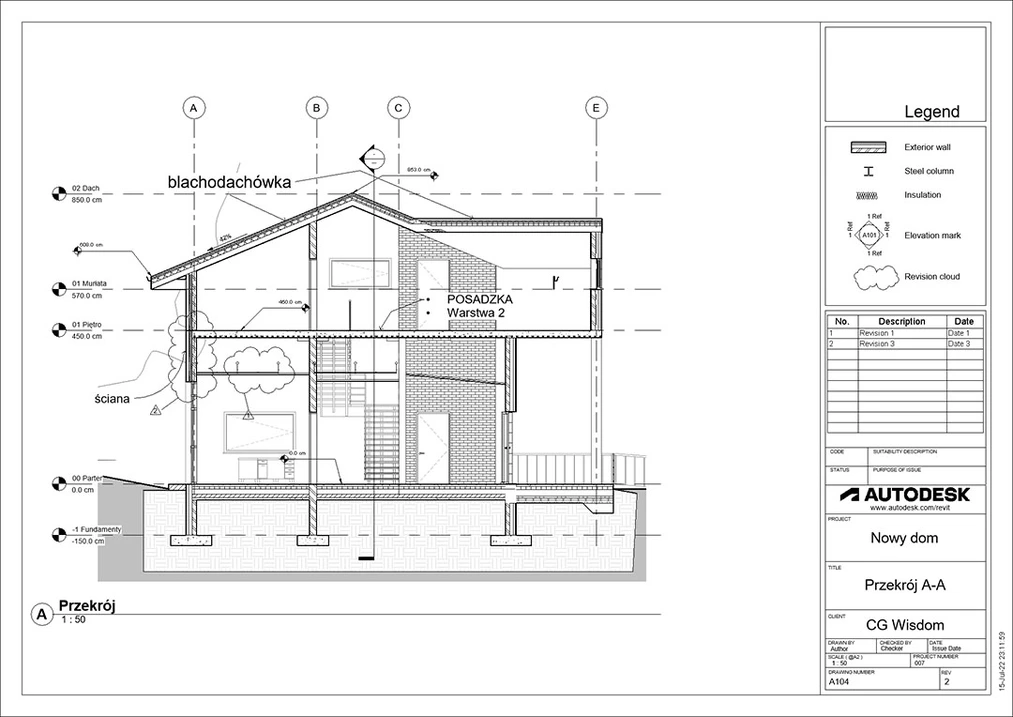
Course - Revit 2023 for beginners from scratch - 01

Who is this course for?

This training is designed for those who have never worked in Revit before. Thanks to the accessible presentation and logical lesson structure, the course is suitable for both architecture and civil engineering students and beginner architects, interior designers, and structural engineers.

If you are looking for a practical course that will guide you step by step through the program's most important features – you’re in the right place. You don’t need any prior knowledge. All you need is a willingness to learn and the Revit software installed.

Revit – learning from zero to a project

The course begins with an overview of the interface and the first launch of the program. You will learn how to configure the workspace, save and open files, and navigate the project. At this stage, you will already master the key elements that will allow you to use the tool comfortably.

Next, you will move on to learning basic modeling: creating walls, floors, roofs, openings, stairs, and windows. With each lesson, you will discover new functions that will allow you to work more freely in 3D space and generate drawings and schedules from it.
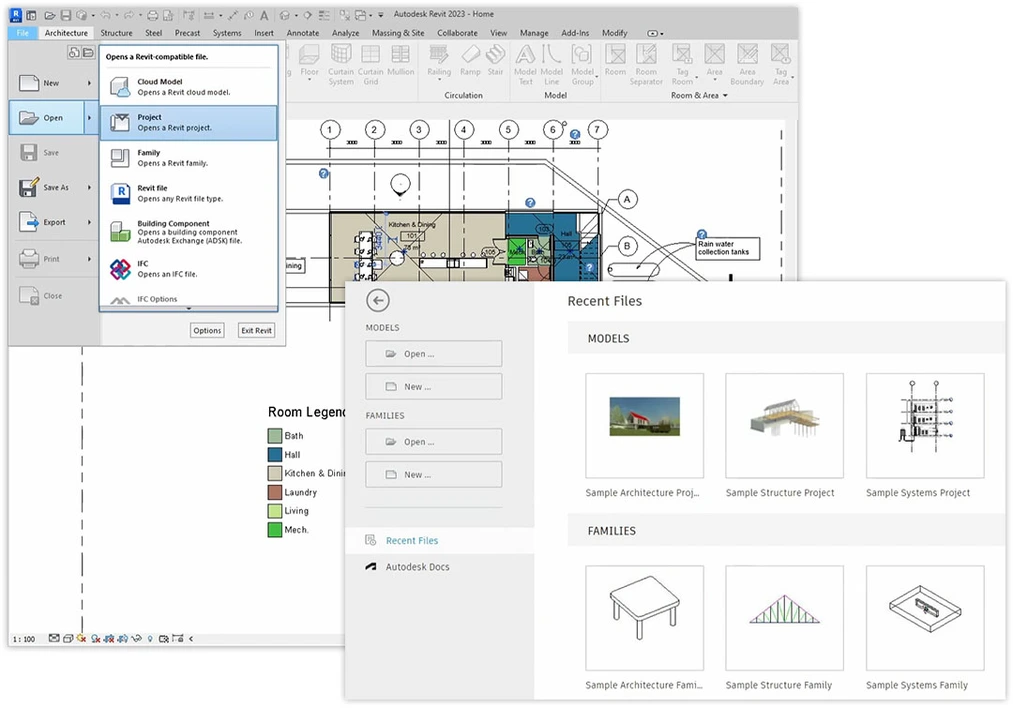
Course - Revit 2023 for beginners from scratch - 02

Experienced instructor

The author of the course is an architect with many years of experience, a graduate of the Lodz University of Technology, who works daily in a BIM environment and uses Revit for architectural and construction projects. Thanks to this, you receive not only theory but, first and foremost, a practical approach and tips drawn from everyday project work.

The instructor explains all topics in detail – showing not only how to use a given tool but also when and why it is worth applying. This is immense value for anyone who wants to work professionally with Revit in a design office or develop their skills independently.
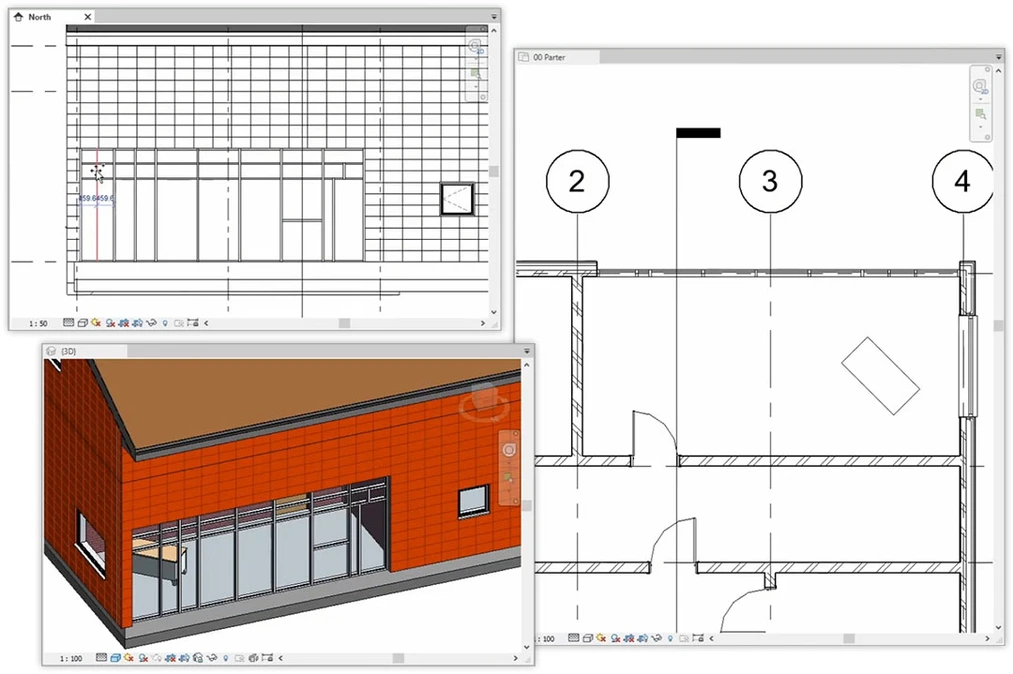
Course - Revit 2023 for beginners from scratch - 03

12 modules – nearly 70 video lessons

The course consists of 69 lessons divided into 12 coherent chapters. In total, it's nearly 8 hours of training video in which you gradually acquire the knowledge needed to create projects on your own. The material is organized thematically – you start with the basics and finish with file export, sheets, and complete documentation.

In the course, you will find, among others: – learning to create model elements (walls, floors, roofs, stairs), – mastering measuring tools, views, sheets, and schedules, – importing families from libraries and working with CAD/IFC models, – exporting to PDF and creating ready-to-use project boards.

This is a comprehensive introduction to Revit that will allow you not only to understand how the program works but also to prepare a project for printing or the next design stage.
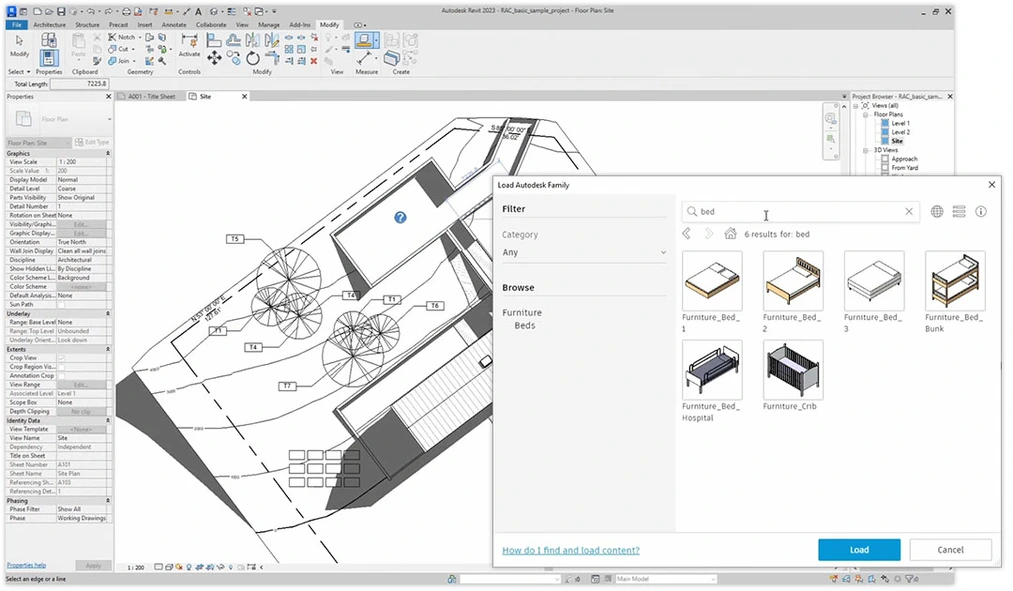
Course - Revit 2023 for beginners from scratch - 04

Get ready to work in a design office

Autodesk Revit is the standard in team collaboration, allowing the integration of work among architects, engineers, and contractors. More and more architectural offices and construction companies require knowledge of this program – both in Poland and abroad.

After completing this course, you will be able to: – create a complete building model, – prepare 2D and 3D documentation, – export the project to various formats (PDF, DWG, IFC), – use BIM tools in practice.

This is the ideal start for anyone who wants to develop a career in the design industry and learn how to use one of the most important programs on the market.
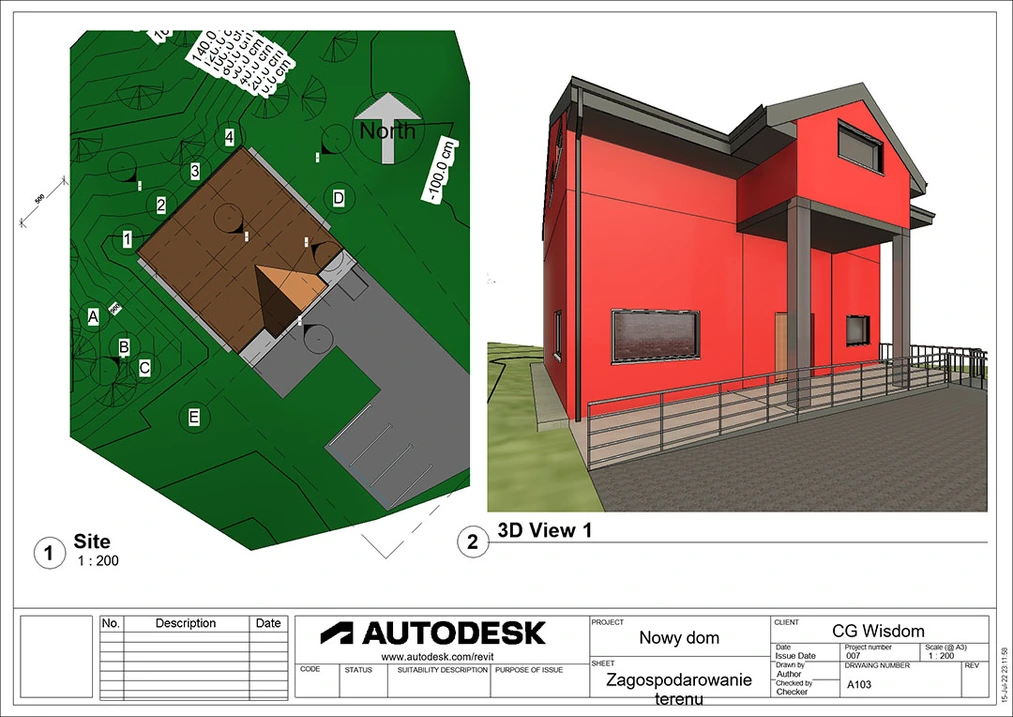

Course - Revit 2023 for beginners from scratch - 05

SEE MORE COLLAPSE

Video list

  • Introduction
  • 01.01 - Program Startup Watch a free lesson2 min 6 s
  • 01.02 - Settings Watch a free lesson5 min 1 s
  • 01.03 - Change Language 2 min 35 s
  • 01.04 - New Project 4 min 38 s
  • 01.05 - Saving Files 5 min 45 s
  • 01.06 - Opening Files 3 min 1 s
  • 01.07 - Clearing History 2 min 28 s
  • Interface - general information
  • 02.01 - Interface Overview 1 min 37 s
  • 02.02 - Ribbons 10 min 33 s
  • 02.03 - Quick Access Toolbar 4 min 12 s
  • 02.04 - Properties Window 4 min 30 s
  • 02.05 - Project Browser Window 10 min 59 s
  • 02.06 - Work Area - Navigation 15 min 11 s
  • 02.07 - Work Area - Options 11 min 33 s
  • 02.08 - Window Organization 5 min 47 s
  • Panel Modify
  • 03.01 - Select 8 min 16 s
  • 03.02 - Properties 1 min 13 s
  • 03.03 - Clipboard 6 min 39 s
  • 03.04 - Modify 15 min 15 s
  • 03.05 - Geometry 10 min 27 s
  • 03.06 - View 6 min 36 s
  • 03.07 - Measure 3 min 5 s
  • 03.08 - Create 5 min 40 s
  • Architecture
  • 04.01 - Grid 11 min 17 s
  • 04.02 - Level 6 min 12 s
  • 04.03 - Wall 10 min 39 s
  • 04.04 - Column 6 min 0 s
  • 04.05 - Floor 8 min 58 s
  • 04.06 - Ceiling 6 min 28 s
  • 04.07 - Roof 13 min 56 s
  • 04.08 - Door 3 min 23 s
  • 04.09 - Window 2 min 25 s
  • 04.10 - Component 2 min 55 s
  • 04.11 - Openings 5 min 21 s
  • 04.12 - Curtain Wall 6 min 22 s
  • 04.13 - Stair 11 min 46 s
  • 04.14 - Ramp 2 min 58 s
  • 04.15 - Railing 3 min 14 s
  • 04.16 - Room 4 min 26 s
  • 04.17 - Work Plane 2 min 10 s
  • 04.18 - Model Panel 4 min 30 s
  • Structural Elements
  • 05.01 - Beam and Column 6 min 49 s
  • 05.02 - Foundations 4 min 37 s
  • Insert
  • 06.01 - Tab Overview 1 min 29 s
  • 06.02 - Link 8 min 43 s
  • 06.03 - Import 3 min 3 s
  • 06.04 - Load from Library 5 min 1 s
  • Annotate
  • 07.01 - Dimensions 12 min 41 s
  • 07.02 - Detail 8 min 22 s
  • 07.03 - Text 4 min 3 s
  • 07.04 - Tag Symbol 5 min 51 s
  • Site
  • 08.01 - Model Site 8 min 37 s
  • 08.02 - Modify Site 5 min 24 s
  • Massing
  • 09.01 - Conceptual Mass 11 min 16 s
  • 09.02 - Model by Face 7 min 28 s
  • View Tab
  • 10.01 - Graphics 13 min 16 s
  • 10.02 - Create View 23 min 58 s
  • 10.03 - Windows 4 min 41 s
  • 10.04 - Schedules 9 min 51 s
  • 10.05 - Legends 5 min 50 s
  • 10.06 - Sheets 13 min 29 s
  • 10.07 - Render 3 min 18 s
  • Manage
  • 11.01 - Settings 8 min 49 s
  • 11.02 - Additional Settings 8 min 12 s
  • 11.03 - Project Location 6 min 55 s
  • 11.04 - Manage Project 4 min 19 s
  • Export
  • 12.01 - Export CAD 5 min 30 s
  • 12.02 - Export PDF 5 min 45 s
  • 12.03 - Export IFC 5 min 7 s
  • additional-files-revit-2023-from-scratch

SEE MORE ZWIŃ

The course covers topics such as:

  • Creating a new project, opening and saving files
  • Overview of the Revit interface
  • General Revit settings
  • Basic navigation within the program
  • Creating project grids and levels
  • Using basic building modeling tools
  • Modifying building elements and their structure
  • Inserting openings
  • Creating stairs
  • Curtain wall modeling
  • Creating sections, plans, and elevations
  • Generating 3D views and perspectives
  • Annotating and dimensioning views
  • Modeling custom objects in Mass Modeling mode
  • Generating and formatting schedules and legends
  • Creating sheets
  • Site modeling
  • Creating view templates
  • Overriding object display options in views
  • Basics of rendering
  • Managing the project and its elements such as materials and units
  • Location settings
  • Downloading families from the Autodesk Cloud
  • Export to PDF format
  • Export to DWG format
  • Export to IFC format

Author

Sebastian Boryczka Architect rating: 5  

A graduate of Architecture and Urban Planning at the Lodz University of Technology, working for almost ten years as an architect, graphic designer, and tutor. On a daily basis, he is a fan of track and field, good books, and car rallies.


Frequently Asked Questions

Will I receive a certificate after completing the course?
Yes, after completing the course, you can download a PDF certificate, which you can save on your computer. Each course comes with a separate certificate, which is visible in the top right corner of the course's subpage in the customer panel.
Are the courses available in DVD format or only digitally?
The courses are available only in digital format. This allows for instant access after the payment is processed.
How quickly will I get access to the course?
You will receive access to the course within a few minutes after making the payment.
I have chosen a course I want to buy. How do I proceed?
To make a purchase, you need to create an account where the course will be made available. Then, select the course you are interested in and add it to the cart. To view the cart's contents, click on "My cart". Here, you can review your order, check if everything is correct, select whether you want a VAT invoice, and choose a payment method. After accepting the terms and conditions and clicking "Order", you will be redirected to the PayU service, where you can make the payment.

Once the payment is processed, the course will be available in the "My Courses" section of the account used to place the order.
How can I pay for the selected course?
You can make a payment via PayPal or credit card.
How long will the purchased course be available in my account?
Purchased materials will be available in your account without a time limit.
Can I download a purchased course?
No, downloading courses is not possible. Courses can only be accessed online. However, you can download additional files attached to the courses.

Read about Revit on our blog

The basics you learn in the Revit course for beginners will give you a solid foundation for further independent exploration of this program's capabilities. Check out other design guides for Revit on our blog.

Go to the blog

Which other Revit courses are worth considering?

The Revit course for beginners will give you a good foundation for further developing your skills. Check out other training courses for architects that we have prepared.


Success! The course has been added to your cart.

Go to cart

Aby dodać opinię, zaloguj się na swoje konto