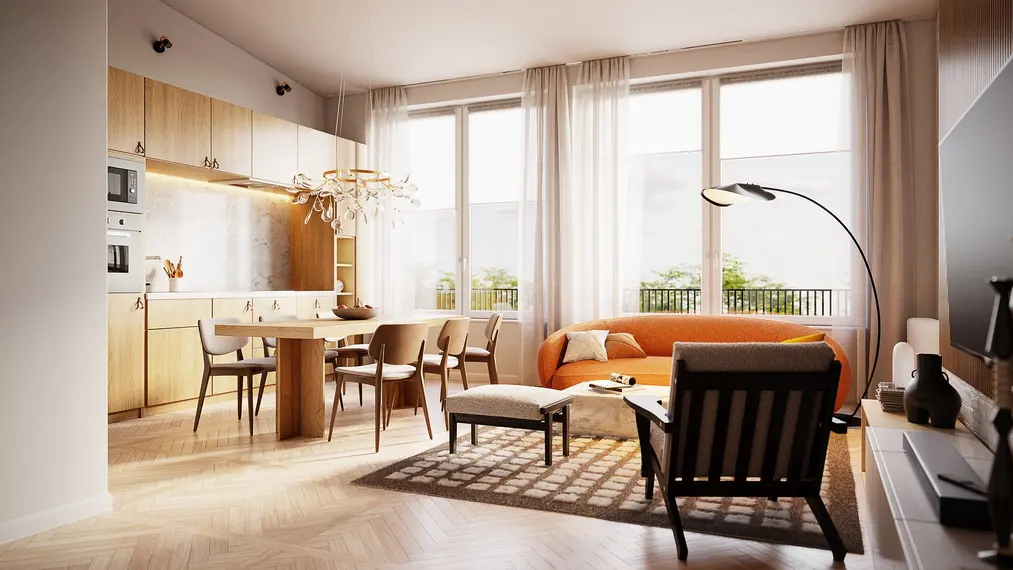
Sketchup + Vray Course - Interior Visualization Training from Scratch

Create projects and photorealistic interior visualizations in Sketchup.

Course rating: 5.0     (31 reviews)

Sketchup + Vray Course - Interior Visualization Training from Scratch

What you will learn from this course?

  • Importing raster and vector plans
  • Basic Sketchup tools
  • Importing models from external libraries
  • Optimizing work in SketchUp
  • Advanced V-Ray materials
  • Universal rendering settings
  • Interior lighting techniques
  • Render queue settings
  • Useful plugins
  • Post-production basics

This course includes

  • 11 hours 40 minutes
  • 82 lessons
  • Training materials
  • Level: basic
  • Programs used: Sketchup 2022 V-ray 6
Buy permanent access to this course for

49,90 USD 40,57 USD netto
99 USD 50% zniżki
Najniższa cena z 30 dni: 45,90 USD

Who is this course for?

The course is designed for interior designers who want to present their projects in an attractive way and deepen their skills in SketchUp and V-Ray. The knowledge provided is universal, so it will also benefit other professions related to the broad field of design: students, engineers, architects, and design enthusiasts.

The training program is developed in such a way that even a layperson can easily find their way in it. The instructor presents all the topics from the perspective of a practitioner and provides helpful advice based on their own experience.

Requirements

To complete this course, you need a basic knowledge of SketchUp. If you're not familiar with this software yet, be sure to check out our SketchUp 2021 PRO from scratch course.

  • The student should have installed Sketchup and Vray software.
  • A 7-day trial version of Sketchup can be downloaded directly from the manufacturer's website.
  • A 30-day trial version of V-ray can be downloaded directly from the manufacturer's website.

Course participant testimonials Sketchup + Vray - Interior Visualization Training from Scratch

  • Anna UG 14-02-2023 Featured review Verified purchase review

    The course really systematized my knowledge. It is excellently divided into lessons/topics, which I revisit when I need them in my current work. Everything is presented quite clearly and lucidly. It’s not for beginners - you need to have basic knowledge of Vray. I am a fan of courses led by Piotr Kurpiewski.

  • Natalia Wójtowicz 09-02-2025 Verified purchase review

    Interior visualizations can really be simple! This course is a perfect introduction to the world of SketchUp and V-Ray, also filled with more advanced topics.

  • Sylwia Nastaj 30-01-2025 Verified purchase review

    A very good course. After completing it, the interface in Sketchup and V-Ray seems to be simple and enjoyable. The new features of V-Ray 6 were also presented. I highly recommend it!

  • Kasia Ostrowska 23-01-2025 Verified purchase review

    This course is not only a great start, but also an excellent opportunity to delve into the intricacies of interior design. Clearly explained material and plenty of practical advice.

  • Veronika 21-01-2025 Verified purchase review

    Thanks to this course, I feel much more confident in the area of creating visualizations and 3D design. All the lessons were very accessible, and the knowledge gained was immediately applicable in practice.

  • mateusz 26-08-2024 Verified purchase review

    The course is great, everything is explained in a clear and concise manner. I highly recommend it.

  • Maja Malanowska 01-04-2024 Verified purchase review

    The course, thanks to its clarity, shows how to create realistic visualizations in a simple way.

  • Kinga 22-03-2024 Verified purchase review

    yes, but I have a bit of a shortfall when it comes to creating materials and making changes to them

  • Milena Ogłozińska 24-02-2024 Verified purchase review

    A very helpful course, I learned a lot from it!

  • Dominik Gronowski 19-02-2024 Verified purchase review

    A well-conducted course, all topics precisely explained and demonstrated with relevant examples. You can see a huge amount of work put into the course, and it translates into quality.

  • Małgorzata Szczęsna 12-02-2024 Verified purchase review

    I recommend

  • Carla 12-02-2024 Verified purchase review

    I really enjoyed the course. It was very helpful and well-explained.

  • Aleksandra 27-12-2023 Verified purchase review

    Valuable content delivered in an accessible way. By working with Sketchup and Vray software before starting the course, I was able to extract new information or settings that definitely helped me navigate these programs more easily. I highly recommend it.

  • Natalia Ratajczak 24-11-2023 Verified purchase review

    The course is very interesting, lots of rendering tips, I recommend it, worth it.

  • Paweł 03-10-2023 Verified purchase review

    I recommend

  • Emilia Czajka 25-09-2023 Verified purchase review

    Great course. Super well-explained v-ray - I recommend!

  • Ewa Dunnett 23-09-2023 Verified purchase review

    Very detailed course, covering a lot of topics. Very well conducted, as always. Thank you very much and I definitely recommend it. I attach the work I did during the course.

  • Sandra 18-09-2023 Verified purchase review

    The course is fantastic and very interesting, full of useful tips. I highly recommend it!

  • Patrycja 15-05-2023 Verified purchase review

    A very interesting introductory course to the new features in software. Thanks to the course, I can create visualizations at the level of photographs. I recommend it to anyone who is aiming for the most realistic effects possible.

  • Natalia Klepacka 30-04-2023 Verified purchase review

    The course is 100% worth purchasing and studying. A vast amount of knowledge, readily available online. I also recommend contacting by email, they are extremely helpful :) The only thing I missed was displaying the exact lighting settings for each scene - so that it could be replicated. Other than that, a complete 10/10.

  • Maria 19-04-2023 Verified purchase review

    The course was very well conducted by the reliable Piotr Kurpiewski. It has a clear structure, allowing for revisiting specific topics during self-study. The course certainly systematized my approach to visualizations, enabling me to execute them more efficiently now.

  • Klaudia 15-04-2023 Verified purchase review

    Very detailed course, I didn't expect so much knowledge :) I will definitely go through it again to reinforce everything. Thank you!

  • Joanna 23-03-2023 Verified purchase review

    A very comprehensive course, a huge amount of practical knowledge that helped me improve the quality of my visualizations. Every training from Piotr Kurpiewski is a fulfilled promise for demanding and inquisitive people. I recommend it!

  • Anna 02-03-2023 Verified purchase review

    The course contains a huge amount of very valuable knowledge. Particularly important in this course is the precise presentation of the Vray 6 innovations with an emphasis on all the possibilities of this program, which are sometimes not easy to find. The nuances of Vray 6 that greatly enhance the quality of visualizations were the most interesting to me.

  • Małgorzata Woźniak 26-02-2023 Verified purchase review

    Very interesting course, a lot of knowledge conveyed in an accessible way :)

  • Julia 23-02-2023 Verified purchase review

    Great course

  • Karolina 07-02-2023 Verified purchase review

    Great course, lots of useful information explained in a very accessible way :)

  • Paulina Dobosz 18-01-2023 Verified purchase review

    Great course for interior designers. I see how much I can improve in my work. The instructor is perfectly suited for this role. I recommend it!

  • Artur 28-12-2022 Verified purchase review

    Very well-prepared course.

  • Sławomir 19-12-2022 Verified purchase review

    Very interesting course. It organizes knowledge in the field of Sketchup and Vray. Lots of new features!!!

  • Krystian Wojciech ORACZ 03-12-2022 Verified purchase review

    A lot of good knowledge

SEE MORE COLLAPSE


What is the course about?

The course was developed using the programs: SketchUp and V-Ray. These are popular tools for creating photorealistic visualizations based on basic, three-dimensional models. The course presents the process of creating such images and thoroughly documents it so that you can easily assimilate it and reproduce it freely in your own projects.

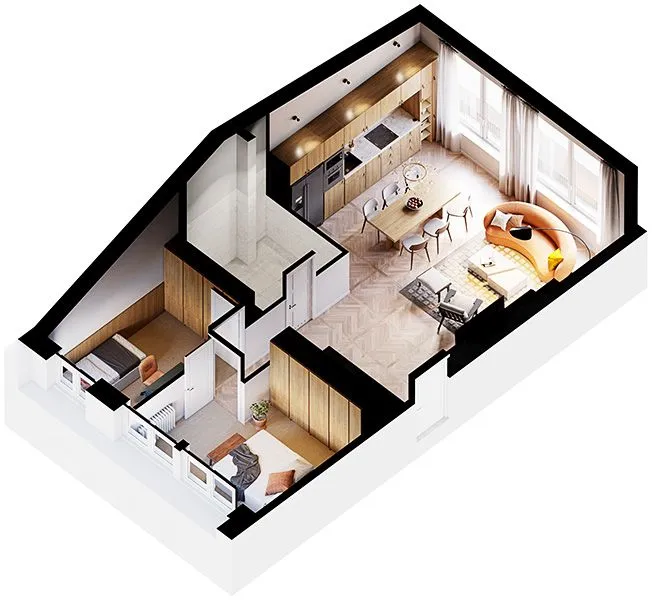
Sketchup - Apartment Design Development

The training is based on an existing 60-square-meter attic apartment in a Warsaw tenement house. The floor plan used is an actual architectural project. This type of challenge may well arise in your professional career, so it has high practical value.

The instructor precisely explains what working on this type of assignment looks like. He uses useful tools for designers, indicates optimization possibilities, and shares his proven tricks, all to help you work faster and more efficiently.

Sketchup - Basic Visualization Course for Beginners

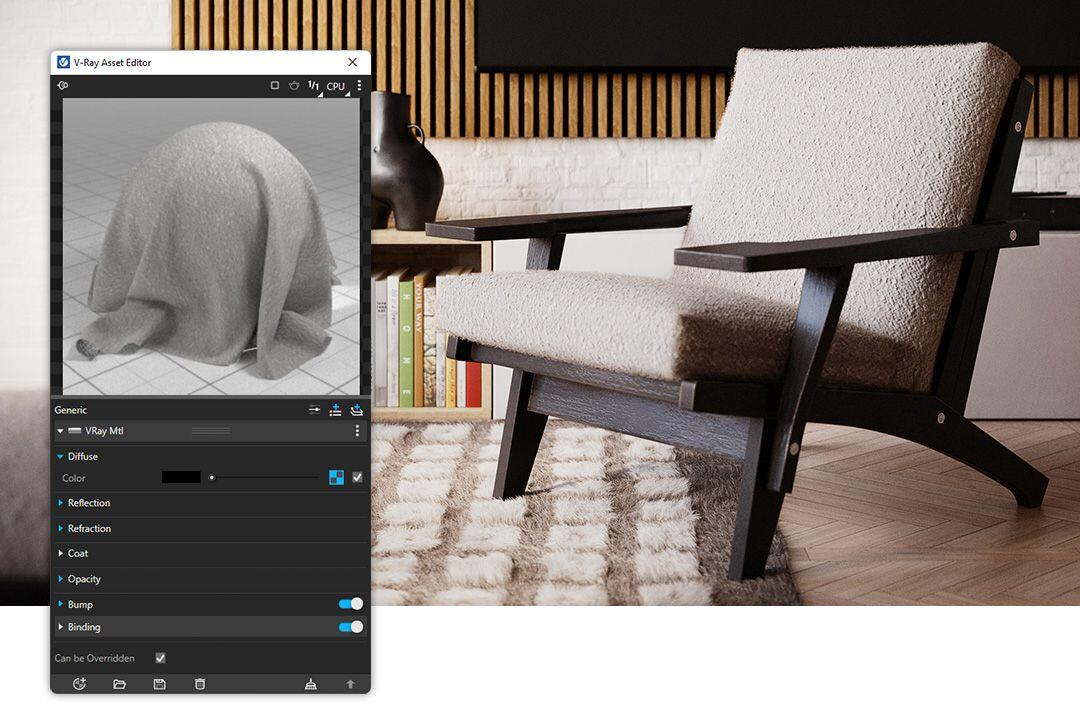
If you haven't yet explored all the possibilities of V-Ray, this tutorial will definitely clarify a lot for you. You will learn how to build complex materials, how to light interiors with natural and artificial light, and what rendering settings to use depending on the situation.

The instructor explains the difference between Reflection and Refraction, the disparities between progressive and final rendering, and the background used in Environment versus the one added in the Frame Buffer window. He helps understand professional terminology and navigate through advanced topics.

Discover the Innovations Introduced in V-Ray

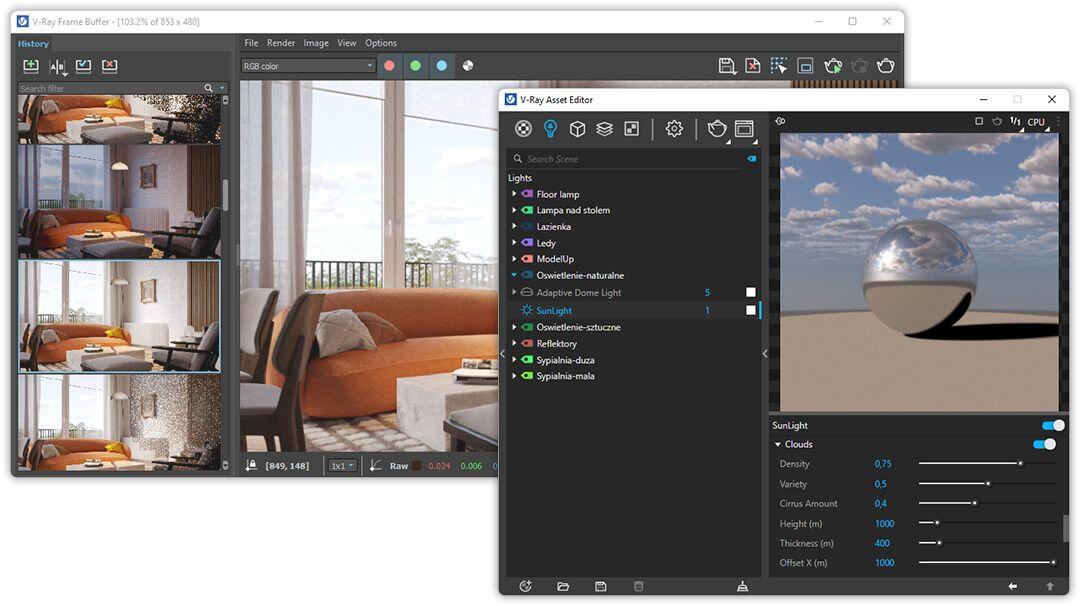
The course uses the V-Ray in version 6. The latest generation introduced, among other things: procedural clouds, the capability to pause and resume rendering, and special Enmesh geometry. If you want to get to know the features that will be most useful for interior architects, be sure to take a look inside.

Explore Useful Sketchup Extensions

SketchUp wouldn't be the same tool without dedicated extensions. After all, creating photorealistic visualizations would be impossible without V-Ray.

Other useful plugins include: Selection Toys, Fredo Corner, Joint Push Pull, and Curviloft. Are you curious about their purpose and to what extent they influence work in SketchUp? You'll find the answer in the lessons dedicated to these extensions.

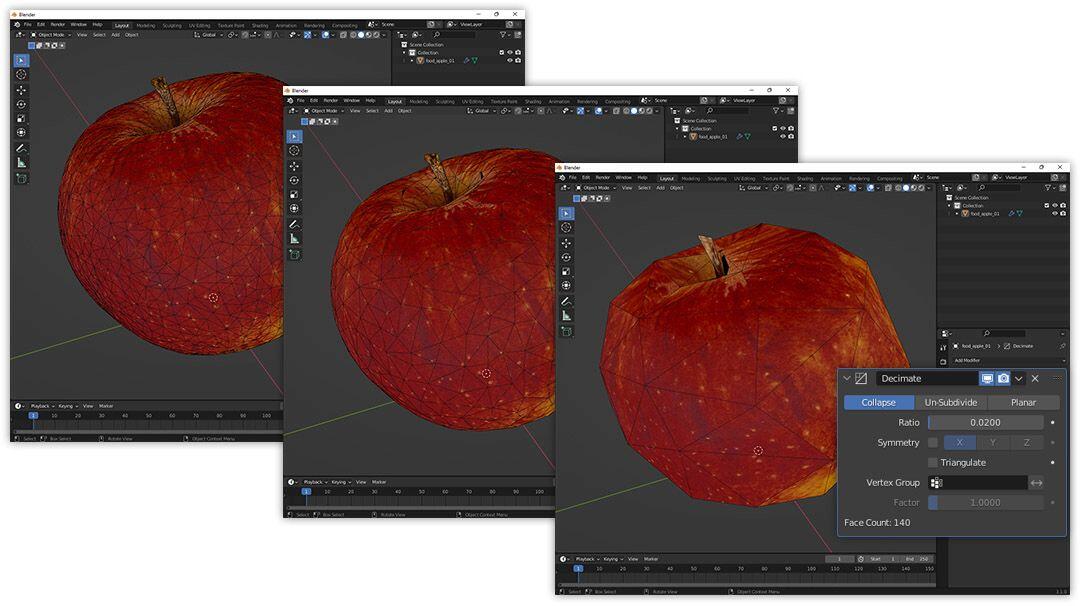
In addition to the extensions, ready-made libraries of textures, materials, and models are also a great convenience. Importing the latter is aided by the free program Blender, which also has a dedicated lesson.

Sketchup - Interior Lighting Techniques

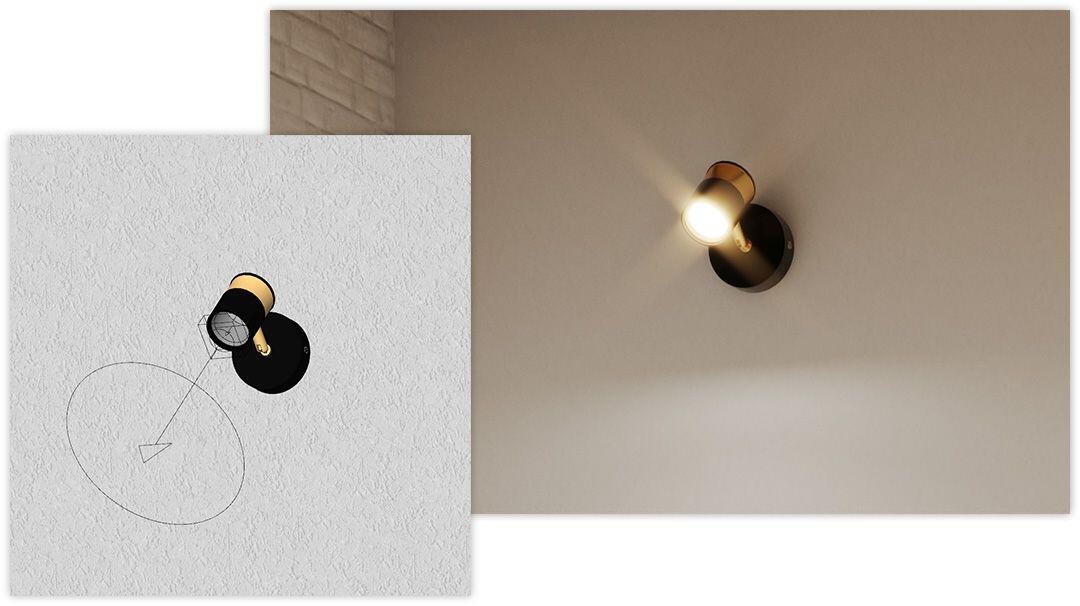
V-Ray offers a whole range of lights: Sun, Rectangle, Sphere, Spot, IES, Omni, Dome, and Mesh. You can combine them in virtually endless configurations. So how do you find the one in which the visualization looks best?

Whether you want to present a living room in the morning sunlight or an evening kitchen illuminated by artificial light, you'll find a ready recipe in this course. And the best part: the universal lighting scenarios shared by the instructor will also work in your own scenes.

Advanced Post-Production in V-ray Frame Buffer

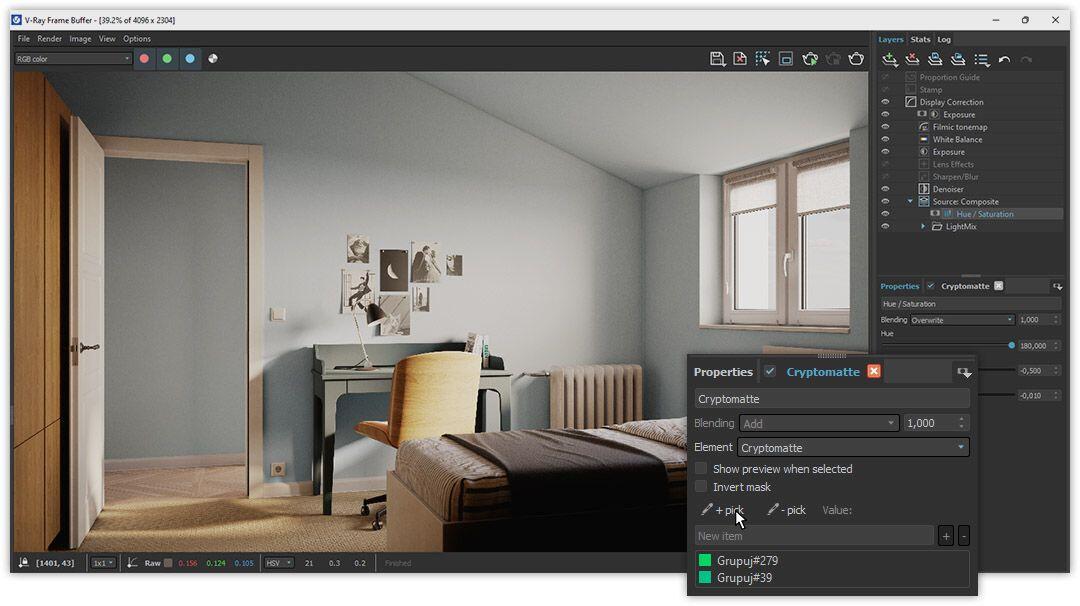
Geometry, material settings, and lights are not everything. Even after the rendering process is completed, you still have an impact on the final appearance of the visualization. You can make changes in the special Frame Buffer window.

From the tutorial, you will learn, among other things, how to change the color of any object in a finished image using the Cryptomatte element. You will also learn how to insert a background behind a window and get to know the most important advanced Render Elements. All this to make your visualizations look even better!

SEE MORE COLLAPSE

Video list

  • 01.01 - Introduction Watch a free lesson5 min 38 s
  • 01.02 - Vector Files 11 min 48 s
  • 01.03 - Raster Files 9 min 22 s
  • 02.01 - Getting Started 6 min 54 s
  • 02.02 - Offsets 13 min 37 s
  • 02.03 - Groups and Components 9 min 54 s
  • 02.04 - Push and Pull 12 min 6 s
  • 02.05 - Pull Along 10 min 59 s
  • 03.01 - Softening Edges 10 min 32 s
  • 03.02 - Tags 8 min 0 s
  • 03.03 - Scenes 7 min 38 s
  • 03.04 - Sections 7 min 39 s
  • 04.01 - Downloading and Installation 9 min 47 s
  • 04.02 - Selection Toys 4 min 11 s
  • 04.03 - FredoCorner 9 min 35 s
  • 04.04 - Joint Push Pull Interactive 5 min 0 s
  • 04.05 - Curviloft 8 min 48 s
  • 05.01 - Introduction to Layouts 6 min 23 s
  • 05.02 - Essential Extensions 8 min 24 s
  • 05.03 - Model Examples 7 min 32 s
  • 06.01 - Introduction to Materials 7 min 33 s
  • 06.02 - Texturing 13 min 1 s
  • 06.03 - Where to Find Good Textures 10 min 41 s
  • 06.04 - Advanced Texturing 8 min 53 s
  • 07.01 - 3D Warehouse 5 min 56 s
  • 07.02 - ModelUp 4 min 30 s
  • 07.03 - Chaos Cosmos 7 min 34 s
  • 08.01 - Popular 3D Portals 8 min 22 s
  • 08.03 - Import via Transmutr 8 min 56 s
  • 08.02 - Import via Blender 11 min 1 s
  • 09.01 - Optimizing Work in SketchUp 8 min 25 s
  • 09.02 - Optimizing Work in V-Ray 11 min 47 s
  • 10.01 - Diffuse 9 min 25 s
  • 10.02 - Reflection 8 min 51 s
  • 10.03 - Bump 7 min 44 s
  • 10.04 - Roughness 8 min 33 s
  • 10.05 - Displacement 10 min 5 s
  • 10.06 - Refraction 14 min 19 s
  • 11.01 - Editing Texture in V-Ray 10 min 1 s
  • 11.02 - Fresnel - Upholstery 7 min 54 s
  • 11.03 - SSS - Marble 9 min 4 s
  • 11.04 - Thin Film - Soap Bubbles 4 min 42 s
  • 11.05 - Distance Map 7 min 41 s
  • 11.06 - Fur - Boucle 14 min 31 s
  • 11.07 - UVW Placement - Plaster 11 min 0 s
  • 11.08 - Randomization - Wood 9 min 19 s
  • 11.09 - Two Sided - Drapes 8 min 40 s
  • 12.01 - Introduction 4 min 59 s
  • 12.02 - Progressive, Interactive and Final 8 min 41 s
  • 12.03 - CPU, vs GPU 8 min 26 s
  • 12.04 - Brute Force Engine vs. Irradiance Map 11 min 28 s
  • 12.05 - Universal Production Settings 11 min 0 s
  • 12.06 - V-Ray History 6 min 30 s
  • 13.01 - SunLight 11 min 8 s
  • 13.02 - Exposure and its Role in Rendering 6 min 14 s
  • 13.03 - Rectangle Lights 9 min 45 s
  • 13.04 - Adaptive Dome Light 10 min 15 s
  • 13.05 - LightGen - Faster Shadow Settings 6 min 16 s
  • 14.01 - Bulb Light 7 min 26 s
  • 14.02 - Auxiliary Lights 9 min 39 s
  • 14.03 - Spotlights 10 min 8 s
  • 14.04 - Realistic IES Light 8 min 26 s
  • 14.05 - LightMix - Light Balance 9 min 17 s
  • 15.01 - HDR Lighting Basics 11 min 46 s
  • 15.02 - Outdoor View - Environment 4 min 26 s
  • 15.03 - Outdoor View - Background 6 min 11 s
  • 15.04 - Finite Dome Light 4 min 54 s
  • 16.01 - Lens Blur 8 min 39 s
  • 16.02 - Vignetting 3 min 30 s
  • 16.03 - Camera Clipping 7 min 57 s
  • 16.04 - Enmesh 13 min 48 s
  • 16.05 - Resumable Rendering 5 min 40 s
  • 16.06 - Cloud Collaborate 6 min 0 s
  • 16.07 - Rendering Queue 9 min 34 s
  • 16.08 - Mesh Clipper 9 min 14 s
  • 17.01 - Render Elements 11 min 13 s
  • 17.02 - Adjustment Layers 9 min 0 s
  • 17.03 - Cryptomatte 6 min 58 s
  • 17.04 - Special Effects 9 min 29 s
  • 17.05 - Proportion Guide 3 min 36 s
  • 17.06 - Summary 5 min 59 s
  • additional-files-sketchup-vray-6-interior-02
  • additional-files-sketchup-vray-6-interior-03
  • additional-files-sketchup-vray-6-interior-01

SEE MORE ZWIŃ

The course covers topics such as:

  • Import of projections in raster and vector formats
  • Basic SketchUp tools
  • Techniques for creating door and window carpentry
  • Baseboards
  • Scene management
  • Advanced sections
  • Downloading and installing extensions
  • Useful plugins
  • Basics of terrain modeling
  • Discussion of QuadFaceTools, Vertex Tools, and SubD tools
  • Materials: colors and textures
  • Texturing: UV Mapping Tools
  • Libraries with ready-made texture resources
  • Libraries with ready-made model resources
  • Importing models from external libraries
  • Optimizing work in SketchUp
  • Optimizing work in V-Ray
  • Basic V-Ray materials
  • Using PBR maps
  • Random distribution - UVW Placement
  • Advanced V-Ray materials
  • Universal rendering settings
  • V-Ray History
  • Interior lighting techniques
  • Universal natural lighting
  • Artificial light settings
  • Dome Light and HDR maps
  • Lighting creator LightGen
  • Lighting creator LightMix
  • Render queue settings
  • Resumable rendering
  • Enmesh geometry
  • Basics of post-production
  • Advanced Corrections Control transformations

Author

Piotr Kurpiewski Architect, Graphic designer rating: 5  

Graduated in architecture and urban planning from the Faculty of Architecture at the Gdańsk University of Technology. A graphic designer and educator passionate about new technologies. Founder of the visualization studio niuanse, where he undertakes projects in the field of architecture, graphic design, and industrial design. Creator of the ModelUp platform offering advanced 3D models for use in SketchUp.


Frequently Asked Questions

Will I receive a certificate after completing the course?
Yes, after completing the course, you can download a PDF certificate, which you can save on your computer. Each course comes with a separate certificate, which is visible in the top right corner of the course's subpage in the customer panel.
Are the courses available in DVD format or only digitally?
The courses are available only in digital format. This allows for instant access after the payment is processed.
How quickly will I get access to the course?
You will receive access to the course within a few minutes after making the payment.
I have chosen a course I want to buy. How do I proceed?
To make a purchase, you need to create an account where the course will be made available. Then, select the course you are interested in and add it to the cart. To view the cart's contents, click on "My cart". Here, you can review your order, check if everything is correct, select whether you want a VAT invoice, and choose a payment method. After accepting the terms and conditions and clicking "Order", you will be redirected to the PayU service, where you can make the payment.

Once the payment is processed, the course will be available in the "My Courses" section of the account used to place the order.
How can I pay for the selected course?
You can make a payment via PayPal or credit card.
How long will the purchased course be available in my account?
Purchased materials will be available in your account without a time limit.
Can I download a purchased course?
No, downloading courses is not possible. Courses can only be accessed online. However, you can download additional files attached to the courses.

Read about SketchUp program on our blog

Go to the blog

What other Sketchup courses are worth considering?


Success! The course has been added to your cart.

Go to cart

Aby dodać opinię, zaloguj się na swoje konto