
 EN
EN PL
PL ES
ES


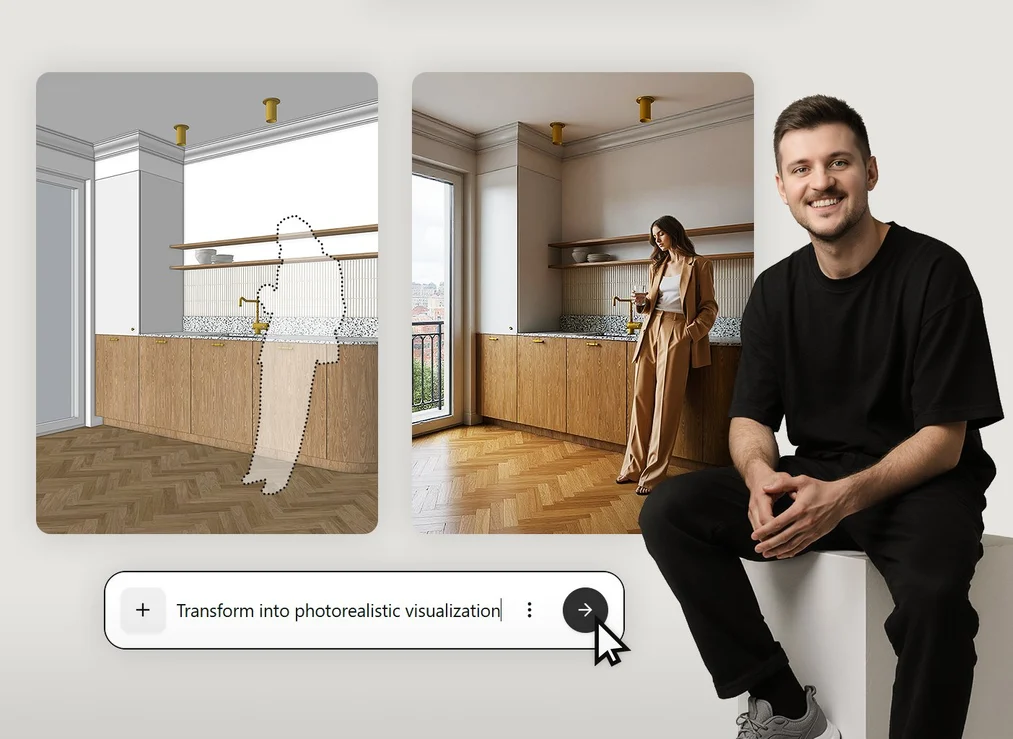
Artificial intelligence is reaching a completely new level. Today, it not only supports the creation of photorealistic visualizations, but also enables generating animations and short videos without rendering. In this course, you'll discover practical applications of models such as Nano Banana, FLUX Kontext, Seedream, and Veo, and learn to use ComfyUI as a universal hub for working with multiple AI tools. See how to transform a simple screenshot from SketchUp or Blender into a polished visualization in just minutes, and even animate the scene to create short videos - without renders, without waiting, without complicated configuration.

How to create visualizations and animations in minutes with AI?
Until recently, realistic visualizations required hours of setting up lights, materials, and long waits for rendering. Today, all you need is a model or sketch, and artificial intelligence takes care of the rest. See how FLUX Kontext works, which has been setting the standard for generating images of the type: simple 3D scene → photorealistic view.
Learn how to achieve maximum quality and flexibility: from simple visualizations to complex conceptual projects. Understand how artificial intelligence analyzes scene context, recognizes composition, lighting, and colors, creating an effect that closely resembles classic renders.

Generating consistent shots and stable video with AI models
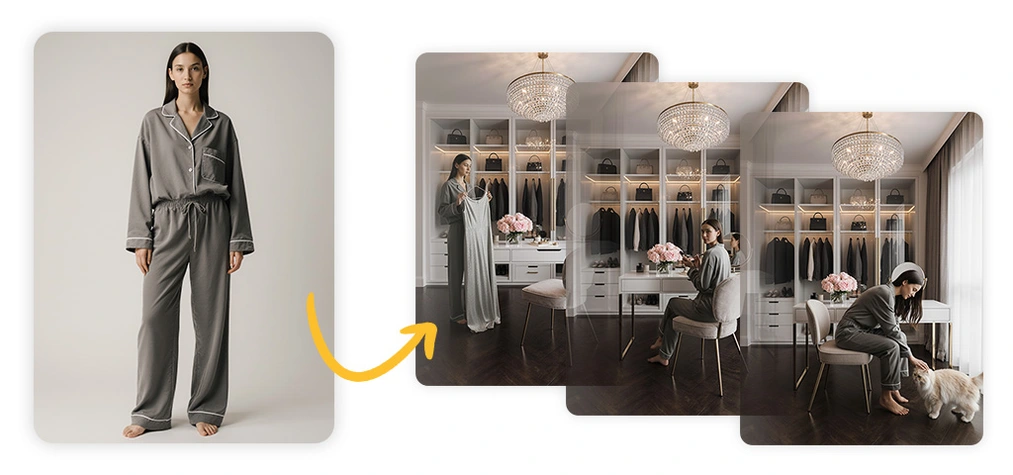
One of the biggest challenges in working with generative artificial intelligence is maintaining consistency; both between consecutive visualization frames and in animations. Learn how to achieve repeatable results in the Chinese Seedream and how to use popular video models such as WAN, Kling, or Veo, which allow you to turn static images into moving sequences.
See how to create an entire series of consistent frames from a single view of an interior or building, and even smooth transitions between them. You'll also learn how AI interprets motion - whether it's a walking figure or a change in time of day - and how to introduce this dynamics into your projects.
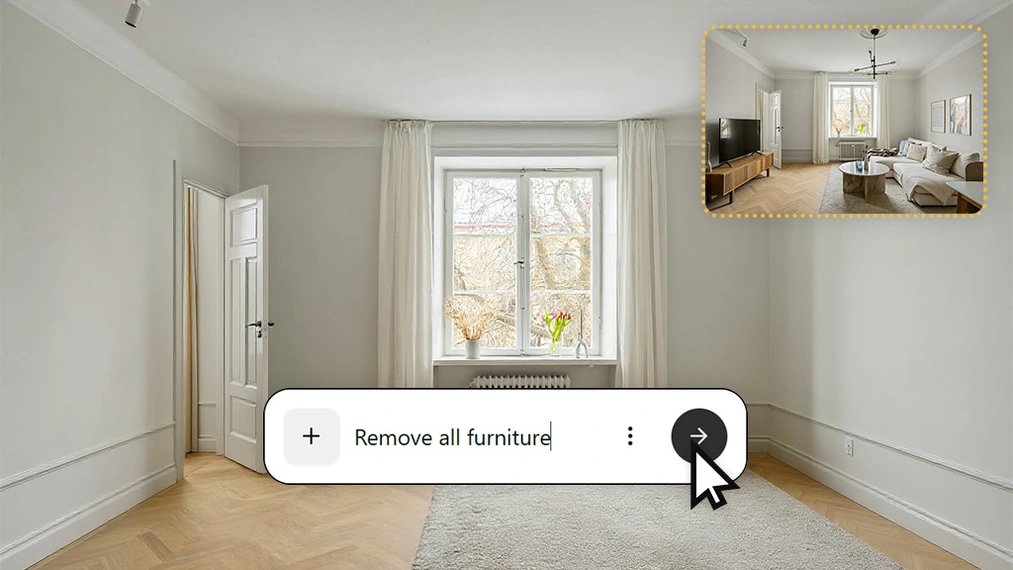
How to quickly edit images and add characters to projects with AI?
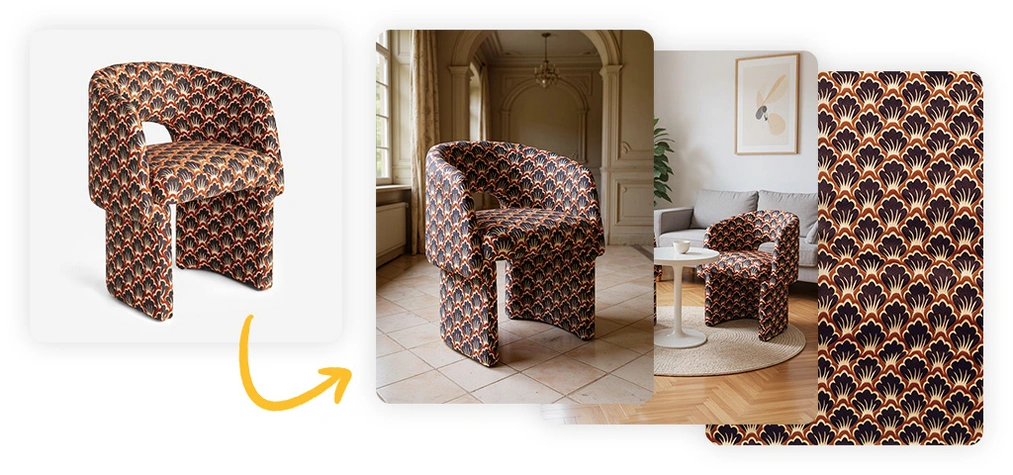
Nano Banana is a revolution in editing. It's currently the best free AI model for visualization post-production. It understands human anatomy and movement logic better than any other tool. Thanks to this, it works perfectly when adding characters to interiors and architectural scenes. Forget about laborious masking, adjusting light direction, and recreating shadows on people in your scenes.
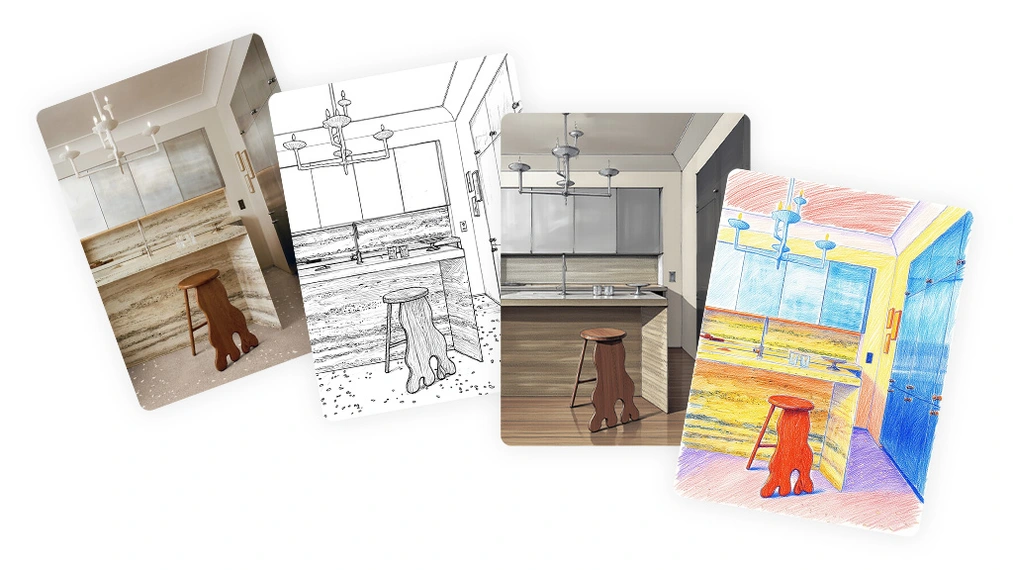
I'll show you how to use Nano Banana in the browser-based Gemini interface, in the advanced AI Studio, and directly in Photoshop! With simple text prompts, you can change colors, lighting, furniture arrangement, and even character clothing. Understand how inpainting and outpainting work in practice, how to use graphic references, and how to maintain style consistency between different generations.
Gemini, Playground, Krea, Comfy - which AI tool for visualization to choose?
You don't have to limit yourself to one solution! Explore different work environments: from simple cloud platforms to advanced desktop tools that use your computer's local resources.
Gemini and AI Studio are great places to start: fast, free, and intuitive. Playground works well when you need simplicity and full control over visualizations, and Krea enables generating images and videos with various AI models within one subscription. Comfy is free but requires a bit more involvement. Learn how to choose the right tool for your needs, whether you want to create realistic visualizations, animations, or prototype design concepts.
ComfyUI - Your command center for multiple AI models
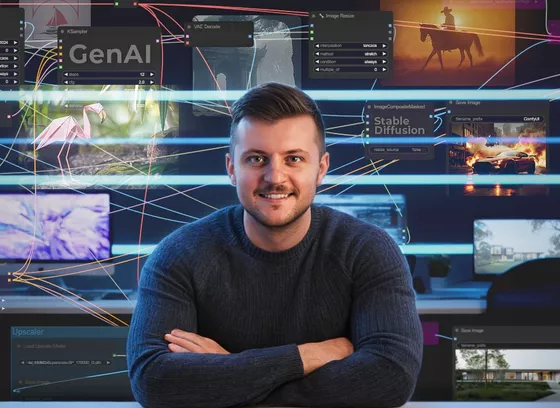
If you want to have full control over the generation process - ComfyUI is the interface you need to know. It's an open work environment that allows you to connect different models, automate tasks, and develop your own workflows. In the course, you'll see how to use FLUX, Nano Banana, Seedream, and even video models like WAN in one place.
Learn how to set up so-called nodes, connect them into logical sequences, and optimize processes for your hardware. With ComfyUI, you'll understand how artificial intelligence really works under the hood.
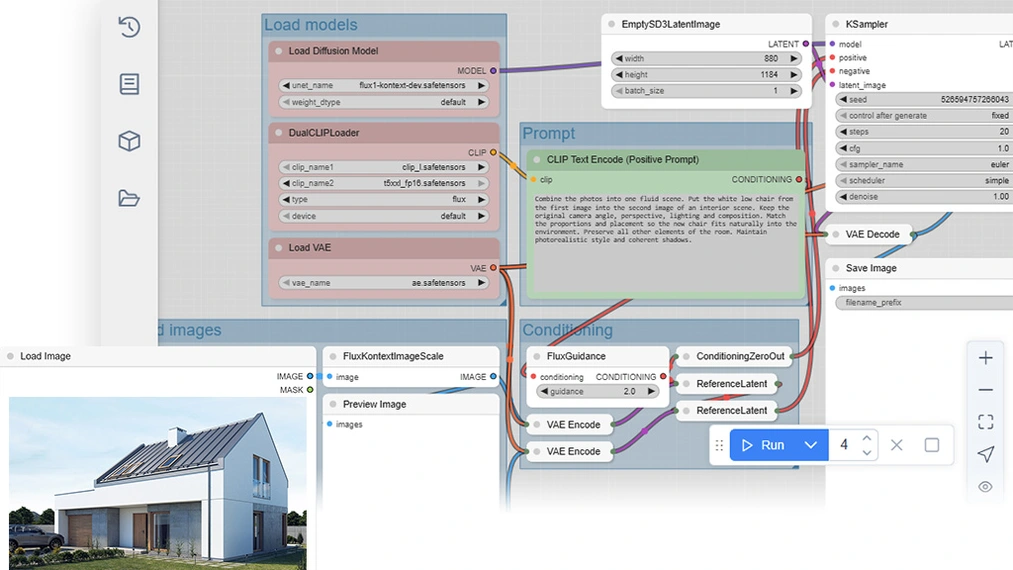
Best prompting practices - effective formulas in Nano Banana, FLUX Kontext, and Seedream
Effective text instructions are the key to predictable results. See proven structures and techniques for writing prompts that work in the most popular artificial intelligence models. Learn the differences in prompt interpretation between Nano Banana and FLUX Kontext and discover how to combine languages, contexts, and references so that AI better understands your intentions.
By joining the course, in addition to lessons, you'll also receive a set of ready-made formulas for various applications: from residential interiors to product arrangements and commercial visualizations.
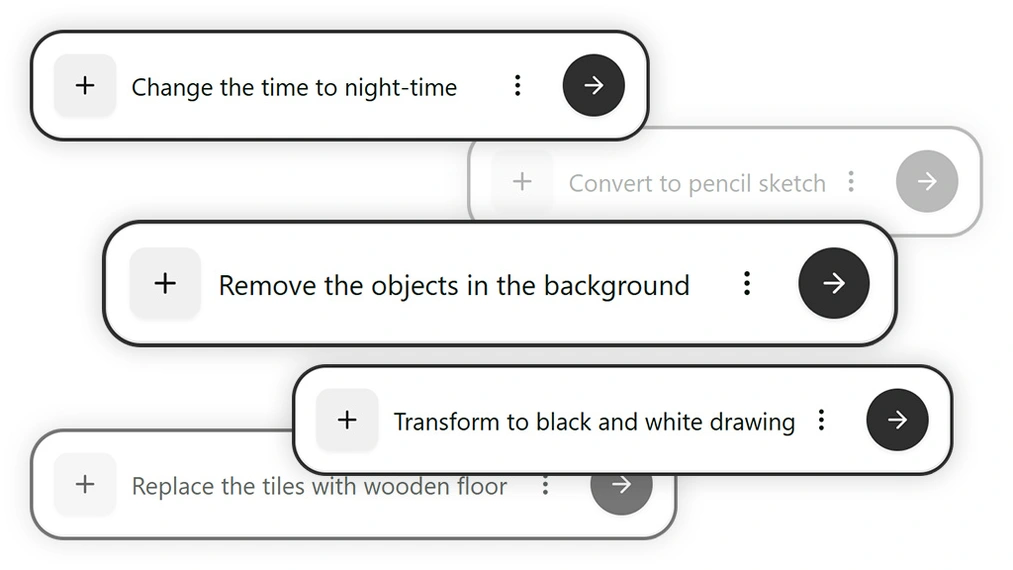
Case studies: from 3D model to realistic AI video
Theory is one thing, but you learn the most through practice. So see real examples of working with AI in architecture and design. Learn how people from your industry use new technologies to work faster and more efficiently. These examples will show you that AI is a real tool for designers, not just a technological curiosity.
I'll guide you through the entire process: from a simple 3D model in SketchUp, through generation in FLUX Kontext, to adding characters and creating a short animation in Kling or Veo. See how to plan frames, set perspective, match style to project requirements, and create consistent series of shots that look like they're from a professional visualization studio.
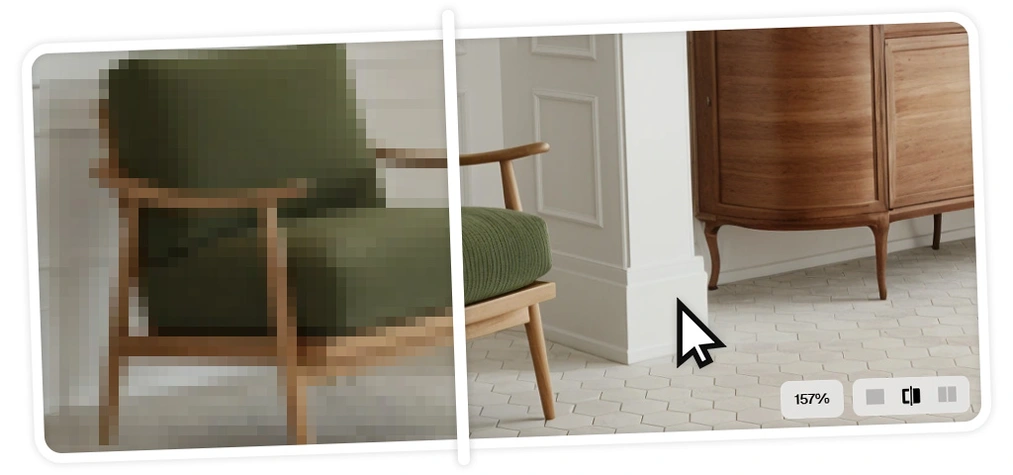
Upscaling and improving AI visualization quality
Seedream generates images even in 4K, but not all AI models work at such resolutions. However, this doesn't have to be a problem.
Discover Upscayl - a free open-source tool for enlarging and sharpening images that doesn't require complicated configuration. Besides it, there are also other upscalers and enhancers that can enlarge graphics up to four times! Learn when it's worth using them and how to extract maximum quality from each shot with their help. Thanks to this, your visualizations and video frames will be sharp, full of detail, and ready for publication in your portfolio or client presentation.
Ethics and law in designing with artificial intelligence
Artificial intelligence is a huge opportunity for the design industry, but also brings new challenges, including in law and ethics. Learn about model licenses, rules related to watermarks (such as the new SynthID technology developed by Google), copyright, and responsible use of AI in design.
Find out how to safely use generated images, what the limitations of commercial use are, and how inspiration differs from copying. This is knowledge that every modern designer should have.
Join the revolution in AI visualizations
Visualizations that once required hours of work now take just minutes to create. Models such as Nano Banana, FLUX Kontext, and Seedream are changing the way we design and communicate our ideas. This course will show you how to consciously use artificial intelligence-based tools to work faster, more creatively, and without limitations.
Learn to generate images, animations, and short films that impress with their realism and conveyed emotions. Join the community of designers who already use AI in their daily work and discover how it can support you too! Gain an advantage in the market, update your toolkit, and create AI visualizations that delight clients.





Ewa 16-09-2026 Verified purchase review
Karolina 27-04-2026 Verified purchase review
Karol Szalek 26-03-2026 Verified purchase review
Marzena 22-03-2026 Verified purchase review
Katarzyna Drzyzgiewicz 19-01-2026 Verified purchase review
Karolina 06-01-2026 Verified purchase review
Lectus 19-12-2025 Verified purchase review
Nina 02-12-2025 Verified purchase review
Sylwia Dominikowska 18-11-2025 Verified purchase review
Małgorzata Mazur 07-10-2025 Verified purchase review
Anna 05-09-2025 Verified purchase review
Beata Razmus 03-09-2025 Verified purchase review
Michał 23-08-2025 Verified purchase review