EN
EN PL
PL ES
ES


Publication date: 15-07-2025 | Update date: 16-07-2025 | Author: Mateusz Ciećwierz

-
Online courses
- All
 3ds Max
 AI - Artificial Intelligence
 Blender
 Corona renderer
 GstarCAD
 LayOut
 Photoshop
 Interior Design
 Revit
Revit Sketchup
 Stable Diffusion
 V-ray
V-ray
"Online courses" are comprehensive online training programs that will help you quickly master the software you are interested in.
- Plugins
- 3D Models
- Help
- Articles
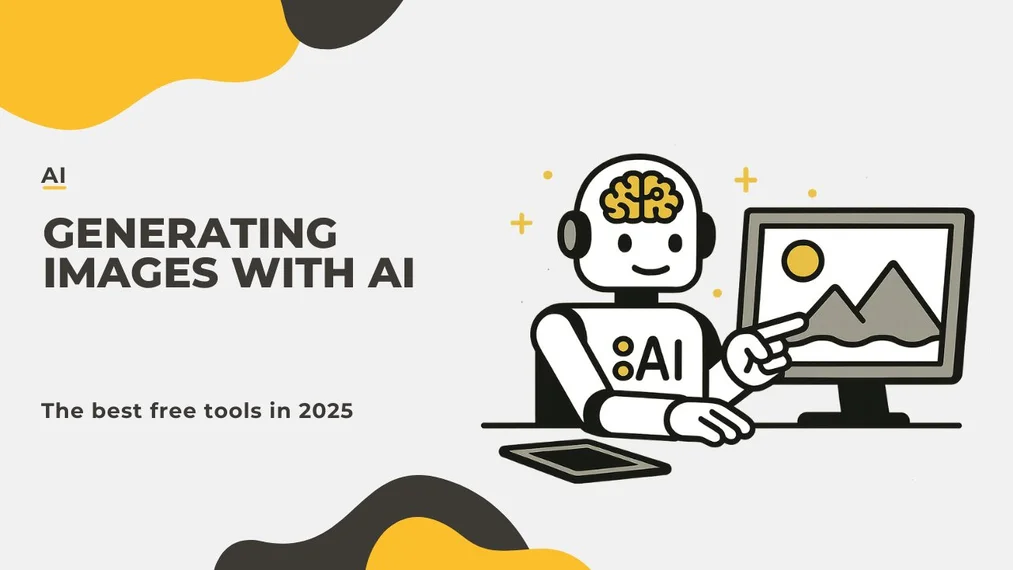
Artificial Intelligence for Image Generation - The Best Free Tools in 2025
AI image generation was until recently an experiment for enthusiasts. Today, it is a real tool in the hands of graphic designers, interior designers, and content creators. The year 2025 brings new possibilities – increasingly better image quality, faster performance, and, importantly, free access to top solutions.
In this article, we will discuss the best free AI image creation tools, outline their advantages and limitations, and provide tips on how to use AI to create images that will impress any client.
Index
How does image-generating artificial intelligence work?
On a technical level, image-generating artificial intelligence is based on so-called generative models – neural networks trained on millions of graphics, photos, and illustrations. These models, such as GPT-4o, Imagen 4, or Stable Diffusion, learn the relationships between words and images and can create entirely new compositions based on a user-entered description (prompt).
The result? In a few seconds we can receive AI-generated images that look like professional renders or concept illustrations.
GPT 4o – a new level of quality in AI graphics creation
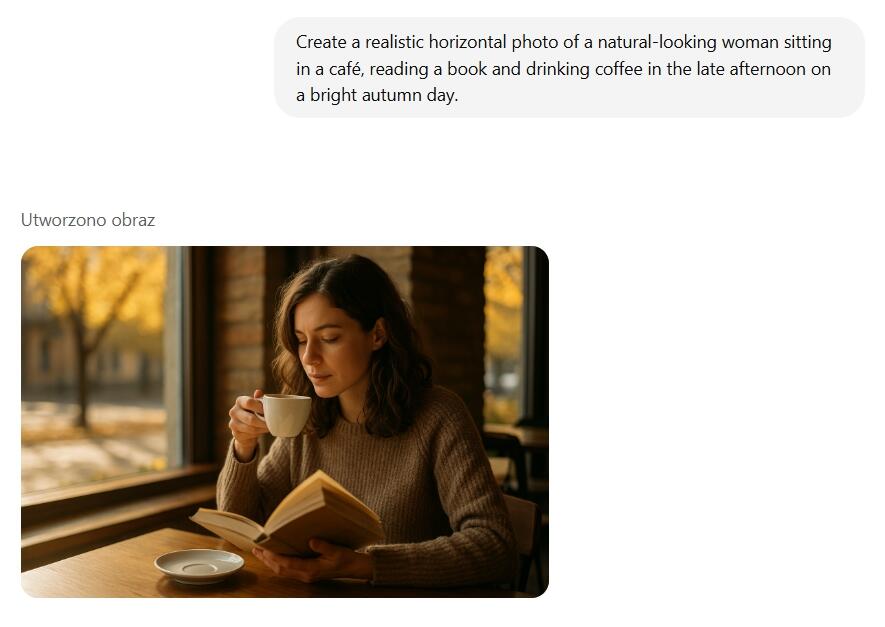
One of the best free tools in 2025 is ChatGPT with the 4o model. After replacing the DALL·E model, AI image generation in GPT has reached a new level of quality – greater precision, better colors, realistic shadows, and details.
To create images, you need to log in to your account – without logging in the feature is unavailable. Free account users can generate images, but with certain limitations – sometimes there is a limit of a few images per hour.
If you want to learn more about how to use GPT, check out the guide: How to use Chat GPT? A simple step-by-step guide
Gemini with Imagen 4 – fast and free
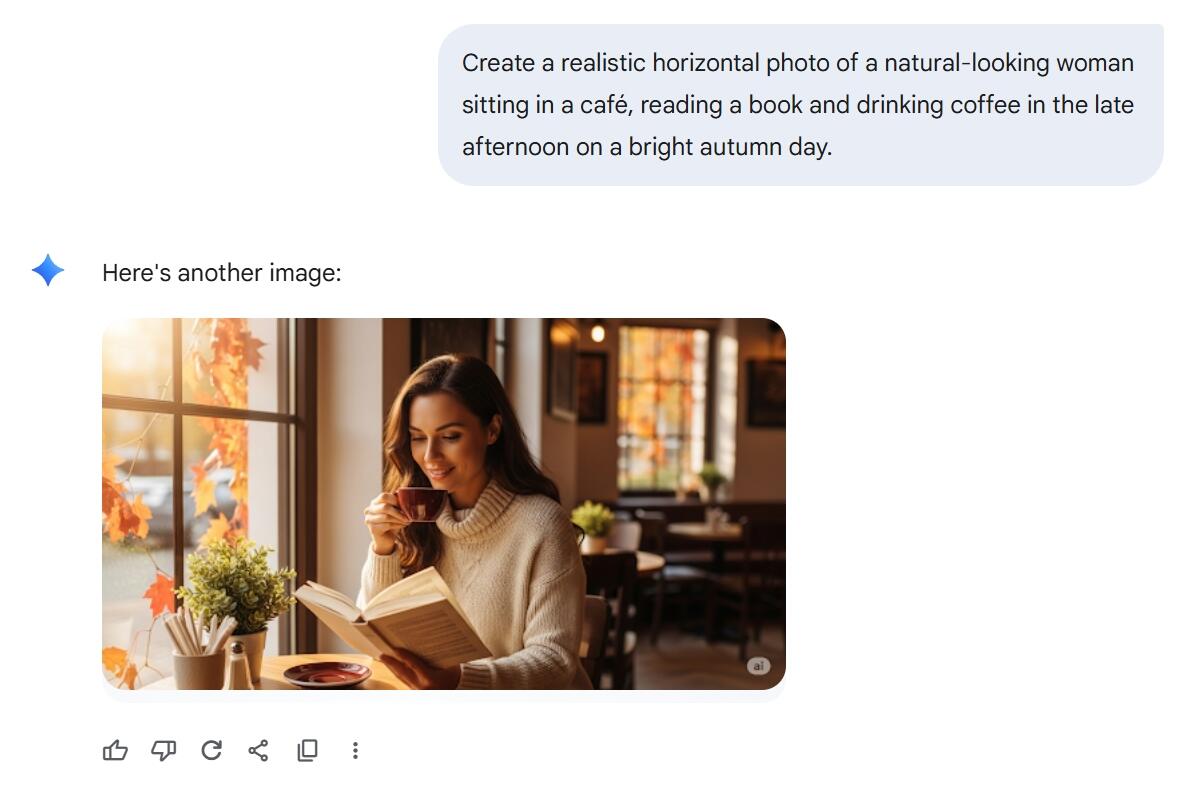
Another noteworthy tool is Google's Gemini, which has been running on the Imagen 4 model since June 2025. It's a huge step forward – AI-generated images now have much better text, sharpness, and detail quality.
Using Gemini also requires a Google account. The good news is that no subscription is required – image generation works fully free and very quickly.
Stable Diffusion – freedom and full control
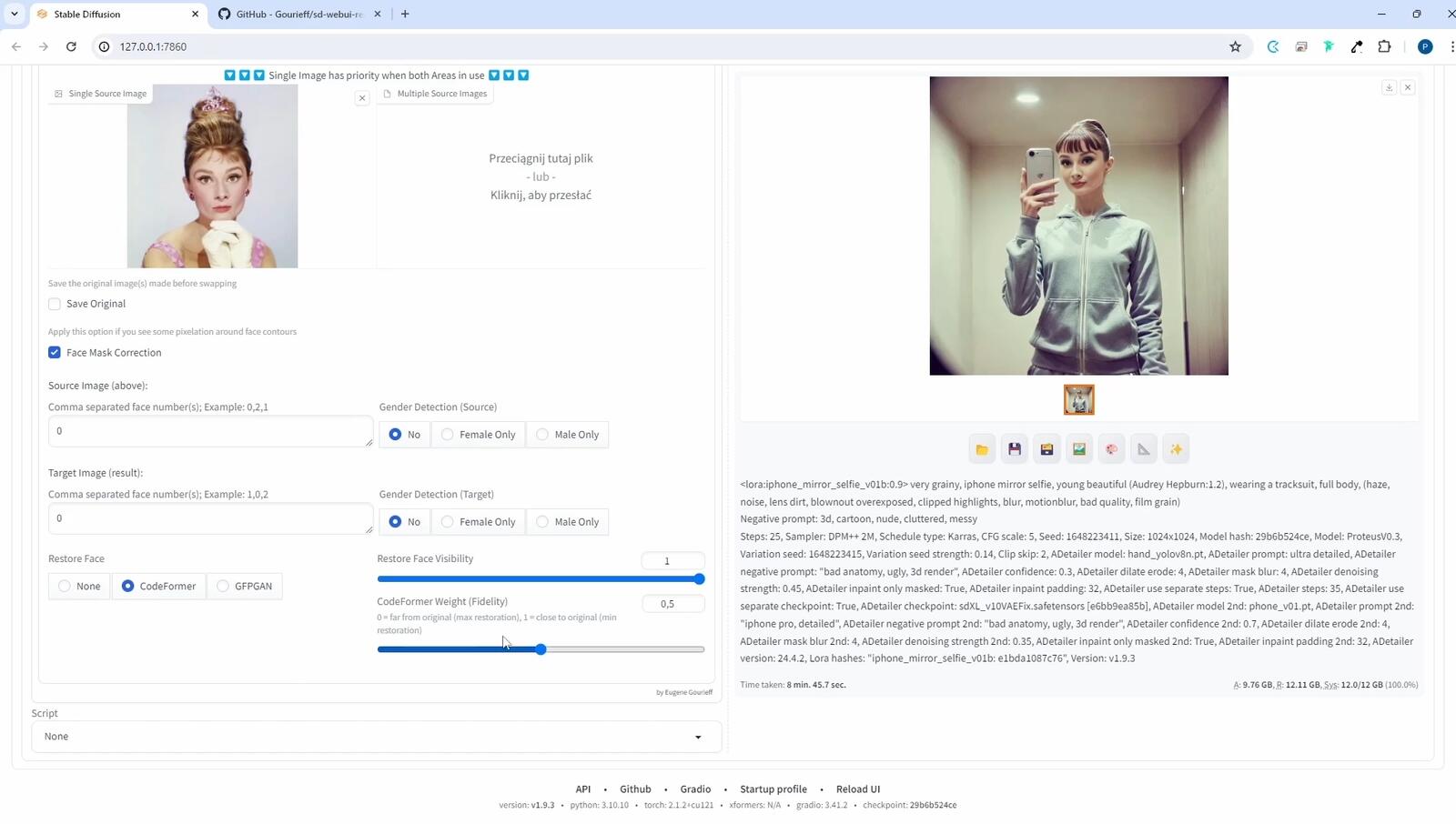
For those seeking complete independence, it's worth considering Stable Diffusion – a solution that runs locally on your computer. Unlike Gemini or GPT, there are no restrictions or censorship here – everything is generated directly on your machine without the need to connect to external servers.
Importantly, Stable Diffusion is a far more advanced tool. You can't just type a prompt in a browser – you first need to install the appropriate software yourself, often configure the working environment, and ensure compatibility with your graphics card.
This solution provides access to a vast number of settings and options. You can control styles, resolution, seeds, number of steps, and models used. For technical users, this is a huge advantage – you gain full control over the quality and character of the generated images.
CHECK OUT THE COURSE – STABLE DIFFUSION FROM SCRATCH
On the other hand, Stable Diffusion can be too complex for beginner users. If someone expects to simply type a prompt and get a ready-made image without installing or configuring anything, they may be disappointed. This tool requires some technical knowledge or willingness to learn.
If you want to learn more about the hardware requirements and capabilities of this tool, check out our guide: What Stable Diffusion is and what it's used for
How long does AI image generation take?
One of the most important aspects of working with AI tools is the time required to generate an image. Depending on the solution chosen, this can vary significantly.
At the moment, the fastest results come from using Gemini – even in the free version, an image is generated in about 15 seconds. This makes the tool perfect for quick prototyping or live work with clients.
In the case of GPT 4o, despite the model's enormous capabilities, the wait time is much longer. Even with a Plus subscription, generating one image can take on average around 3 minutes. For those expecting instant results, this can be a limitation.
As for Stable Diffusion, generation time depends on many factors – including the model used (e.g. Flux Kontext), the parameters set (resolution, number of steps, sampler type), and your graphics card. On powerful machines, an image can be ready in around a dozen seconds, but with weaker hardware or more complex settings, it can take up to a few minutes.
Choosing the right tool therefore depends not only on image quality but also on the pace of work you expect.
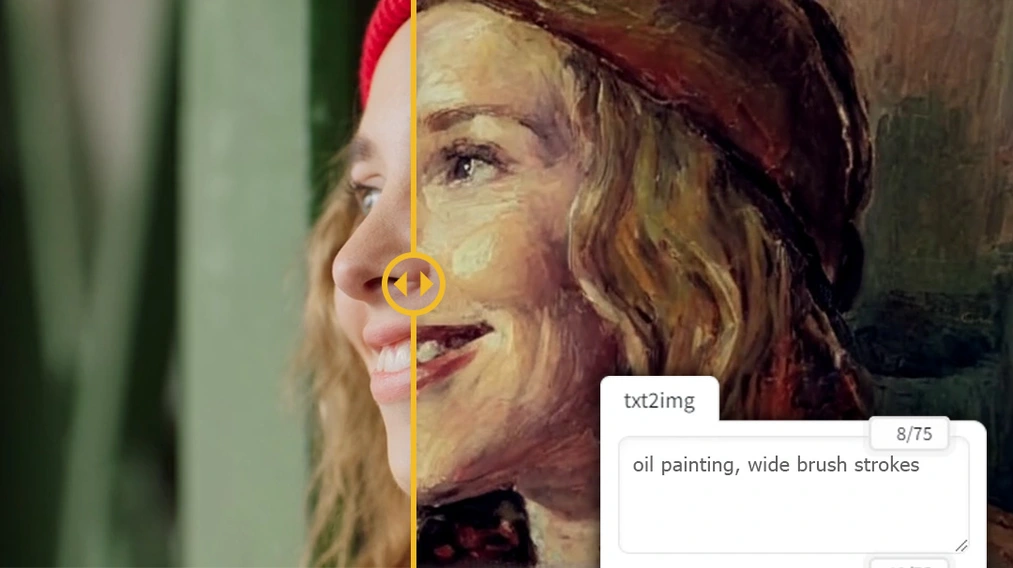
How to write an effective prompt?
When it comes to AI graphic creation, the quality of the final result depends greatly on how we formulate our prompt, i.e., the text instruction given to the artificial intelligence. While typing a few generic words may yield some results, only a well-thought-out and detailed prompt allows you to obtain a high-quality image that matches your expectations.
A good prompt should include:
- Main subject of the image – e.g. "a modern Scandinavian-style kitchen", "a cosmic landscape with planets".
- Visual details – colors, materials, lighting, textures ("wooden floors", "soft light", "matte finishes").
- Artistic style – digital illustration, oil painting, photorealism, low poly, etc.
- Composition or perspective – top-down view, wide-angle shot, close-up on details.
- Emotions or mood – warm, cozy atmosphere, dramatic lighting, dynamic scene.
Remember that AI responds better to precise and descriptive language. The more context the model is given, the more accurate the generated images will be. Avoid too general phrases like "nice picture" – instead, describe exactly what you want to see.

You can also experiment with English – many AI models (especially GPT and Stable Diffusion) interpret prompts written in that language better.
For those who want to learn how to create effective prompts step by step, we recommend the practical guide: 10 rules for writing effective prompts – how to talk to AI so it understands you.
How to use AI to create graphics?
AI-generated images have many practical applications:
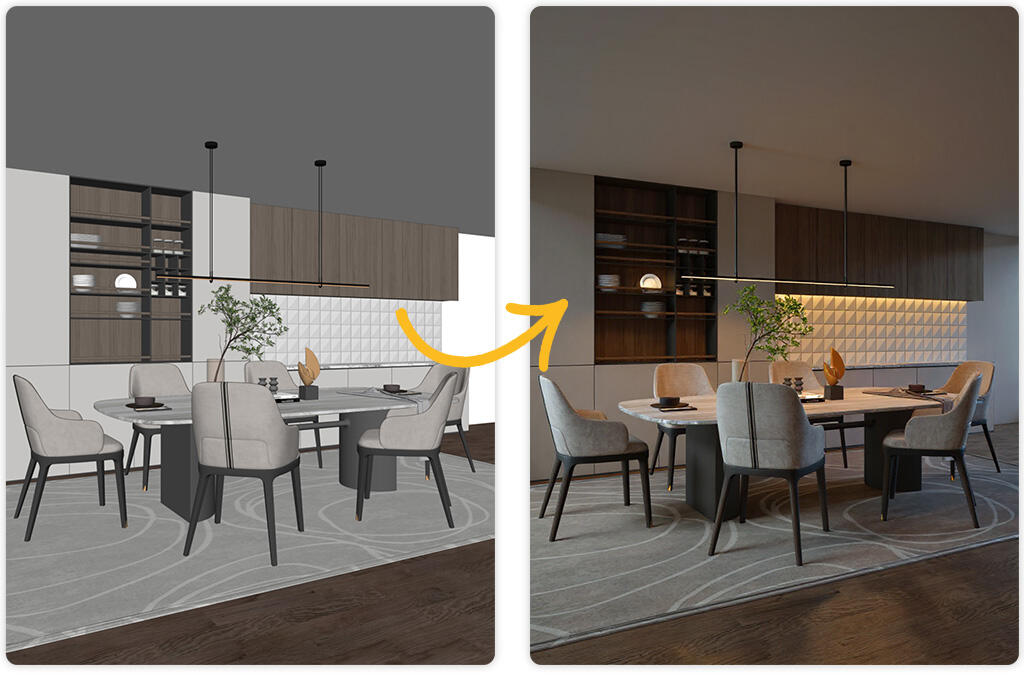
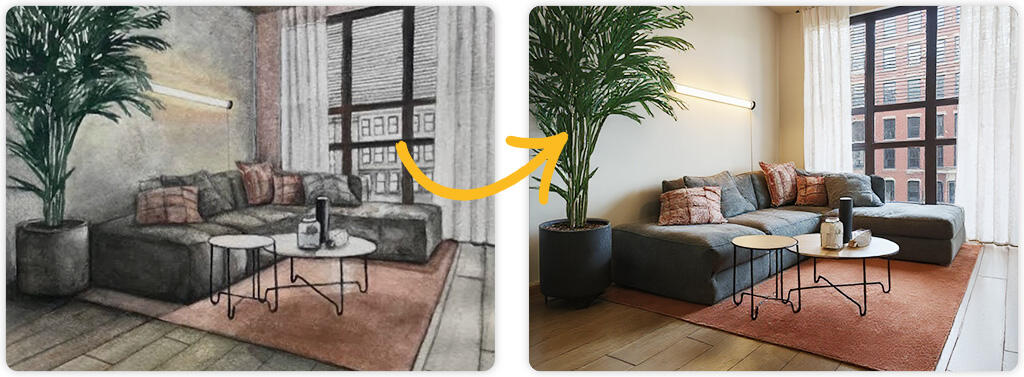
- Interior and architectural visualizations – you can quickly prepare concepts for space, style, or lighting without the need for 3D modeling.
- Promotional and product materials – ideal for creating mockups, furniture arrangements, or backgrounds for product shoots (see example: see how to create an arrangement with ChatGPT).
- Moodboards and inspiration creation – a quick way to visually present a concept or design style.
- Concept illustrations for games and animation – ideal for creating backgrounds, characters, or scenery.
- Educational and marketing content – AI can create unique graphics for presentations, courses, or social media posts.
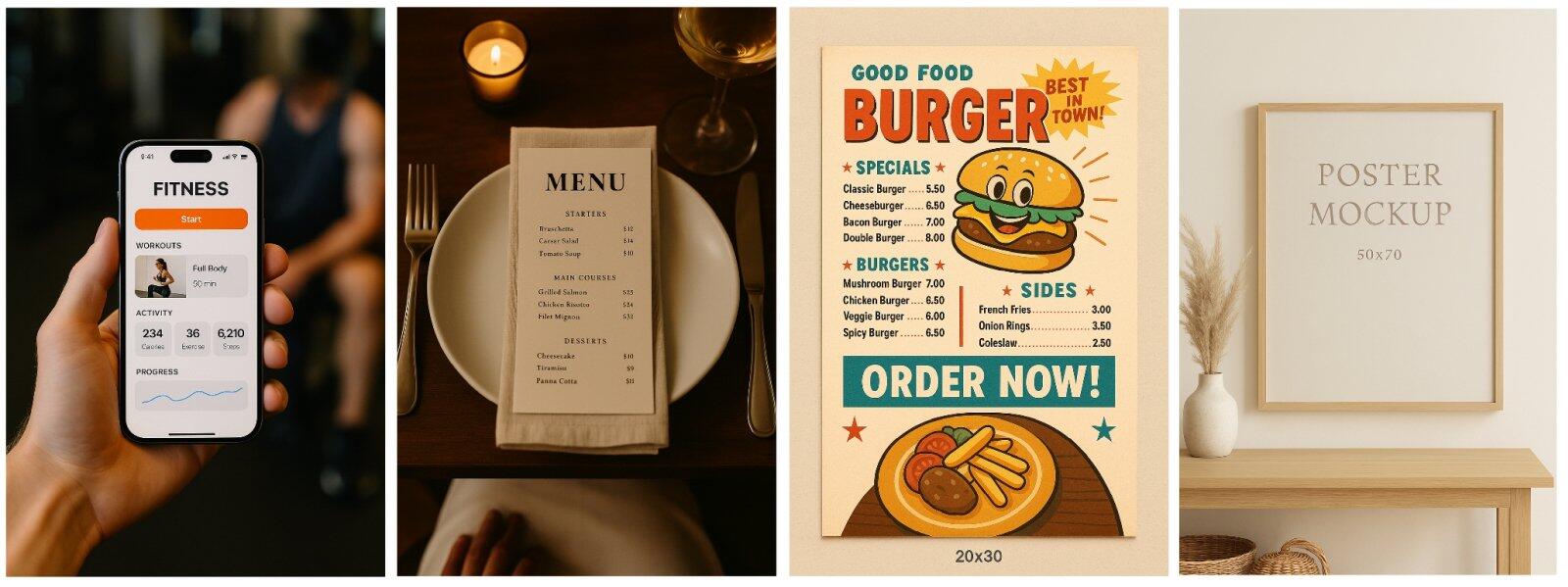
Creating AI graphics is also a huge time saver. Instead of hours spent on modeling and rendering, in a few minutes we get an image ready for use or further editing. Plus, AI works on demand – you can make adjustments, change style, or test different versions at a fast pace.
It's also an excellent tool for beginners who want to develop their visual ideas without the need to master advanced graphics software. Just type a prompt and you're good to go – the image appears almost instantly.
As the technology evolves, AI is also becoming an increasingly better support for interior designers, architects, and 3D artists. Instead of replacing their work, it allows them to work faster, more efficiently, and more creatively – with greater freedom and inspiration.
Which artificial intelligence creates the best images?
In 2025, both GPT 4o and Gemini (Imagen 4) generate images at a very similar level – both tools deliver realistic, polished graphics. However, Gemini generates them much faster – even when using the free version.
If you're after full control and the highest quality, it's worth opting for Flux Kontext. This advanced model generates images with high consistency, excellent detail reproduction, and editing capabilities – it supports iterative refinements, text+image prompts, and preserves the style and structure of the graphics.
You can learn more about Flux Kontext, its capabilities and applications in architecture and visualizations in our article: Free AI visualizations – how to create realistic shots without rendering
Summary
AI for image creation is currently one of the most powerful and accessible tools for visual content creators – regardless of skill level. With solutions like GPT 4o and Gemini with Imagen 4, we can generate stunning graphics for free, in just a few moments, without knowing advanced software.
For those who value full control, privacy and the highest quality – Stable Diffusion or Flux Kontext is the best choice. Although it is more demanding to use, it offers capabilities that cannot be found in any other free tool.
Whether we are interior designers, architects, graphic designers or simply enthusiasts of new technologies – AI image generation opens up a whole new way of creative work. It's worth testing different tools, refining your prompts and experimenting with styles and composition.
This is the perfect time to incorporate AI into your design process and discover a whole new level of creativity and efficiency.
Author

Przeczytaj o programie AI - Artificial Intelligence na naszym blogu
-
![Virtual staging and AI photos in real estate listings - what does the AI Act change?]()
Virtual staging and AI photos in real estate listings - what does the AI Act change?
The AI Act vs real estate. Does virtual staging require an AI label? Find out how to avoid legal pitfalls and properly label photos. -
![How to Label AI Content According to the Law? Ready-Made Formulas for Designers and Archviz Studios.]()
How to Label AI Content According to the Law? Ready-Made Formulas for Designers and Archviz Studios.
How to Legally Label AI Visualizations? Check When a Label Is Mandatory and Copy Ready-Made Formulas for Your Projects. -
![Do you have to label visualizations as AI? What does the AI Act really say and what changes on August 2, 2026?]()
Do you have to label visualizations as AI? What does the AI Act really say and what changes on August 2, 2026?
AI Act from August 2! Do you have to label 3D visualizations as AI? Check where the legal boundary lies between concept and deepfake. -
![AI for furniture manufacturers - See how to create furniture packshots and catalog arrangements with raya.design]()
AI for furniture manufacturers - See how to create furniture packshots and catalog arrangements with raya.design
Packshots without time-consuming sessions? Discover Raya Design. Change upholstery and create arrangements with AI in moments. See how it works!