EN
EN PL
PL ES
ES


Publication date: 19-06-2025 | Update date: 18-06-2025 | Author: Piotr Kurpiewski

-
Online courses
- All
 3ds Max
 AI - Artificial Intelligence
 Blender
 Corona renderer
 GstarCAD
 LayOut
 Photoshop
 Interior Design
 Revit
Revit Sketchup
 Stable Diffusion
 V-ray
V-ray
"Online courses" are comprehensive online training programs that will help you quickly master the software you are interested in.
- Plugins
- 3D Models
- Help
- Articles
Free AI visualizations! How to create realistic shots without rendering?
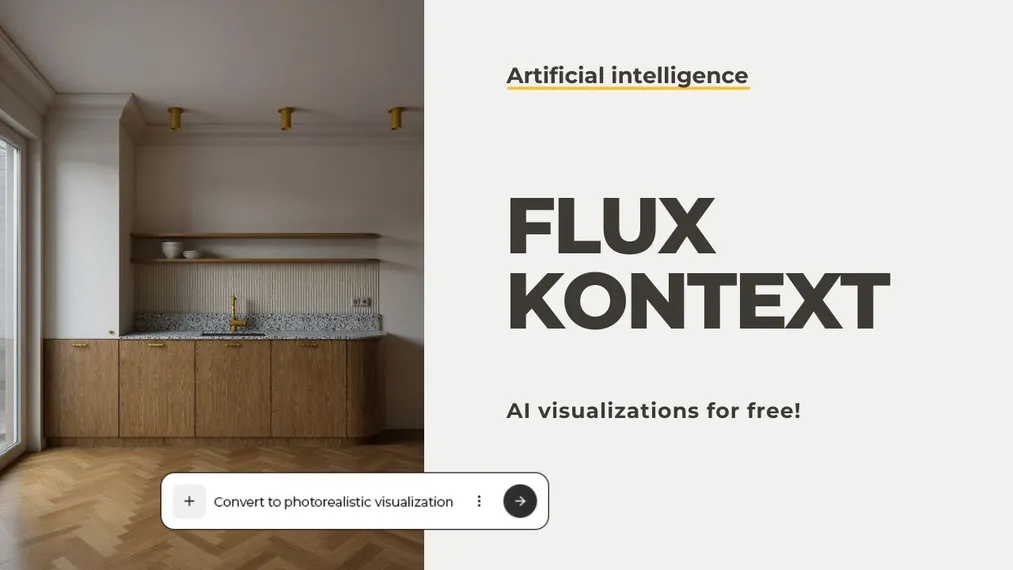
Can you create professional interior visualizations without a renderer and for free? Yes, with the help of FLUX Kontext! This innovative AI model from the creators of Stable Diffusion allows you to generate photorealistic images based on simple sketches, 3D models, or even watercolors. In the article, I explain how this technology works, how to use it step by step, how it differs from classic rendering, and why it's worth adding it to your design workflow. This is the ideal solution for designers looking for a quick way to present concepts without waiting hours for the final render.
Index
Is a revolution coming to the world of architecture and interior design? The new generative model from the creators of Stable Diffusion proves that professional visualization no longer has to require hours of rendering, or advanced technical knowledge. In this article, I'll show you what exactly FLUX Kontext is, why it's worth exploring, and how to use it completely for free!
What is FLUX Kontext?
FLUX Kontext is the latest achievement by the Black Forest Labs team, the creators of the legendary Stable Diffusion model. It is their experience and understanding of diffusion models that made it possible to create a new generation of image transformation tools.
Unlike previous systems, FLUX Kontext is based on a modern approach to contextual generation. This means it understands not only the content of an image but also its depth, perspective, and spatial logic. The model does not "hallucinate" without a reference point; it analyzes the base image and adjusts precisely to its content.
How does FLUX Kontext work?
FLUX Kontext employs three key technological innovations. The first is the so-called flow matching, a technique that enables more controlled and predictable transitions between the successive stages of image generation. The second pillar is a new autoencoder that significantly improves the quality of input images and, consequently, the final visualizations. The third component, which increases generation speed, is Adversarial Diffusion Distillation, a training method that combines the advantages of diffusion networks and Generative Adversarial Networks (GAN).
Sounds complicated? Don’t worry. All this complex technology is hidden behind a very simple, publicly accessible interface. You can use FLUX Kontext without any programming knowledge, without a GPU, and without any installation.
How to use FLUX Kontext for free?
To start working with FLUX Kontext, simply go to the Playground platform at: https://playground.bfl.ai/. After creating a free account, you will receive 200 starting credits, allowing you to generate roughly 40 images. It’s the perfect opportunity to test the model’s capabilities without any cost.
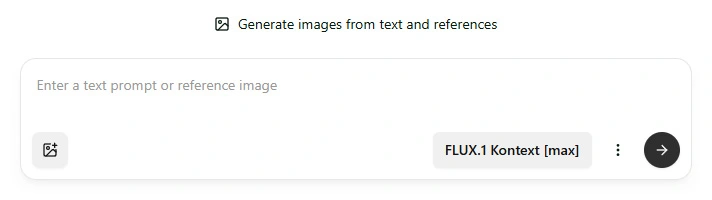
Once logged in, you have access to four main features:
- Generate - generate a new image based on a prompt and inspirations,
- Edit - precisely edit an existing image,
- Fill - fill in missing parts of an image or replace them with others,
- Expand - extend the composition beyond the original image frame.
In practice, this means you can upload your view from SketchUp, a collage, a sketch, or even a watercolor, and with simple natural-language commands, transform them into high-quality visualizations.
Example workflow: SketchUp view
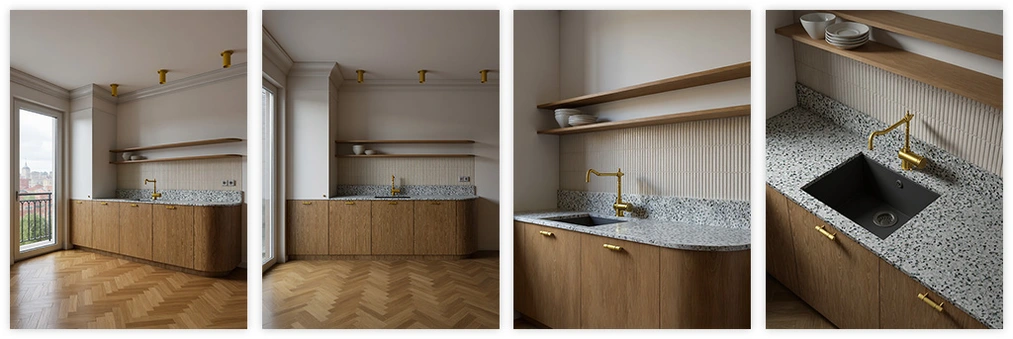
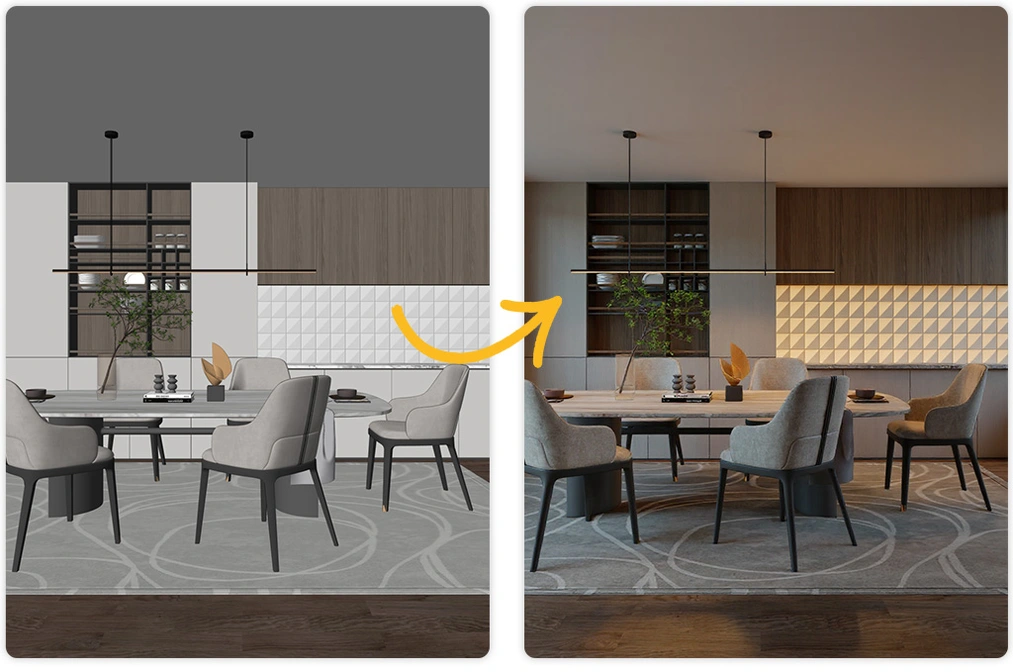
Let’s say you’re designing an apartment interior and want to show your client a realistic vision of your concept. Traditionally, you’d need a renderer like V-Ray, Cycles or Corona. Now, you only need a simple view from SketchUp without advanced PBR textures. Export it at FullHD resolution, preferably with Ambient Occlusion and soft shadows enabled, and then upload it to the Edit tab on the Playground platform.
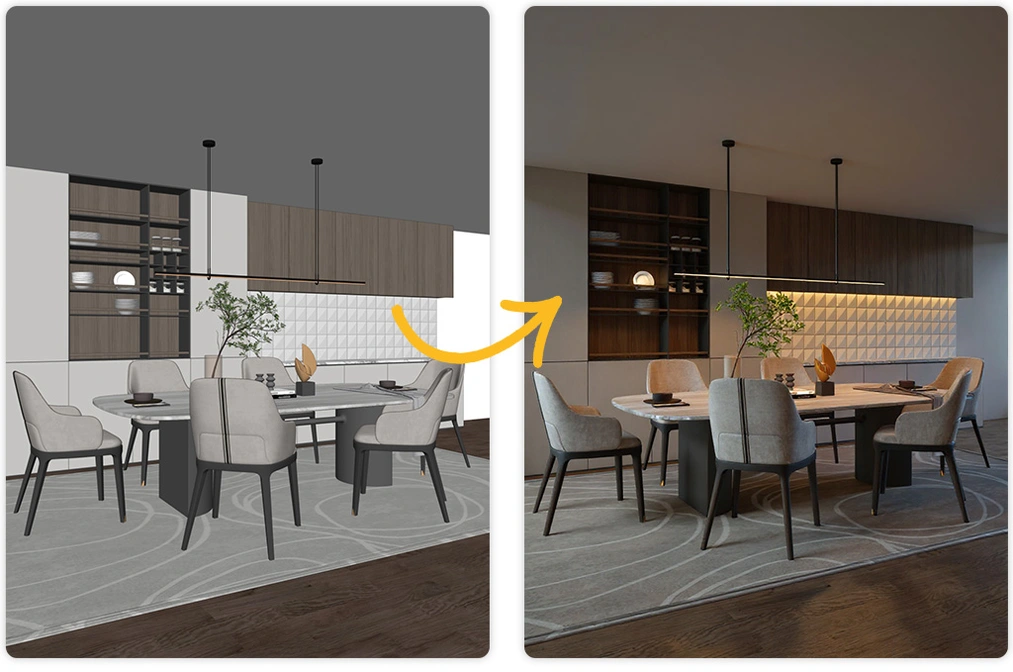
You add a prompt command, for example, "transform this view into a photorealistic interior visualization with natural soft lighting and realistic materials" and click the generate button. After a few seconds, you receive four ready-made visualizations. You can choose the one that best matches your design intent. All of them are very similar to each other. This is where the strength of this model lies: in its consistency.
In this context (pun intended), the ability to write effective instructions is particularly important. You can find out more in my article: "How to write effective prompts in FLUX Kontext? A guide for designers."
Comparison with traditional rendering
It’s important to understand, however, that FLUX Kontext is not a rendering engine. It doesn’t simulate light according to the laws of physics, nor does it analyze precise reflection or refraction coefficients. It struggles with rendering mirror surfaces. It works on the basis of interpretation: it generates a very good approximation, sometimes even hyperrealistic, but still remains in the realm of AI model “hallucinations”.
It also has its limitations: the base resolution is 1024x1024 pixels, so it’s not suitable for high-quality printing. It doesn’t handle micro-details perfectly, such as material textures, and sometimes it can miss logical spatial connections.
On the other hand, its biggest advantage is time. From concept to finished image takes just a few seconds. This is a revolution in client communication, conceptual work, creating design visions, and early project visualizations.
Will FLUX Kontext replace renderers?
At the moment - no. And that’s great news! FLUX Kontext is a brilliant auxiliary tool, but not a replacement. In projects where material details, physical light properties, or accuracy are critical, rendering engines still have no equal.
FLUX Kontext excels where speed, atmosphere, emotion, and vision matter. It doesn’t replace renders but complements them in the design process.
Summary
AI visualizations are no longer a song of the future; they are the present! With FLUX Kontext, you can create realistic images in seconds based on sketches, 3D models, or your own inspirations. The model understands the context of an image, preserves perspective, and impresses with its quality. I encourage you to test it and see how much you can achieve without rendering.
If you want to learn how to work with artificial intelligence in interior design, check out our AI course - Artificial Intelligence in Interior Design - you’ll find specific examples of how to apply new technologies: from surveying, to creating functional layouts, to generating visualizations using the free Stable Diffusion model. Undoubtedly, this is knowledge that will transform your workflow.
Author

Przeczytaj o programie AI - Artificial Intelligence na naszym blogu
-
![Virtual staging and AI photos in real estate listings - what does the AI Act change?]()
Virtual staging and AI photos in real estate listings - what does the AI Act change?
The AI Act vs real estate. Does virtual staging require an AI label? Find out how to avoid legal pitfalls and properly label photos. -
![How to Label AI Content According to the Law? Ready-Made Formulas for Designers and Archviz Studios.]()
How to Label AI Content According to the Law? Ready-Made Formulas for Designers and Archviz Studios.
How to Legally Label AI Visualizations? Check When a Label Is Mandatory and Copy Ready-Made Formulas for Your Projects. -
![Do you have to label visualizations as AI? What does the AI Act really say and what changes on August 2, 2026?]()
Do you have to label visualizations as AI? What does the AI Act really say and what changes on August 2, 2026?
AI Act from August 2! Do you have to label 3D visualizations as AI? Check where the legal boundary lies between concept and deepfake. -
![AI for furniture manufacturers - See how to create furniture packshots and catalog arrangements with raya.design]()
AI for furniture manufacturers - See how to create furniture packshots and catalog arrangements with raya.design
Packshots without time-consuming sessions? Discover Raya Design. Change upholstery and create arrangements with AI in moments. See how it works!