
 EN
EN PL
PL ES
ES-
Online courses
- All
 3ds Max
 AI - Artificial Intelligence
 Blender
 Corona renderer
 GstarCAD
 LayOut
 Photoshop
 Interior Design
 Revit
Revit Sketchup
 Stable Diffusion
 V-ray
V-ray
"Online courses" are comprehensive online training programs that will help you quickly master the software you are interested in.
- Plugins
- 3D Models
- Help
- Articles


Guide, blog about 2D and 3D computer graphics - Piotr Kurpiewski - tutorials from CGWisdom.com
-

The Best Free SketchUp Plugins for Interior Designers in 2026!
Which SketchUp plugins are really worth having? Discover 7 free extensions for interior designers and find out which ones have just stopped being free! -

Reversed Faces in SketchUp – why are blue faces showing and how to fix them?
Blue faces in SketchUp are flipped faces. Learn where they come from, how to quickly locate and fix them before they mess up your render or model export. -
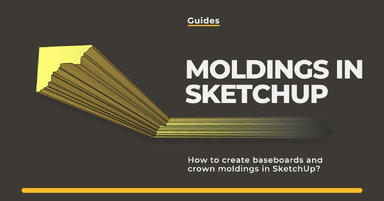
How to make baseboards and ceiling cornices in SketchUp? Three methods!
Modeling moldings in SketchUp? Discover 3 proven methods for baseboards and cornices. Check Follow Me drawbacks, ready models, and time-saving plugins! -
AutoCAD or SketchUp - choose a course to start in architecture
Wondering which to choose: AutoCAD or SketchUp? Discover the differences, choose the right course, and start designing architecture and interiors -
AutoCAD or Revit - when does switching programs make sense and when is it a waste of time?
Stick with AutoCAD or choose Revit? Find out when investing in BIM truly pays off, and for which projects 2D documentation is sufficient. -
Is GstarCAD as good as AutoCAD? Check out the comparison!
Is GstarCAD a good alternative to AutoCAD? We compare the costs, interface, and features of both programs. See the comparison of perpetual licenses vs. subscriptions. -

Virtual staging and AI photos in real estate listings - what does the AI Act change?
The AI Act vs real estate. Does virtual staging require an AI label? Find out how to avoid legal pitfalls and properly label photos. -

Do you have to label visualizations as AI? What does the AI Act really say and what changes on August 2, 2026?
AI Act from August 2! Do you have to label 3D visualizations as AI? Check where the legal boundary lies between concept and deepfake. -

Raya - The simplest AI tool for designers: zero prompts, maximum control!
Try raya.design for free! Get 20 credits to start and create photorealistic 3D visualizations without prompts. Click to check it out! -

Nano Banana 2 vs PRO: Which AI model to choose for visualization?
Faster AI or higher quality? We put Nano Banana 2 and PRO to the test in SketchUp. Find out which model gives you control over your project! -
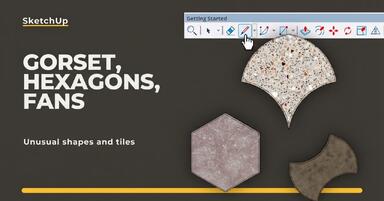
Unusual Shapes and Tiles in SketchUp – Gores, Hexagons, and Fans
Hexagons and gores in SketchUp in 5 seconds? Discover how to model the most challenging tile shapes. Read now! -
3 ways to create a floor in SketchUp – from texture to a 3D model
From a flat texture to advanced 3D. Discover 3 methods for creating a floor in SketchUp and uncover our reliable "gamechanger". Read on! -
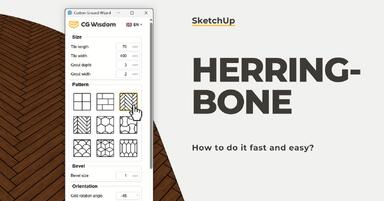
French and Classic Herringbone in SketchUp – how to do it quickly and error-free?
Manual herringbone installation is a nightmare! See how to automate this process in SketchUp and save hours of work. Click to find out! -
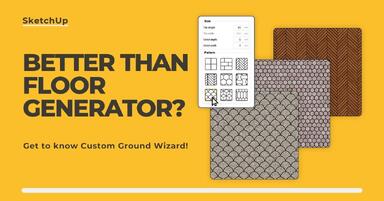
Floor Generator for SketchUp not working? Discover the best alternative in 2026!
Tired of Floor Generator errors? Discover the reliable Custom Ground Wizard plugin and create 3D floors stress-free. Read the article! -
SketchUp, V-Ray - Frame Buffer Window Not Responding - Tutorial Guide
Can't preview the progress of your visualization? You click on the taskbar, but the Frame Buffer doesn't respond? Don't worry, there's a simple solution. -
SketchUp - how to add a component? Guide, tutorial
Creating components is an excellent way to keep your scene organized. See why it’s so important! -

SketchUp - Overexposed windows, what to do? - Guide, tutorial
See how to balance the exposure difference between the interior and the exterior so as not to overexpose windows. -
SketchUp - how to create a cone? Guide, tutorial
The cone is one of the solids that causes difficulties for beginners. In this article, I'll show you how to create it in a simple way! -
SketchUp - how to change inches to centimeters? Guide, tutorial
Measurement units are chosen in SketchUp at the very start by selecting the appropriate template. How to change them later? You will find the answer in this article. -
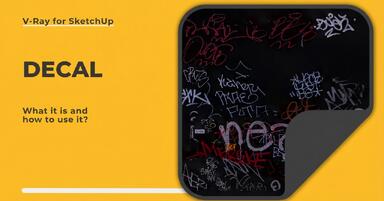
SketchUp - V-Ray Decal - What is it and how to use it? Guide, tutorial
Decals, or V-Ray Decal, is one of the new features introduced in V-Ray 5.2. See what you can use them for! -
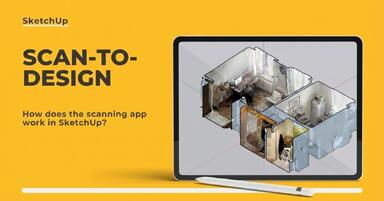
Scan-to-design - how does the scanning application in SketchUp work?
See how quickly you can create 3D interior models in SketchUp on iPad thanks to LiDAR technology and the Scan-to-design tool. Efficiency at your fingertips! -
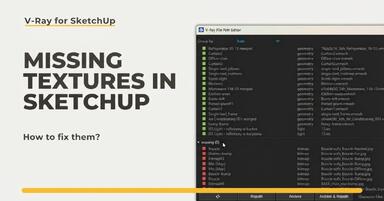
How to find and fix missing textures in SketchUp?
Missing textures in V-Ray for SketchUp can hinder your work and reduce render quality. Find out how to quickly fix this problem using the File Path Editor! -
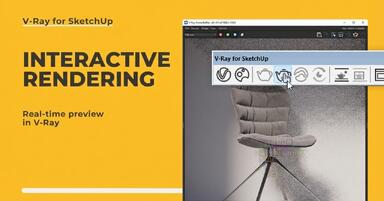
SketchUp - Interactive Rendering - Real-Time Preview in V-Ray - Guide, Tutorial
Have you ever refined a model in SketchUp only to end up with an unsatisfying result in V-Ray? Previewing your progress will help you save time! -
How to create realistic materials in SketchUp - what are PBR maps?
Do you want to create realistic materials in V-Ray for SketchUp? Use Diffuse, Normal or Displacement maps to elevate the quality of your visualizations!