EN
EN PL
PL ES
ES


Publication date: 24-02-2026 | Update date: 25-02-2026 | Author: Piotr Kurpiewski

-
Online courses
- All
 3ds Max
 AI - Artificial Intelligence
 Blender
 Corona renderer
 GstarCAD
 LayOut
 Photoshop
 Interior Design
 Revit
Revit Sketchup
 Stable Diffusion
 V-ray
V-ray
"Online courses" are comprehensive online training programs that will help you quickly master the software you are interested in.
- Plugins
- 3D Models
- Help
- Articles
Floor Generator for SketchUp not working? Discover the best alternative in 2026!
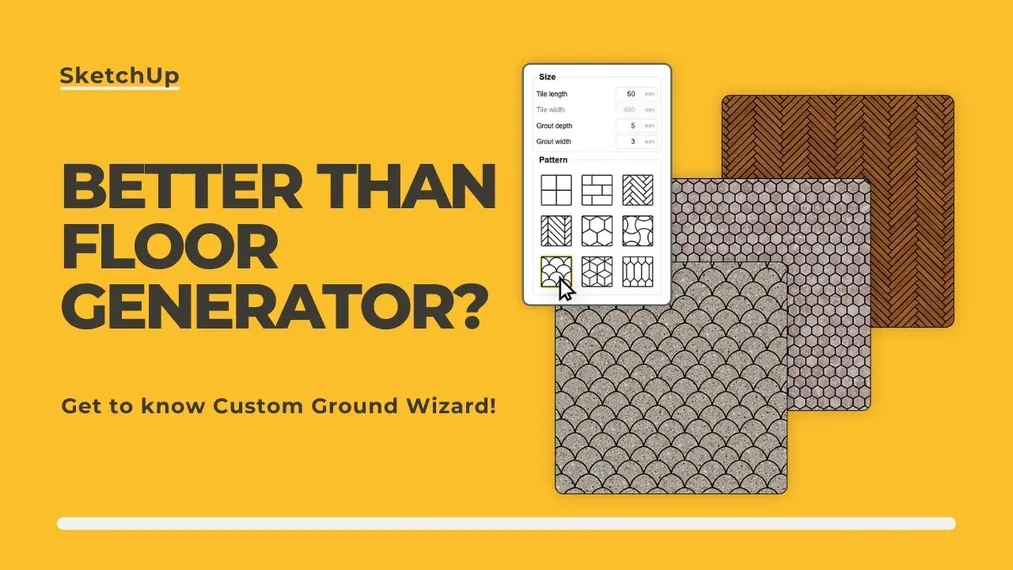
Are you struggling with "Bug splat" errors and a lack of support for the old Floor Generator in newer versions of SketchUp? This article explains why outdated scripts have stopped working and introduces Custom Ground Wizard – a modern, stable plugin that in 2026 will automate your 3D floor modeling and protect your projects from data loss.
Index
Anyone who has spent more than a few dozen hours in SketchUp has probably hit the same wall. You have a beautifully designed interior, perfectly chosen furniture, great lighting... but the floor looks flat and unnatural. Many years ago the answer was simple: you install the free Floor Generator plugin, click and you're done.
Today, however, that path resembles Russian roulette. Generating a complex floor with old, unsupported scripts increasingly ends in a frozen screen, a frustrating "Bug splat" message and loss of unsaved work.

If your Floor Generator for SketchUp isn’t working, throws errors on curved walls, or simply isn’t compatible with the latest versions of the program – you’re in the right place. In this article I’ll try to explain why old floor plugins are becoming obsolete and show you a modern alternative that will revolutionize your workflow in 2026.
Why do we even need floor plugins in SketchUp?
Beginner users often ask: "Why do I need an extra plugin when I can simply apply a wood texture with the Paint Bucket tool?". The answer is: true realism requires geometry, not just a sticker.
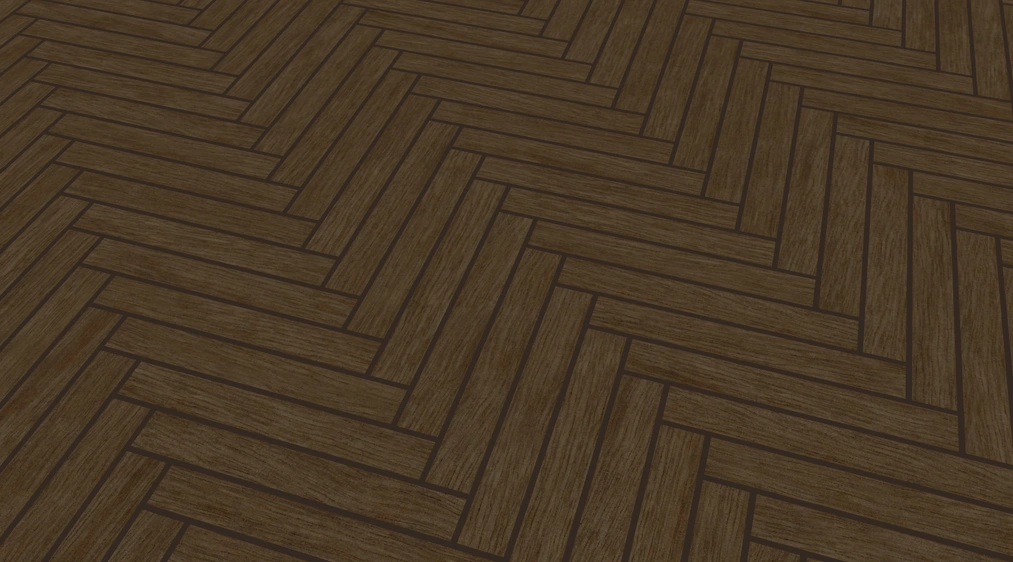
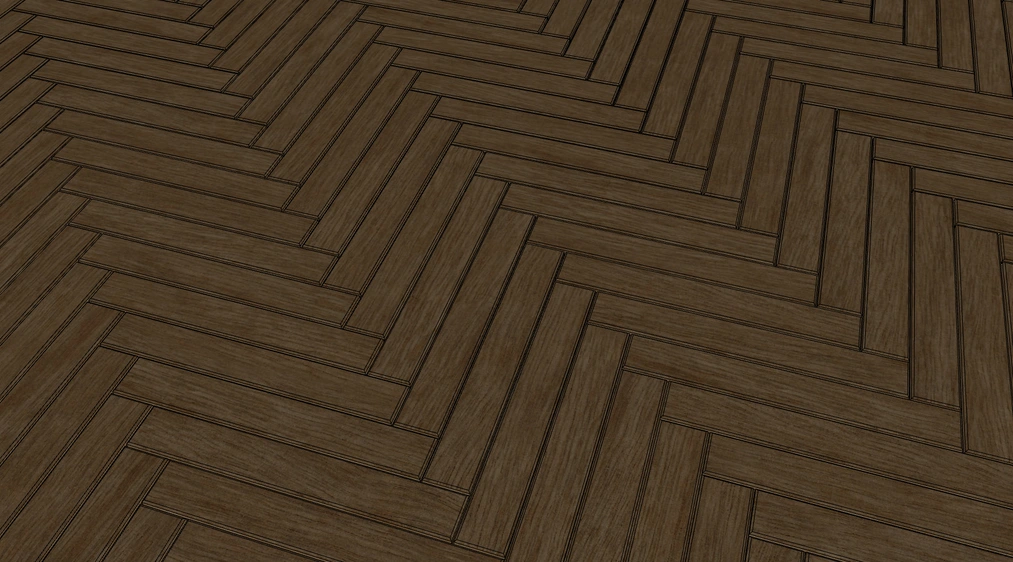
A flat texture works great for quick conceptual sketches. However, when you start a rendering engine like V-Ray or Enscape, a flat floor immediately betrays the artificiality of your design. The engine has nothing to “rest” the light on. There is no physical depth where the grout should be, and the edges of boards or tiles don’t naturally refract sunlight.
To achieve a photorealistic effect, you need a three-dimensional floor model. Manually drawing each board, grouping it, and then precisely cutting it at an angle against the walls takes hours. That’s why floor plugins in SketchUp are an absolute must-have in the arsenal of every interior architect and visualizer.
A bitter farewell to the past: Why the old Floor Generator causes problems?
Old plugins (including the classic Floor Generator) were written in Ruby many years ago, targeting completely different versions of SketchUp. Although they saved the day for a long time, today using them is asking for trouble. The main problems designers face today are:
- Errors on curved walls: the old algorithms get lost when the room layout ceases to be a perfect rectangle. Arches, slanted walls or openings for support columns cause the geometry to generate outside the building or overlap.
- Legendary Bug splat: the lack of optimization for newer, 64-bit versions of the program causes SketchUp to simply crash when you try to generate a denser pattern (e.g. a fine herringbone).
- No technical support: if something doesn’t work, you’re on your own with 2018 internet forums.
It’s time to stop fighting tools that slow you down!
New king in town: Custom Ground Wizard
Understanding users' pain points, we’ve created Custom Ground Wizard – a stable, written-from-scratch plugin that is the natural successor to old generators and the best alternative to Floor Generator in 2026.
It’s a tool that takes the entire technical burden of modeling floors, terraces or wall tile coverings off your shoulders. You specify the surface, set the parameters and in seconds you get perfect 3D geometry.
CHECK OUT THE FLOOR GENERATOR FOR SKETCHUP
What does Custom Ground Wizard do better?
When designing this plugin, we focused on eliminating all the flaws of the old solutions. Here’s why this tool changes the game:
1. Unwavering stability and optimization
No more fearing the Bug splat. The plugin’s code has been optimized to work with huge surfaces. Whether you generate large concrete slabs in a living room or a fine mosaic in a bathroom, Custom Ground Wizard runs quickly and smoothly in the background, and you can stop the generation process at any time.
2. Geometric intelligence (no more manual trimming)
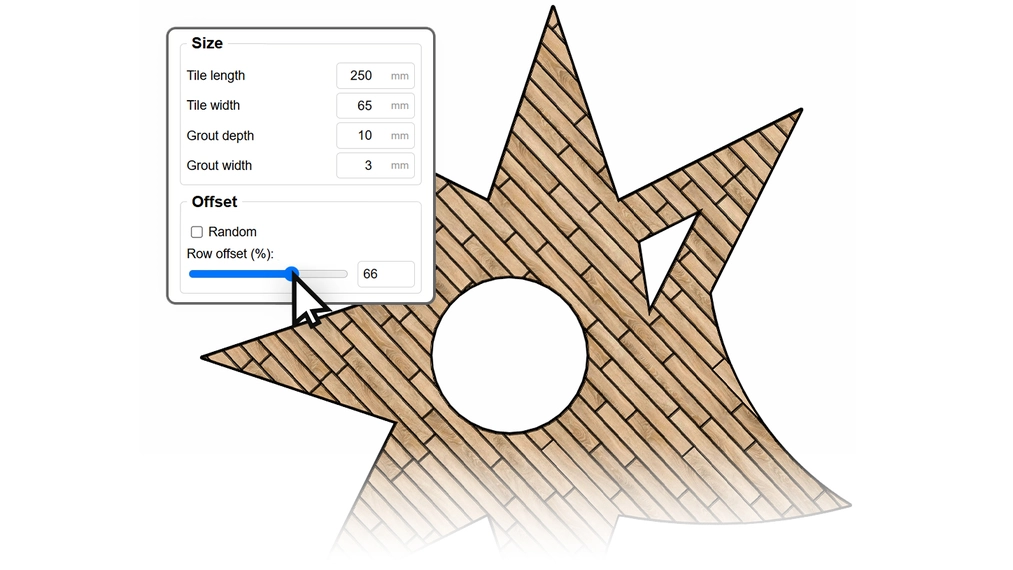
Got an oval living room? A wall at a 37-degree angle? Or maybe a round bathtub built into the floor? Our plugin loves complex layouts. The algorithm perfectly detects room boundaries and skips any internal openings. Tiles are mathematically precisely trimmed to every, even the most intricate, curvature.
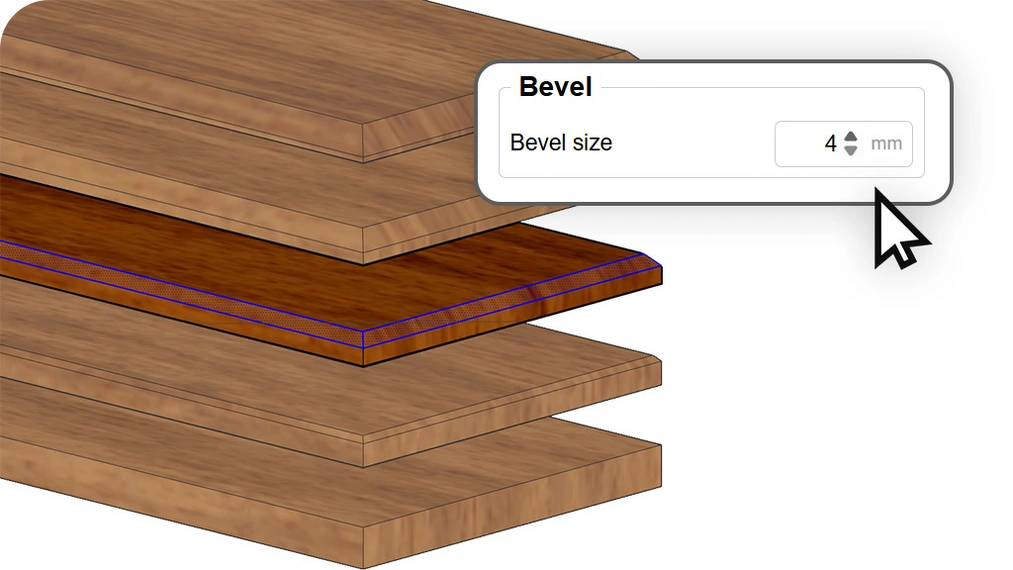
3. Built-in bevel magic (Bevel)
Beveling is the subtle chamfering of a tile’s or plank’s sharp edge. In reality, no building material is razor-sharp. Custom Ground Wizard lets you set grout depth and 3D bevel width with a single slider. It’s this detail that makes the light in your visualizations look soft, natural, and incredibly realistic.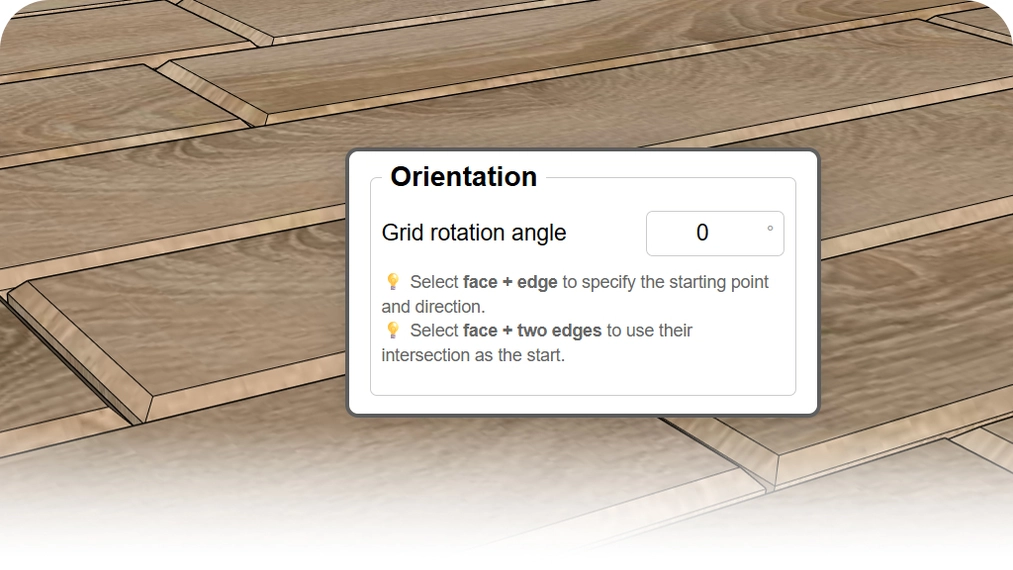
4. Full control over the starting point
One of the biggest problems of old generators was laying out from the "center", which resulted in ugly, thin strips of cut tiles at the doorway threshold. With Custom Ground Wizard, you can specify two adjacent edges (e.g. the entrance corner), and the plugin will start with a full tile exactly from that spot. A perfect layout guaranteed!
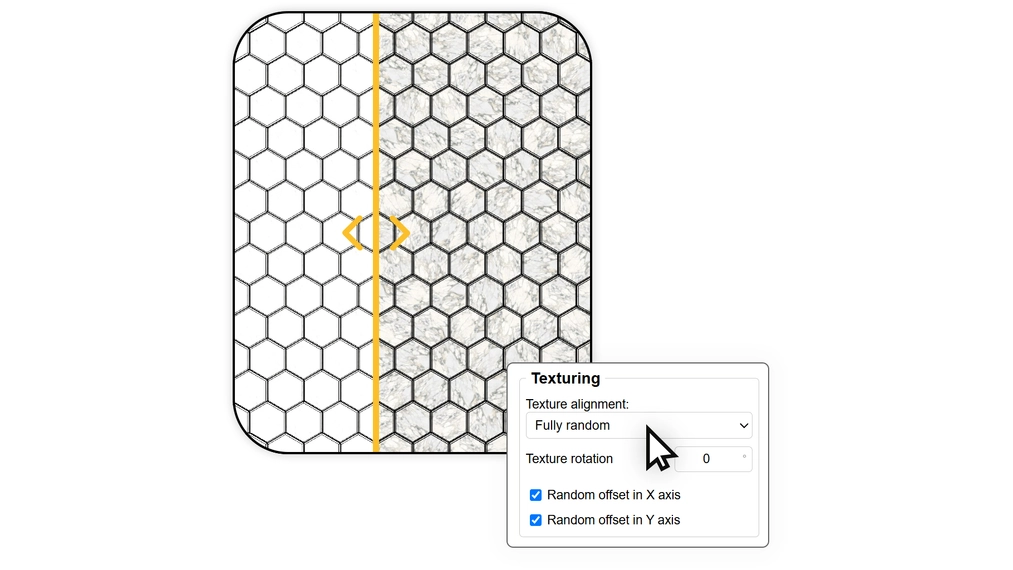
5. Natural variety and the end of the repeating texture effect
Generating perfect geometry is only half the battle – the other half is credible material. The biggest enemy of realism on large surfaces is so-called "tiling", the visible, artificial repetition of the texture pattern on adjacent tiles. Custom Ground Wizard solves this automatically thanks to an advanced random UV mapping system.
The plugin can randomly shift the texture along the X and Y axes and also randomly rotate it by 90 degrees for each individual element. Even using a single small material sample (e.g. a knotty wood), you’ll get a floor that looks unique and natural across the entire surface.
See Custom Ground Wizard in action
You have to see it to believe it. In the video below I show the speed of Custom Ground Wizard in action. The difference in comfort speaks for itself!
Download Custom Ground Wizard for free!
We have released a fully functional, free version of the plugin (for commercial use!) called Custom Ground Wizard FREE, in which you can generate a regular grid (Grid) and a classic brick pattern (Brick) while preserving full geometry and beveling.
DOWNLOAD - CUSTOM GROUND WIZARD - FREE
If you want immediate access to the most desired, advanced patterns (such as classic herringbone, chevron or trendy hexagons) and the random texturing system, level up right away and buy the full version of Custom Ground Wizard PRO.
Summary and your next step
The era of frustration with modeling photorealistic floors has come to an end. If your old Floor Generator refuses to cooperate, it’s high time to switch to a solution designed for the modern demands of the design industry.
Instead of wasting hours manually trimming boards, leave this work to intelligent algorithms. You’ll gain time that you can spend fine-tuning lighting and materials. Ready to test it? :)
Author

Przeczytaj o programie Sketchup na naszym blogu
-
![Profile Builder 4 or Magic Molding? Comparison of Ornamentation Plugins in SketchUp]()
Profile Builder 4 or Magic Molding? Comparison of Ornamentation Plugins in SketchUp
How does Profile Builder 4 differ from Magic Molding? Scope, pricing, profile libraries, and learning curve. Find out which plugin fits your projects. -
![The Best Free SketchUp Plugins for Interior Designers in 2026!]()
The Best Free SketchUp Plugins for Interior Designers in 2026!
Which SketchUp plugins are really worth having? Discover 7 free extensions for interior designers and find out which ones have just stopped being free! -
![English wainscoting in SketchUp - how to design wall panels step by step]()
English wainscoting in SketchUp - how to design wall panels step by step
How to design English wainscoting in SketchUp? Learn the rules for panel division, wainscot proportions, and speed up your work with the Magic Molding plugin. -
![Reversed Faces in SketchUp – why are blue faces showing and how to fix them?]()
Reversed Faces in SketchUp – why are blue faces showing and how to fix them?
Blue faces in SketchUp are flipped faces. Learn where they come from, how to quickly locate and fix them before they mess up your render or model export.




Want to learn Sketchup? Check out our free online course!