EN
EN PL
PL ES
ES


Publication date: 25-02-2026 | Update date: 25-02-2026 | Author: Piotr Kurpiewski

-
Online courses
- All
 3ds Max
 AI - Artificial Intelligence
 Blender
 Corona renderer
 GstarCAD
 LayOut
 Photoshop
 Interior Design
 Revit
Revit Sketchup
 Stable Diffusion
 V-ray
V-ray
"Online courses" are comprehensive online training programs that will help you quickly master the software you are interested in.
- Plugins
- 3D Models
- Help
- Articles
Unusual Shapes and Tiles in SketchUp – Gores, Hexagons, and Fans
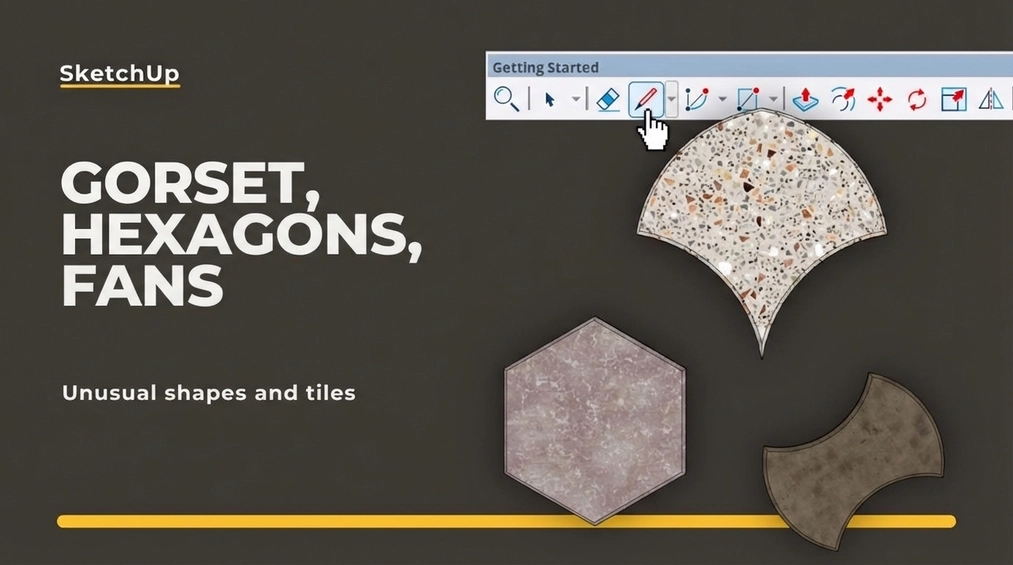
Contemporary interior architecture moves away from boring rectangles in favor of hexagons, retro gores, or elegant fans. From this article, you'll learn how to stop fighting geometry and effortlessly model these complex tile shapes in SketchUp, while taking care of edge chamfering and avoiding "stamping effect" on textures.
Index
Squares and rectangles are a safe standard, but contemporary interior design is increasingly breaking away from conventional schemes. Investors are looking for a unique character that can be provided by unusual shapes of floors and wall claddings. Geometry in the form of honeycombs or historic, rounded patterns is experiencing a true renaissance.
For those preparing visualizations in SketchUp, any change of a tile’s shape to anything other than rectangular usually means a headache, a drastic drop in performance, and hours spent on tedious modeling. In this article, I will examine how to automate this process and easily create three-dimensional models of hexagons, retro waisted tiles, or elegant fans.
Why are unconventional tile shapes a challenge in 3D programs?
If you’ve ever been tasked with modeling a realistic honeycomb-tiled floor, you know what I’m talking about. Applying a flat texture using the Paint bucket tool doesn’t give the expected realism in renders from V-Ray or Enscape engines. Light needs a physical edge and a recess at the grout line to look natural.
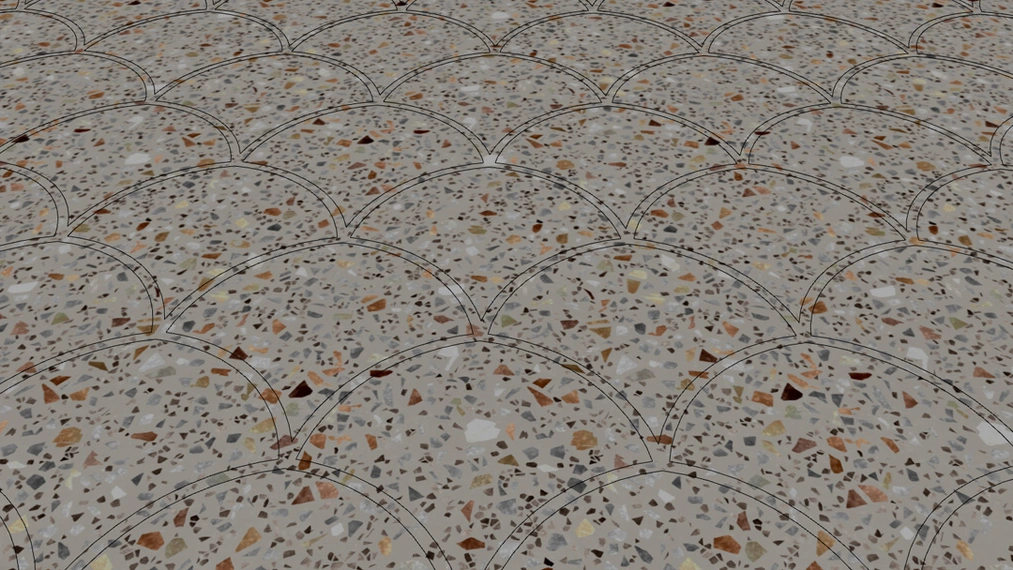
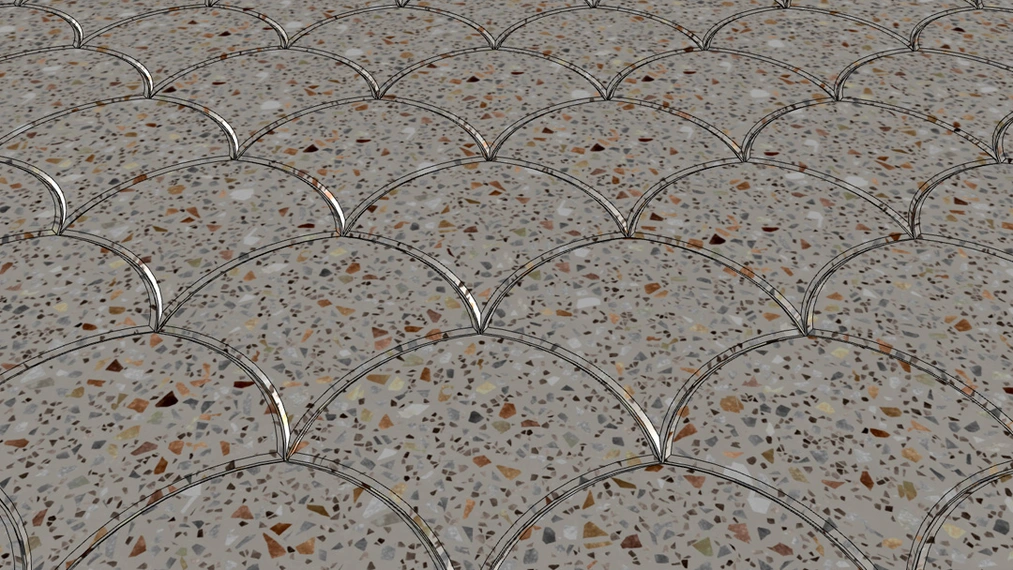
Manually drawing and copying hundreds of components (Components) with complex shapes is one thing, but the real challenge is fitting them to the room’s floor plan. Using the Intersect faces tool to trim polygons to curved walls generates a lot of errors, can freeze the program, and leaves behind geometry that’s hard to clean up.
To address this, we created the Custom Ground Wizard plugin, which in its PRO version offers a library of ready-to-use, parameterized custom patterns.
check out - CGW pro – best FLOOR GENERATOR FOR SKETCHUP
Hexagons (Honeycomb) – Modern Geometry
Hexagonal tiles have completely dominated modern bathroom and kitchen designs. They are especially popular as a dynamic transition between zones – for example, where tiles seamlessly "flow" into a wooden floor without a straight dividing line.
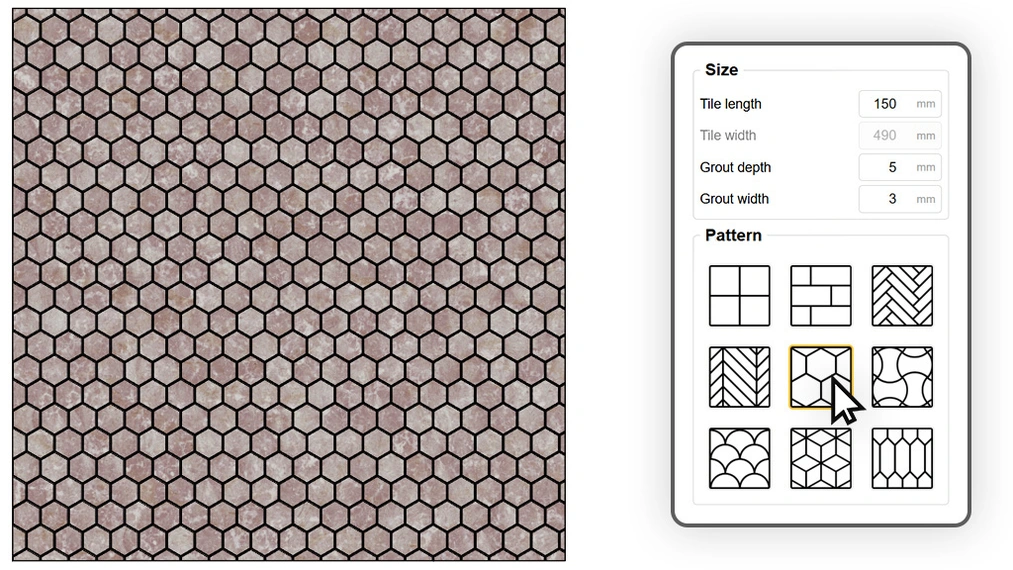
Using the plugin, you simply select the floor area, choose the Hexagon pattern, set the side length and grout width. The algorithm generates a perfect 3D mesh in seconds, automatically trimming the edges at the walls. Additionally, the library also includes a streamlined version of this pattern, often called Arrow or the "picket" tile, which works great as a vertical wall cladding that visually elevates interiors.
Waisted Tiles (Waisted) – A Return to the Elegance of Pre-war Townhouses
The retro and vintage style is making a comeback, along with the iconic "Warsaw waisted tiles". These distinctive, small tiles with a cinched waist create beautiful, intricate patterns in old townhouses and restored staircases.
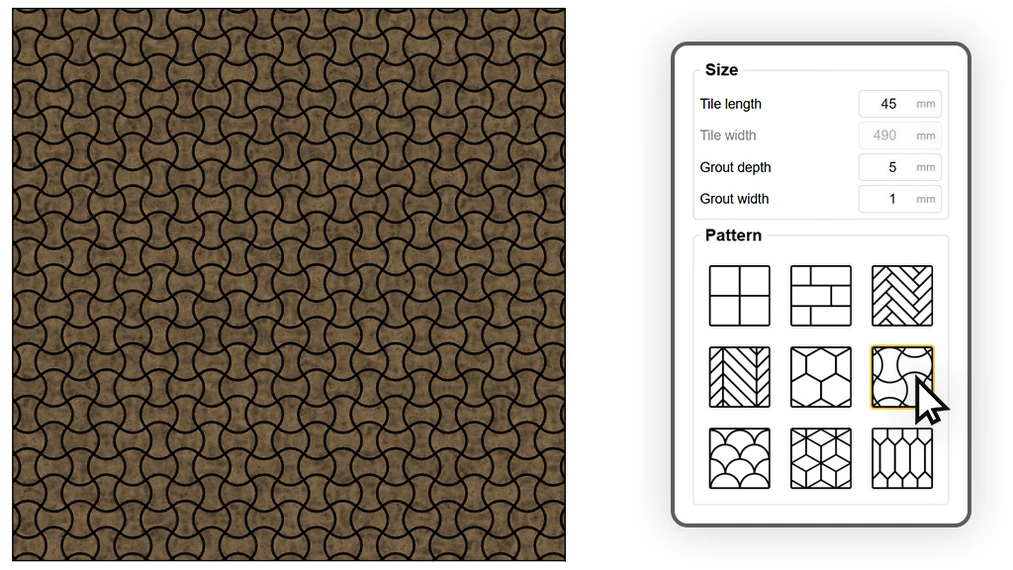
Manually drawing the curves of a waisted tile with perfect, even grout spacing on all sides is almost impossible in SketchUp without advanced math. In Custom Ground Wizard PRO, this complex, historical pattern (available as Waisted) is generated with a single click, allowing you to instantly give your design soul and a unique, handcrafted feel.
Fans (Fan) – Ideal for Terraces and Claddings
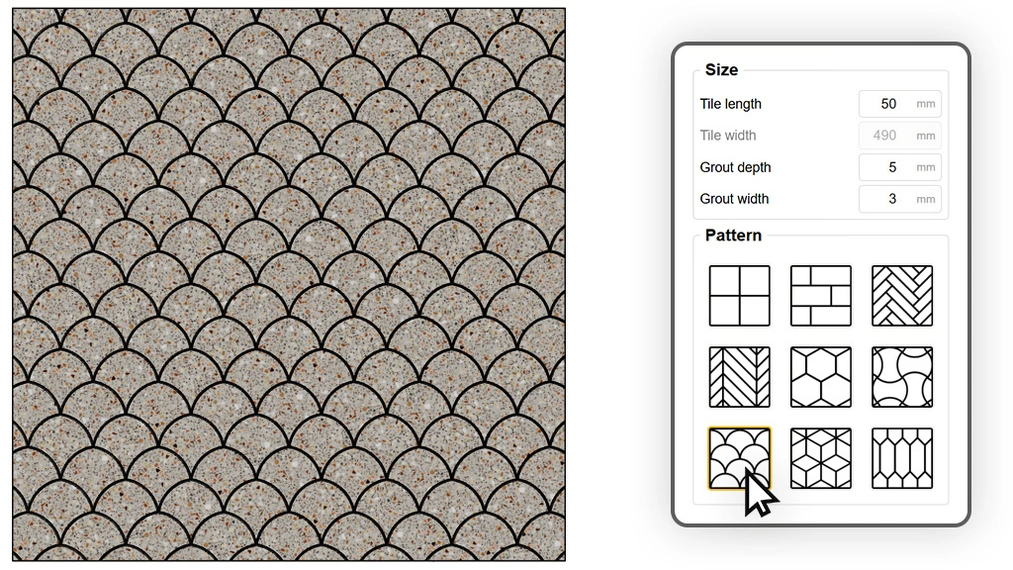
The last of the big three unconventional shapes is the fan, often also called "fish scale". Indoors, they often appear in showers in deep, bottle-green colors. Outdoors, they perfectly mimic classic granite cobblestones laid in a fan pattern on driveways or plazas.
Details That Create Photorealism – Discover the Full Power of the Plugin
Choosing the shape is just the beginning. Custom Ground Wizard is designed to eliminate all the headaches faced by visualization professionals. Whether you’re creating hexagons or waisted tiles, you have access to key features:
- Perfect starting point: asymmetry at the bathroom entrance can ruin the entire hexagon layout. The plugin lets you specify a starting point (e.g., the door threshold). The pattern will begin exactly from that spot, eliminating ugly cut tiles.
- Edge beveling (Bevel): razor-sharp edges in 3D are the enemy of realism. With a single slider, you can apply a delicate, millimeter-wide bevel to each tile, causing light in the render to refract beautifully and add volume to the floor.
- Random mapping: if you assign a single texture to hundreds of hexagons, recurring marks will ruin the look. Thanks to intelligent texture placement, random offset (in X and Y axes), and rotation features, the plugin ensures that each tile appears unique.
How to Get Started and Test the Custom Ground Wizard Plugin?
Move away from standard solutions and start designing floors that will amaze your clients. Stop wasting hours manually sculpting geometry!
You can find the full range of custom patterns (hexagons, waisted tiles, fans, as well as classic and French herringbone) in the full version of our software. Buy the Custom Ground Wizard PRO extension.
If you want to first test stability, 3D grout generation, and edge beveling, simply download Custom Ground Wizard Free. The free version of the plugin allows you to create uniform meshes and classic brick layouts, and you can use it completely legally – even for commercial projects!
Author

Przeczytaj o programie Sketchup na naszym blogu
-
![Profile Builder 4 or Magic Molding? Comparison of Ornamentation Plugins in SketchUp]()
Profile Builder 4 or Magic Molding? Comparison of Ornamentation Plugins in SketchUp
How does Profile Builder 4 differ from Magic Molding? Scope, pricing, profile libraries, and learning curve. Find out which plugin fits your projects. -
![The Best Free SketchUp Plugins for Interior Designers in 2026!]()
The Best Free SketchUp Plugins for Interior Designers in 2026!
Which SketchUp plugins are really worth having? Discover 7 free extensions for interior designers and find out which ones have just stopped being free! -
![English wainscoting in SketchUp - how to design wall panels step by step]()
English wainscoting in SketchUp - how to design wall panels step by step
How to design English wainscoting in SketchUp? Learn the rules for panel division, wainscot proportions, and speed up your work with the Magic Molding plugin. -
![Reversed Faces in SketchUp – why are blue faces showing and how to fix them?]()
Reversed Faces in SketchUp – why are blue faces showing and how to fix them?
Blue faces in SketchUp are flipped faces. Learn where they come from, how to quickly locate and fix them before they mess up your render or model export.




Want to learn Sketchup? Check out our free online course!