EN
EN PL
PL ES
ES


Publication date: 03-02-2026 | Update date: 03-02-2026 | Author: Piotr Kurpiewski

-
Online courses
- All
 3ds Max
 AI - Artificial Intelligence
 Blender
 Corona renderer
 GstarCAD
 LayOut
 Photoshop
 Interior Design
 Revit
Revit Sketchup
 Stable Diffusion
 V-ray
V-ray
"Online courses" are comprehensive online training programs that will help you quickly master the software you are interested in.
- Plugins
- 3D Models
- Help
- Articles
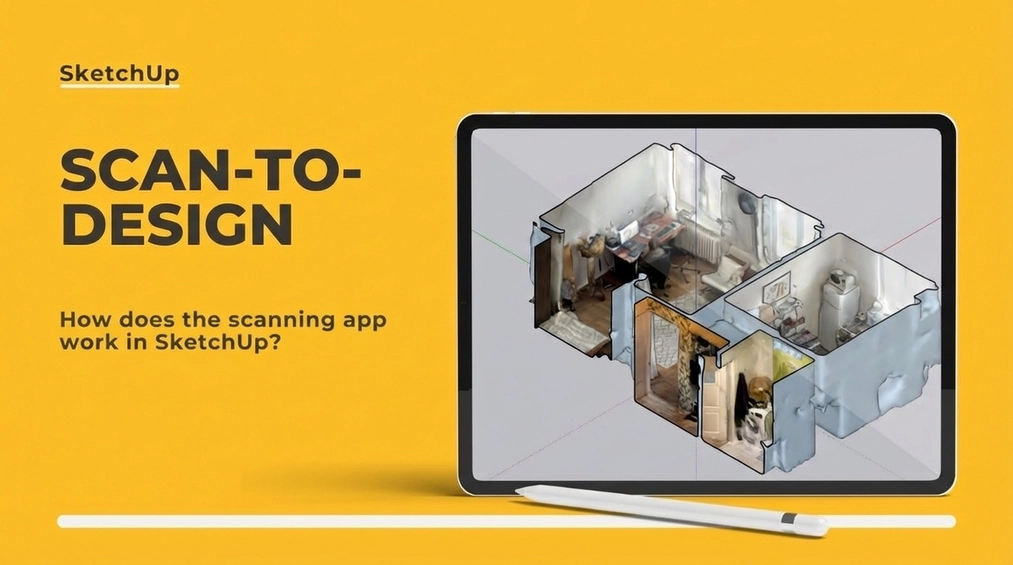
Scan-to-design - how does the scanning application in SketchUp work?
This article presents the Scan-to-design tool available in SketchUp for iPad, which allows for quick creation of 3D interior models using the built-in LiDAR technology of iPad Pro. It covers the scanning process, integration with the SketchUp ecosystem, and practical applications in interior design. The advantages, such as intuitiveness and speed, as well as limitations, like lower precision compared to advanced apps like Polycam or OpalAI, are highlighted. The tool is ideal for architects and designers looking for simple and efficient space inventory solutions.
Index
Imagine being able to create a detailed 3D interior model in just minutes - without the need for a tape measure or laser distance meter. Thanks to the Scan-to-design tool, available in SketchUp for iPad, it's not only possible, but also highly intuitive. When combined with the LiDAR scanner built into the iPad, you can convert physical spaces into precise digital models ready for further work in SketchUp Pro.
Quick 3D Surveys – How Does It Work?
Scan-to-design is a tool that integrates LiDAR technology with the functionality of SketchUp. LiDAR, which stands for Light Detection and Ranging, is a technology that uses lasers to measure distances between the device and its surroundings, creating a point cloud. In practice, this means that after scanning a space you can obtain a three-dimensional map of the room that serves as the basis for creating 3D models.
The scanning process in SketchUp for iPad works as follows:
- You launch the SketchUp app on the iPad.
- You enable the Scan-to-design tool in the SketchUp interface.
- You move the device around the room, scanning walls, floors, ceilings, and furniture.
- SketchUp automatically converts the point cloud data into simple 3D geometry.
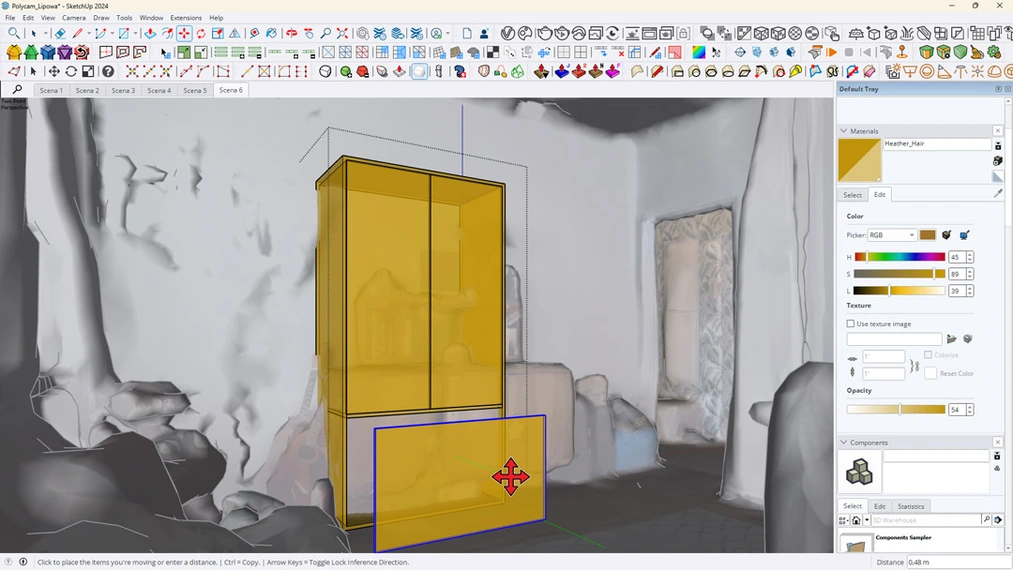
As a result, you get a ready-made model that you can immediately edit in SketchUp Pro. Of course, this tool is more simplified than applications such as Polycam or OpalAI, which offer more advanced features (learn more about this in the article titled: Automated AI Surveys – Skip the Tape Measure and Laser!). However, the built-in SketchUp Scan-to-design works great in the daily work of architects and designers.
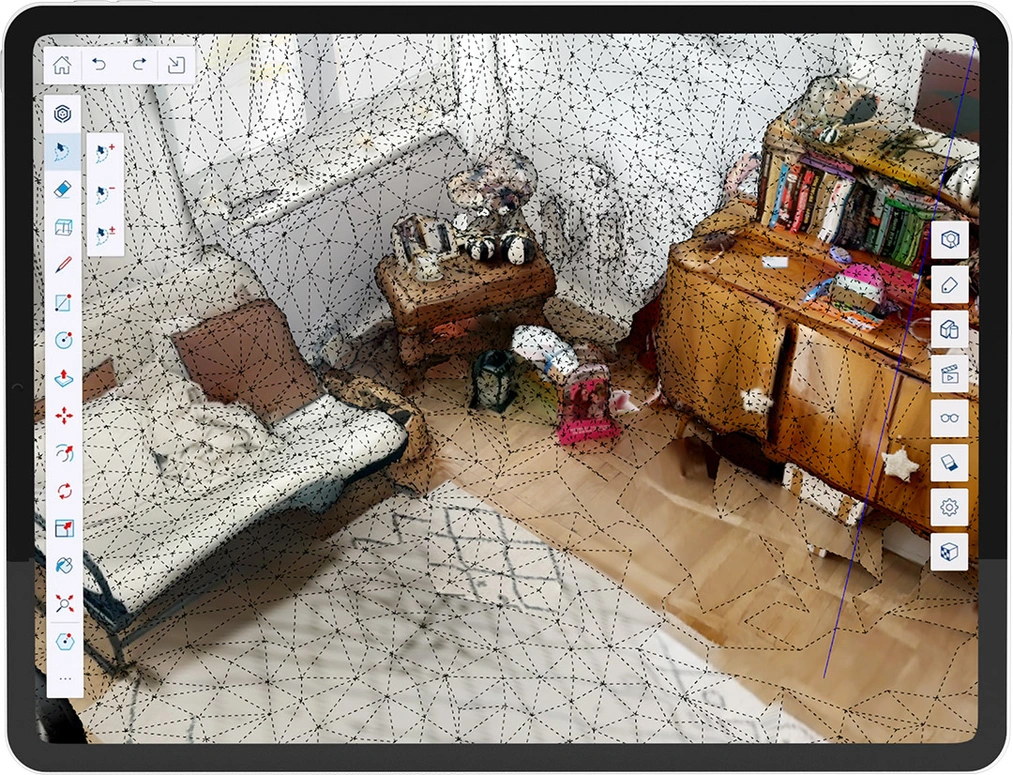
How Does Scan-to-design Work?
SketchUp for iPad uses LiDAR data in real-time, converting it into simplified 3D geometry. This solution is designed for users who need to quickly obtain an interior model and then move on to more detailed design work.
Key capabilities of Scan-to-design:
- Intuitive use – the interface on the iPad is straightforward, enabling you to quickly master the tool.
- Precision – although simplified, the 3D models are accurate enough for most design applications.
- Seamless integration – you can smoothly transfer models to SketchUp Pro on your computer and continue working on more advanced details.
Practical Applications in Interior Design
For interior designers, Scan-to-design can be a great support in the process of surveying existing spaces. Instead of spending hours on manual measurements, you only need a few minutes to create a basic 3D model. This tool is especially useful in:
- renovations and modernizations of existing buildings,
- quick conceptual projects,
- client presentations when they want to see their spaces in 3D in a very short time.
Drawbacks and Limitations of Scan-to-design
Although Scan-to-design is an extremely convenient tool, it has its limitations:
- Models are less detailed than those created with professional applications such as Polycam.
- Requires newer iPad models with LiDAR capability.
- Complex details may require additional editing in SketchUp Pro.
Why Should You Try Scan-to-design?
For SketchUp Pro users who already use an iPad, Scan-to-design is a tool that can significantly speed up the inventory process. It is built into the basic SketchUp Pro subscription, making it an easily accessible solution.
Thanks to its integration with the SketchUp ecosystem, you can seamlessly transfer models between devices and refine them according to project requirements.
Summary
Scan-to-design in SketchUp for iPad is an innovative tool that simplifies the process of creating 3D interior models. For architects and designers who value fast and efficient solutions, it is an excellent addition to daily work. While it won't replace more advanced tools like OpalAI, it performs very well for simple projects and quick surveys.
If you want to learn more about SketchUp's capabilities, be sure to check out our online courses on SketchUp for interior design, architecture, and design.
Author

Przeczytaj o programie Sketchup na naszym blogu
-
![Reversed Faces in SketchUp – why are blue faces showing and how to fix them?]()
Reversed Faces in SketchUp – why are blue faces showing and how to fix them?
Blue faces in SketchUp are flipped faces. Learn where they come from, how to quickly locate and fix them before they mess up your render or model export. -
![Follow Me in SketchUp - Complete Guide and 7 Mistakes That Ruin Geometry]()
Follow Me in SketchUp - Complete Guide and 7 Mistakes That Ruin Geometry
Master the Follow Me tool in SketchUp! Check out the complete guide and discover 7 mistakes that ruin 3D model geometry. -
![How to make baseboards and ceiling cornices in SketchUp? Three methods!]()
How to make baseboards and ceiling cornices in SketchUp? Three methods!
Modeling moldings in SketchUp? Discover 3 proven methods for baseboards and cornices. Check Follow Me drawbacks, ready models, and time-saving plugins! -
![English wainscoting in SketchUp - how to design wall panels step by step]()
English wainscoting in SketchUp - how to design wall panels step by step
How to design English wainscoting in SketchUp? Learn the rules for panel division, wainscot proportions, and speed up your work with the Magic Molding plugin.



Want to learn Sketchup? Check out our free online course!