EN
EN PL
PL ES
ES


Publication date: 22-05-2026 | Update date: 18-06-2026

-
Online courses
- All
 3ds Max
 AI - Artificial Intelligence
 Blender
 Corona renderer
 GstarCAD
 LayOut
 Photoshop
 Interior Design
 Revit
Revit Sketchup
 Stable Diffusion
 V-ray
V-ray
"Online courses" are comprehensive online training programs that will help you quickly master the software you are interested in.
- Plugins
- 3D Models
- Help
- Articles
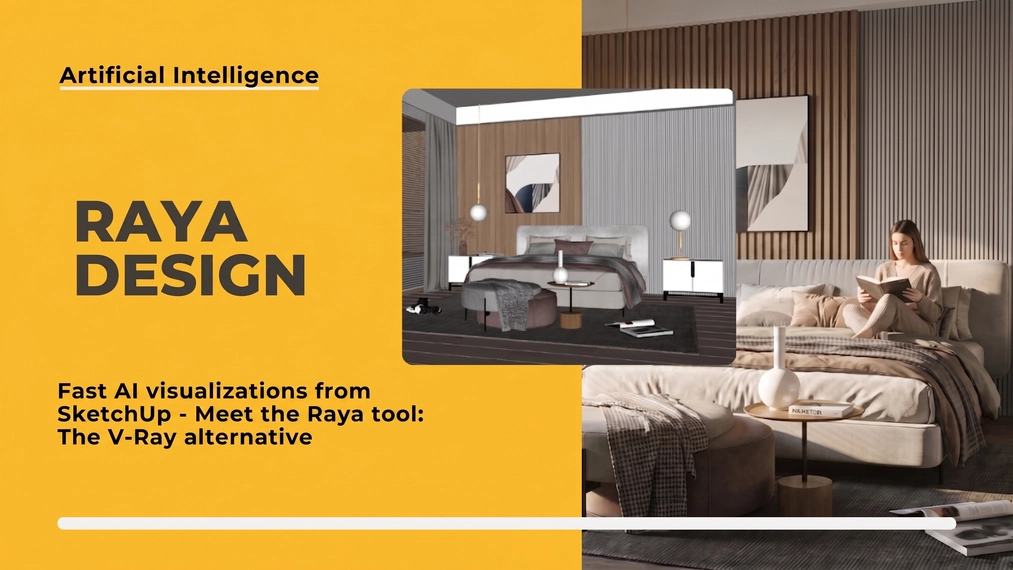
Quick AI visualizations from SketchUp - Meet Raya: an alternative to V-Ray
Dreaming of photorealistic visualizations of your designs but terrified by the time-consuming light and material setup in traditional rendering engines like V-Ray? Discover raya.design – the revolutionary AI tool that automates this process! In this practical guide, using a bedroom view from SketchUp as an example, we'll show you the entire workflow: from the first render, through editing elements, all the way to the final detailed shot. See how quickly and intuitively you can create a professional visualization, even if you're not a rendering expert. See for yourself!
Index
A quick and impressive concept presentation is fundamental in the interior architect’s profession, yet time-consuming generation of final renders can significantly lengthen the overall work time. Enter Raya Design – an intelligent platform that takes creating interior visualizations to a whole new level. With AI integration, rendering from SketchUp is reduced to just a few clicks in an intuitive interface, without the need to type complex text prompts. In today’s tutorial, we will test this tool step by step on a prepared SketchUp scene to see how effectively it can speed up and optimize your daily workflow.
SketchUp - best AI visualizations with Raya
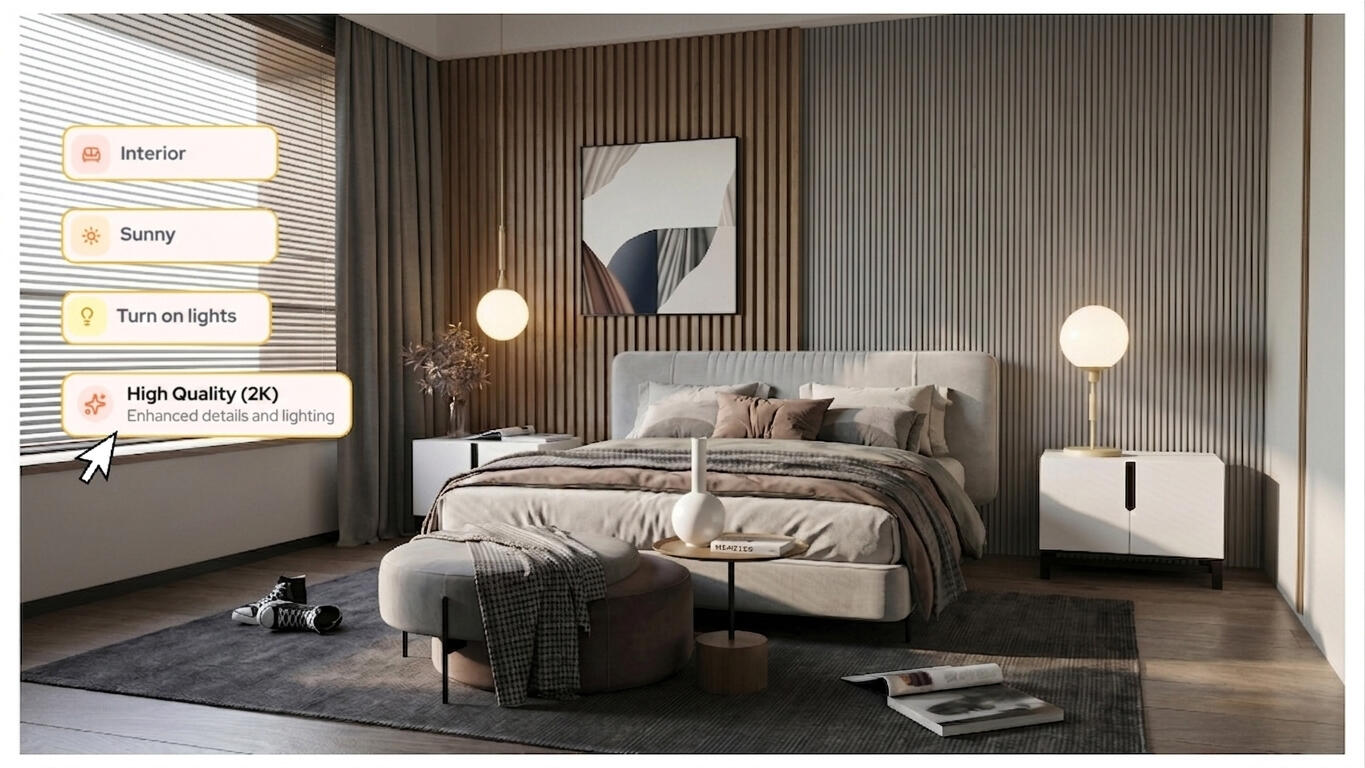
The biggest advantage of the Raya Design platform is its so-called “no-prompt” approach. Instead of learning to write complex text commands and using trial and error to see how the AI interprets our words, we use an intuitive visual interface. The workflow relies on simple switches and sliders – just pick the interior style, lighting type, or time of day, and the algorithm analyzes the geometry and applies photorealistic finishes. This way, SketchUp visualizations are generated in a fraction of a second, without needing specialist rendering knowledge.
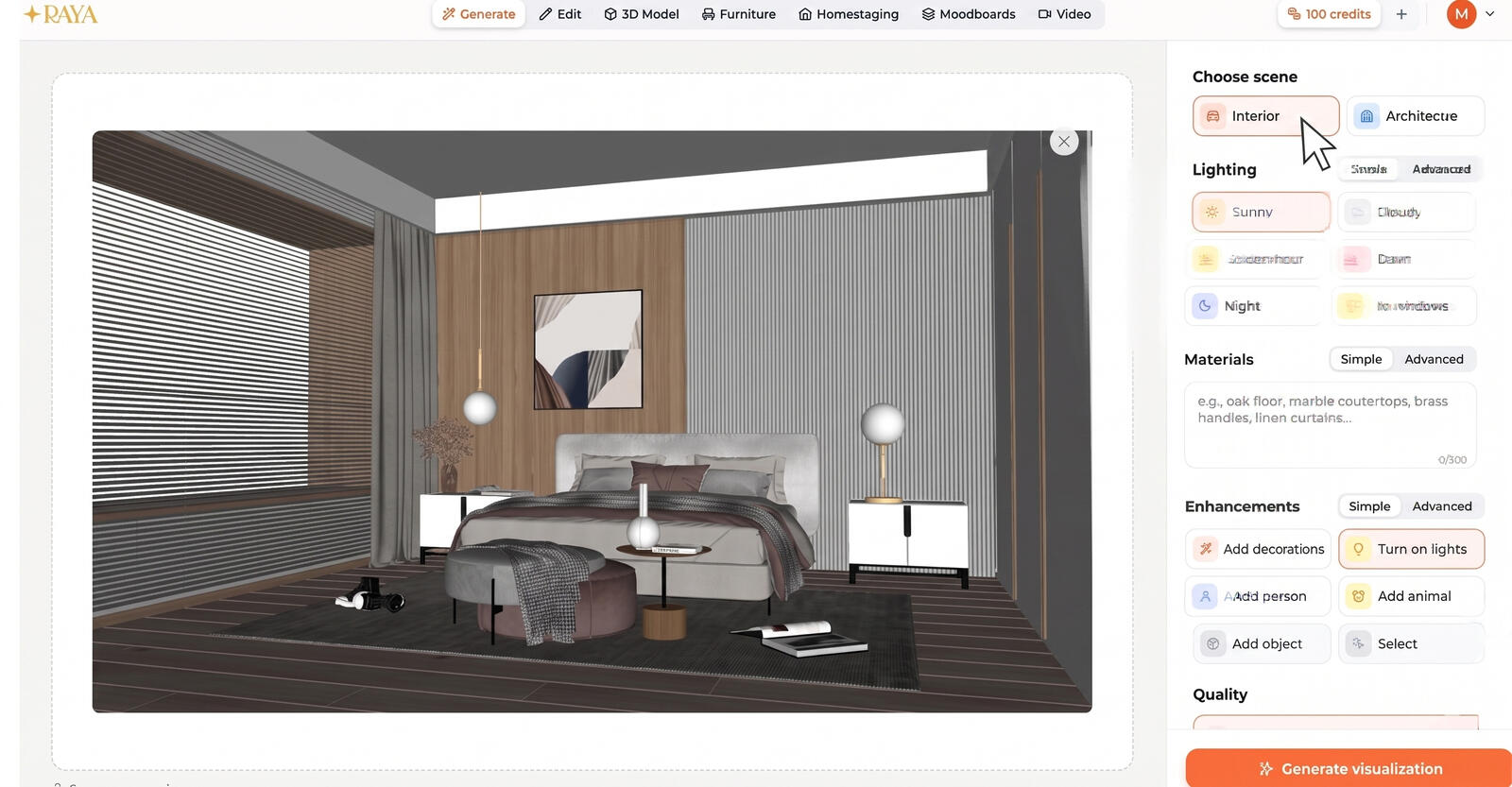
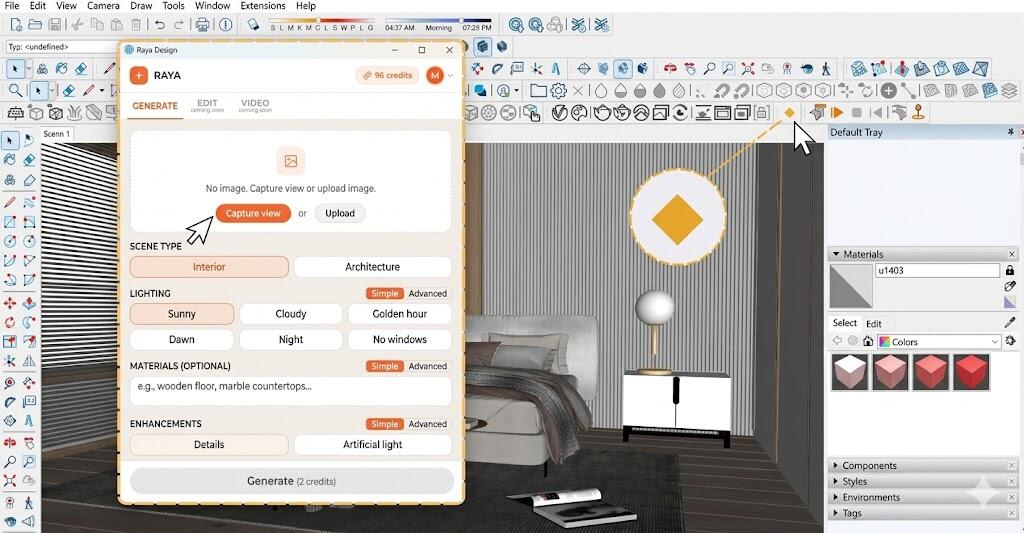
But that’s not all. To further streamline designers’ workflows, a dedicated plugin will soon be available, allowing rendering from SketchUp directly within the program. This integration is extremely seamless – the tool simply runs as an additional window inside the SketchUp interface. After framing your shot and selecting the desired settings, the generation happens automatically, and the finished visualizations are immediately sent to the assigned account in the Raya panel. This workflow lets you focus solely on design, greatly simplifying and accelerating the entire process.
Alternative to V-Raya
Working with traditional rendering software is mostly associated with the tedious task of adjusting dozens of parameters. Raya completely flips this model, instantly interpreting the 3D form and providing a high-quality shot without configuring complex light sources. The best proof is the attached bedroom visualization – the realistic draping of fabrics, natural shadows cast by blinds, and distinct wood texture are all direct results of automatic computation based on the raw model. Achieving this result takes just a few clicks of intuitive switches. Designers seeking full control can switch to advanced mode. It allows applying specific textures and entering precise instructions regarding the image content. This is an excellent solution that combines lightning-fast workflow with detailed personalization.
Adding People and Objects to the Scene
In Raya, the process of bringing a scene to life has been simplified to an absolute minimum. With a simple text command, you can instantly add a person, an animal, or any accessory detail to the generated image without having to burden the source file with 3D models. The algorithm realistically integrates the new element into the frame – the system independently analyzes the scene’s perspective and lighting, automatically selecting the correct light direction and creating appropriate shadows and reflections. This ensures that the inserted person or plant doesn’t look like a flat cutout but becomes a cohesive, natural part of the composition.
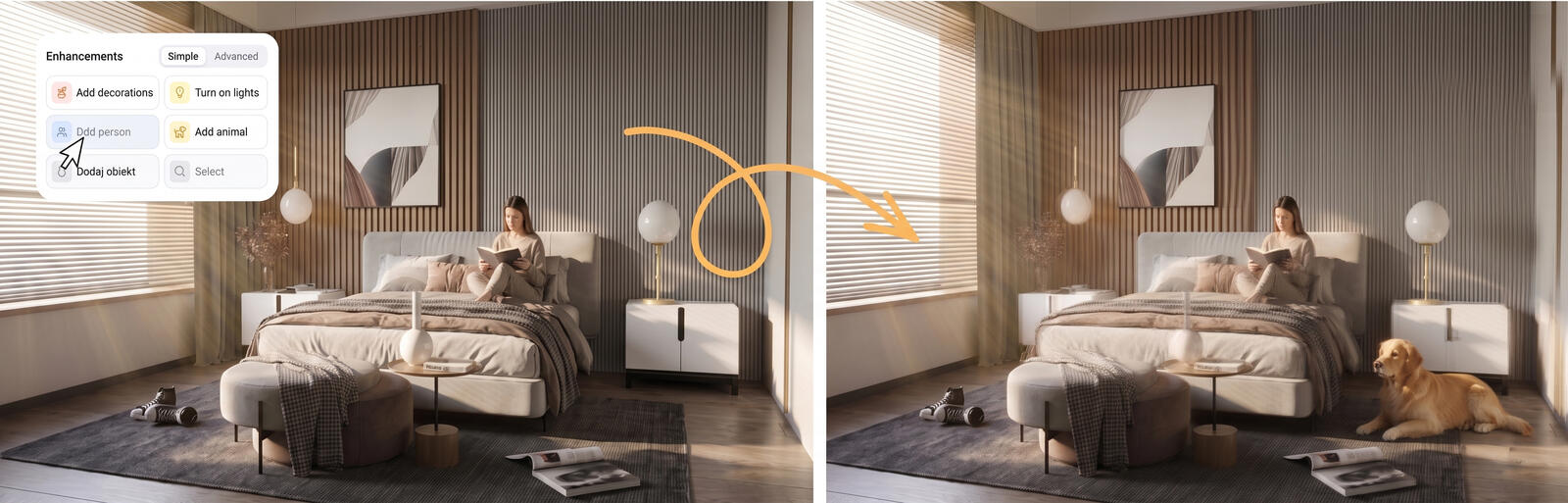
If you need full control over the shot, the tool offers very intuitive advanced features. You just need to select a specific spot or an existing object in the render with your cursor and specify what you want to change or add. This way, you can quickly generate several different conceptual variations of the same space. It’s just a few clicks that give you immense freedom to test new ideas, completely eliminating the need to re-render the entire scene.
Detail Visualizations in Raya
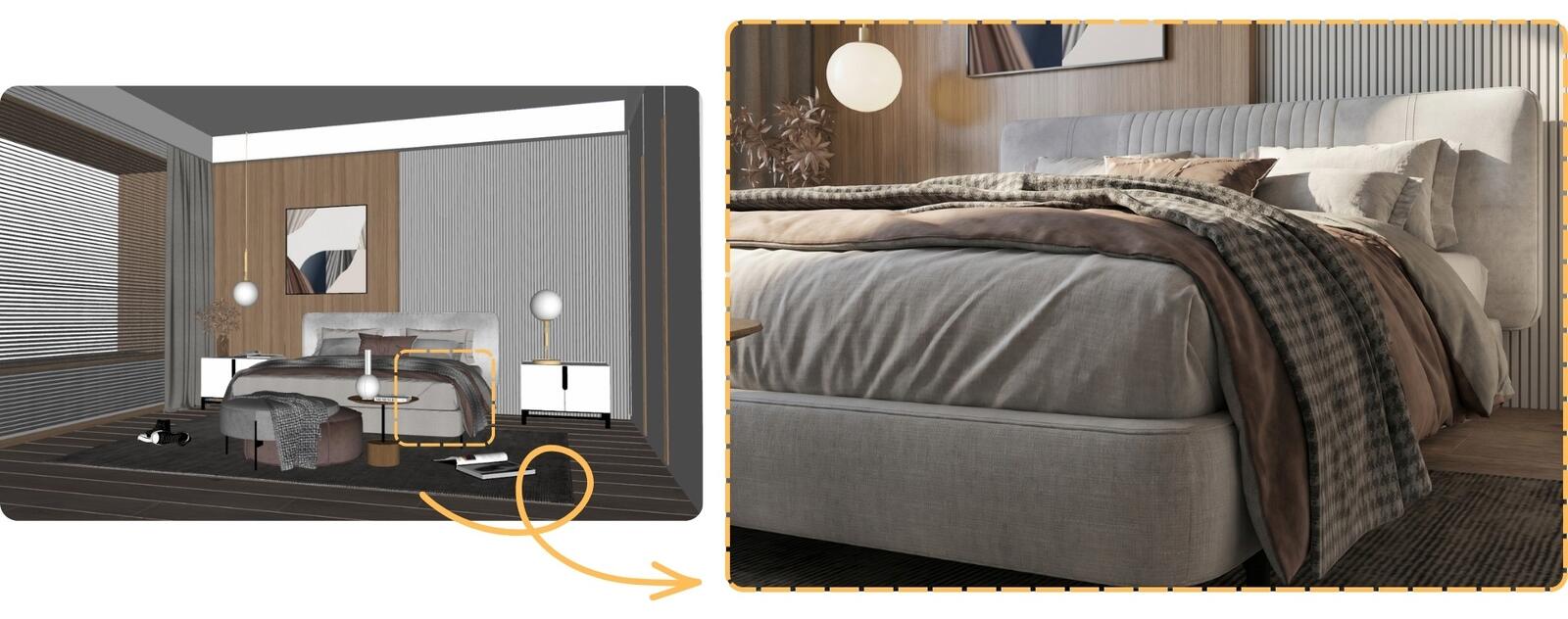
Classic close-up shots can be quite challenging because they require the designer to have strong skills in properly setting up lighting and precisely selecting materials to achieve a satisfying, photorealistic result. However, in Raya, this process is maximally simplified. To create an atmospheric close-up, just zoom the camera in SketchUp onto the chosen part of the scene – for example, a sofa corner, a bedside table, or a decoration – and start the generation. You can also simply select the specific area with a frame and request refining that detail in the text field.
The artificial intelligence excels at interpreting even very simplified shapes. The algorithm automatically “fills in” the gaps by overlaying photorealistic microtextures, natural light breaks, and realistic depth of field that softly blurs the background. This way, in just seconds, you get shots with stunning quality and plasticity.
Raya in SketchUp – a New Dimension of Rendering
Raya is a tool that truly transforms the daily work of an interior architect. Thanks to artificial intelligence, generating a photorealistic visualization has ceased to be a tedious and complex process requiring advanced rendering knowledge. The platform automates the technical aspects, such as lighting settings and material refinement, allowing you to focus on what matters most – design itself. It’s a huge time saver and a guarantee of excellent image quality achieved with just a few clicks.
Want to see how much AI can streamline your workflow? Go to raya.design, create an account and test intelligent generation directly on your own 3D models. Discover how fast and enjoyable professional visualizations can be today, and take your concepts to a whole new level!
Przeczytaj o programie AI - Artificial Intelligence na naszym blogu
-
![Virtual staging and AI photos in real estate listings - what does the AI Act change?]()
Virtual staging and AI photos in real estate listings - what does the AI Act change?
The AI Act vs real estate. Does virtual staging require an AI label? Find out how to avoid legal pitfalls and properly label photos. -
![How to Label AI Content According to the Law? Ready-Made Formulas for Designers and Archviz Studios.]()
How to Label AI Content According to the Law? Ready-Made Formulas for Designers and Archviz Studios.
How to Legally Label AI Visualizations? Check When a Label Is Mandatory and Copy Ready-Made Formulas for Your Projects. -
![Do you have to label visualizations as AI? What does the AI Act really say and what changes on August 2, 2026?]()
Do you have to label visualizations as AI? What does the AI Act really say and what changes on August 2, 2026?
AI Act from August 2! Do you have to label 3D visualizations as AI? Check where the legal boundary lies between concept and deepfake. -
![AI for furniture manufacturers - See how to create furniture packshots and catalog arrangements with raya.design]()
AI for furniture manufacturers - See how to create furniture packshots and catalog arrangements with raya.design
Packshots without time-consuming sessions? Discover Raya Design. Change upholstery and create arrangements with AI in moments. See how it works!