EN
EN PL
PL ES
ES


Publication date: 27-11-2025 | Update date: 08-12-2025 | Author: Mateusz Ciećwierz

-
Online courses
- All
 3ds Max
 AI - Artificial Intelligence
 Blender
 Corona renderer
 GstarCAD
 LayOut
 Photoshop
 Interior Design
 Revit
Revit Sketchup
 Stable Diffusion
 V-ray
V-ray
"Online courses" are comprehensive online training programs that will help you quickly master the software you are interested in.
- Plugins
- 3D Models
- Help
- Articles
How to use Nano Banana Pro and how much does it cost? A practical guide for beginners
Nano Banana is an image generation model from Google based on artificial intelligence that has gained great popularity due to the quality of generated graphics and easy accessibility.In this article, I’ll show how to get started with this tool and how you can use its advanced version - Nano Banana Pro.
Index
If you still don't know what this tool is, I encourage you at the very beginning to check out my previous article titled Nano Banana – free AI photo editor from Google. What it is, how it works, and how much it costs? Access to Nano Banana via Gemini
Access to the standard version of Nano Banana can be obtained through the free chat Gemini. To use it, you only need a Gmail account – that's the only requirement. I log in with the same account I use for email and other Google services. After logging in, I have access to two models – "fast" and "thoughtful". The choice between them determines which version of Nano Banana I will use. If I choose the "fast" option, the standard version of Nano Banana is used. By selecting the "thoughtful" option, I launch the Nano Banana Pro model, which offers better quality of generated images and greater prompt interpretation capabilities.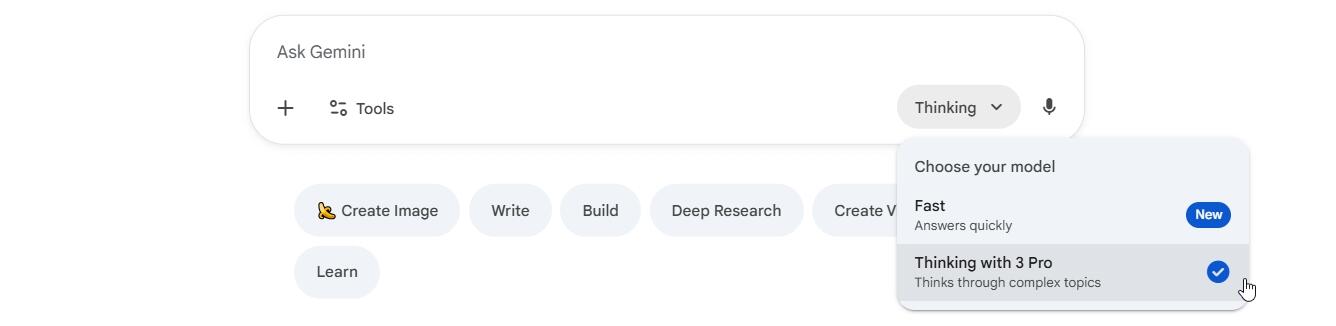
CHECK ONLINE COURSE – NANO BANANA, FLUX KONTEXT, VEO AND MORE
Free access to Nano Banana Pro
A free Gmail account allows you to use the basic version of Nano Banana without any limitations. In the case of Nano Banana Pro, the situation is a bit different – I have access to about three generations of images, after which the system requires purchasing a paid subscription. For those who want to regularly use the advanced version, there are three paid subscription plans available: Google AI Plus, Google AI Pro, and Google AI Ultra. Each offers a different level of access to AI features, including unlimited use of Nano Banana Pro.
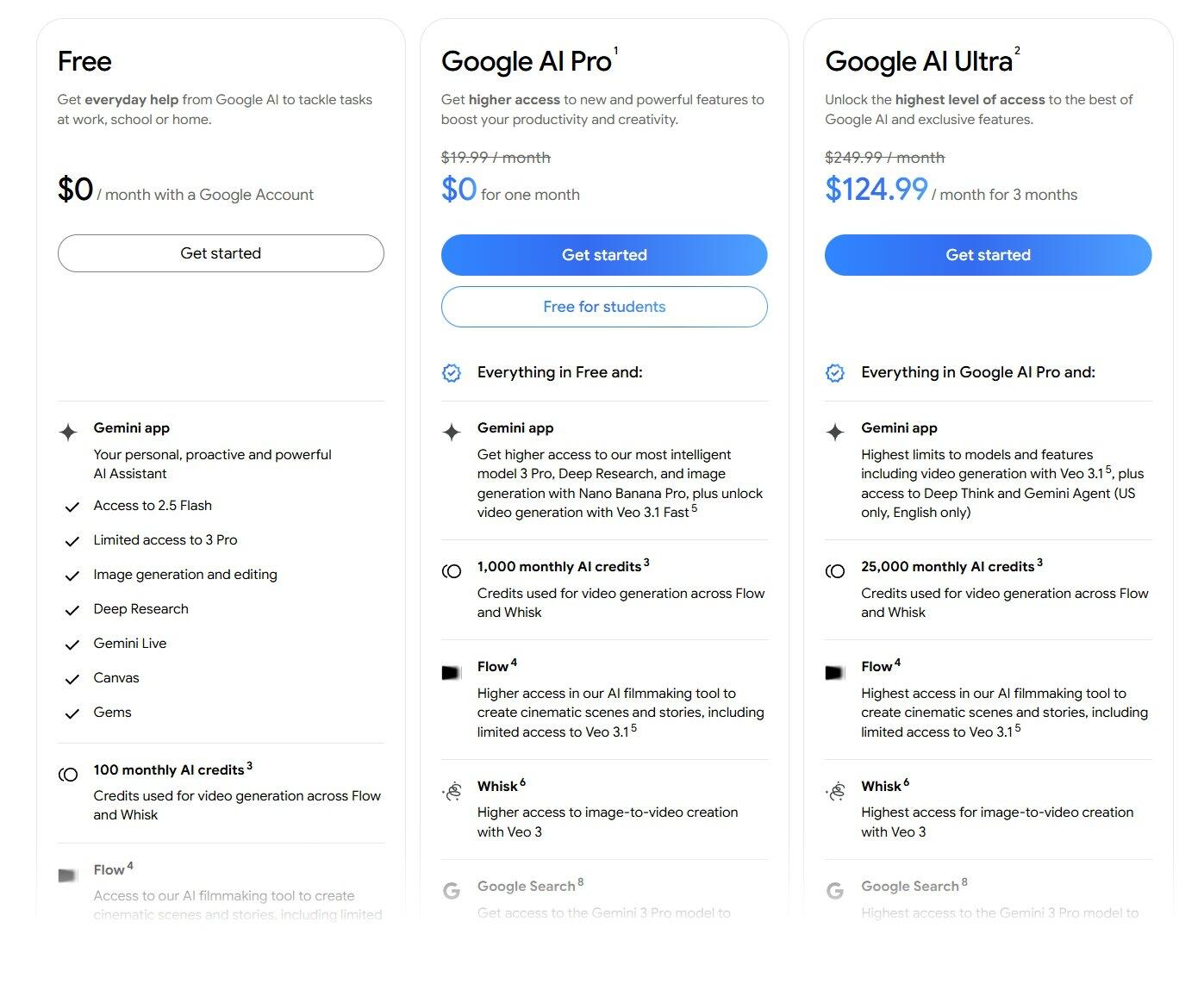
It is worth mentioning the exceptionally beneficial offer for students – at the time of writing this article, they can activate access to Gemini Pro for a whole year completely for free. Detailed information and the registration form can be found at this address. It's a great opportunity for learners who want to experiment with AI tools without incurring any costs.
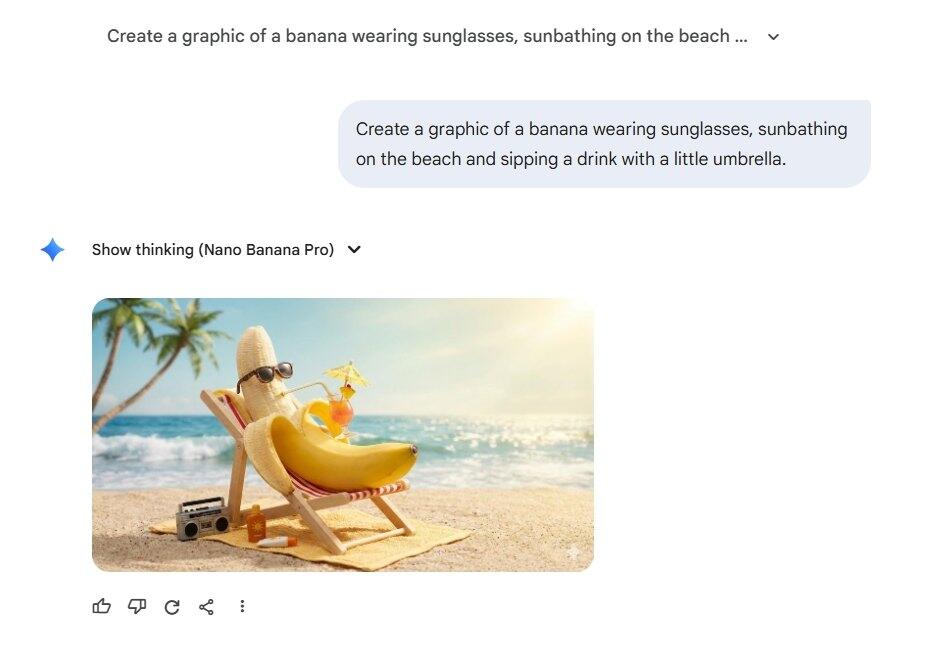
Check out our video to learn how to use Nano Banana Pro
Google AI Studio – flexible payment solution
An alternative to a subscription is using Nano Banana Pro through the Google AI Studio platform. In this model, I don't need to purchase a fixed subscription – I only pay for the credits I actually use. For those who want to generate images from time to time, this may prove to be the most economical solution. Google AI Studio offers far more personalization options than the Gemini chat. I can choose among three resolutions – 1K, 2K, and 4K – allowing me to adjust the image quality to specific needs. Additionally, we have various aspect ratios, including: 1:1, 9:16, 16:9, 3:4, 4:3, and many other formats. To illustrate the costs, I generated a test 4K image of a banana in a superhero costume.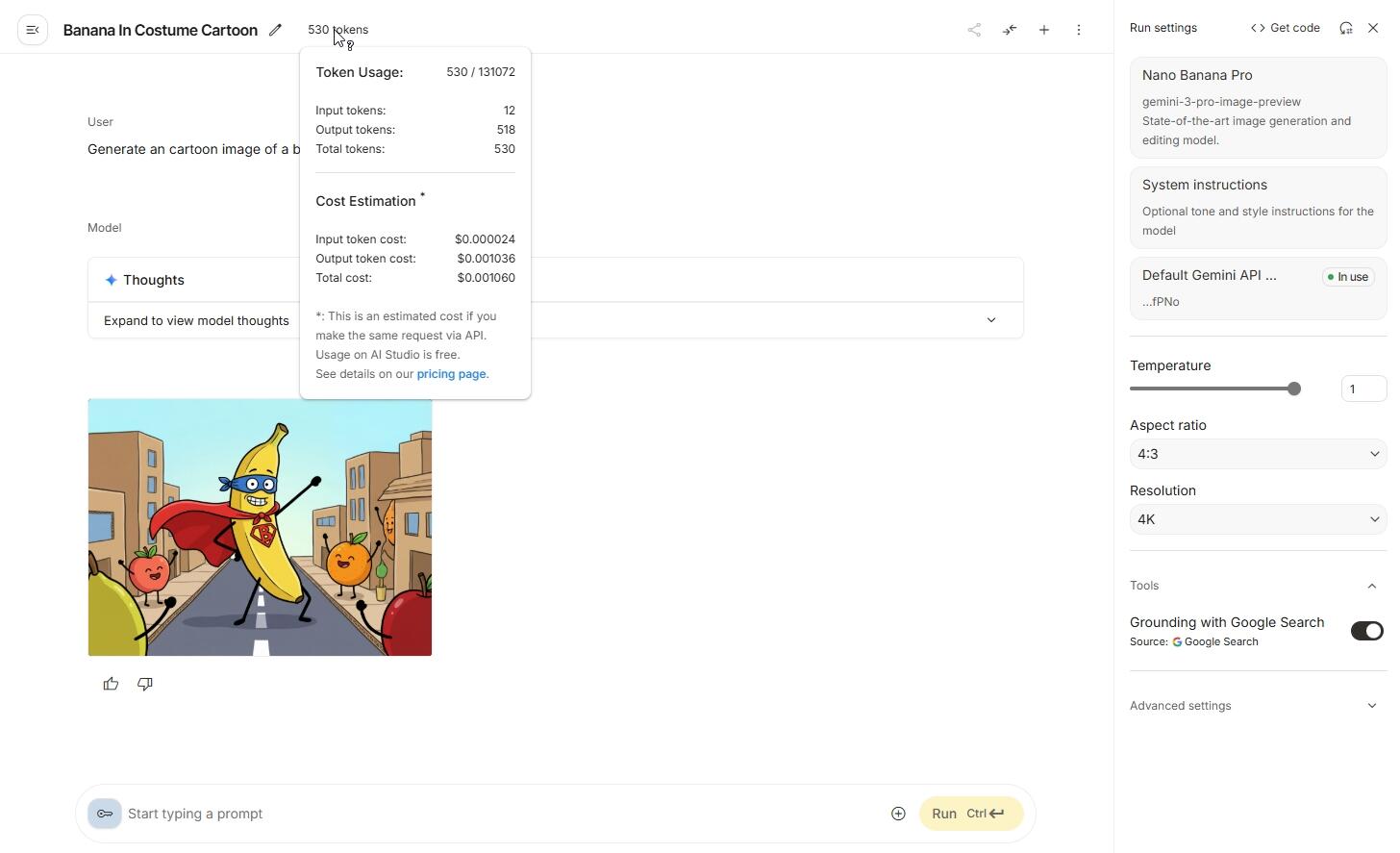
The entire generation used 530 tokens, which cost only $0.00106. As you can see, even high-quality images can be created for a fraction of a cent, making this solution very affordable.
Learn how to use Nano Banana Pro for free!
Comfy Cloud – generation without installation
Another way to use Nano Banana is the Comfy Cloud platform available at this address. The biggest advantage of this solution is that it requires no software installation on your computer – everything works directly in the web browser.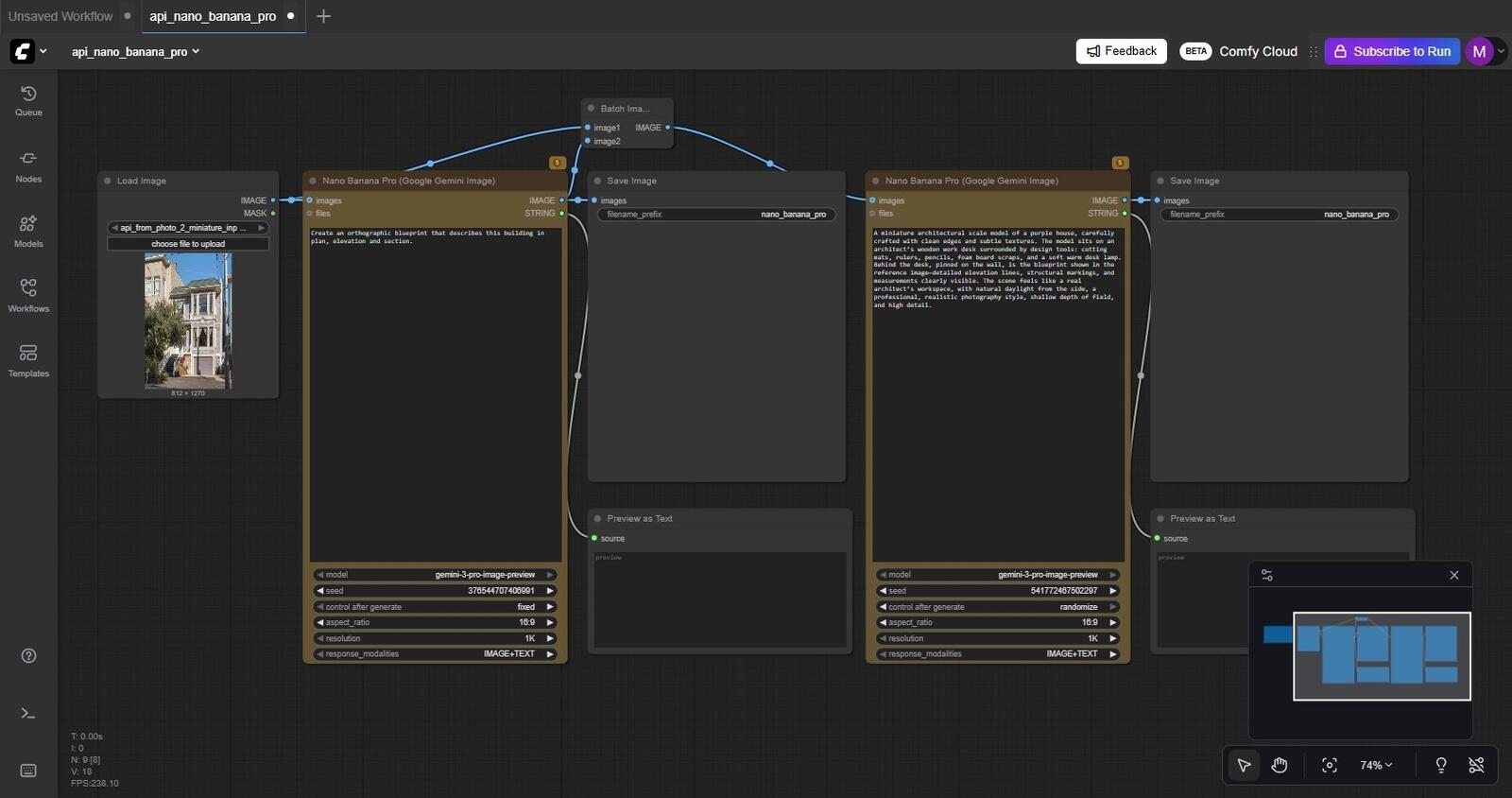
Similar to Google AI Studio, in Comfy Cloud we pay only for the credits used. This system works particularly well for users who need quick access to the tool without having to configure a local environment or download additional programs.
Which solution to choose?
The choice of the right way to use Nano Banana Pro depends on individual needs and usage frequency. If I plan intensive work with image generation and need unlimited access, it's worth considering one of the paid Google AI subscriptions. For those who generate images sporadically, the more cost-effective choice will be Google AI Studio or Comfy Cloud with a pay-as-you-go credit model. This way they avoid monthly subscription fees and pay only for what they actually use. Students should first check out the free one-year access offer to Gemini Pro – it's the best option to explore the tool's capabilities at no cost. Users seeking the greatest control over generation parameters and the highest image quality will find the most advanced setting options in Google AI Studio.Summary
Nano Banana Pro is a powerful image-generation tool that I can use in many different ways – from free access via Gemini, through flexible payments in Google AI Studio, to the convenient no-installation solution in Comfy Cloud. Regardless of the chosen method, I have access to the same high-quality AI model that can create impressive visualizations based on text descriptions. It's worth testing different options and choosing the one that best suits my needs and budget.Author

Przeczytaj o programie AI - Artificial Intelligence na naszym blogu
-
![Virtual staging and AI photos in real estate listings - what does the AI Act change?]()
Virtual staging and AI photos in real estate listings - what does the AI Act change?
The AI Act vs real estate. Does virtual staging require an AI label? Find out how to avoid legal pitfalls and properly label photos. -
![How to Label AI Content According to the Law? Ready-Made Formulas for Designers and Archviz Studios.]()
How to Label AI Content According to the Law? Ready-Made Formulas for Designers and Archviz Studios.
How to Legally Label AI Visualizations? Check When a Label Is Mandatory and Copy Ready-Made Formulas for Your Projects. -
![Do you have to label visualizations as AI? What does the AI Act really say and what changes on August 2, 2026?]()
Do you have to label visualizations as AI? What does the AI Act really say and what changes on August 2, 2026?
AI Act from August 2! Do you have to label 3D visualizations as AI? Check where the legal boundary lies between concept and deepfake. -
![AI for furniture manufacturers - See how to create furniture packshots and catalog arrangements with raya.design]()
AI for furniture manufacturers - See how to create furniture packshots and catalog arrangements with raya.design
Packshots without time-consuming sessions? Discover Raya Design. Change upholstery and create arrangements with AI in moments. See how it works!