EN
EN PL
PL ES
ES


Publication date: 13-02-2026 | Update date: 13-02-2026 | Author: Kamila Jach

-
Online courses
- All
 3ds Max
 AI - Artificial Intelligence
 Blender
 Corona renderer
 GstarCAD
 LayOut
 Photoshop
 Interior Design
 Revit
Revit Sketchup
 Stable Diffusion
 V-ray
V-ray
"Online courses" are comprehensive online training programs that will help you quickly master the software you are interested in.
- Plugins
- 3D Models
- Help
- Articles
How to Make a Sphere in SketchUp? - Guide, Tutorial
Check out our article and find out how to easily create a sphere in SketchUp!
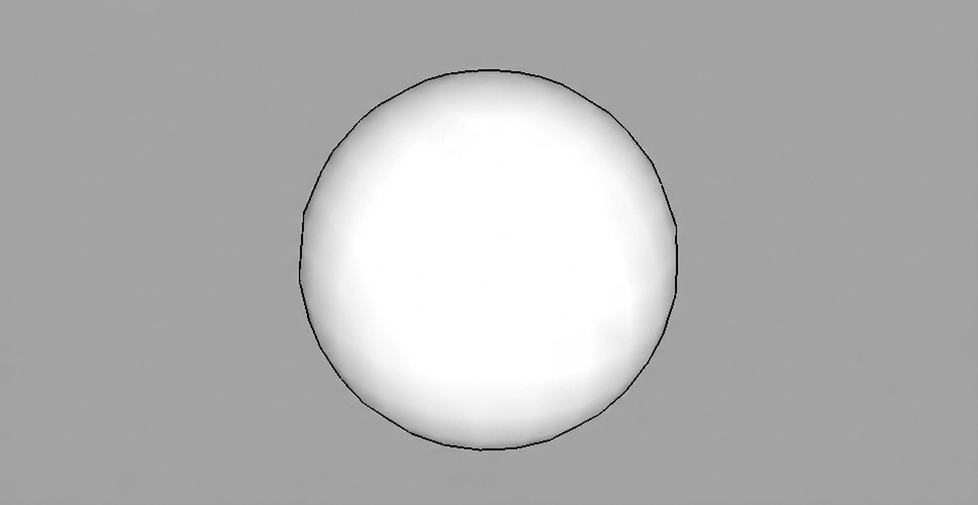
Index
To draw a sphere in SketchUp, we need to use the "Follow me" tool. First, we must start by drawing our path that this tool will follow.
- Draw a circle of any diameter, but ensure it is larger than the diameter of the sphere we want to create
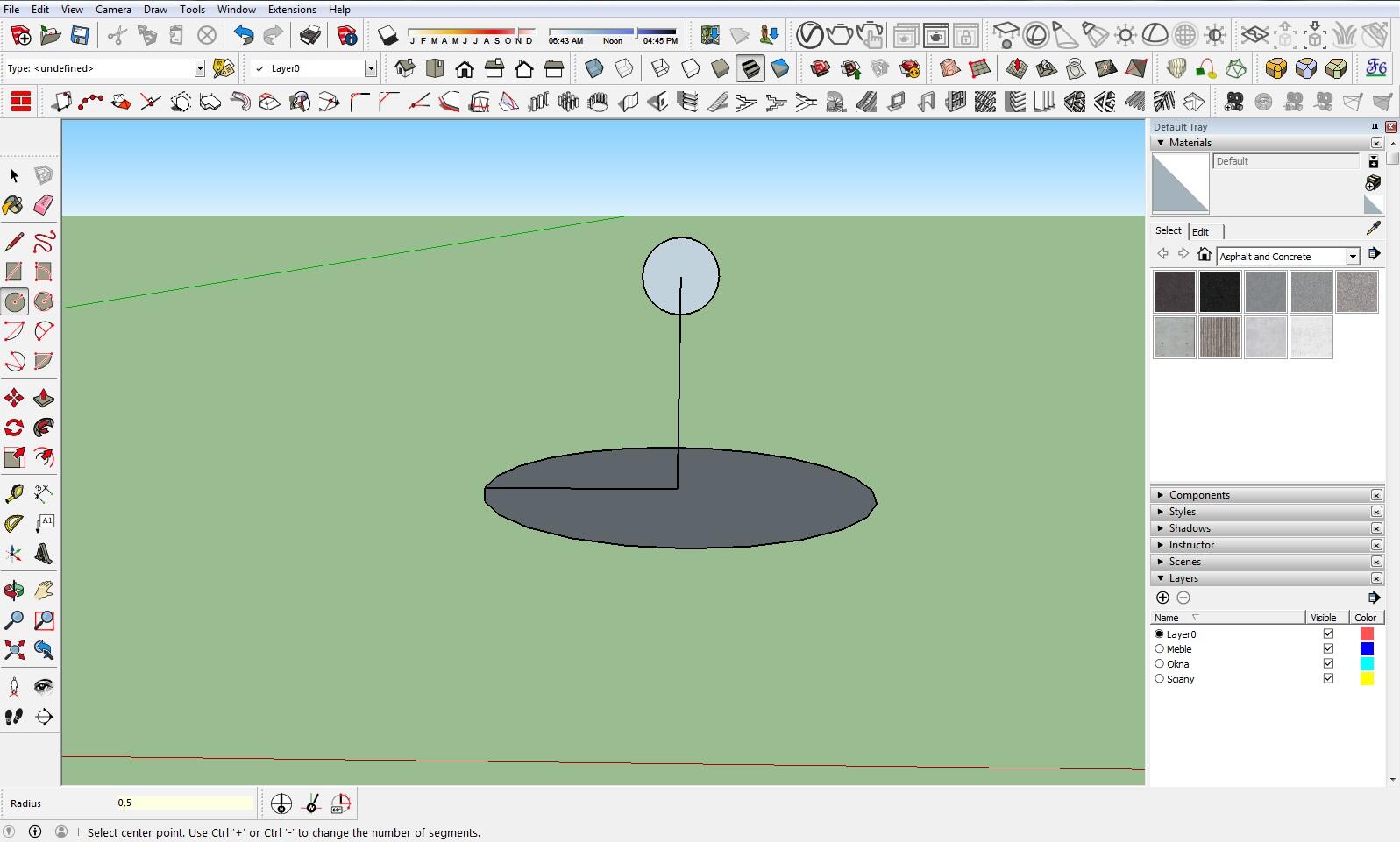
- Next, we need to create another circle, this time vertical, with its center at the center of our first (horizontal) circle. This circle should have the diameter we want for our sphere. We can aid in finding its center by drawing a vertical guide line.
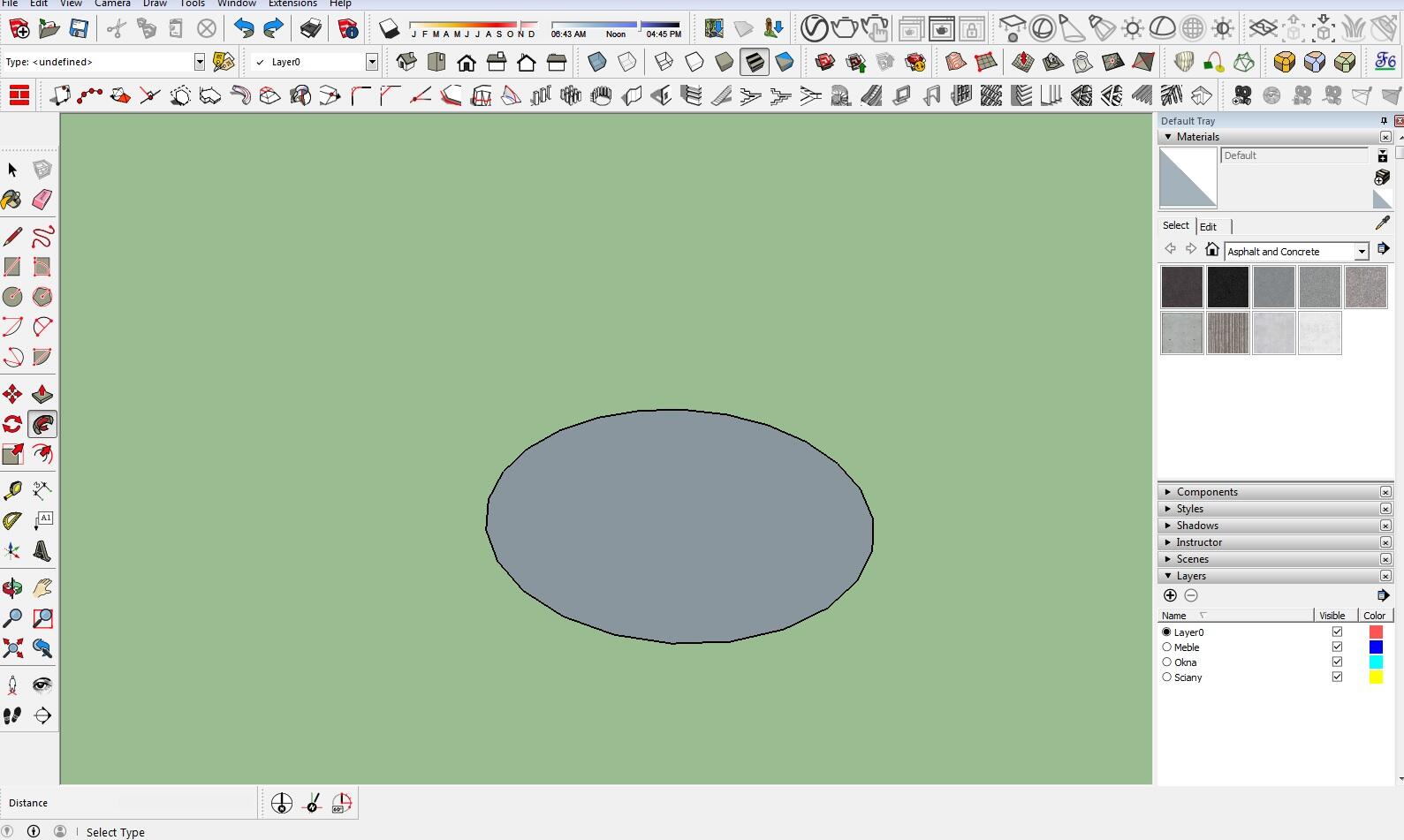
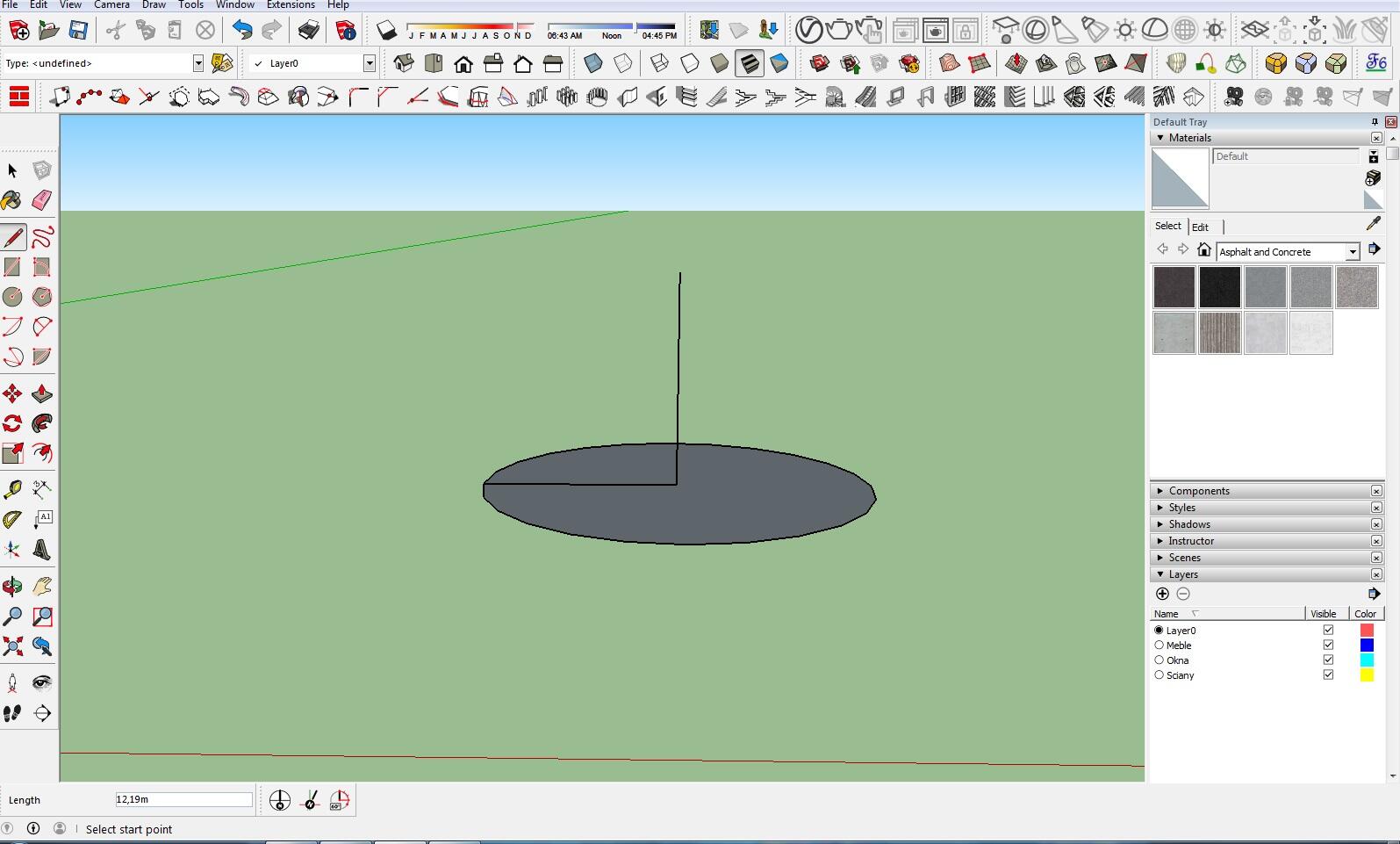
- If we drew guide lines, we need to remove them at this stage. Next, we must select the path of the lower circle using the Select tool
 , then choose the Follow me tool
  and double-click the vertical circle. Alternatively, you can do it another way: choose the Select tool and select our vertical circle, then pick Follow me and slowly move the mouse along the outline of the horizontal circle until it closes
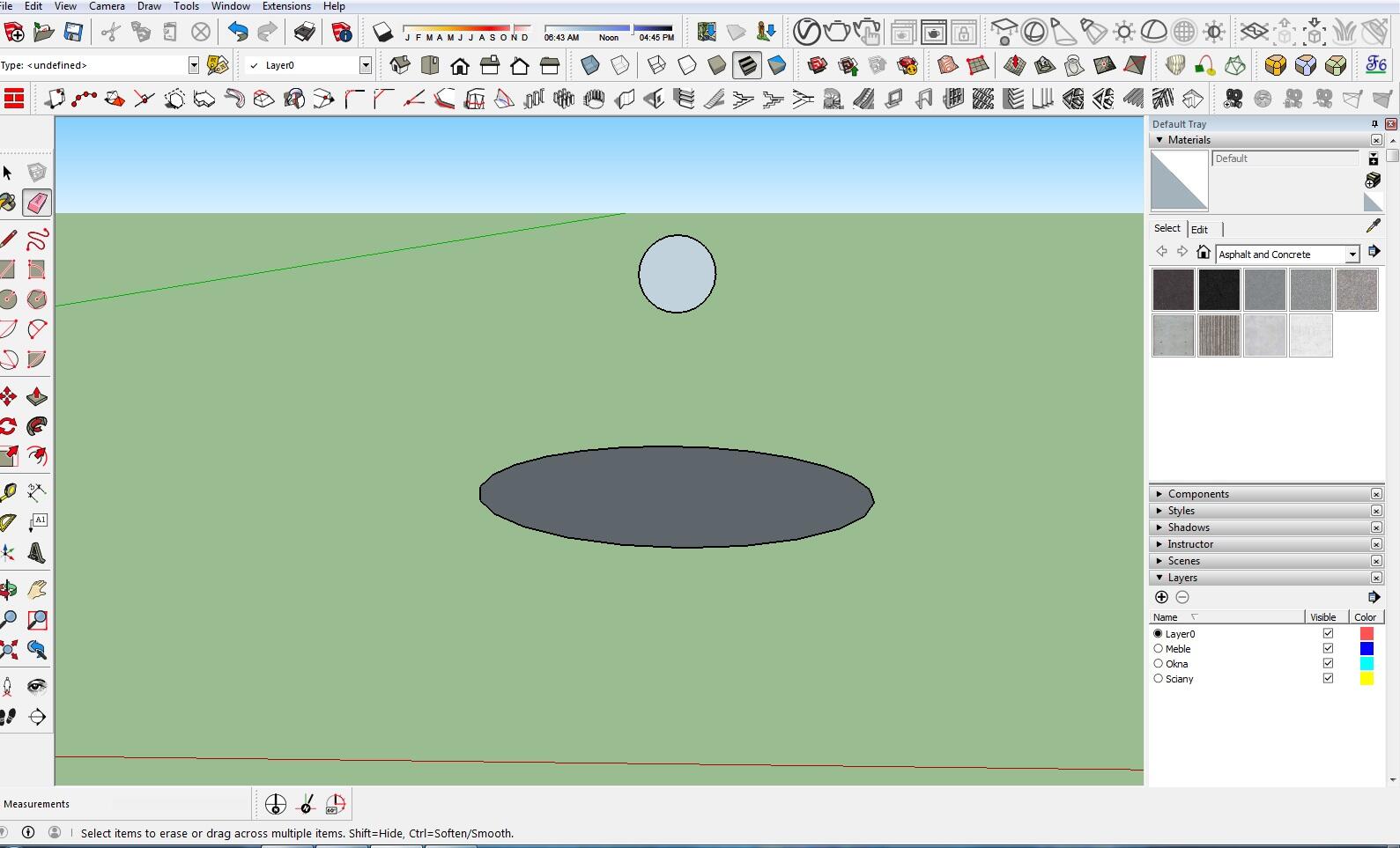
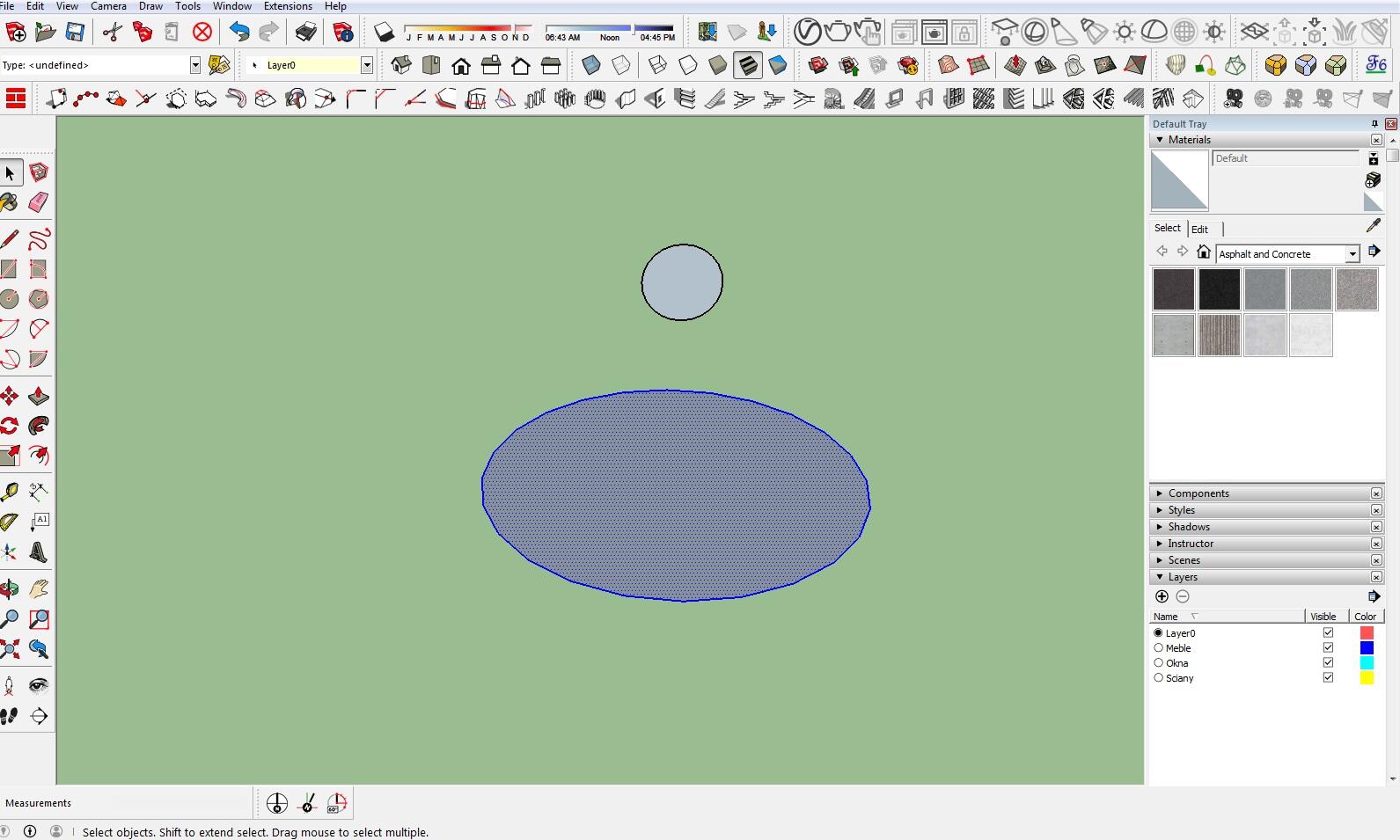
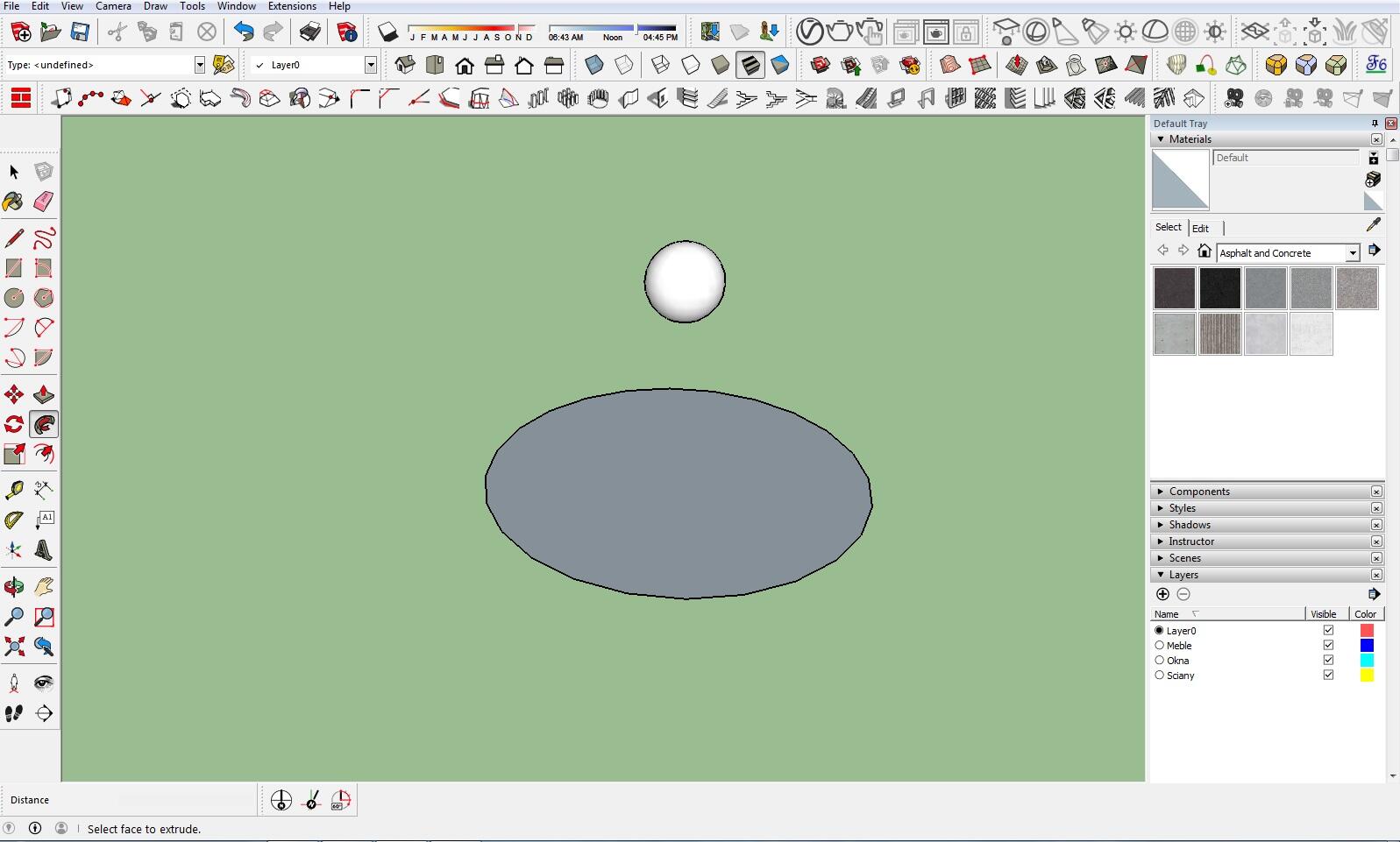
Second method:
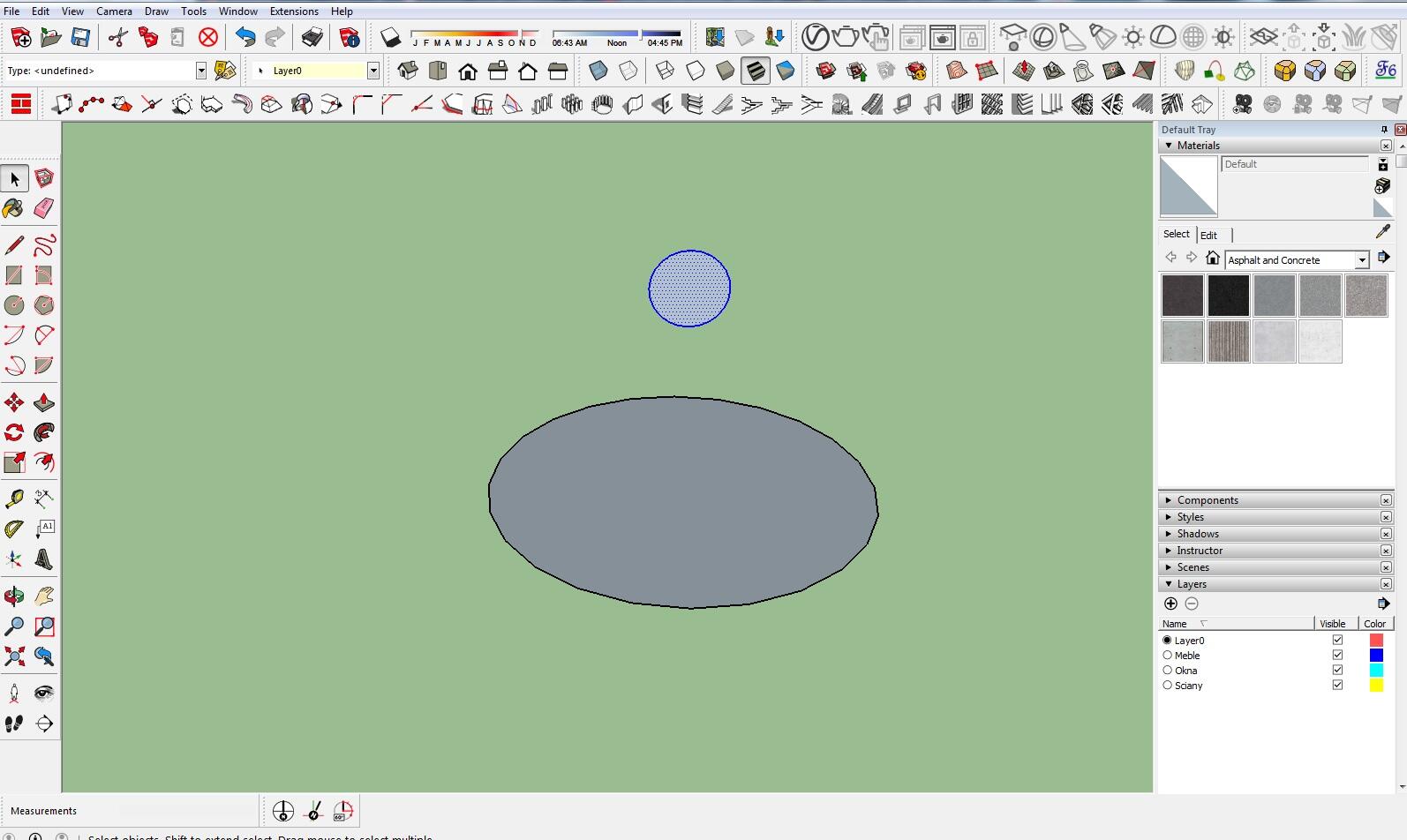
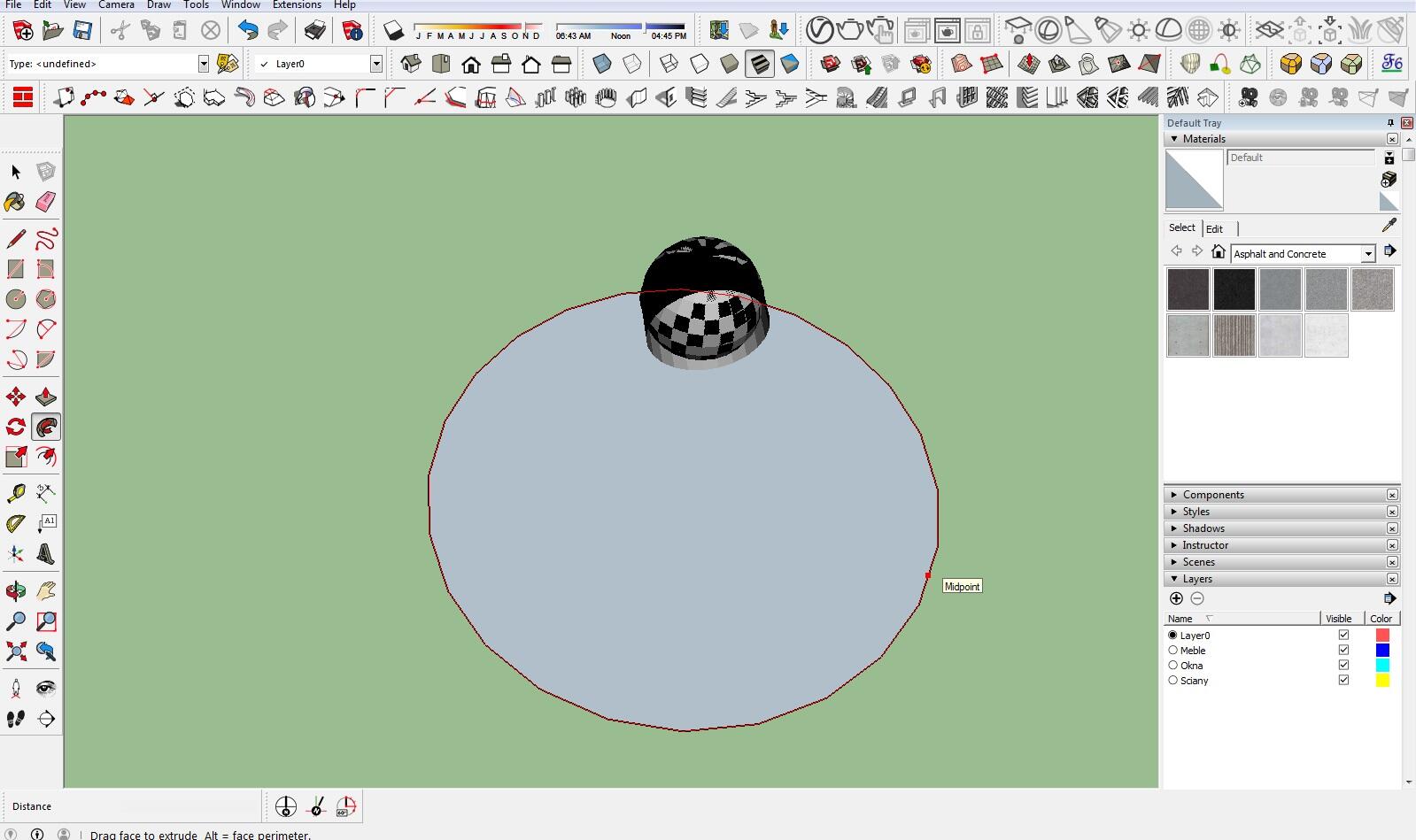
I recommend using the first method—double-clicking on the surface to create the sphere—instead of slowly following the path, because the second method requires a bit more time. It can also be more time-consuming since SketchUp may not generate the sphere cleanly and may encounter issues with the connection.
We also encourage you to explore our online SketchUp courses.
Best regards :)
Author

Przeczytaj o programie Sketchup na naszym blogu
-
![Profile Builder 4 or Magic Molding? Comparison of Ornamentation Plugins in SketchUp]()
Profile Builder 4 or Magic Molding? Comparison of Ornamentation Plugins in SketchUp
How does Profile Builder 4 differ from Magic Molding? Scope, pricing, profile libraries, and learning curve. Find out which plugin fits your projects. -
![The Best Free SketchUp Plugins for Interior Designers in 2026!]()
The Best Free SketchUp Plugins for Interior Designers in 2026!
Which SketchUp plugins are really worth having? Discover 7 free extensions for interior designers and find out which ones have just stopped being free! -
![English wainscoting in SketchUp - how to design wall panels step by step]()
English wainscoting in SketchUp - how to design wall panels step by step
How to design English wainscoting in SketchUp? Learn the rules for panel division, wainscot proportions, and speed up your work with the Magic Molding plugin. -
![Reversed Faces in SketchUp – why are blue faces showing and how to fix them?]()
Reversed Faces in SketchUp – why are blue faces showing and how to fix them?
Blue faces in SketchUp are flipped faces. Learn where they come from, how to quickly locate and fix them before they mess up your render or model export.




Want to learn Sketchup? Check out our free online course!