EN
EN PL
PL ES
ES


Publication date: 28-09-2026 | Update date: 23-09-2026 | Author: Mateusz Ciećwierz

-
Online courses
- All
 3ds Max
 AI - Artificial Intelligence
 Blender
 Corona renderer
 GstarCAD
 LayOut
 Photoshop
 Interior Design
 Revit
Revit Sketchup
 Stable Diffusion
 V-ray
V-ray
"Online courses" are comprehensive online training programs that will help you quickly master the software you are interested in.
- Plugins
- 3D Models
- Help
- Articles
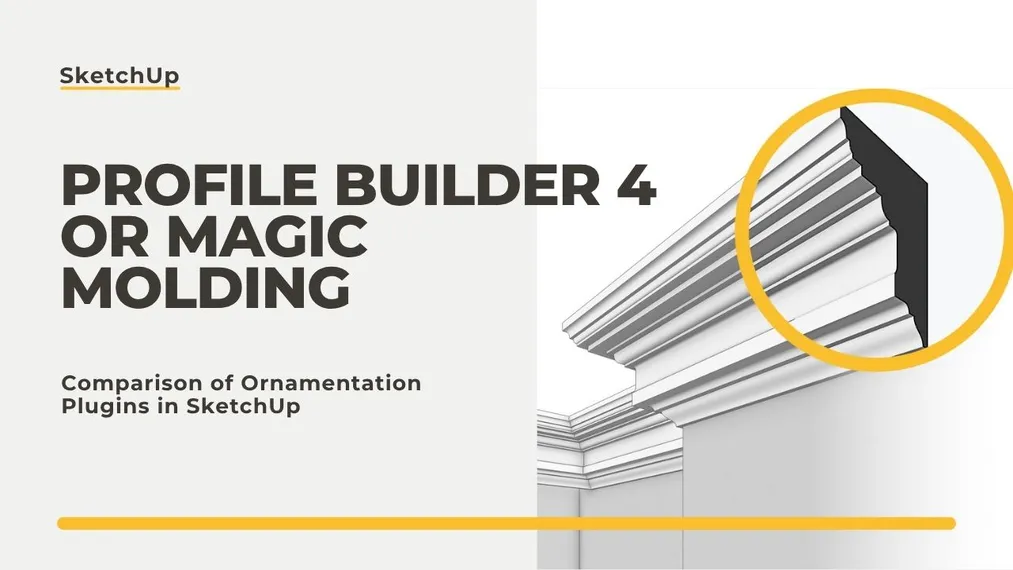
Profile Builder 4 or Magic Molding? Comparison of Ornamentation Plugins in SketchUp
If you're looking for a tool exclusively for moldings, baseboards, and cornices, Magic Molding will do it cheaper and faster. If you're modeling entire systems, from fences and framing structures to railings, and you want material takeoffs included, Profile Builder 4 comes out on top. Both plugins sweep a profile along a path, but each does so on a completely different scale. In this article, I point out exactly how they differ and which will be right for you.
Index
What can Profile Builder 4 do?
It is a parametric modeling tool in which moldings are just one of many possibilities. Profile Builder 4 builds intelligent composite elements, called assemblies: layered walls, railings, fences, roads, framed structures, panel systems, foundations, piping installations, or furniture. It also adds tools for cutting openings, non-destructive editing, and intelligent path selection.
The heart of the program is thinking of a profile as a parameter. Once defined, a wall with a structural layer, insulation, and finish remains a wall that you can redraw at any time, rather than a solid to delete and recreate from scratch. In larger projects, this changes the way you work, and that’s where the power of this plugin comes from.
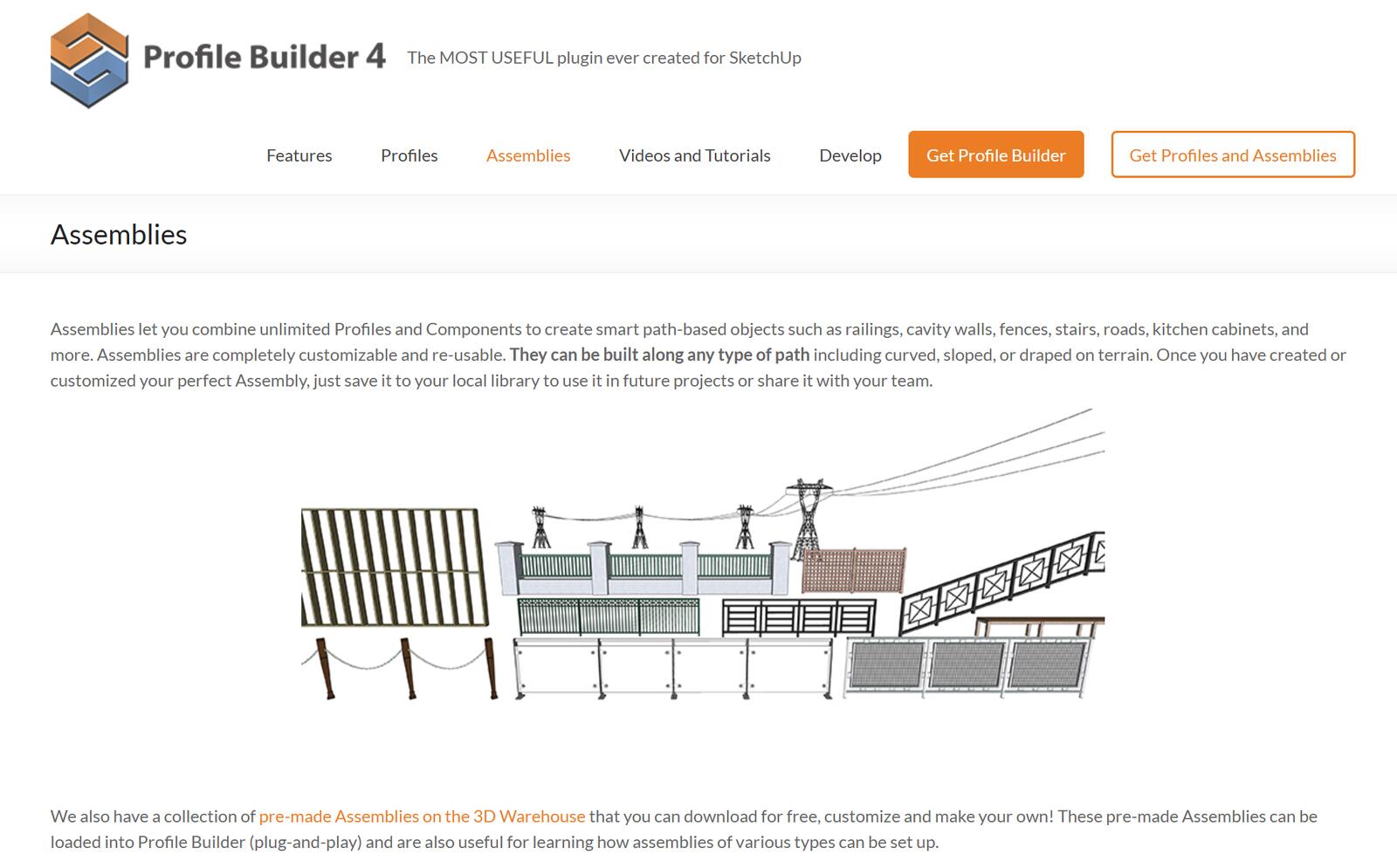
On top of that, it works with Quantifier Pro, a module that counts quantities and costs. If someone needs to extract linear meters, areas, and cost estimates from the model, this is an argument in favor of Profile Builder, although Magic Molding can also count the number of moldings used in the project.
What can Magic Molding do?
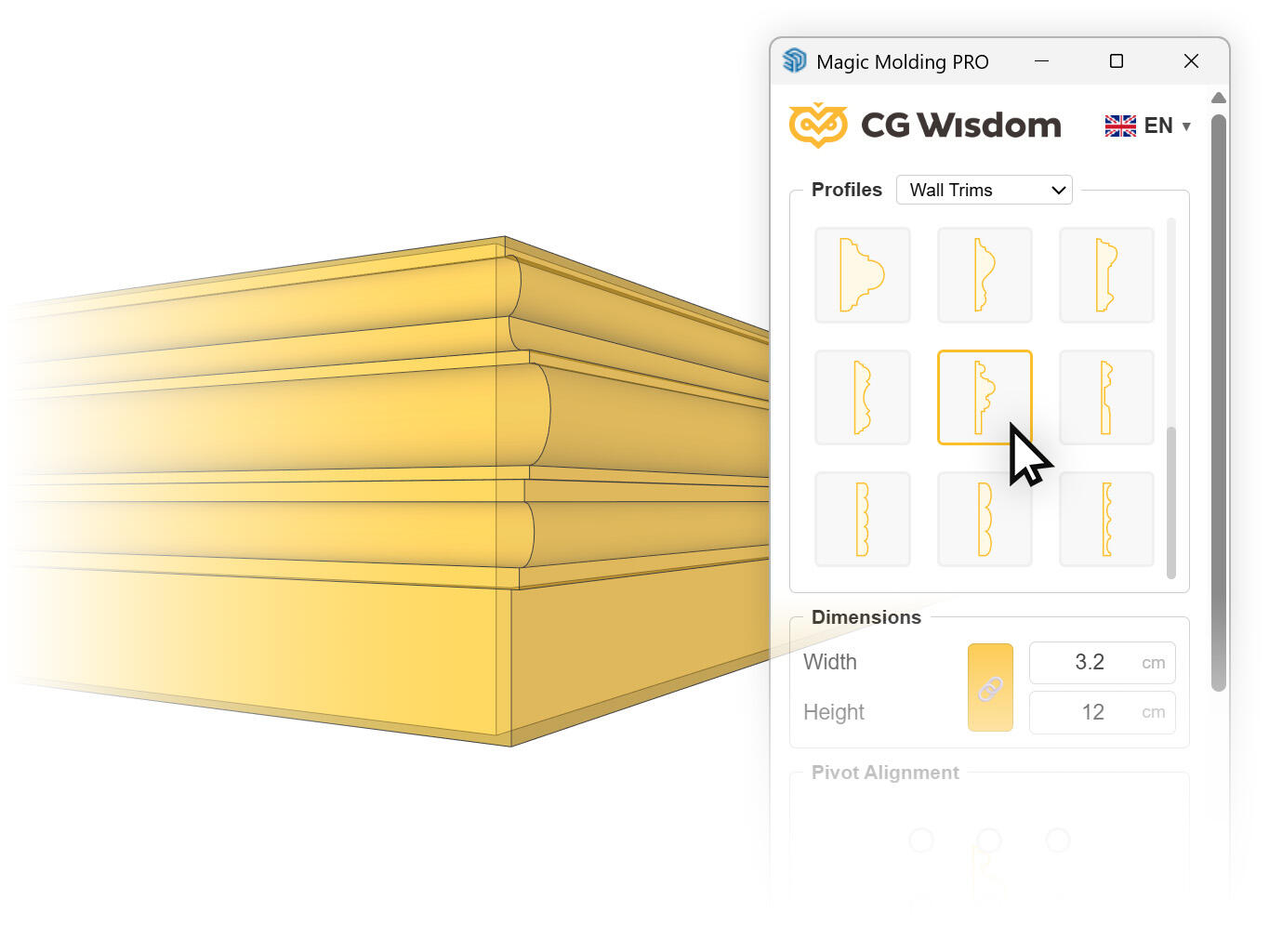
Magic Molding focuses on one task, without configuring anything. You select edges, choose a profile from the library, click Generate, and the molding runs around the room with cuttings at the corners. Before generation, you see a semi-transparent preview exactly where the profile will appear, and a grid of nine anchor points determines which corner of the profile will attach to the edge.
The plugin supports closed loops, arcs, and selecting several rooms at once, and the generated molding can be edited later, because it remembers the parameters with which it was created. In the PRO version, there’s also texture mapping along the profile, so the wood grain follows the profile. We described the entire procedure in detail in the tutorial on how to make baseboards and ceiling cornices in SketchUp.
What it doesn’t do? Everything else. You can’t build fences with it, you can’t calculate a cost estimate, you can’t make a layered wall, but that’s a conscious decision. Magic Molding is for moldings, and that’s it.
Profile Builder 4 and Magic Molding – comparison
Before we move on to recommending each one, take a look at the most important parameters side by side. The biggest difference is, of course, price, because you can get Magic Molding for just 1/10 of the price of Profile Builder. The rows “scope of operation” and “profile library” are also interesting.
| Profile Builder 4 | Magic Molding | |
|---|---|---|
| Scope | Parametric modeling: walls, railings, fences, structures, moldings | Moldings, decorative boards and frames |
| Price | 119 USD (approx. 450 PLN), perpetual license for one user | 49.90 PLN per year or 99.99 PLN lifetime |
| Free version | 30-day full trial | FREE version with no time limit, with commercial license |
| Molding library | Extensive, US standard | Nearly 100 European profiles in 4 categories |
| Interface language | English | Polish, English, Spanish |
| Material takeoffs | Integration with Quantifier Pro | Basic linear meter data |
| Requirements | SketchUp Pro 2017 or newer, Windows and macOS | SketchUp 2017 or newer, Windows and macOS |
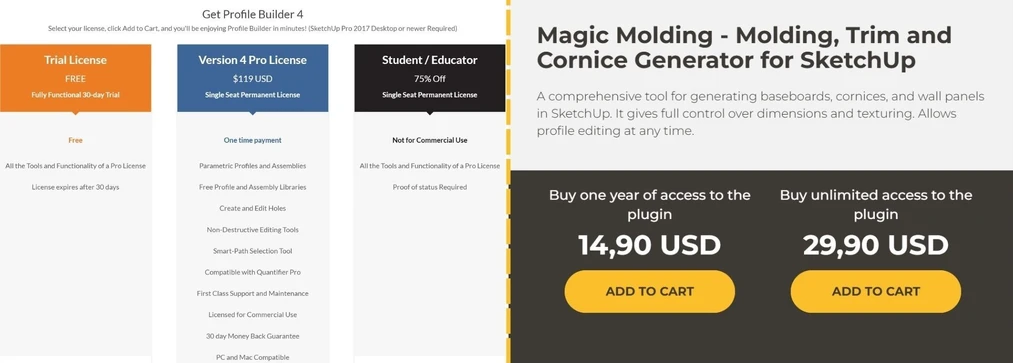
The price of Magic Molding is many times lower than that of Profile Builder.
American moldings versus European profiles
A difference that few think about before buying, and that can hurt on the first project. The molding library in Profile Builder is built around American terminology and American standards: casings, crowns, bases, base shoes, base caps, chair rails, picture rails, astragals. These are genuine, refined profiles that come from a different construction tradition than the one a European interior designer works in.
A baseboard in a Polish apartment is usually 8–12 cm tall and has a flat, minimalist profile or a classic bead. In tenement houses it reaches 20 cm. The Magic Molding library was built around these dimensions, as it was created with the European market in mind. That doesn’t mean you can’t scale American profiles. It just means that instead of choosing a profile, you start by converting inches. Changing units in Magic Molding is, by the way, ridiculously simple.
How long does it take to learn each plugin?
Profile Builder requires understanding the logic of assemblies. Thirty days of a full trial is a fair period, but you have to use it properly, not just install the plugin and return to it after two weeks. The developer also offers a thirty-day money-back guarantee, so the purchase risk is minimal.
You can master Magic Molding in fifteen minutes because it has one window and three decisions to make: path, profile, anchor point. It’s a huge convenience – so important in a designer’s tight schedule.
When to choose Profile Builder 4?
When you work at the intersection of architecture and interiors, and molding is just one of many repetitive elements in your projects. When you do railings, fences, carpentry enclosures, or framed structures. When you need to extract takeoffs and estimates from the model. And when an English interface or converting American profiles doesn’t bother you. For that scope, $119 for a perpetual license is a reasonable price.
When is Magic Molding enough?
When your projects are interiors and moldings appear in every other one. When you want to generate baseboards, cornices, and panels for an entire apartment in fifteen minutes and then swap the profile because the client changed their mind after the presentation. When you care about an interface in your language and profiles that match what you can actually buy from the manufacturer.
The FREE version is not a limited trial period, but the full generation engine with a commercial license and a limited library. You can do an entire project with it and only afterward decide if you need the full library and texturing.
CHECK OUT MAGIC MOLDING - Molding plugin - FOR FREE
Summary
These are not competitors, but tools with different scopes that happen to meet on one task. You buy Profile Builder 4 when you need a parametric toolkit for many types of elements, and for $119 you really get a lot. You choose Magic Molding when there is one problem and you want to solve it in three clicks, in a familiar interface, and for a fraction of the cost. The most sensible approach is to simply install the free version of one and the thirty-day trial of the other, and then decide based on your own project. For other free SketchUp tools, check out our list of plugins for interior designers.
Author

Read on our blog
-
![SketchUp - how to add a component? Guide, tutorial]()
SketchUp - how to add a component? Guide, tutorial
Creating components is an excellent way to keep your scene organized. See why it’s so important! -
![SketchUp - Perfect floor in 3 clicks! Check out Custom Ground Wizard - the next Floor Generator]()
SketchUp - Perfect floor in 3 clicks! Check out Custom Ground Wizard - the next Floor Generator
Introducing Custom Ground Wizard - the successor of Floor Generator that revolutionizes floor generation in SketchUp. Read the article now! -
![Reversed Faces in SketchUp – why are blue faces showing and how to fix them?]()
Reversed Faces in SketchUp – why are blue faces showing and how to fix them?
Blue faces in SketchUp are flipped faces. Learn where they come from, how to quickly locate and fix them before they mess up your render or model export. -
![Follow Me in SketchUp - Complete Guide and 7 Mistakes That Ruin Geometry]()
Follow Me in SketchUp - Complete Guide and 7 Mistakes That Ruin Geometry
Master the Follow Me tool in SketchUp! Check out the complete guide and discover 7 mistakes that ruin 3D model geometry.



Want to learn Sketchup? Check out our free online course!