EN
EN PL
PL ES
ES


Publication date: 30-04-2025 | Update date: 30-04-2025 | Author: Piotr Kurpiewski

-
Online courses
- All
 3ds Max
 AI - Artificial Intelligence
 Blender
 Corona renderer
 GstarCAD
 LayOut
 Photoshop
 Interior Design
 Revit
Revit Sketchup
 Stable Diffusion
 V-ray
V-ray
"Online courses" are comprehensive online training programs that will help you quickly master the software you are interested in.
- Plugins
- 3D Models
- Help
- Articles
Free AI Video Generation - Fast 3D Animations with WAN 2.1
WAN 2.1 is a free AI model from Alibaba enabling rapid generation of 3D animations from text or images. With it, you can easily bring interior and architectural visualizations to life, creating professional marketing materials and project presentations. The model runs locally, offers camera movement control, and is available for free even for commercial use. In this article, you'll learn how to use it, what models are available, and how to easily enrich your projects with dynamic video.

Index
Are you looking for a way to quickly create animations from 3D visualizations? With the free WAN 2.1 model, you can generate videos from images or text on your own computer - instantly, without licensing fees and without the need for an extensive graphics studio.
What is the WAN 2.1 Model? A Free AI Tool for 3D Animation
WAN 2.1 is a state-of-the-art artificial intelligence model released by Alibaba Group under the Apache 2.0 license. This means you can use it completely for free, including for commercial applications. The model enables generating short video sequences in three different ways: from text, a single image, or two images (start and end frames).
It is worth noting that, unlike many other AI generators, WAN offers very high control over the outcome. By using the first frame or a combination of the first and last frames, it is possible to create animations that are virtually indistinguishable from traditionally rendered sequences in 3D software such as Blender, 3ds Max, or SketchUp.
AI Video Generation Methods in WAN 2.1: Text, Image, Two Images
AI Video Generation from Text (Prompt)
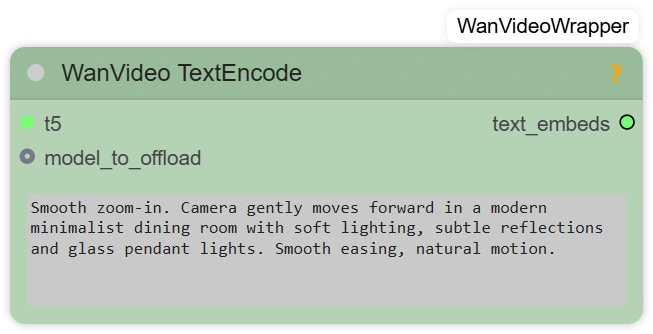
WAN 2.1 enables creating videos based on a text prompt, where you specify the scene’s appearance, animation style, camera movement, and on-screen action. It is important that the prompt is written in English or Chinese! Chinese works better, but don’t worry, most of us are not about to learn Mandarin. The results you see in this article were created using simple English.
Creating AI Animations from an Image in the WAN 2.1 Model
In this option, you add a single image as the starting frame of the video. The model interprets the image along with the prompt. The key parameter is CFG (Classifier-Free Guidance):
- Higher CFG means the model follows the text prompt more closely,
- Lower CFG makes the model adhere more faithfully to the image.
This solution is great for animating static architectural visualizations, adding subtle camera movement or slight atmospheric changes.

Creating 3D Animations from Two Images (First Frame and Last Frame)
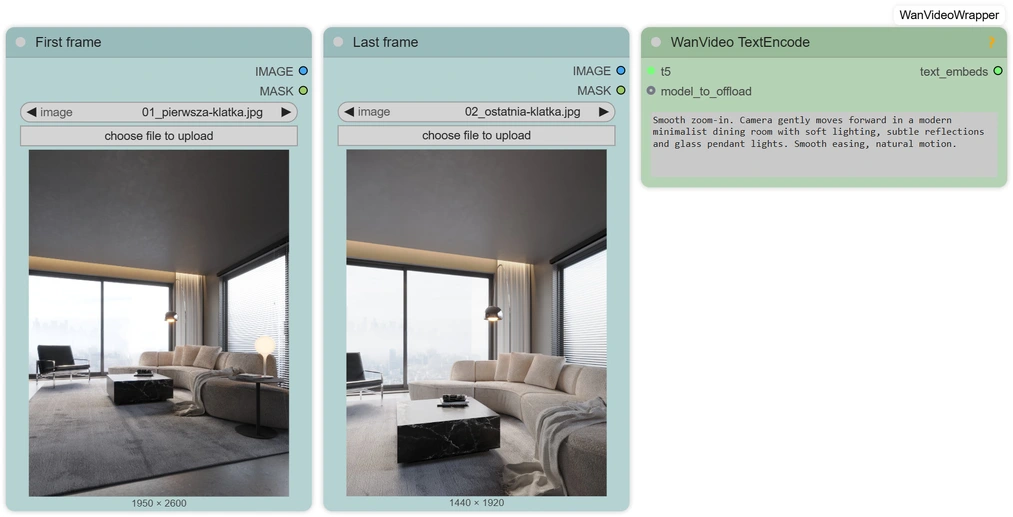
The most advanced option. You provide the first and last images, and the AI creates a smooth transition between them. This approach is very similar to the classic method of animating a scene in software such as Blender or 3ds Max, where keyframes are defined. With WAN 2.1, the added advantage is speed and the elimination of manual setup for every intermediate step.
WAN 2.1 Models - Resolutions, Parameters, and Hardware Requirements
WAN 2.1 offers models trained at 480p and 720p resolutions. On 720p models, you can even generate 1080p videos, although the detail quality may differ slightly from native 1080p due to the training data.
There are:
- Lighter models, which have fewer parameters but allow faster generation on less powerful hardware.
- Full models with a larger number of parameters that ensure higher animation quality but also require more hardware resources (the largest model is around 30 GB!).
- Quantized models, which are community-compressed versions of the models that run on graphics cards with less VRAM.
For a start, we recommend the lightweight 480p model, and for full control, the 720p model with support for two frames.
Optionally, you can speed up generation by using the TeaCache algorithm, which improves animation creation time by predicting subsequent computations, but it is not required initially.
How to Use WAN 2.1 - Locally and Online?
How to Run WAN 2.1 Locally on Your Computer?
The most convenient way is to use ComfyUI together with the ComfyUI-WanVideoWrapper node set created by kijai. To use this solution locally, you will need:
- ComfyUI with a basic configuration,
- WAN nodes for ComfyUI,
- WAN 2.1 models,
- a graphics card with at least 8 GB VRAM (more recommended),
- basic skills in using the Python environment and installing libraries.
This currently requires some technical knowledge. Below is a screenshot of the complete ComfyUI workflow. AI tool development is progressing rapidly, and you can expect easier-to-use solutions to appear soon.

How to Use WAN 2.1 Online for Free?
For those who don’t want to install anything locally, there is an online generator available at wan.video. The free plan has time and usage limits, but you can easily test the capabilities of WAN 2.1.
You can even create animations based on the first and last frames, and the quality of the sequences generated this way is not that different from what you can do locally with ComfyUI.
How to Use WAN 2.1 for 3D Visualization and Architectural Animations?
Interior Animations
WAN 2.1 excels at creating subtle interior animations that naturally bring static visualizations to life. You can add gentle camera movements around furniture, simulate curtains billowing in the wind, or introduce smooth lighting changes throughout the day. This way, even a simple visualization gains depth and atmosphere, greatly increasing its appeal to clients.
Architectural Animations
For architectural visualizations, the model allows for easy creation of impressive camera fly-throughs around buildings, terraces, or gardens. You can simulate slow camera approaches to facades, rotations around the building mass, or dynamic shots that take the viewer into a courtyard or interior space. Such animations excellently showcase entire developments and highlight architectural details that are hard to emphasize in static images.
Marketing Materials
WAN 2.1 opens new possibilities for creating short promotional materials for social media, online ads, or portfolios. Several-second animations generated from existing visualizations can boost project interest, elevate presentation professionalism, and capture potential clients’ attention. Light camera movements, changing lighting conditions, or smooth transitions between rooms work particularly well here.
Concept Presentations
This workflow also works great in early design stages. You can quickly prepare animated space concepts – perfect for competitions, bids, or investor meetings. Even a simple transition from the first to the last frame allows you to present the project idea in a much more engaging way than a static visualization.
WAN 2.1: Free AI Animations for Architects and 3D Designers
WAN 2.1 is a breakthrough tool that opens new possibilities for architects, interior designers, and 3D visualization creators. Thanks to the Apache 2.0 license, you can use it completely for free, including for commercial purposes. Moreover, the model runs locally on your computer, which means full security of project data and no need to use cloud services.
However, the model’s biggest advantage over other solutions is the extremely high level of control over the animation generation process. By defining start and end frames, you influence the entire motion sequence, just like in professional 3D animation software.
Currently, setting up a local ComfyUI environment still requires basic knowledge of Python and library installation skills, so the tool is rather reserved for more advanced users. However, it is worth monitoring its development, because there is much to suggest that even simpler solutions will appear soon, enabling animation generation in WAN 2.1 without deeper technical knowledge.
AI vs Traditional Animation in Blender and 3ds Max
Creating animations in classic 3D (e.g., in Blender) gives full control over every aspect of motion but requires a lot of time, knowledge, and computing power. By using artificial intelligence:
- you don’t have to manually set all keyframes;
- the rendering process is many times faster;
- you can achieve smooth, aesthetic results without knowledge of advanced animation techniques.
Of course, AI will not replace the full skill set of a 3D animator, but in many commercial projects, the result will be entirely sufficient.
Conclusion: Is It Worth Exploring AI Animations?
If you work in interior design, architecture, or 3D visualization, WAN 2.1 is a tool definitely worth getting to know. It allows you to quickly enrich your projects with dynamic animations, enhance your portfolio’s appeal, and create marketing materials in an inexpensive, fast, and flexible way.
If you want to learn more about AI capabilities, check out our Stable Diffusion Course in Architecture and Interior Design!
This is a great start for beginners and an excellent complement to professionals’ toolkit.Author

Przeczytaj o programie AI - Artificial Intelligence na naszym blogu
-
![Virtual staging and AI photos in real estate listings - what does the AI Act change?]()
Virtual staging and AI photos in real estate listings - what does the AI Act change?
The AI Act vs real estate. Does virtual staging require an AI label? Find out how to avoid legal pitfalls and properly label photos. -
![How to Label AI Content According to the Law? Ready-Made Formulas for Designers and Archviz Studios.]()
How to Label AI Content According to the Law? Ready-Made Formulas for Designers and Archviz Studios.
How to Legally Label AI Visualizations? Check When a Label Is Mandatory and Copy Ready-Made Formulas for Your Projects. -
![Do you have to label visualizations as AI? What does the AI Act really say and what changes on August 2, 2026?]()
Do you have to label visualizations as AI? What does the AI Act really say and what changes on August 2, 2026?
AI Act from August 2! Do you have to label 3D visualizations as AI? Check where the legal boundary lies between concept and deepfake. -
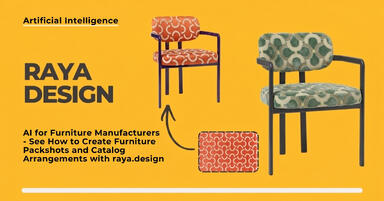
![AI for furniture manufacturers - See how to create furniture packshots and catalog arrangements with raya.design]()
AI for furniture manufacturers - See how to create furniture packshots and catalog arrangements with raya.design
Packshots without time-consuming sessions? Discover Raya Design. Change upholstery and create arrangements with AI in moments. See how it works!