EN
EN PL
PL ES
ES


Publication date: 21-06-2025 | Update date: 18-06-2025 | Author: Piotr Kurpiewski

-
Online courses
- All
 3ds Max
 AI - Artificial Intelligence
 Blender
 Corona renderer
 GstarCAD
 LayOut
 Photoshop
 Interior Design
 Revit
Revit Sketchup
 Stable Diffusion
 V-ray
V-ray
"Online courses" are comprehensive online training programs that will help you quickly master the software you are interested in.
- Plugins
- 3D Models
- Help
- Articles
How to convert a SketchUp view into a photorealistic visualization using AI?
Is it possible to create a realistic interior visualization without using a rendering engine? Thanks to FLUX Kontext - the AI tool from the creators of Stable Diffusion - it is. In this article, you’ll learn how to prepare a view from SketchUp, write an effective prompt, set the parameters, and get a photorealistic image in seconds. I’ll also show you how to edit the finished visualization while maintaining stylistic consistency. It’s the perfect solution for interior designers and architects who want to speed up their workflow and make better presentations: no GPU, no technical knowledge, completely online.

Index
Is it possible to create a realistic interior visualization without rendering in just a few seconds? Thanks to the breakthrough tool FLUX Kontext, the answer is yes! It is a new AI model that can understand image context and generate coherent, realistic shots based on simple views from programs like SketchUp. Importantly: it works online, without installation, without GPU, and without the need to know complex technologies.
What is FLUX Kontext and why is it so important?
FLUX Kontext is an innovative generative model created by the Black Forest Labs team – the creators of the legendary Stable Diffusion and the classic Flux. This model stands out for its ability to understand the depth and spatial logic of an image, enabling the creation of coherent and repeatable interior visualizations. Previously, achieving such results required advanced tools and technical knowledge; now, just a few clicks in a web browser are enough.
How to get started with FLUX Kontext?
To use the tool, simply go to: https://playground.bfl.ai. After creating a free account, you receive 200 starting credits, which allows you to generate about 40 visualizations. Additional credits can be purchased – each image costs about PLN 0.20.

To generate a visualization (or any other graphic), you just need to have an input image (e.g., from SketchUp) and write a simple instruction (prompt) describing the desired result.
How to prepare a SketchUp view?
The foundation of a successful visualization in FLUX Kontext is a well-prepared source image. When working with SketchUp, it’s worth paying attention to a few details.
- Avoid excessively visible edges, so disable edge display.
- Enable a subtle Ambient Occlusion effect in the Style settings to better emphasize volume differences.
- Activate soft shadows to suggest to the model the direction of the light source.
It is definitely better to avoid sharp light contrasts, such as sunbeams coming through windows, so the model doesn’t confuse them with geometry. Views should be exported at FullHD resolution (1080 pixels on the shorter side).

Although the base resolution of generated images is 1024x1024 px, FLUX Kontext handles a very wide range of aspect ratios—from 3:7 to 7:3—allowing you to create both panoramic interior shots and vertical visuals for social media.
How to write an effective prompt?
A prompt, i.e., an instruction for the AI, should be written in English. It’s worth starting with strong verbs, e.g. "transform" or "make", and avoiding overly generic phrases. Instead of "nice interior", use "photorealistic interior visualization". It’s also key to maintain perspective and framing: "keep the exact camera angle, position, and framing". A good practice is to avoid unnecessary details already visible in the image; for example, if a wooden floor is visible, you don’t need to describe it again.

Generation settings
After adding the prompt and input image, you should review the settings. Here you can select the number of images to generate (e.g. 4 at once). It’s worth enabling the Prompt Upsampling option, which helps the model better understand the description’s intent by expanding context and minimizing misunderstandings. The Safety Tolerance option acts as a safety filter, but in architectural applications it usually doesn’t have significant impact.

Generating and editing visualizations
After clicking the generate button, FLUX Kontext creates photorealistic visualizations based on the image and prompt in just a few seconds. If something is off—for example, if the model didn’t recognize balcony doors and treated them as a wall—you can easily correct this using the Edit function. Just write what you want to see, for example: “view of Warsaw behind the balcony door”, and the image will be updated accordingly.

Importantly, the model is iterative, subsequent edits do not degrade image quality, which sets it apart from many competing tools. You can therefore refine the visualization step by step while maintaining stylistic and compositional consistency.
Not just sketchUp - what else can you use?
Although SketchUp is one of the most commonly used programs for conceptual work in architecture and interior design, FLUX Kontext also handles images from other sources just as well: Blender, 3ds Max, and even mood boards, collages, pencil sketches, or watercolors.

It’s also possible to do the reverse: convert a render into a conceptual sketch or a painterly interpretation. This huge flexibility can be especially useful during the conceptual design phase and client communication.
Conclusion - a future without rendering?
FLUX Kontext is changing the way interior designers and architects can create visualizations. Thanks to this technology, it becomes possible to produce realistic shots without rendering, based on simple images and intuitive commands. This is a huge convenience—especially for those who don’t use engines like V-Ray or Corona, or who want to quickly create a visualization for presentations or social media.
If you want to learn more about prompts and using AI in design and architecture, check out our courses on artificial intelligence at CG Wisdom. The future of visualization starts now!
Author

Przeczytaj o programie AI - Artificial Intelligence na naszym blogu
-
![Virtual staging and AI photos in real estate listings - what does the AI Act change?]()
Virtual staging and AI photos in real estate listings - what does the AI Act change?
The AI Act vs real estate. Does virtual staging require an AI label? Find out how to avoid legal pitfalls and properly label photos. -
![How to Label AI Content According to the Law? Ready-Made Formulas for Designers and Archviz Studios.]()
How to Label AI Content According to the Law? Ready-Made Formulas for Designers and Archviz Studios.
How to Legally Label AI Visualizations? Check When a Label Is Mandatory and Copy Ready-Made Formulas for Your Projects. -
![Do you have to label visualizations as AI? What does the AI Act really say and what changes on August 2, 2026?]()
Do you have to label visualizations as AI? What does the AI Act really say and what changes on August 2, 2026?
AI Act from August 2! Do you have to label 3D visualizations as AI? Check where the legal boundary lies between concept and deepfake. -
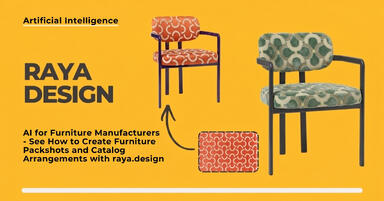
![AI for furniture manufacturers - See how to create furniture packshots and catalog arrangements with raya.design]()
AI for furniture manufacturers - See how to create furniture packshots and catalog arrangements with raya.design
Packshots without time-consuming sessions? Discover Raya Design. Change upholstery and create arrangements with AI in moments. See how it works!



Want to learn Sketchup? Check out our free online course!