EN
EN PL
PL ES
ES


Publication date: 15-09-2025 | Update date: 11-09-2025 | Author: Mateusz Ciećwierz

-
Online courses
- All
 3ds Max
 AI - Artificial Intelligence
 Blender
 Corona renderer
 GstarCAD
 LayOut
 Photoshop
 Interior Design
 Revit
Revit Sketchup
 Stable Diffusion
 V-ray
V-ray
"Online courses" are comprehensive online training programs that will help you quickly master the software you are interested in.
- Plugins
- 3D Models
- Help
- Articles
How to write prompts in SketchUp Diffusion?
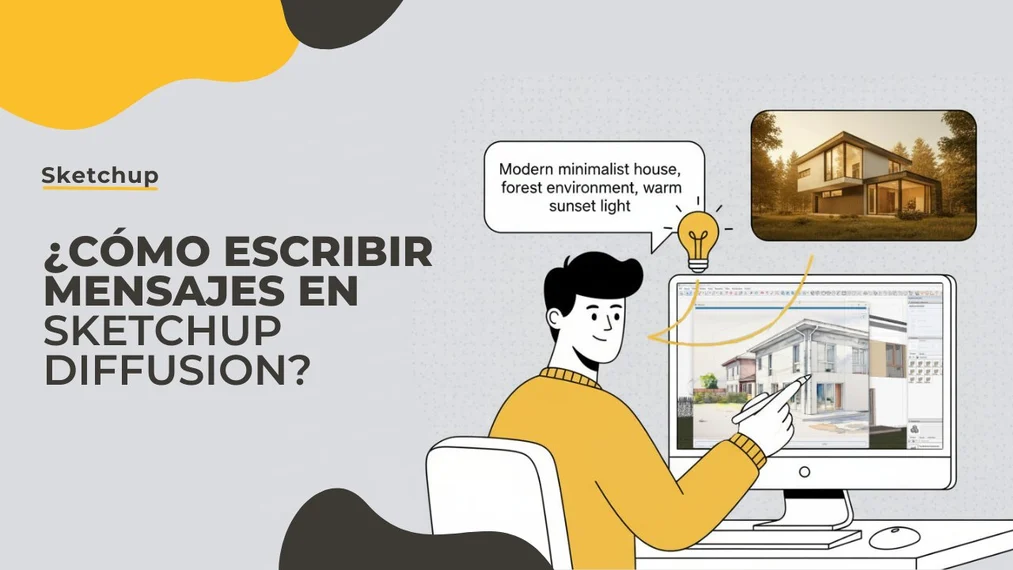
SketchUp Diffusion is a revolutionary tool that combines traditional 3D modeling with the power of artificial intelligence.The key to success in this extension is the ability to write effective prompts - text commands that guide the visualization creation process. Let's explore the best practices that will allow us to create spectacular visual effects in a matter of seconds.
Index
Basics of Prompting in SketchUp Diffusion
The prompt is the heart of SketchUp Diffusion – it is a text command that instructs the AI how to interpret our 3D model. Unlike traditional rendering, where we manually set all parameters, here we communicate with the AI through words. The more precise we are in our description, the better results we achieve.
The prompt in SketchUp Diffusion consists of several key elements. First, we define the main object or scene – for example "Scandinavian kitchen" or "modern living room". Then we add stylistic details – materials, colors, lighting. Finally, we can include technical parameters that affect the image quality.
The basic rule is to start with a general description, then gradually add details. Instead of writing a long, complicated prompt at the outset, it's better to begin with a simple description and experiment with additional elements. A sample starter is: "modern living room, bright, minimalist".
Structure of an Effective Prompt
The most effective prompts in SketchUp Diffusion have a clear hierarchical structure. At the beginning, we place the most important information – the type of space or main object. Next, we add the architectural or design style. Third, we specify materials and colors, and finally we include quality and lighting parameters.
An example of a well-constructed prompt: "Industrial loft apartment, exposed brick walls, steel beams, leather furniture, warm ambient lighting, RAW photo, 8K, ultra HD". Here we see a logical flow from general description through stylistic details to technical parameters.
It is also key to use specific industry terms. Instead of "nice chair", it's better to write "ergonomic office chair" or "mid-century modern armchair". AI understands concrete terms better than general adjectives. Professional terminology in architecture and design significantly improves results.
Remember the order of keywords. Elements listed at the beginning of the prompt have more influence on the final result than those at the end. Therefore, the most important features should be placed at the start of the command.
Technical Parameters and Quality Modifiers
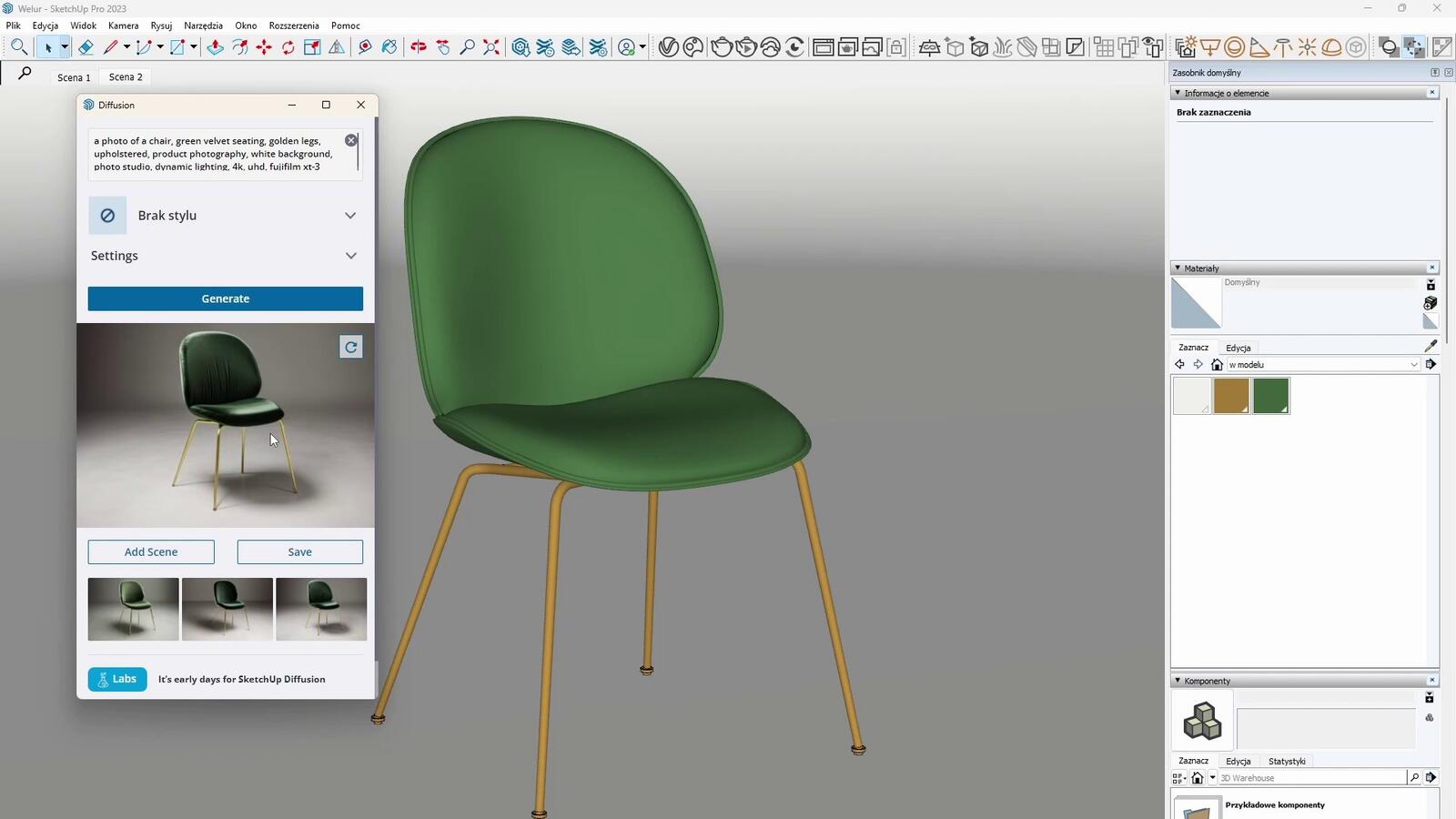
SketchUp Diffusion allows the use of advanced modifiers that significantly affect the quality and style of generated images. Photographic parameters like "RAW photo", "DSLR", "professional photography" give images a photorealistic character. Adding "8K", "ultra HD", "high resolution" improves sharpness and detail.
Lighting modifiers are very useful. "Golden hour lighting" creates a warm, sunset atmosphere. "Studio lighting" provides even, professional illumination. "Natural daylight" simulates natural daylight. "Dramatic shadows" adds contrasting shadows that emphasize architectural forms.
We can also control composition and perspective. "Wide angle shot" creates a panoramic view, "close-up details" focuses on details. "Bird's eye view" generates a view from above, "eye level perspective" shows the space from an observer's viewpoint.
To achieve a specific visual style, it's worth using phrases like "architectural visualization", "interior design rendering", "photorealistic", "hyperrealistic". These terms instruct the AI that we expect a professional architectural visualization rather than an artistic interpretation.
Styles and Aesthetics – from Photorealism to Art
One of the biggest advantages of SketchUp Diffusion is its flexibility in visual styles. We can create everything from photorealistic visualizations to artistic interpretations. For a photographic effect, we use phrases like "photorealistic", "hyperrealistic", "professional architectural photography", "magazine quality".
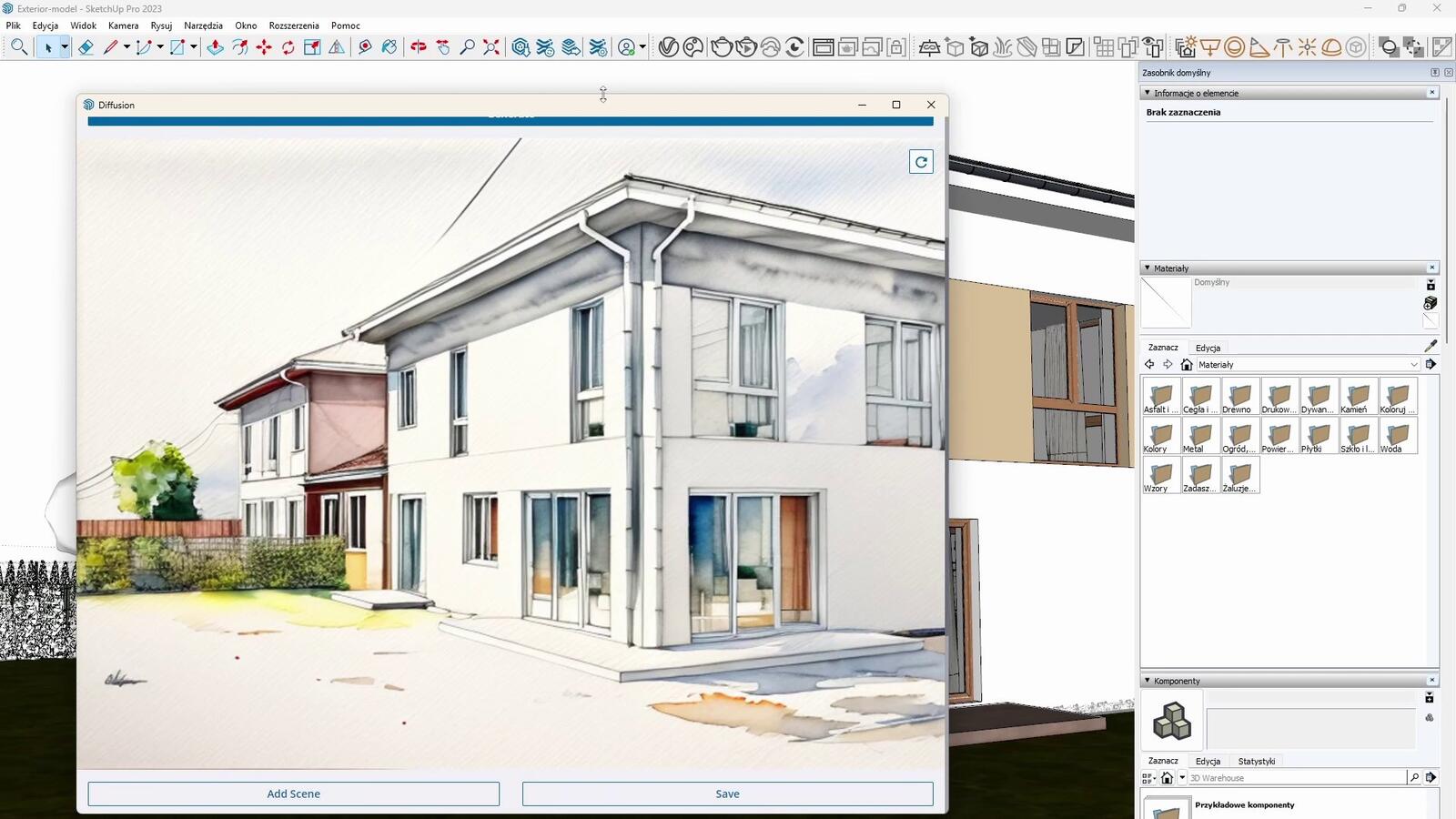
If we want to achieve a sketch or drawing style, useful phrases are: "pencil sketch", "architectural drawing", "technical illustration", "line art". For a watercolor effect: "watercolor painting", "loose watercolor", "architectural watercolor". These styles work great in conceptual presentations.
SketchUp Diffusion also offers the ability to create images in specific artistic styles. "Minimalist", "brutalist", "art deco", "bauhaus" are examples of architectural styles that the AI interprets perfectly. We can also refer to specific eras: "mid-century modern", "victorian", "contemporary", "industrial".
Very interesting effects are achieved by combining different styles in one prompt. "Scandinavian minimalism meets industrial design" or "modern architecture with classical elements" are examples of prompts that create unique, hybrid aesthetics.
Prompts for Different Types of Spaces
Each type of space requires a slightly different prompting approach. For residential interiors, effective descriptions focus on function and atmosphere: "cozy living room", "spacious master bedroom", "functional home office". Adding information about users' lifestyle enriches interpretation: "family kitchen", "bachelor apartment", "elderly-friendly design".
For commercial spaces, it's worth emphasizing the function and business character: "corporate office lobby", "boutique retail interior", "upscale restaurant dining room", "modern co-working space". AI understands the differences between types of commercial spaces and adjusts the atmosphere accordingly.
For outdoor and architectural spaces, key information includes context and surroundings: "urban residential building", "suburban family home", "commercial plaza", "public park pavilion". It's worth adding landscape details: "surrounded by trees", "city skyline background", "waterfront location".
Specialized visualizations have specific requirements. For medical spaces: "clean medical facility", "sterile environment", "healthcare design". For educational: "modern classroom", "university library", "creative learning space". Each sector has its own specifics that AI can interpret.
Common Mistakes and How to Avoid Them
One of the most common mistakes is creating overly long prompts with too many details. The AI can get "confused" by overly complicated instructions. It's better to start with a simple prompt and gradually add elements, observing how they affect the result. The "less is more" principle often applies.
Contradictory instructions in the prompt are another issue. Writing "minimalist maximalist interior" or "bright dark room" misleads the AI. It's worth checking that all prompt elements are logically consistent. If we want to combine different styles, it's better to use connectors like "with elements of" or "combined with".
Using overly abstract terms can also be problematic. Phrases like "beautiful", "amazing", "perfect" do not provide concrete information for the AI. It's better to use precise descriptions: instead of "beautiful lighting", write "warm ambient lighting" or "natural daylight from large windows".
You should avoid focusing too much on technical parameters at the expense of content description. A prompt made up mainly of phrases like "8K, HDR, ultra realistic" without a concrete scene description can produce unpredictable results. The proportion should be reversed – most of the prompt should be scene description, with technical parameters as an addition.
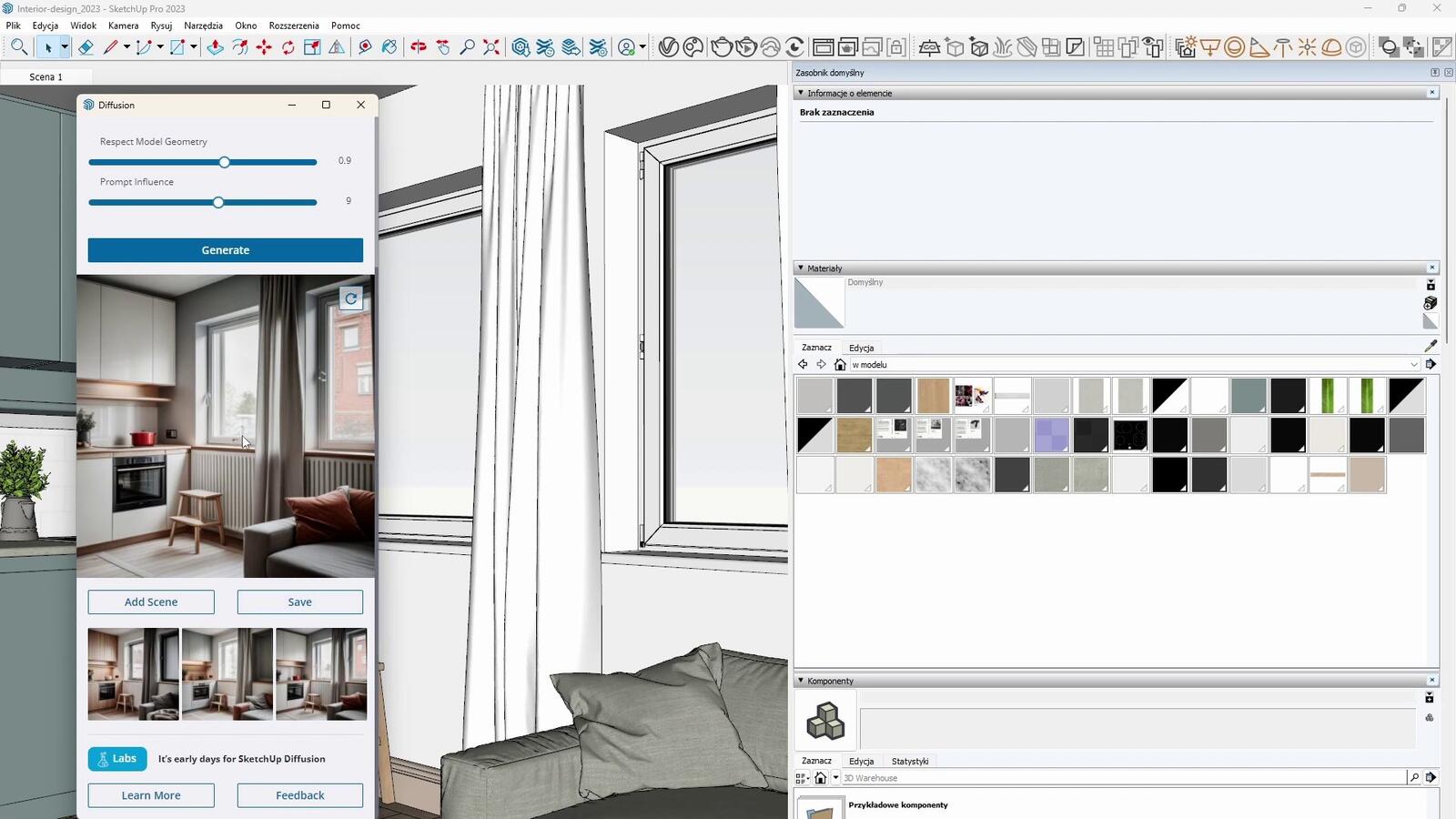
The last common mistake is ignoring the context of the SketchUp model. The prompt should harmonize with what is actually present in the 3D model. If the model shows an interior but the prompt describes the exterior of a building, the results will be inconsistent. The AI combines information from the model with instructions from the prompt, so these two sources must complement each other.
Advanced Prompting Techniques
Keyword weighting is one of the most advanced techniques in SketchUp Diffusion. We can increase or decrease the influence of certain prompt elements by using parentheses and numbers. For example, "(modern furniture:1.5)" will increase the impact of modern furniture in the final image, while "(clutter:0.7)" will reduce the amount of clutter in the scene.
The negative prompt technique allows us to specify what we do not want to see in the visualization. By using the prefix "no" or "without", we can exclude unwanted elements: "no people", "without cars", "no clutter". This is especially useful for creating clean, minimalist visualizations.
Style blending is another advanced technique. We can create unique hybrid aesthetics by combining different styles in one prompt: "Scandinavian minimalism meets industrial design with Japanese zen elements". The key is to use smooth linguistic transitions and a logical structure.
Referencing specific brands and designers is very effective. "In the style of an IKEA showroom", "inspired by Zaha Hadid architecture", "Herman Miller furniture aesthetic" – such references give the AI a clear point of reference. Of course, legal considerations should be kept in mind for commercial use of such visualizations.
It's also worth experimenting with emotional parameters. "Cozy and inviting", "sleek and professional", "warm and familiar", "cutting-edge and futuristic" – these descriptions affect the atmosphere of the image. AI can interpret emotional aspects of a space and visualize them accordingly.
Optimizing the Creative Process
An iterative approach is the key to success when working with SketchUp Diffusion. Instead of trying to write a perfect prompt on the first attempt, it's better to start with a base version and gradually refine it. Each iteration teaches us how the AI interprets our instructions and allows increasingly precise control over the outcome.
It's useful to maintain a library of effective prompts.
When we find a combination of words that gives a good effect for a specific type of space, it’s worth saving it and using it as a template for similar projects. We gradually build a personal collection of tested formulas.
It’s also worth experimenting with different variants of the same prompt. SketchUp Diffusion generates several options for each prompt, but we can also test synonymous terms or different keyword orders. “Modern minimalist kitchen” may produce different results than “minimalist modern kitchen.”
Analyzing and documenting results helps develop prompting skills. It’s worth noting which prompt elements work well for different project types and which cause issues. This allows for faster achievement of desired effects in future projects.
SketchUp Diffusion revolutionizes the way we think about architectural visualizations. The ability to write effective prompts is a new skill that can significantly speed up design work and open new creative possibilities. More information on using artificial intelligence in design can be found in article: SketchUp Diffusion - SketchUp’s Artificial Intelligence.
Author

Przeczytaj o programie AI - Artificial Intelligence na naszym blogu
-
![Virtual staging and AI photos in real estate listings - what does the AI Act change?]()
Virtual staging and AI photos in real estate listings - what does the AI Act change?
The AI Act vs real estate. Does virtual staging require an AI label? Find out how to avoid legal pitfalls and properly label photos. -
![How to Label AI Content According to the Law? Ready-Made Formulas for Designers and Archviz Studios.]()
How to Label AI Content According to the Law? Ready-Made Formulas for Designers and Archviz Studios.
How to Legally Label AI Visualizations? Check When a Label Is Mandatory and Copy Ready-Made Formulas for Your Projects. -
![Do you have to label visualizations as AI? What does the AI Act really say and what changes on August 2, 2026?]()
Do you have to label visualizations as AI? What does the AI Act really say and what changes on August 2, 2026?
AI Act from August 2! Do you have to label 3D visualizations as AI? Check where the legal boundary lies between concept and deepfake. -
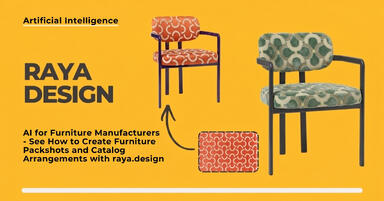
![AI for furniture manufacturers - See how to create furniture packshots and catalog arrangements with raya.design]()
AI for furniture manufacturers - See how to create furniture packshots and catalog arrangements with raya.design
Packshots without time-consuming sessions? Discover Raya Design. Change upholstery and create arrangements with AI in moments. See how it works!
Want to learn Sketchup? Check out our free online course!