EN
EN PL
PL ES
ES


Publication date: 05-08-2025 | Update date: 05-08-2025 | Author: Piotr Kurpiewski

-
Online courses
- All
 3ds Max
 AI - Artificial Intelligence
 Blender
 Corona renderer
 GstarCAD
 LayOut
 Photoshop
 Interior Design
 Revit
Revit Sketchup
 Stable Diffusion
 V-ray
V-ray
"Online courses" are comprehensive online training programs that will help you quickly master the software you are interested in.
- Plugins
- 3D Models
- Help
- Articles
SketchUp Diffusion - artificial intelligence from SketchUp!
SketchUp Diffusion, a new extension for SketchUp, uses AI to transform 3D models into high-quality visualizations. It is easy to use, allowing for the creation of realistic images through text commands. It is completely free for SketchUp subscribers. It opens up new possibilities for designers: it does not completely replace traditional tools, such as V-Ray, but it is an excellent complement at the inspiration and prototyping stage. Images are generated under an open source license, so they can also be used for commercial purposes.
Index
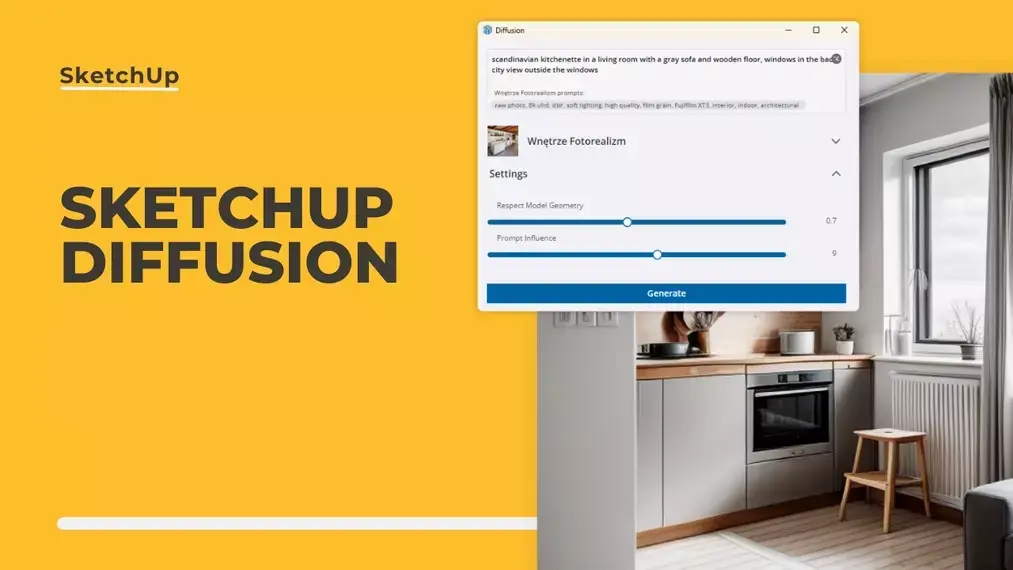
In the world of architecture and 3D graphics, where creativity and efficiency are key, SketchUp has become an indispensable tool for professionals. The developers of this software unexpectedly introduced SketchUp Diffusion to the market. This tool utilizes machine learning algorithms to transform simple graphics into complex visualizations. By leveraging artificial intelligence, designers can present their ideas even faster.
What is SketchUp Diffusion?
SketchUp Diffusion is a revolutionary extension to the popular 3D modeling software: SketchUp. By harnessing artificial intelligence, it allows for the conversion of basic 3D models into high-quality visualizations. This tool opens up new possibilities for designers, enabling the rapid creation of realistic images.
By using text commands, users can influence the style and content of the generated graphics. No complex knowledge is required to create them, making SketchUp Diffusion an ideal solution for those seeking effective and efficient methods of presenting projects.
How does SketchUp Diffusion work?
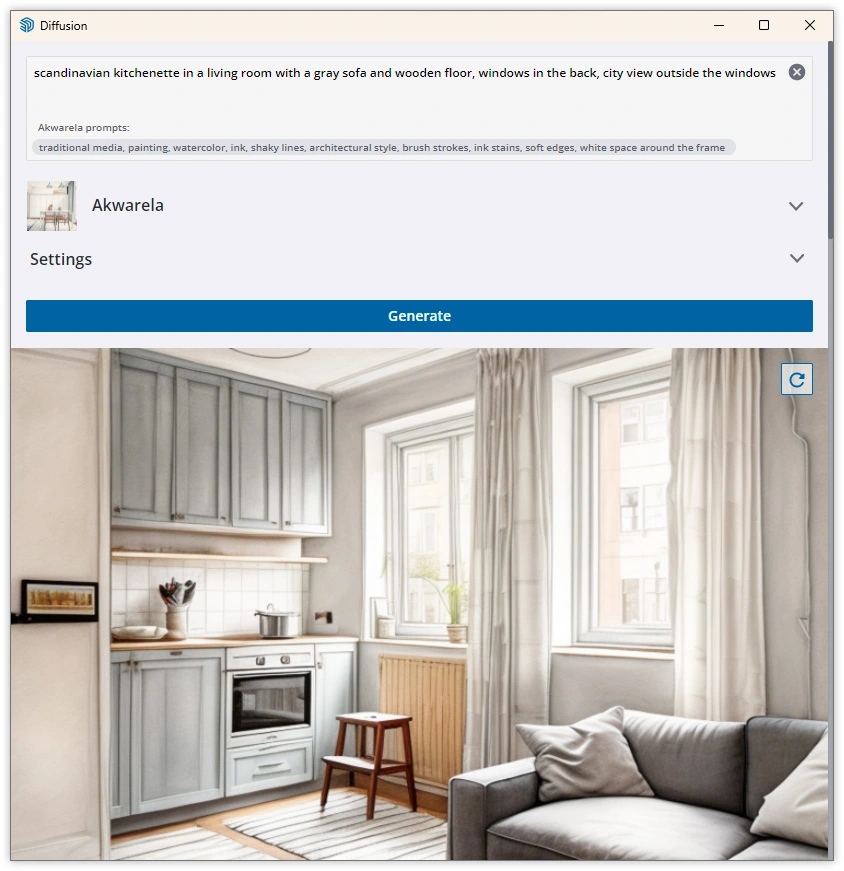
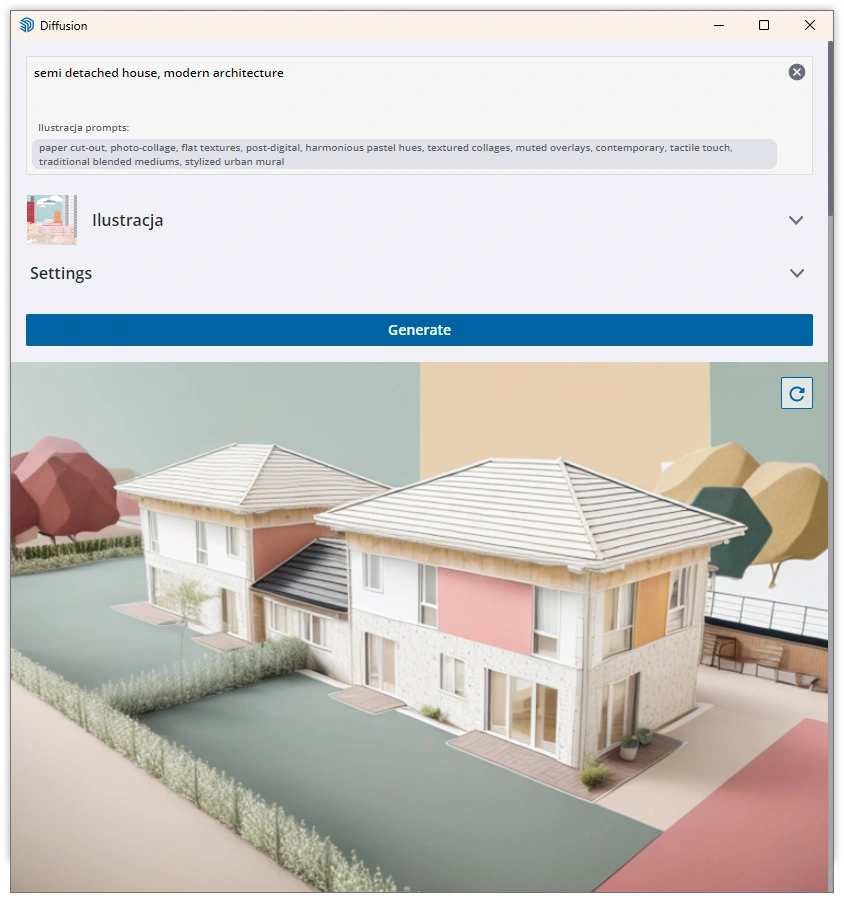
The principle of SketchUp Diffusion is based on the Stable Diffusion and ControlNet algorithms. The creative process relies on a SketchUp scene, which is supplemented with a textual command. The Prompt (as this command is called) and the visual interpretation of the SketchUp scene are then transformed into an image with a specified style and character. Rendering is negligible in this case, as the calculations are performed on an external server. The entire process of image generation takes only a few seconds.
The result can be photorealistic visualizations or watercolor sketches. The effect can resemble a real photo or a casual interior inspiration. It all depends on you. And if you would like to learn more about the technologies used by Diffusion, take a look at our article titled "What is Stable Diffusion and what is it used for?".
Is SketchUp Diffusion free?
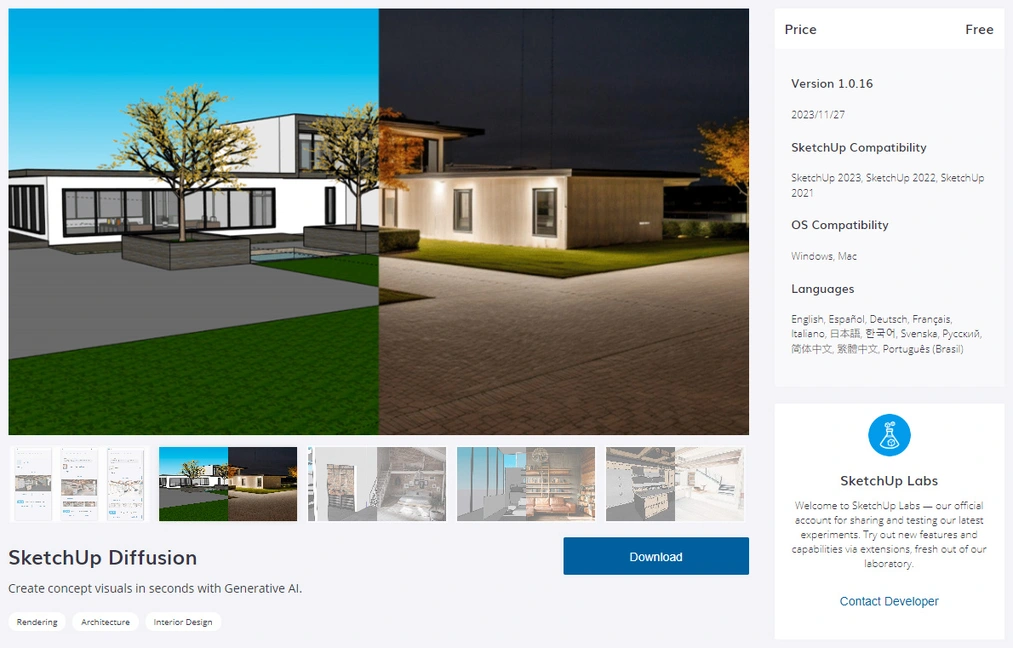
SketchUp Diffusion, as an extension for SketchUp, is completely free. You can use it at no cost as long as you have an active SketchUp Go, SketchUp Pro, or SketchUp Studio subscription. The tool is available in desktop software, iPad version, and web application.
How to use SketchUp Diffusion?
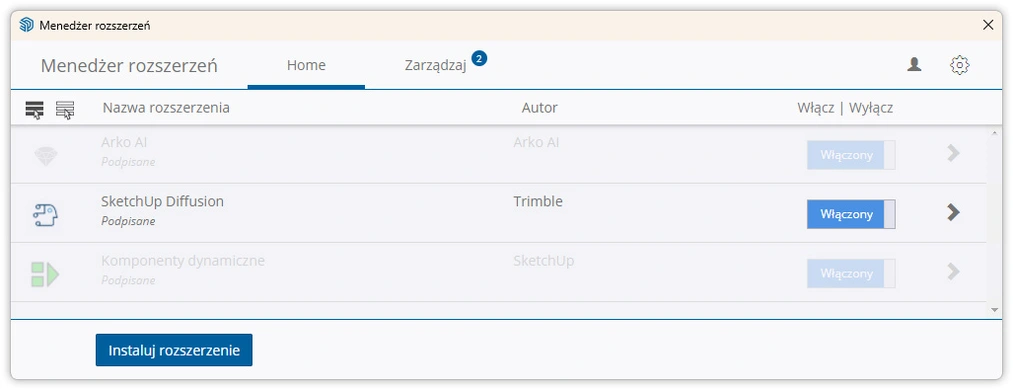
To make use of SketchUp Diffusion, you need to install it just like any other plugin. Start by downloading it from the Extension Warehouse library, precisely here. Then, install the downloaded .rbz file by choosing Extensions / Extension Manager / Install Extension in SketchUp. After successful installation, you can freely use this tool.
To effectively use SketchUp Diffusion, you need to master prompting, i.e., textual commands that have a fundamental influence on the final look of visualizations. It sounds intimidating, but it's simpler than it seems. Start with a simple idea that describes what you want to create. Then, add a few details, such as the building style or the type of materials to be used. It's like creating a recipe for your dream project - the more specific and creative the description, the better the result. Remember that experimenting and adding your own ideas is key to achieving unique effects. You can learn more about prompting from the article titled "What is prompt engineering and what are the tasks of a prompt engineer?".
Will SketchUp Diffusion replace V-Ray?
Although SketchUp Diffusion offers impressive visualization capabilities using AI, it will not completely replace traditional rendering tools. Diffusion is more focused on quickly generating images, whereas V-Ray offers more advanced options for controlling light, textures, and models.
Both tools are complementary and can be useful at different stages of the design process. Diffusion excels in the prototyping phase and in seeking personalized inspirations. In later stages, V-Ray will be essential, with its characteristic precision that still favors standard solutions. However, it is not excluded that AI will also enter this field in the future.
Who owns the images created in Diffusion?
The issue of copyright in the context of AI and images generated by it is still debated. SketchUp emphasizes that Diffusion users should be aware that the visualizations they create may be treated differently depending on the legal regulations in their country.
In principle, however, the images created in Diffusion are fully open source and are covered by the CC0 1.0 Universal Public Domain Dedication license. The basic model was trained on a safe, claim-free dataset called LAION5B, created by the German charitable organization LAION. Therefore, the user can copy, modify, and distribute the generated images, even for commercial purposes, without asking for anyone's permission.
Video - SketchUp Diffusion - What is it and how does it work?
The topics covered in this article are further explored in my video dedicated to the Diffusion extension. If you are interested in this topic, I encourage you to watch the video below:
What's next for AI in SketchUp?
SketchUp Diffusion represents a fascinating advancement in the field of 3D graphics and design. Its ability to rapidly generate realistic visualizations using AI provides great value for users. Using it does not require a lot of knowledge. This is a significant change compared to previous tools that required a thorough understanding to create compelling visualizations.
As technology develops, we can expect that such solutions will have an even greater impact on the future of design, offering new possibilities for exploring creativity and innovation. If you would like to prepare for the challenges that artificial intelligence is already posing to interior designers, be sure to check out my AI Course - Artificial Intelligence in Interior Design.
Author

Przeczytaj o programie Sketchup na naszym blogu
-
![Profile Builder 4 or Magic Molding? Comparison of Ornamentation Plugins in SketchUp]()
Profile Builder 4 or Magic Molding? Comparison of Ornamentation Plugins in SketchUp
How does Profile Builder 4 differ from Magic Molding? Scope, pricing, profile libraries, and learning curve. Find out which plugin fits your projects. -
![The Best Free SketchUp Plugins for Interior Designers in 2026!]()
The Best Free SketchUp Plugins for Interior Designers in 2026!
Which SketchUp plugins are really worth having? Discover 7 free extensions for interior designers and find out which ones have just stopped being free! -
![English wainscoting in SketchUp - how to design wall panels step by step]()
English wainscoting in SketchUp - how to design wall panels step by step
How to design English wainscoting in SketchUp? Learn the rules for panel division, wainscot proportions, and speed up your work with the Magic Molding plugin. -
![Reversed Faces in SketchUp – why are blue faces showing and how to fix them?]()
Reversed Faces in SketchUp – why are blue faces showing and how to fix them?
Blue faces in SketchUp are flipped faces. Learn where they come from, how to quickly locate and fix them before they mess up your render or model export.




Want to learn Sketchup? Check out our free online course!