 EN
EN PL
PL ES
ES


Publication date: 23-05-2025 | Update date: 23-05-2025 | Author: Piotr Kurpiewski

-
Online courses
- All
 3ds Max
 AI - Artificial Intelligence
 Blender
 Corona renderer
 GstarCAD
 LayOut
 Photoshop
 Interior Design
 Revit
Revit Sketchup
 Stable Diffusion
 V-ray
V-ray
"Online courses" are comprehensive online training programs that will help you quickly master the software you are interested in.
- Plugins
- 3D Models
- Help
- Articles
Which computer to choose for SketchUp? Guide
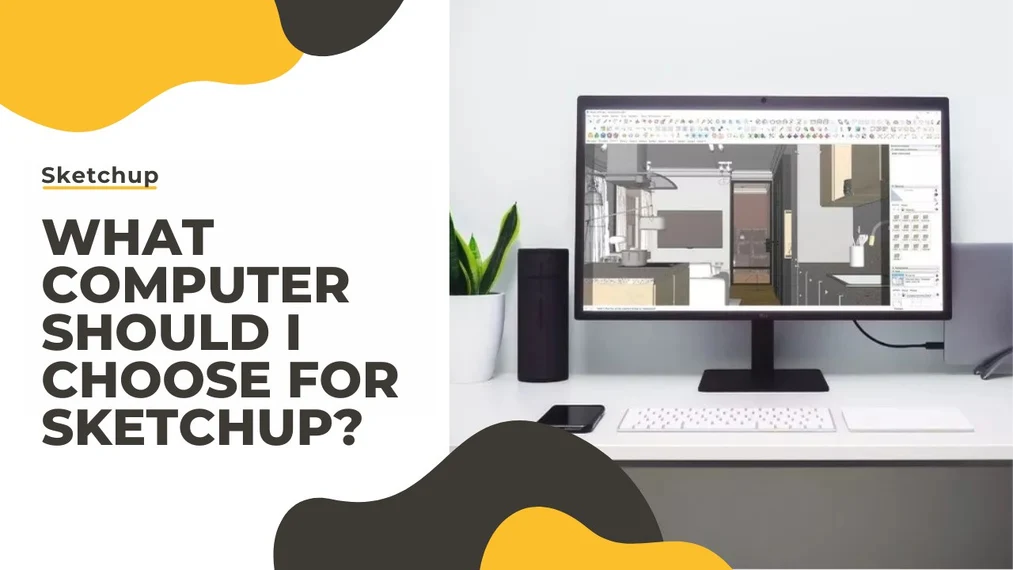
When choosing a computer for SketchUp, consider several factors. A laptop gives you the flexibility to work in multiple locations, but desktop computers are more powerful. The choice of operating system depends on your priorities and preferences; Apple is a more expensive option, but in terms of price and performance, Windows wins. The processor is the key component—the better it is, the faster your rendering will be (V-Ray's manufacturer provides official processor benchmarks; check them before buying). The recommended graphics card is NVIDIA (AMD cards cannot be used for calculations in V-Ray). The amount of RAM you need depends on what you create (16 GB of RAM should suffice for interiors, but for exteriors opt for 64 GB). The choice of drive, power supply, and case depends on the planned computer configuration.
Index
The electronics market changes very dynamically. It is hard to point to specific products that will guarantee stable and fast performance and remain up to date for a longer time. It is also difficult to fit a universal budget for such solutions, as it varies depending on the user. Therefore, consider this article as a guide on how to navigate the complex terminology and what to look for when choosing individual components.
Laptop or PC?
An undeniable advantage of a laptop is its small size. Thanks to this, you can carry it to client meetings or work on projects in different locations, not just in the office. Unfortunately, size is also a limitation, because a PC case can accommodate much larger and thus more powerful components. There is room, among others, for a stronger power supply or better cooling. In this regard, the PC prevails.
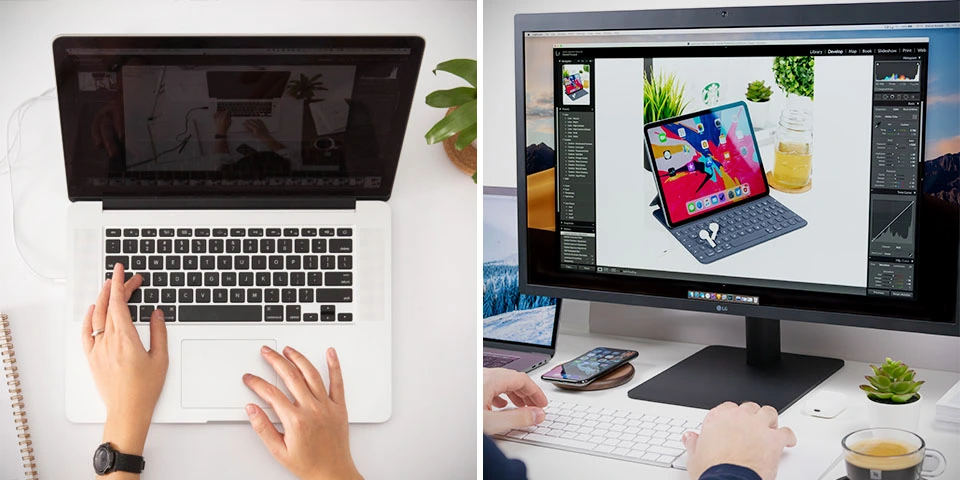
The performance-to-price ratio will almost always favor a workstation. You can buy much better work hardware for a significantly lower price. However, you will have to give up mobility. You have to make the choice yourself.
macOS or Windows?
Apple computers are associated with the creative class. This probably stems from pop culture portrayals and the brand’s elite status. System intuitiveness and consistent product design are appreciated. However, if we consider only price and performance, Apple loses by a mile. Computers from this brand are simply very expensive. With a similar budget, you can buy much better hardware from another manufacturer.
The lack of support from NVIDIA, whose technologies are used in the V-Ray rendering engine, also works against Apple. You will not be able to render on the graphics card. The so-called denoising that removes noise from visualizations will also be hampered. Windows does not have such issues. Once again, you must decide for yourself what matters more to you.
CHECK ONLINE COURSES - SKETCHUP AND V-RAY
Which processor to choose?
Moving on to specific components, one can say that the processor is the most important. The situation will not change as long as CPU rendering remains popular, i.e. rendering that uses the processor’s computing power. In simple terms: the better the processor, the faster the rendering. Simply buy the most expensive processor you can afford.
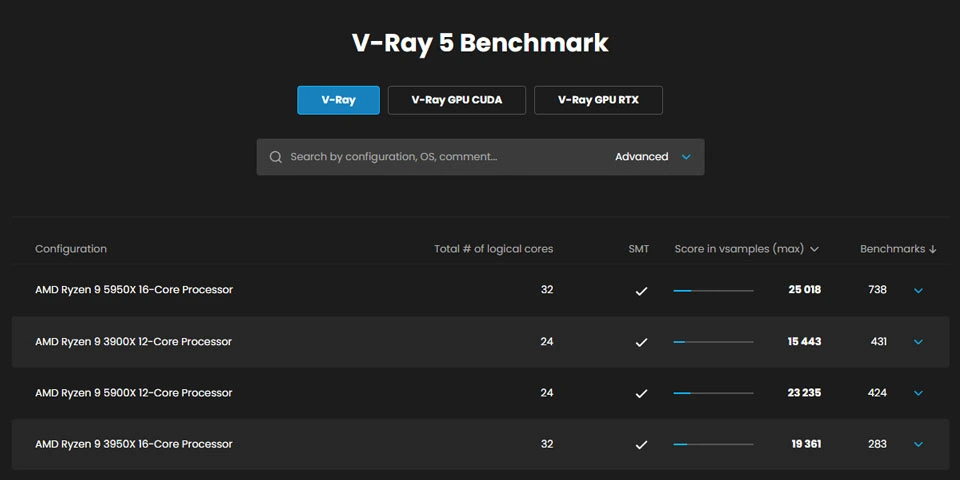
Use the site: www.benchmark.chaos.com to check your chosen component’s score in the official V-Ray tests. It happens that a much more expensive processor guarantees only a small power increase. For example, at the time of writing this article, the Ryzen 3900X costs about 2150 PLN and its average score is 15,000 points. The Ryzen 3950X, which is almost 1500 PLN more expensive, achieves 19,000 points. Is a 25% power increase for that price satisfactory for you? You must decide for yourself.
Which graphics card to choose?
You should definitely choose an NVIDIA card, because AMD cards cannot be used for calculations in V-Ray. I mentioned this in the paragraph dedicated to Apple hardware.
How good a card you need depends on the rendering method you choose. At the time of writing this article, CPU-based rendering is doing well and is chosen by the majority of users. If you also plan to render on the CPU, a mid-range card will suffice.
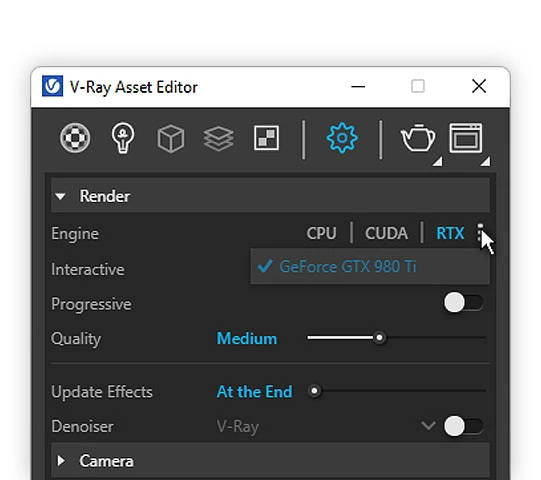
However, if you would like to compute visualizations on the GPU, the graphics card will be more important to you than the processor. In that case, you will be interested only in high-end products that have enough VRAM to load large SketchUp scenes. Graphics cards can be easily swapped; they can also be linked to combine their power. They are also, generally, much faster than processors. If this topic interests you, take a look at my article titled SketchUp + V-Ray + Enscape - Why you should consider GPU rendering?.
How much RAM do you need?
RAM memory allows you to load 3D models and bitmaps into the cache to perform visualizations. The more polygons and the higher-quality textures you use in your SketchUp scene, the more RAM you will need to process it. Take a look at the example below. Process RAM Usage is 14.84 GB. This is the amount of RAM you need to have to start the rendering process for such a scene. If your hardware does not have enough memory, the visualization will not be completed.
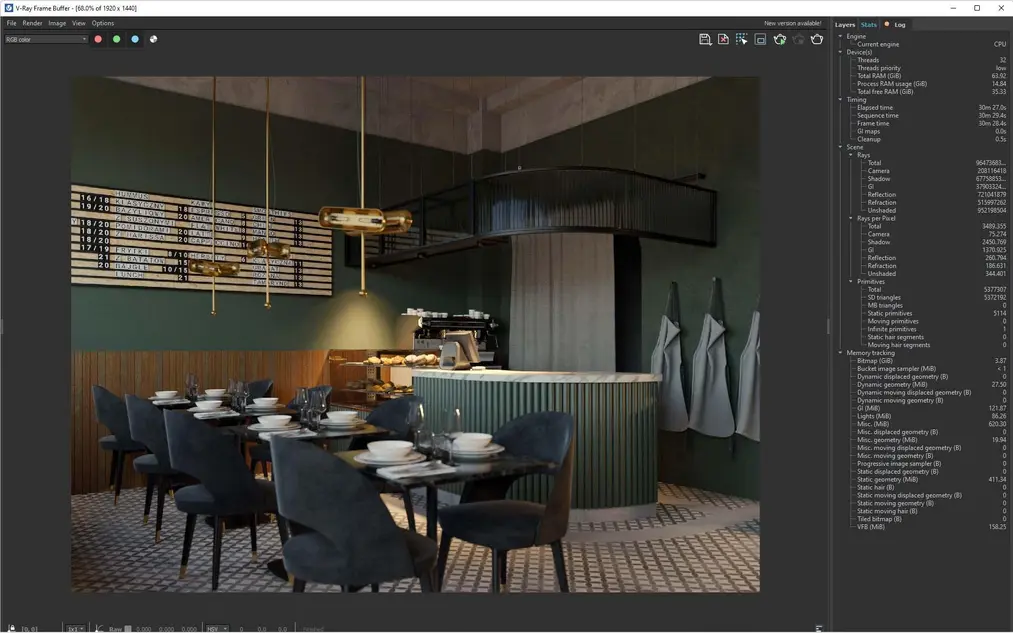
If you create interiors, you will probably be fine with 16 GB RAM. A reasonable buffer that will give you peace of mind longer is 32 GB. Architectural visualizations are more demanding, mainly due to the surrounding greenery. If you do exteriors, it’s better to choose 64 GB of memory right away.
If you render using the GPU, scenes will also load into the so-called video memory (VRAM). The capacity of the graphics card’s VRAM is therefore more important in this case than the amount of RAM. However, if you render on the CPU, VRAM capacity will not be as critical.
Which drive to choose?
A popular solution nowadays is to have two drives: one for the system and necessary programs, and the other for data storage.
The first should be faster and have a capacity of at least 500 GB. Over time, Windows grows to large sizes. It is worth considering the SSD NVMe standard, which is the fastest solution available on the market.
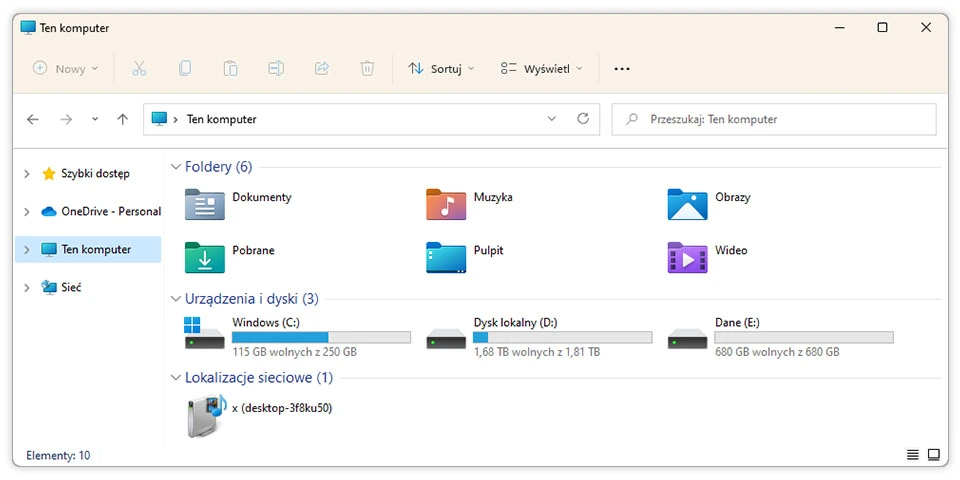
The second drive can be slower, but it should have a speed of 7200 RPM. Adjust the capacity to your needs. Fortunately, traditional HDDs are cheap. 2 TB (that is 2000 GB) can be purchased for around 200 PLN.
Which power supply to choose?
The preferred rendering mode again has a big impact on the power supply. If you use the processor, a 400-500 W power supply will probably suffice. In the case of GPU rendering with several graphics cards, you should use at least 800 W.
Also pay attention to the power supply’s certification. The higher it is, the better its efficiency. The lowest is bronze, the highest is titanium.
Noise level is also important. If you care about quiet computer operation, choose a product that emits the fewest decibels.
Which case to choose?
In addition to aesthetics, the case also has soundproofing properties. Additionally, it is worth ensuring that the components you order will fit in it. This concerns graphics cards in particular, which can take up a lot of space, especially if you decide to install several of them together.
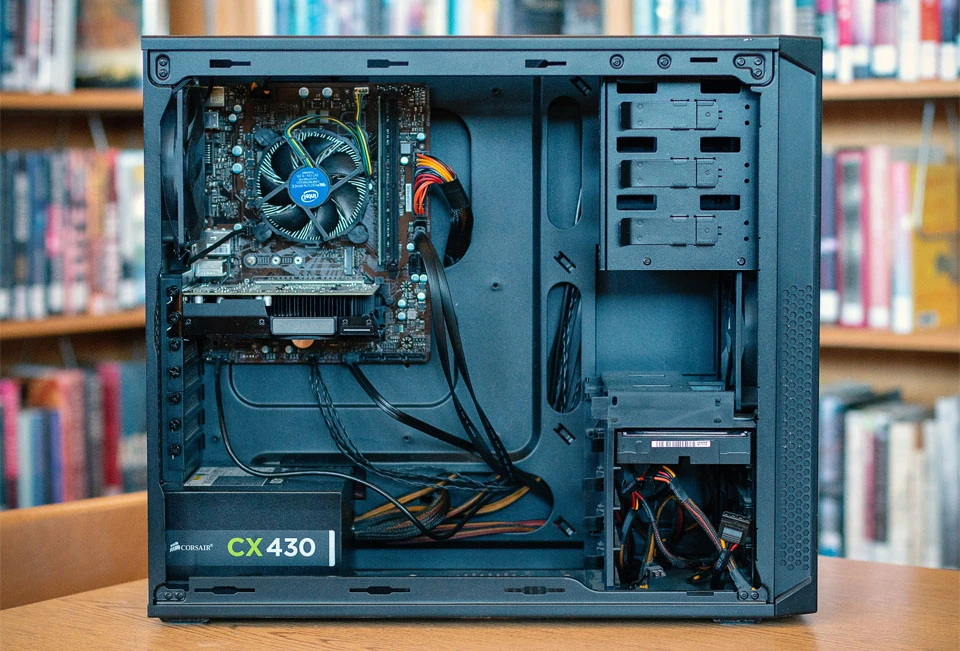
Even if you are not planning such an investment now, it is worth safeguarding for the future by buying a case slightly larger than standard.
Summary
I believe that after reading this article, you know what each computer component is for and what to pay attention to when assembling your own setup for working in SketchUp. Even if you did not find specific products here, you know what is not worth overpaying for and what you should focus on.
I also hope that this text will help you understand not only the world of PC components, but also laptop specifications and quickly assess which hardware will be better for you. I wish you successful shopping. And if you complete your dream setup, I encourage you to take advantage of our SketchUp online courses!
Author

Przeczytaj o programie Sketchup na naszym blogu
-
![Profile Builder 4 or Magic Molding? Comparison of Ornamentation Plugins in SketchUp]()
Profile Builder 4 or Magic Molding? Comparison of Ornamentation Plugins in SketchUp
How does Profile Builder 4 differ from Magic Molding? Scope, pricing, profile libraries, and learning curve. Find out which plugin fits your projects. -
![The Best Free SketchUp Plugins for Interior Designers in 2026!]()
The Best Free SketchUp Plugins for Interior Designers in 2026!
Which SketchUp plugins are really worth having? Discover 7 free extensions for interior designers and find out which ones have just stopped being free! -
![English wainscoting in SketchUp - how to design wall panels step by step]()
English wainscoting in SketchUp - how to design wall panels step by step
How to design English wainscoting in SketchUp? Learn the rules for panel division, wainscot proportions, and speed up your work with the Magic Molding plugin. -
![Reversed Faces in SketchUp – why are blue faces showing and how to fix them?]()
Reversed Faces in SketchUp – why are blue faces showing and how to fix them?
Blue faces in SketchUp are flipped faces. Learn where they come from, how to quickly locate and fix them before they mess up your render or model export.



