EN
EN PL
PL ES
ES


Publication date: 18-02-2025 | Update date: 19-02-2025 | Author: Mateusz Ciećwierz

-
Online courses
- All
 3ds Max
 AI - Artificial Intelligence
 Blender
 Corona renderer
 GstarCAD
 LayOut
 Photoshop
 Interior Design
 Revit
Revit Sketchup
 Stable Diffusion
 V-ray
V-ray
"Online courses" are comprehensive online training programs that will help you quickly master the software you are interested in.
- Plugins
- 3D Models
- Help
- Articles
Free Course - 3ds Max + Corona Renderer - Free Online Training
Looking for free training in 3ds Max and Corona Renderer? You're in the right place! Below you will find a link to a free course of over 2 hours, after which creating your first visualization will no longer be a major problem.

Index
Who is this free Corona Renderer course for?
The training is designed for people who would like to start creating photorealistic visualizations but don't know where to start and are unsure if 3ds Max and Corona Render are suitable for them. This course will help you take your first steps and allow for further development.
Who can participate in the training?
The course is prepared in such a way that a person who has not previously dealt with these programs can work through it. To fully benefit from this material, it's worth having the software installed. Their free 30-day versions can be downloaded directly from the manufacturers' website - 3ds Max and Corona Renderer.

What will you learn from our free training?
- Why it's worth getting interested in creating visualizations using 3ds Max and Corona Renderer
- Basics of navigating in the 3ds Max program
- How to add and set up cameras
- How to set natural-looking sunlight
- What is the Chaos Cosmos library and how to use it
- Using ready-made models from Chaos Cosmos and how to edit them
- Adding materials from Chaos Cosmos and their basic editing
- Setting the camera's depth of field - DOF
- How to render the final visualization
- Post-production in the Framebuffer
Wondering if it's worth it? Watch the course preview
Author

Read on our blog
-
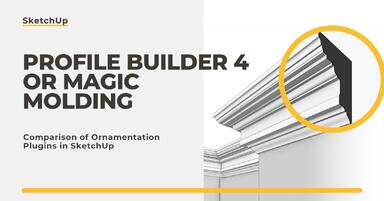
![Profile Builder 4 or Magic Molding? Comparison of Ornamentation Plugins in SketchUp]()
Profile Builder 4 or Magic Molding? Comparison of Ornamentation Plugins in SketchUp
How does Profile Builder 4 differ from Magic Molding? Scope, pricing, profile libraries, and learning curve. Find out which plugin fits your projects. -
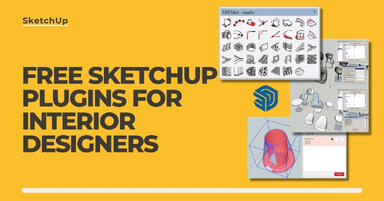
![The Best Free SketchUp Plugins for Interior Designers in 2026!]()
The Best Free SketchUp Plugins for Interior Designers in 2026!
Which SketchUp plugins are really worth having? Discover 7 free extensions for interior designers and find out which ones have just stopped being free! -
![English wainscoting in SketchUp - how to design wall panels step by step]()
English wainscoting in SketchUp - how to design wall panels step by step
How to design English wainscoting in SketchUp? Learn the rules for panel division, wainscot proportions, and speed up your work with the Magic Molding plugin. -
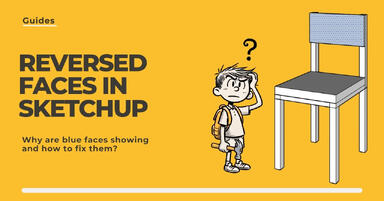
![Reversed Faces in SketchUp – why are blue faces showing and how to fix them?]()
Reversed Faces in SketchUp – why are blue faces showing and how to fix them?
Blue faces in SketchUp are flipped faces. Learn where they come from, how to quickly locate and fix them before they mess up your render or model export.