 EN
EN PL
PL ES
ES


Publication date: 18-07-2025 | Update date: 19-11-2025 | Author: Joanna Konstanty

-
Online courses
- All
 3ds Max
 AI - Artificial Intelligence
 Blender
 Corona renderer
 GstarCAD
 LayOut
 Photoshop
 Interior Design
 Revit
Revit Sketchup
 Stable Diffusion
 V-ray
V-ray
"Online courses" are comprehensive online training programs that will help you quickly master the software you are interested in.
- Plugins
- 3D Models
- Help
- Articles
GstarCad - How to Start Learning From Scratch? - Guide, Tutorial
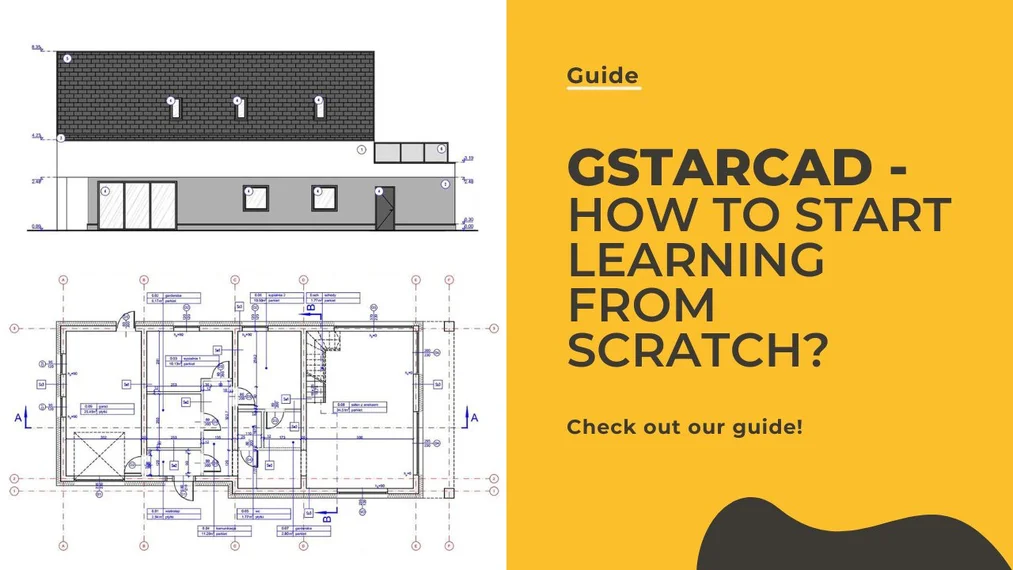
To learn GstarCad from scratch, choose a good online course. GstarCAD is a computer-aided design software. Its perpetual license and competitive price make GstarCad increasingly popular. Find out more and see if this software is right for you. Check out our online course - GstarCAD from the basics for beginners.
Index
GstarCAD – what kind of program is it
GstarCAD is a professional computer-aided vector design (CAD) program. It is fully compatible with .dwg and .dxf formats, making it an increasingly common alternative to AutoCAD. Currently, the publisher offers a perpetual license for the acquired software. The software was first released in 2002. The Polish distributor of the software is TM SYS sp. z o.o.
What is GstarCAD used for
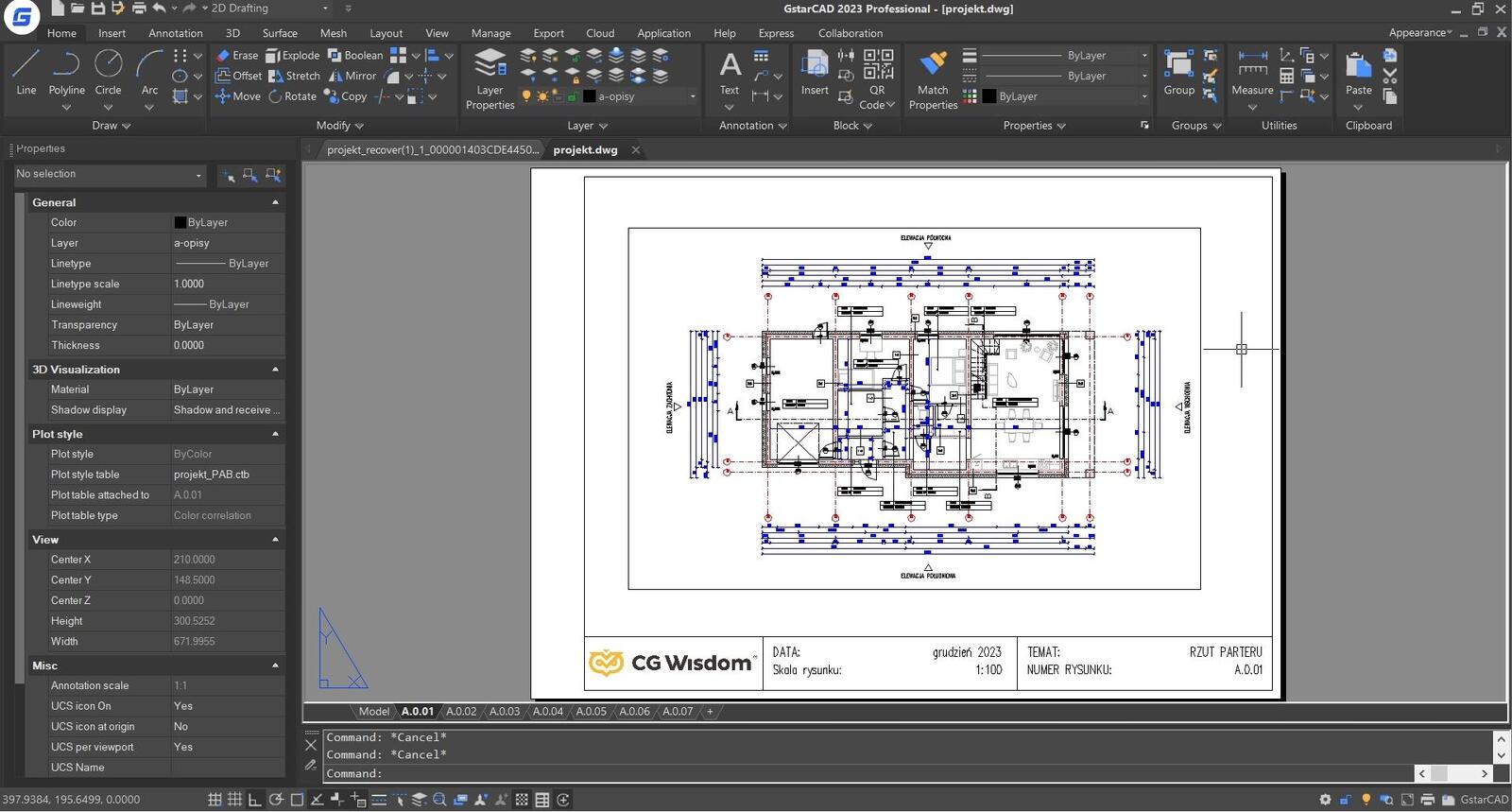
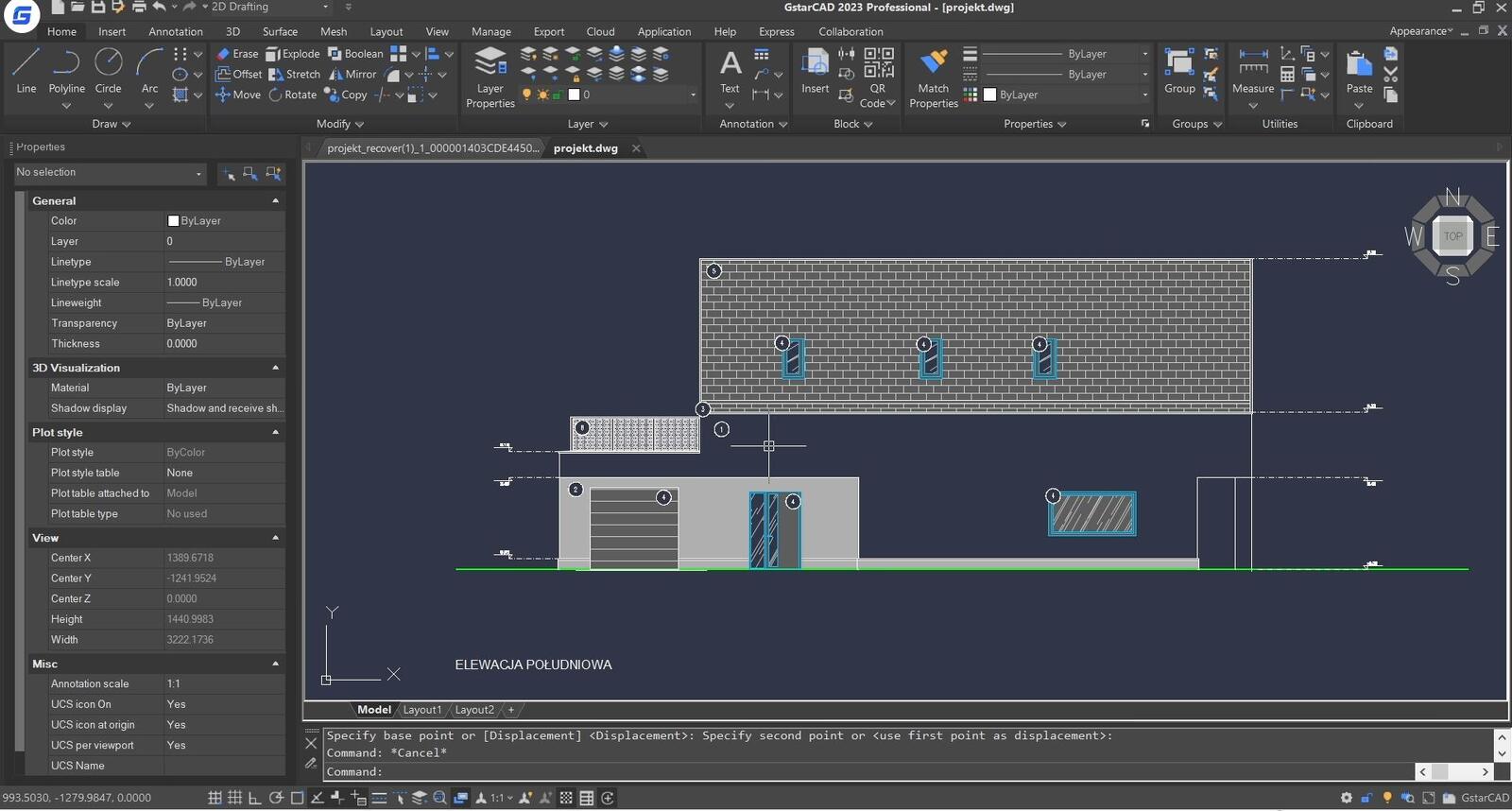
It is fully compatible with .dwg and .dxf formats. It is equipped with tools for 2D drawing and editing, and in the Professional version also with the full set of tools for creating 3D solids. Industry-specific and specialized add-ons provide useful tools for engineers and designers in various engineering fields. With the software, it is possible to create professional design documentation.
SEE ONLINE TRAINING – GSTARCAD BASICS FOR BEGINNERS
Why choose the GstarCAD program?
Compatibility with .dwg and .dxf formats means working in the most popular formats in the design world. It is possible to switch between programs like AutoCAD seamlessly and without data loss. GstarCAD works with the most recognized CAD software.
The program license is issued to the owner and is perpetual. This means that there is no need for periodic subscription renewals. Updates are released annually, allowing you to upgrade the software to the latest version. The changes continuously expand available features and introduce new capabilities.
Available specialized industry add-ons, enhanced with additional functions, streamline object design at various stages of the project for a wide range of professionals.
Open environment, supporting programming languages like VBA and Lisp, gives the possibility to create custom add-ons and plugins.
Who should choose GstarCAD?
GstarCAD is primarily a tool for:
- Architects and interior designers,
- Building designers and mechanical designers,
- Engineers in all branches of construction,
- Contractors.
Due to its perpetual license and competitive price, GstarCAD is gaining an increasingly wide audience in smaller studios as well as among independent designers. The program is ideal for creating precise documentation at every stage of design.
Is GstarCAD the right program for creating visualizations?
GstarCAD is not suitable as a primary program for creating object visualizations. The program’s tools and functions are not designed for realistic or expressive rendering of work. In the Professional version, GstarCAD is equipped with 3D modeling and rendering tools. However, the amount of work required to achieve a satisfactory result is disproportionately large. If you need photo-realistic visualizations, choose other programs with more advanced rendering engines and lighting generation. In that case, we recommend 3ds Max or SketchUp + V-Ray.
Where to get the GstarCAD program?
You can download the software from the official publisher’s website. A free 14-day demo version is available. After that period, you need to purchase a license.
How much does a GstarCAD license cost?
The price of GstarCAD depends on the version you choose. The Standard version costs approximately 1990 PLN net. The Professional version costs 2490 PLN net. Both prices apply to perpetual licenses and are current as of March 2023. You can also opt for a time-limited license. If you want to upgrade to the latest version, you will pay about two-thirds less than for a first-time license purchase.
Note! The distributor often announces attractive promotions on the software. During promotions you can buy, among other things, an update for 1 PLN to next year’s version or industry add-ons at a lower price.
For up-to-date prices, please visit the official product website.
LEARN GSTARCAD – CHECK BASIC TRAINING
GstarCAD Standard vs Professional – basic differences
GstarCAD Standard is a simplified version of the Professional software. However, keep in mind that the lower price comes with the limitation of some advanced features. In particular, note that the Standard version does not include tools for 3D object design. Therefore, if you know you need these features, you must choose the Professional software.
Regardless of the version you choose, GstarCAD is a very good tool. The program allows you to create full two-dimensional technical documentation.
I already have GstarCAD software. What’s next?
The hardest part is behind you. Once you install the software, open it and select a new drawing file. You can also use existing .dwg drawings. To work on your drawings, open the appropriate file from your disk.
CHECK ONLINE COURSE – GSTARCAD BASICS
GstarCAD from the basics – how to start learning?
There are many ways to learn GstarCAD. It depends on you which learning method suits you best.
How to learn GstarCAD?
- Self-study — You can start learning to use the program on your own. Initially, finding many functions will certainly take some time. But from your first contact with the program, you will be able to draw simple geometry. Moreover, if you have experience with AutoCAD, switching to GstarCAD will be virtually painless. Both programs are similar.
- Online tutorials and guides — From the very beginning, take care of accuracy and neatness in your projects. Also remember best practices. To develop good habits, watch online tutorials or guides. You will understand how the tools work better and you will certainly save time searching for the right and optimal solutions.
- GstarCAD Help — You can also use the built-in GstarCAD help. You will find descriptions of many tools and modifiers there. Another option is to get professional technical support from the distributor by phone or email.
- One-on-one tutoring — You can also use the help of a tutor. The instructor will tailor the program and training pace to your needs and skills. Another advantage of one-on-one work is that the tutor will answer your questions in real time. However, remember that you need to choose a competent person who will teach you to work in GstarCAD.
How long does it take to learn GstarCAD and is it difficult?
To master the basic drawing and annotation tools, you do not need to delve into the advanced functions offered by the program. These basic features will allow you to prepare complete documentation for designed houses. Learning to work with the basic tools should not take more than one working day (if you learn GstarCAD from courses or with a tutor).
It will take more time if you want to learn additional features in depth or understand the automation offered by the program. Do not waste time learning unnecessary features that you will not use. Remember that you can always look for solutions to problems in available GstarCAD guides or courses. When you immediately apply knowledge in practice, it will stay with you longer.
Learning GstarCAD – basic tutorial
If you learn GstarCAD from materials available on the Internet, verify whether the trainer has the appropriate qualifications. Carefully choose training materials, because it is from them that you will adopt habits that you will implement in your work. Therefore, make sure to establish good drawing habits from the beginning.
In a good tutorial, you will learn not only how to use the basic tools, but also understand:
- How a given tool works
- What input data it requires
- What you can modify in that tool
Additionally, you will learn how to use it in a simple way.
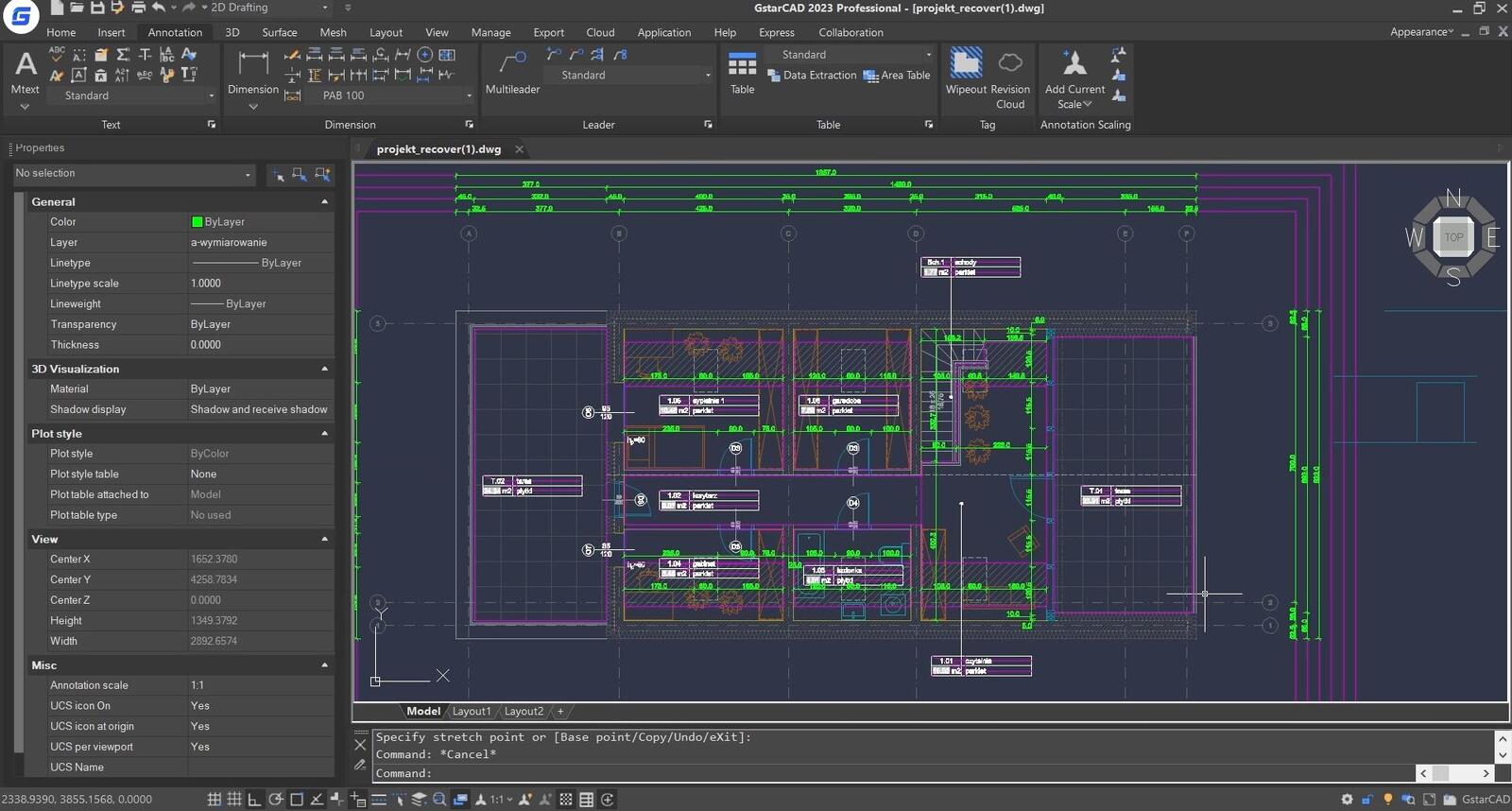
Guide: what to pay attention to when learning GstarCAD from scratch?
Although the program has an intuitive interface and is quite easy to use, pay attention to:
- Keyboard shortcuts and using them from the very beginning. This does not directly affect the final appearance of the project, but can significantly speed up the drawing process. Strive to work efficiently and quickly.
- Conscious use of layers and their settings — keep track of which layer each object is on.
- Navigating model layers and using global settings — you will save time when you don’t need to rely on individual object settings.
How to learn GstarCAD? Recommended Courses
Start with our GstarCAD course for absolute beginners if you are just starting your journey with the program. In the course, you will gain extensive knowledge of the software’s operation.
Best regards!
Author

Read on our blog
-
![Profile Builder 4 or Magic Molding? Comparison of Ornamentation Plugins in SketchUp]()
Profile Builder 4 or Magic Molding? Comparison of Ornamentation Plugins in SketchUp
How does Profile Builder 4 differ from Magic Molding? Scope, pricing, profile libraries, and learning curve. Find out which plugin fits your projects. -
![The Best Free SketchUp Plugins for Interior Designers in 2026!]()
The Best Free SketchUp Plugins for Interior Designers in 2026!
Which SketchUp plugins are really worth having? Discover 7 free extensions for interior designers and find out which ones have just stopped being free! -
![English wainscoting in SketchUp - how to design wall panels step by step]()
English wainscoting in SketchUp - how to design wall panels step by step
How to design English wainscoting in SketchUp? Learn the rules for panel division, wainscot proportions, and speed up your work with the Magic Molding plugin. -
![Reversed Faces in SketchUp – why are blue faces showing and how to fix them?]()
Reversed Faces in SketchUp – why are blue faces showing and how to fix them?
Blue faces in SketchUp are flipped faces. Learn where they come from, how to quickly locate and fix them before they mess up your render or model export.



