 EN
EN PL
PL ES
ES


Publication date: 21-05-2025 | Update date: 21-05-2025 | Author: Piotr Kurpiewski

-
Online courses
- All
 3ds Max
 AI - Artificial Intelligence
 Blender
 Corona renderer
 GstarCAD
 LayOut
 Photoshop
 Interior Design
 Revit
Revit Sketchup
 Stable Diffusion
 V-ray
V-ray
"Online courses" are comprehensive online training programs that will help you quickly master the software you are interested in.
- Plugins
- 3D Models
- Help
- Articles
SketchUp - V-Ray - How to Make a Mirror? Guide, Tutorial
To create a mirror in SketchUp using V-Ray, you need to properly configure the material to accurately replicate its reflective properties. Start by changing the Reflection Color parameter: the lighter the color, the stronger the reflections will be. Then set the Index of Refraction (IOR). To make the material behave like a mirror, set the IOR to a value between 10 and 100. You can experiment with different values to achieve the desired effect. Read the post and check out the visualization comparisons.
Index
Materials created in SketchUp by default have only two attributes: color or texture and transparency. This is not enough to effectively recreate a mirror. A mirror is color-neutral and entirely opaque. Its most important characteristic is reflecting the surroundings.
Reflection
In V-Ray, the Reflection parameter is responsible for reflecting the environment. This property is common to all materials. If you look around, you'll surely find convincing examples: a laminated desktop, the glossy surface of a monitor, or a plastic chair—all reflect to varying degrees.
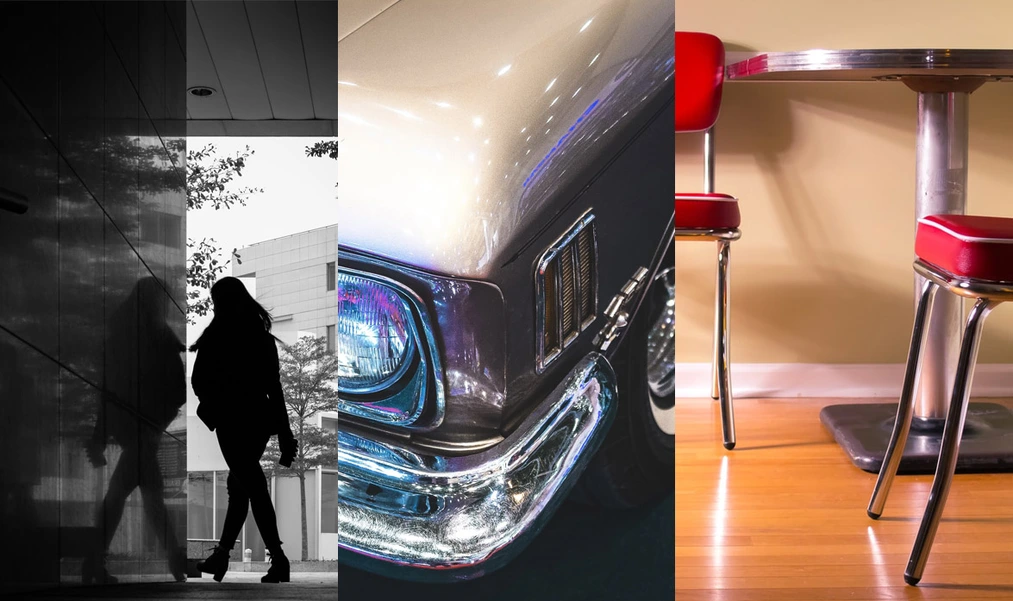
In a mirror, this effect is particularly pronounced; so much so that you can clearly see your reflection in its surface.
How to set up a mirror in V-Ray?
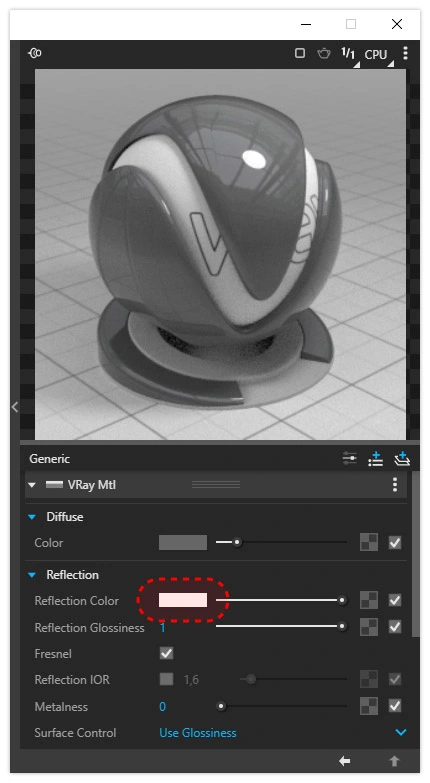
To enable reflections on a material surface, change the Reflection Color in the Reflection panel from black to white. The lighter the color, the stronger the reflections.
CHECK OUT ONLINE SKETCHUP COURSES FOR BEGINNERS
The strength of reflections is governed by the refractive index, or IOR. This physical variable measures the change in wave speed in one medium relative to another. Simply put, the higher the IOR, the more mirror-like the material behaves.
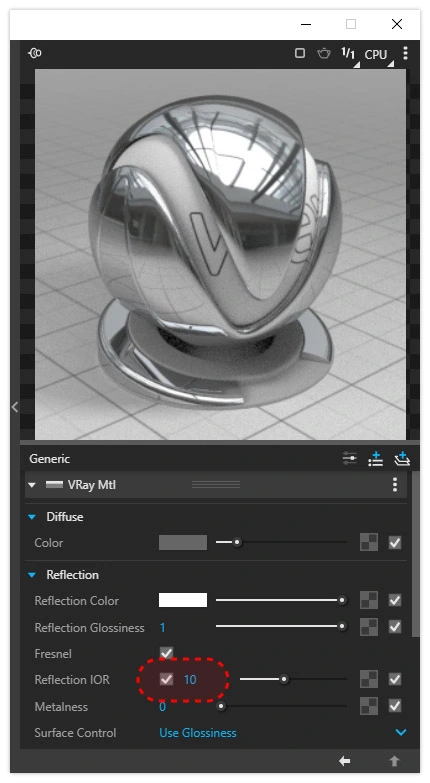
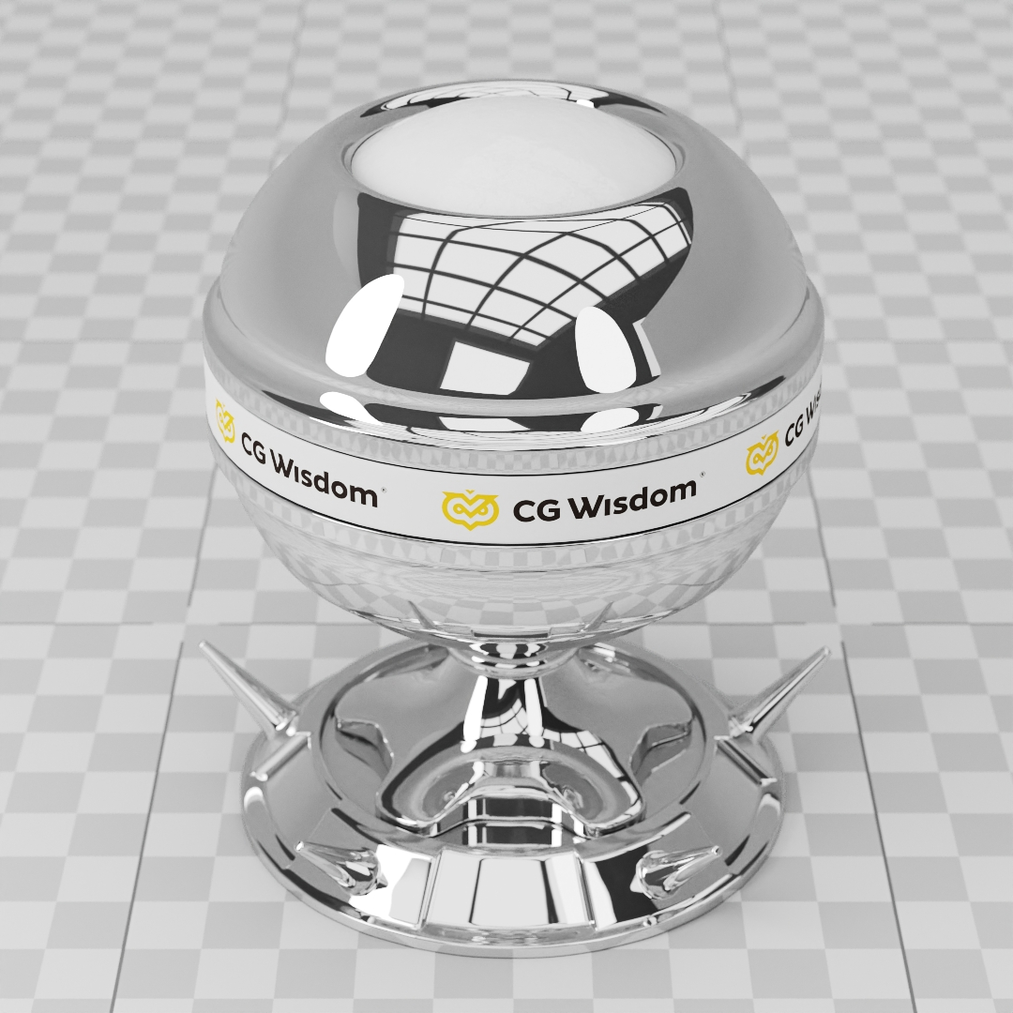
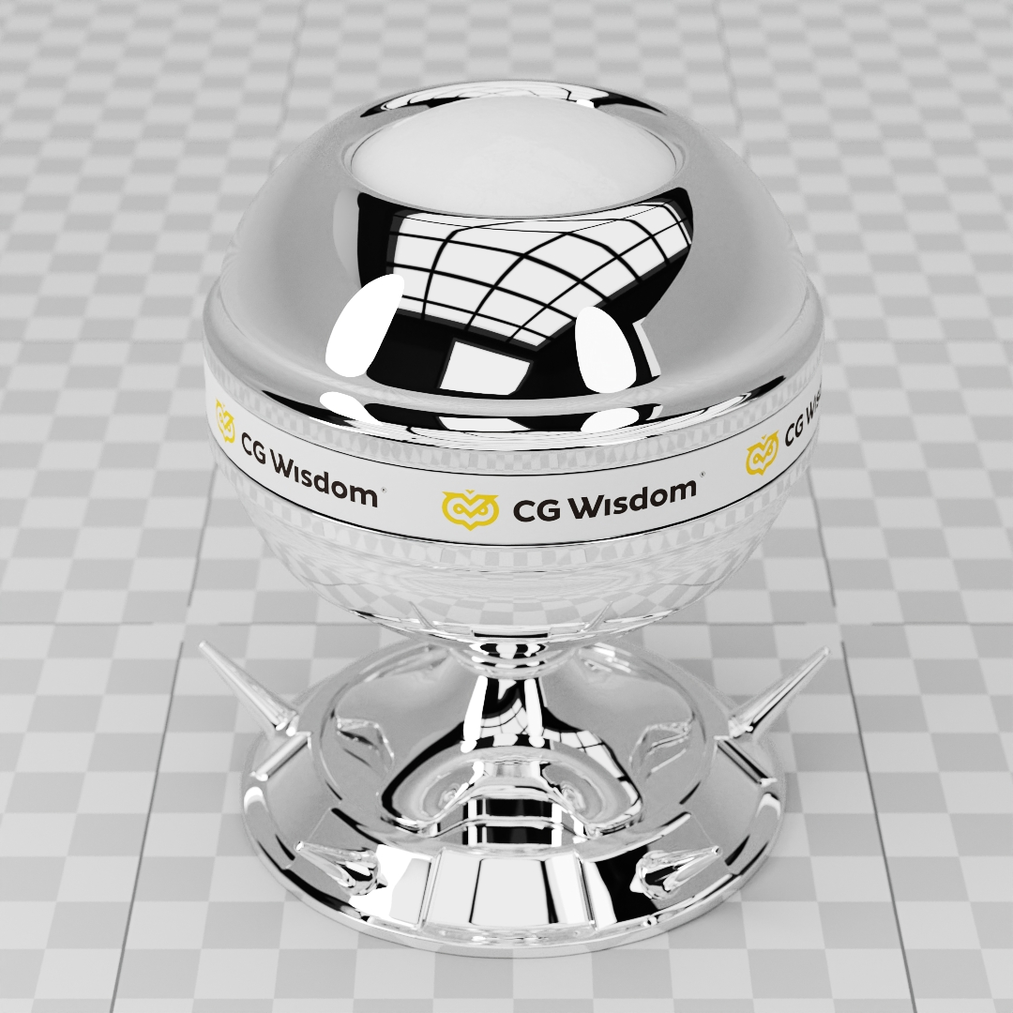
By default, the Index of Refraction (IOR) is 1.6, which roughly corresponds to plastic, lacquer, or glass. A material will only start behaving like a mirror at IOR = 10, though you can also use a value of 100. Below you can see a comparison of IOR = 10 (on the left) and IOR = 100 (on the right).
Summary
The most important characteristic of a mirror is its strong reflection of the surroundings. You achieve this by setting the Reflection Color to white and the Index of Refraction to a value between 10 and 100. The color is not that critical—black or gray will still produce a convincing result.
Author

Przeczytaj o programie Sketchup na naszym blogu
-
![Profile Builder 4 or Magic Molding? Comparison of Ornamentation Plugins in SketchUp]()
Profile Builder 4 or Magic Molding? Comparison of Ornamentation Plugins in SketchUp
How does Profile Builder 4 differ from Magic Molding? Scope, pricing, profile libraries, and learning curve. Find out which plugin fits your projects. -
![The Best Free SketchUp Plugins for Interior Designers in 2026!]()
The Best Free SketchUp Plugins for Interior Designers in 2026!
Which SketchUp plugins are really worth having? Discover 7 free extensions for interior designers and find out which ones have just stopped being free! -
![English wainscoting in SketchUp - how to design wall panels step by step]()
English wainscoting in SketchUp - how to design wall panels step by step
How to design English wainscoting in SketchUp? Learn the rules for panel division, wainscot proportions, and speed up your work with the Magic Molding plugin. -
![Reversed Faces in SketchUp – why are blue faces showing and how to fix them?]()
Reversed Faces in SketchUp – why are blue faces showing and how to fix them?
Blue faces in SketchUp are flipped faces. Learn where they come from, how to quickly locate and fix them before they mess up your render or model export.



