EN
EN PL
PL ES
ES


Publication date: 29-12-2025 | Update date: 29-12-2025 | Author: Mateusz Ciećwierz

-
Online courses
- All
 3ds Max
 AI - Artificial Intelligence
 Blender
 Corona renderer
 GstarCAD
 LayOut
 Photoshop
 Interior Design
 Revit
Revit Sketchup
 Stable Diffusion
 V-ray
V-ray
"Online courses" are comprehensive online training programs that will help you quickly master the software you are interested in.
- Plugins
- 3D Models
- Help
- Articles
SketchUp - What is this program and is it for me?
SketchUp is one of the most recognizable 3D design tools in the world. It was created in the early 2000s with simplicity and accessibility in mind - and that's exactly what sets this program apart from the competition. Since then, it has gained enormous popularity among professional architects and interior designers, as well as people who simply want to design furniture or a garden gazebo.If you are wondering whether SketchUp is the right program for you, read this article to the end.
Index
Why SketchUp Has Conquered the 3D Design Market
According to the Chaos Group report, SketchUp is the most chosen 3D modeling software by architects. It's an impressive result that confirms the versatility of this application. The program runs on both Windows and Mac, and learning the basics takes literally just a few days. That’s why it's so often chosen by those who are just starting their journey in space design. In short, SketchUp offers an intuitive start, ease of use, and the ability to quickly move from concept to execution. The software allows you to immediately see geometry, colors, textures, and the relationships between individual elements of the project. That’s precisely why designers all over the world eagerly reach for this tool.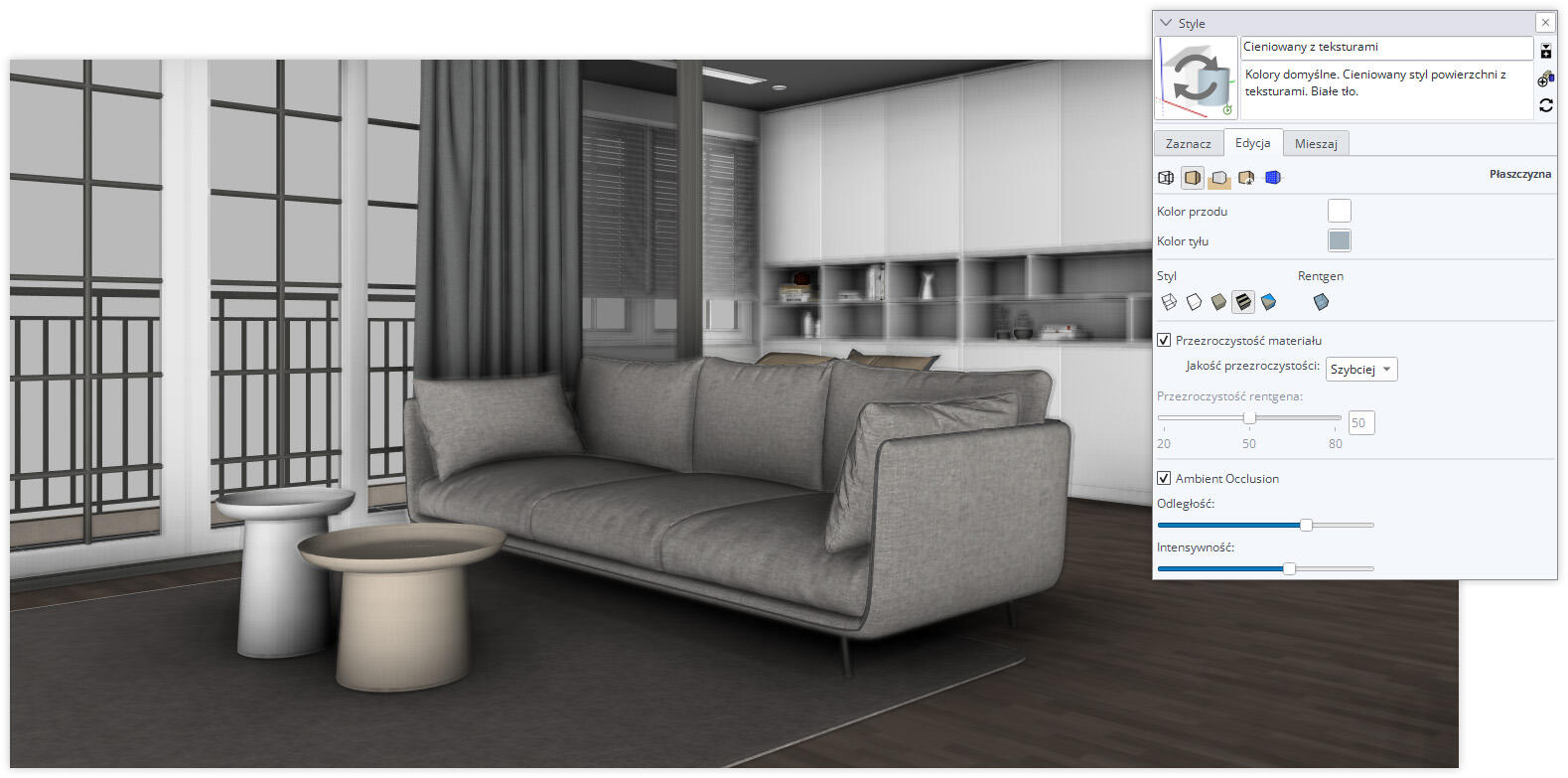
What Versions of SketchUp Are Available
The program is available in several versions, each tailored to different needs. You can find them all on the official website sketchup.com. SketchUp Free is a free browser-based version. It's ideal for beginners who want to quickly test something without installing the program. It offers basic tools and a very user-friendly interface. You can literally start drawing right away. SketchUp Go is the mobile version that works great if you're working in the field and want access to your projects from a tablet. It allows you to work with cloud files and sync across devices, but lacks professional tools. SketchUp Pro is the classic desktop version that most professionals use in their daily work. It lets you use the most important features, offers V-Ray integration, and allows you to create technical documentation in LayOut. If you want to learn this program without leaving home, check out the SketchUp Pro from Basics training, which will guide you through all the essential functions. SketchUp Studio is the most comprehensive version, including additional tools such as Sefaira for building energy analysis. This is the option for those who already work on the most complex architectural projects, using integration with, among others, Revit. In summary – if you're starting out, choose SketchUp Free. If you need advanced features, consider the Pro or Studio version. You can use the 7-day free trial of SketchUp Pro to see if the program meets your expectations.
Key Advantages of SketchUp
One of the biggest advantages of SketchUp is that you'll learn it very quickly. Even without any 3D software experience, you can create your first model after just a few days. Everything works intuitively, like drawing with a pencil in space. The program is great for a variety of fields – from interiors and architecture to furniture and DIY projects. A huge convenience is access to the 3D Warehouse – a free library with over 5 million models. There you'll find furniture, fixtures, and structural elements. You can learn more about this library in the article about 3D Warehouse – what it is and how to use it. If you're missing something, you can extend SketchUp’s capabilities with plugins from the Extension Warehouse. From stairs and fabric simulations to photorealistic rendering. The Pro and Studio versions also provide access to LayOut – a tool for creating technical drawings. Based on your model, you prepare full documentation – sections, plans, annotations for contractors. If you're curious about this functionality, check out the guide explaining what LayOut is and what it’s used for.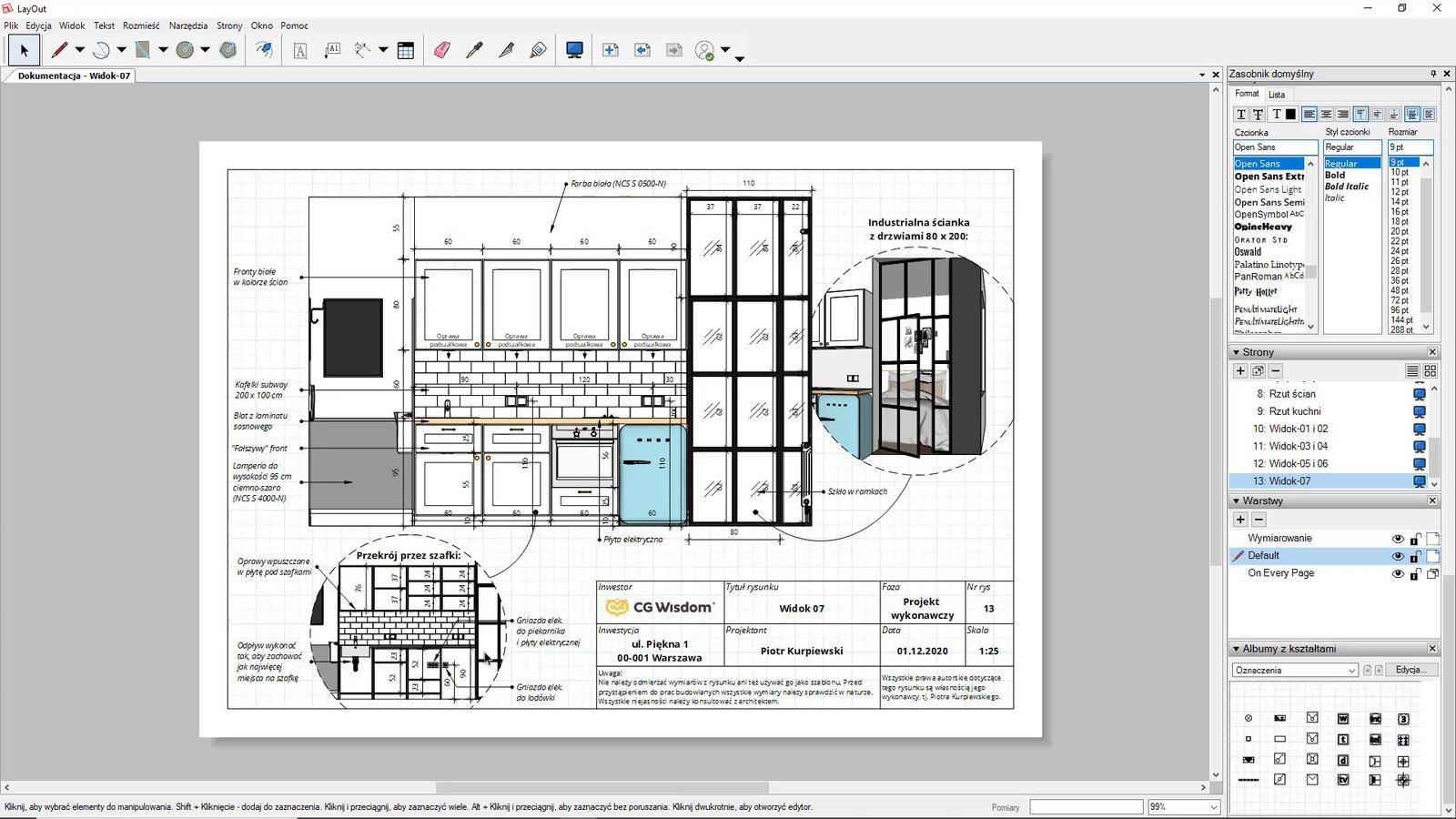
Limitations You Should Know About
However, there are also drawbacks. SketchUp does not perform well with complex organic shapes. If you want to create 3D characters, it might be better to use Blender for that. In large projects, you also need to keep an eye on file organization so as not to slow down the workflow. Programs like 3ds Max handle large scopes better. If you're wondering which program to choose between these, you might be interested in the 3ds Max vs. SketchUp comparison. It's also worth remembering that for advanced visualizations or animations you'll need additional tools like V-Ray or Enscape. But this is rather universal for all 3D programs available on the market.Practical Workflow in SketchUp
Let’s look at a practical example. You start with an idea – you make a simple concept sketch in SketchUp. Thanks to ready-made components from 3D Warehouse, you don't have to model everything from scratch. In a few days, you have the complete project with geometry, colors, and textures. To showcase the project even better, you move on to the visualization stage. You use V-Ray and prepare a render that looks like a photo for client presentation.CHECK THE COURSE – SketchUp – LayOut From Basics – Apartment Project Preparation
After the concept is approved, you move on to technical documentation in LayOut. You create drawings, add dimensions, annotations, and prepare a complete set of materials for contractors. This workflow is very efficient. Everything is done in one file – concept, visualization, and documentation. You don't have to redraw everything from scratch when creating technical documentation, like in AutoCAD. That's why SketchUp works so well for architects, interior designers, and carpenters.Expert's opinionPiotr KurpiewskiArchitekt, Grafik, Wykładowca PJATK w Warszawie
SketchUp is a program that revolutionizes how designers communicate their ideas. In my architectural practice, I value it primarily for its speed – from a concept sketch to a client presentation takes literally a few hours instead of days. The ability to instantly visualize space in 3D allows me to quickly verify design solutions and avoid costly errors. It's a tool that works perfectly for both small interior projects and large architectural undertakings.
Is SketchUp for You
To the point – should you choose SketchUp for your everyday work? If you value simplicity, quick results, and a comprehensive approach to design, then definitely yes. The program is ideal for those who are just starting their journey in 3D modeling, but it also works well in the hands of experienced professionals. The ability to quickly go from sketch to finished technical documentation makes it a versatile and noteworthy tool. If you want to master SketchUp from the ground up and learn how to create professional visualizations, be sure to check out our online SketchUp courses, which will help you develop your skills in this area.Author

Przeczytaj o programie Sketchup na naszym blogu
-
![Profile Builder 4 or Magic Molding? Comparison of Ornamentation Plugins in SketchUp]()
Profile Builder 4 or Magic Molding? Comparison of Ornamentation Plugins in SketchUp
How does Profile Builder 4 differ from Magic Molding? Scope, pricing, profile libraries, and learning curve. Find out which plugin fits your projects. -
![The Best Free SketchUp Plugins for Interior Designers in 2026!]()
The Best Free SketchUp Plugins for Interior Designers in 2026!
Which SketchUp plugins are really worth having? Discover 7 free extensions for interior designers and find out which ones have just stopped being free! -
![English wainscoting in SketchUp - how to design wall panels step by step]()
English wainscoting in SketchUp - how to design wall panels step by step
How to design English wainscoting in SketchUp? Learn the rules for panel division, wainscot proportions, and speed up your work with the Magic Molding plugin. -
![Reversed Faces in SketchUp – why are blue faces showing and how to fix them?]()
Reversed Faces in SketchUp – why are blue faces showing and how to fix them?
Blue faces in SketchUp are flipped faces. Learn where they come from, how to quickly locate and fix them before they mess up your render or model export.




Want to learn Sketchup? Check out our free online course!