EN
EN PL
PL ES
ES


Publication date: 27-01-2026 | Update date: 26-01-2026 | Author: Piotr Kurpiewski

-
Online courses
- All
 3ds Max
 AI - Artificial Intelligence
 Blender
 Corona renderer
 GstarCAD
 LayOut
 Photoshop
 Interior Design
 Revit
Revit Sketchup
 Stable Diffusion
 V-ray
V-ray
"Online courses" are comprehensive online training programs that will help you quickly master the software you are interested in.
- Plugins
- 3D Models
- Help
- Articles
Why SketchUp Is the Best Program for Interior Design?
SketchUp is a versatile and intuitive tool for interior design that allows you to create stunning 3D layouts. Thanks to its clear interface and access to a rich library of ready-made 3D models, even beginner users quickly master the basics of the program. SketchUp also offers the ability to create photorealistic renderings using V-Ray and to prepare technical documentation in LayOut. It’s the ideal tool for both professional designers and hobbyists who want to create functional and aesthetically pleasing spaces.
Index
SketchUp is an extremely intuitive and functional interior design software that allows you to create impressive 3D layouts. With it, you can easily design your dream kitchen, bathroom, living room or bedroom, as well as office and commercial spaces. SketchUp provides all the necessary tools to meet the expectations of even the most demanding clients.
The program interface is clear and easy to use, which allows you to quickly master the basics of working in SketchUp. Regular practice and acquiring theoretical knowledge enable creating increasingly advanced projects. It’s worth having SketchUp at hand when working daily with interior visualizations, regardless of the project's complexity.
Key benefits:
- Intuitive interface facilitating 3D design
- Ability to create interior layouts for residential and commercial spaces
- Customization of designs to clients' individual needs
- Quick mastery of the basics in the software
- Tools allowing the creation of advanced visualizations
Ease of use of the 3D design software
SketchUp is a tool that can be used by both beginners and advanced users. The software features ease of use and an intuitive interface, which allows quick mastery of the basics of 3D design. Even without prior experience, users are able to learn how to create spatial models in a short time.
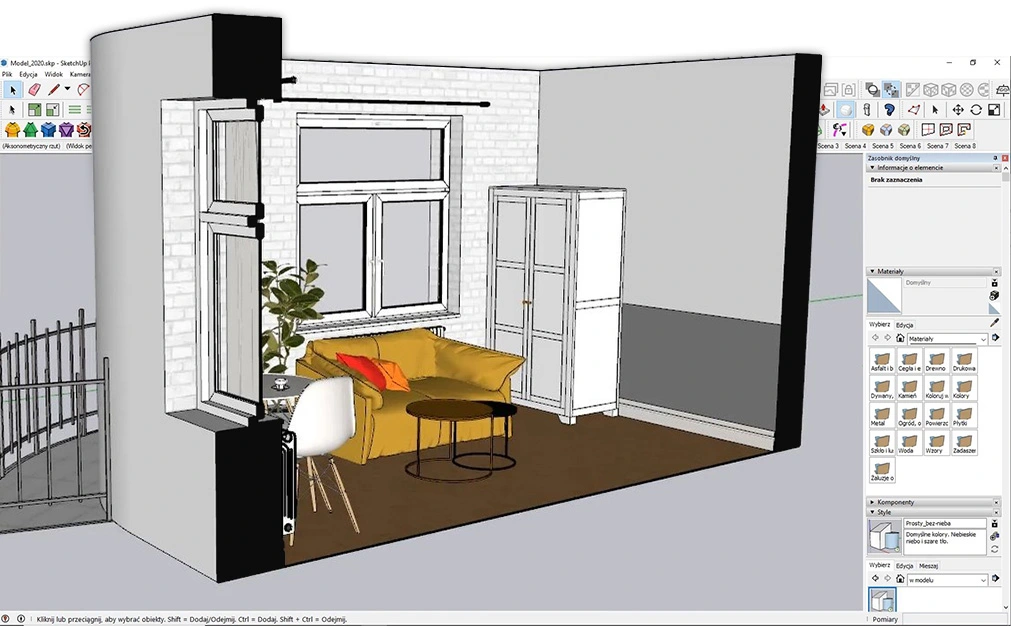
Intuitive SketchUp Interface
The first encounter with SketchUp is very pleasant. The interface is clear and not overwhelmed with excess options. The tool icons are readable and aesthetically pleasing, which makes navigation easier and speeds up learning. Thanks to the intuitive layout, the user can focus on creating their project without constantly searching for the needed functions.
Quick mastery of the basics of working in SketchUp
Modeling solids in 3D space in SketchUp is simple and logical. By using basic tools such as:
- Lines
- Shapes
- Surfaces
- Solids
We can quickly create complex shapes and give them a realistic appearance. The learning process is smooth, and the acquired skills are lasting and easy to use in subsequent projects. SketchUp allows for intuitive exploration of 3D design principles, which is crucial for those taking their first steps in this field.
Interior design in SketchUp and access to free 3D libraries
SketchUp is a powerful interior design tool that offers access to enormous resources of ready-made 3D models. This means you don’t have to create everything from scratch, which significantly speeds up and simplifies working on space layouts.
Using ready-made 3D models in SketchUp libraries
SketchUp has a built-in library, 3D Warehouse, which is the largest collection of free 3D models in the world. You will find practically everything you need for your project in it – from furniture and windows to doors, plants, people, and animals. Many well-known brands and designers share their products in this library, giving you access to up-to-date and realistic SketchUp components.
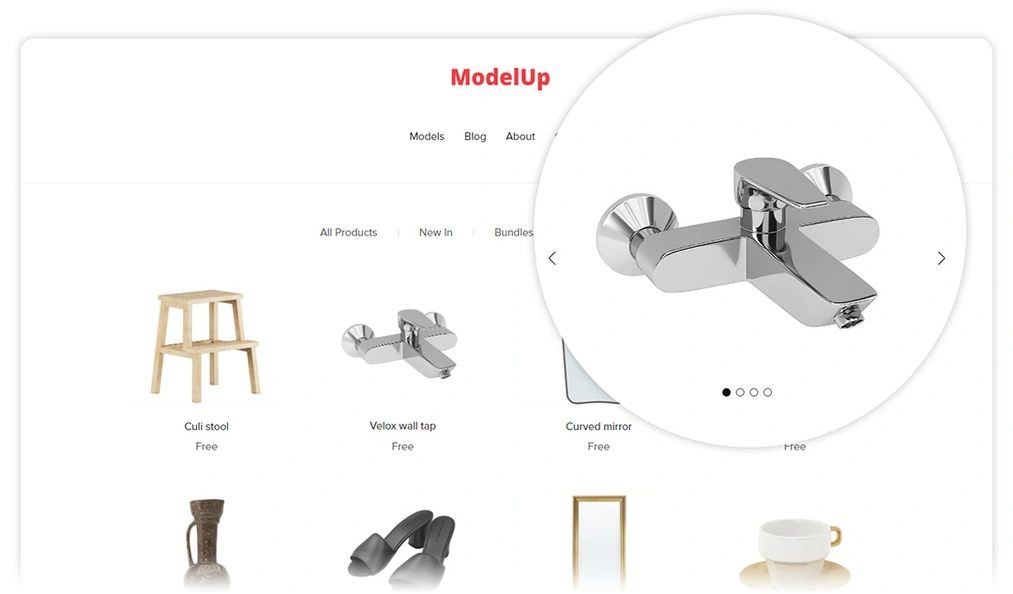
Besides the extensive 3D Warehouse library, there are also smaller, boutique model bases, such as ModelUp. It is a platform with models that are perfectly optimized for use in SketchUp and V-Ray. Objects downloaded from there have realistic materials and look great in visualizations.
Using ready-made 3D models is a huge time saver and allows for creating more detailed compositions. You just search for the model you’re interested in, download it, and insert it into your project. You can also modify these components to your needs by adjusting their dimensions, colors, or materials.
SketchUp – extensions and plugins that improve workflow
SketchUp offers a range of useful plugins and extensions that significantly improve the interior designer’s workflow. Thanks to them, you can quickly and efficiently go from the initial concept to a photorealistic visualization, prepare precise technical documentation, and present the project to the client. If you want to learn about the most popular SketchUp plugins and how to use them, you’ll be interested in our special development path – Effective use of plugins in SketchUp.
Photorealistic visualizations with V-Ray for SketchUp
V-Ray is one of the most popular rendering engines and works perfectly with SketchUp. With it, you can create high-quality renderings that present the final effect of your interior design project. V-Ray allows precise adjustment of lighting, materials, and textures, enabling you to achieve photorealistic visualizations.
Creating technical documentation in LayOut
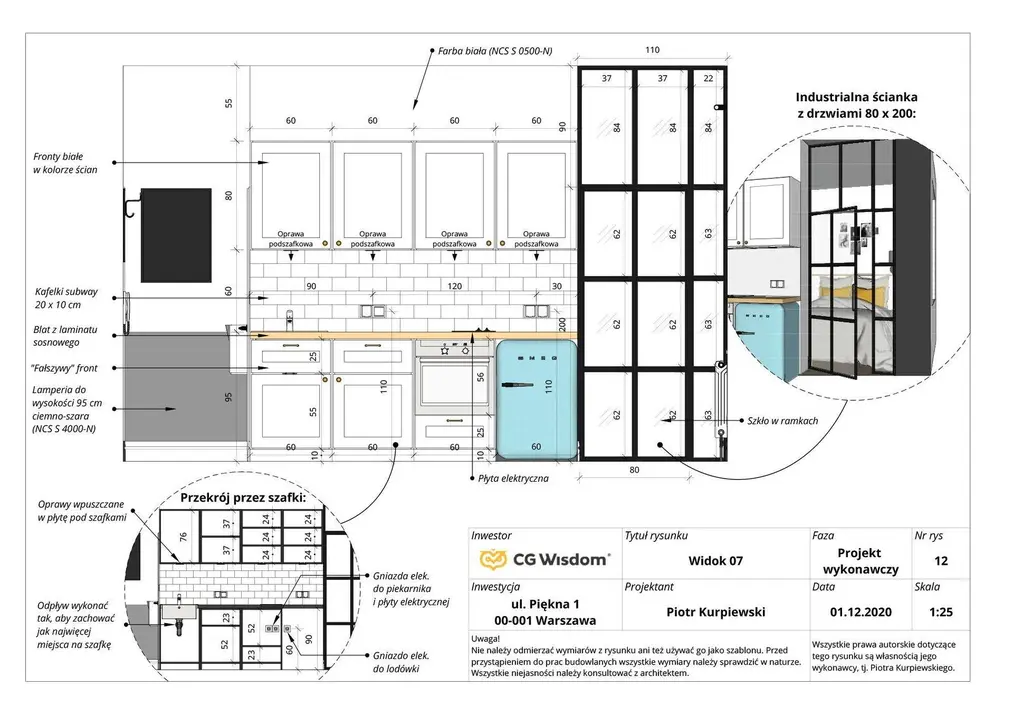
LayOut is an application that is part of the SketchUp Pro suite. It allows you to directly prepare detailed technical documentation based on the 3D model created in SketchUp. With LayOut you can:
- Create clear technical drawings with dimensions and annotations
- Add sections, views, and details
- Generate bills of materials and equipment schedules
Documentation prepared in LayOut contains all the necessary information needed to execute an interior project. If you want to learn more about this software, be sure to read our article titled What is LayOut and what is it used for?
Remote project presentations using SketchUp Viewer
SketchUp Viewer is a free application that enables the presentation of 3D models created in SketchUp. With it, you can easily show the project to your client, even if they don’t have SketchUp installed. The client can inspect every detail closely, and together you can discuss the choice of colors, lighting, or furnishings. SketchUp Viewer makes remote project presentations simple and effective.
Conclusion
SketchUp is the most popular tool for interior design, offering many advantages for professional designers and hobbyists. Its intuitive interface and ease of use mean that even beginners can quickly master the basics and start creating impressive projects.
Access to extensive libraries of ready-made 3D models, such as 3D Warehouse and ModelUp, saves time and increases work efficiency. Extensions and plugins such as V-Ray and LayOut enable the creation of photorealistic visualizations and technical documentation, raising the quality and professionalism of projects.
If you are looking for the best interior design software, SketchUp will certainly meet your expectations. Its advantages make it a tool that will allow you to stand out from the competition and offer clients top-quality projects. Choose SketchUp and start creating layouts that will impress everyone!
FAQ
Is SketchUp easy to use for beginners?
Yes, SketchUp has an intuitive and clear interface that allows you to quickly master the basics. Even without prior preparation, you can learn how to create 3D projects.
Are there ready-made 3D models available in SketchUp that you can use in projects?
Yes, SketchUp has the largest library of ready-made 3D models in the world, called 3D Warehouse. You will find practically everything in it – furniture, windows, people, animals, plants, and even entire residences. There are also smaller, better-curated collections, such as ModelUp.
Is it possible to create photorealistic visualizations in SketchUp?
Yes, thanks to V-Ray for SketchUp, you can obtain high-quality visualizations that will present the final effect of work on individual interior projects.
Can you prepare technical project documentation in SketchUp?
Yes, when working in SketchUp you have the ability to directly prepare precise technical documentation using the LayOut application. You will create clear documents with the necessary annotations, dimensions, and instructions.
Is it possible to remotely present a project to clients?
Yes, thanks to the free SketchUp Viewer application, you can present 3D models to clients remotely. The client will be able to examine every detail of the project, and together you can discuss the choice of lighting, tiles, wall colors, and other furnishings.
What are the main advantages of SketchUp as an interior design program?
The main advantages of SketchUp are its ease of use, access to ready-made 3D models, the capability to create photorealistic visualizations, and technical documentation. This makes it the best choice for professional designers as well as hobbyists who want to create beautiful and functional layouts.
Author

Przeczytaj o programie Sketchup na naszym blogu
-
![Profile Builder 4 or Magic Molding? Comparison of Ornamentation Plugins in SketchUp]()
Profile Builder 4 or Magic Molding? Comparison of Ornamentation Plugins in SketchUp
How does Profile Builder 4 differ from Magic Molding? Scope, pricing, profile libraries, and learning curve. Find out which plugin fits your projects. -
![The Best Free SketchUp Plugins for Interior Designers in 2026!]()
The Best Free SketchUp Plugins for Interior Designers in 2026!
Which SketchUp plugins are really worth having? Discover 7 free extensions for interior designers and find out which ones have just stopped being free! -
![English wainscoting in SketchUp - how to design wall panels step by step]()
English wainscoting in SketchUp - how to design wall panels step by step
How to design English wainscoting in SketchUp? Learn the rules for panel division, wainscot proportions, and speed up your work with the Magic Molding plugin. -
![Reversed Faces in SketchUp – why are blue faces showing and how to fix them?]()
Reversed Faces in SketchUp – why are blue faces showing and how to fix them?
Blue faces in SketchUp are flipped faces. Learn where they come from, how to quickly locate and fix them before they mess up your render or model export.




Want to learn Sketchup? Check out our free online course!