EN
EN PL
PL ES
ES


Publication date: 29-04-2025 | Update date: 23-02-2026 | Author: Piotr Kurpiewski

-
Online courses
- All
 3ds Max
 AI - Artificial Intelligence
 Blender
 Corona renderer
 GstarCAD
 LayOut
 Photoshop
 Interior Design
 Revit
Revit Sketchup
 Stable Diffusion
 V-ray
V-ray
"Online courses" are comprehensive online training programs that will help you quickly master the software you are interested in.
- Plugins
- 3D Models
- Help
- Articles
SketchUp - Perfect floor in 3 clicks! Check out Custom Ground Wizard - the next Floor Generator
Discover the revolutionary extension Custom Ground Wizard - a tool designed for interior design professionals and enthusiasts that generates realistic floors (and walls) in SketchUp in just a few clicks. In this article, you will learn how, thanks to the intuitive interface and precise settings, you can control every aspect of the generated surfaces: from tile dimensions and gaps, through complex patterns, to advanced texturing and beveling options. Custom Ground Wizard is the next Floor Generator.
Index
The design of floors, walls, and ceilings in SketchUp often involves tedious, manual operations that consume a lot of time and energy. Traditional methods require precise placement of each element - from tile dimensions to gaps arrangements. That's why we created the Custom Ground Wizard - a modern, intuitive extension that generates perfectly laid surfaces in just three clicks. This solution addresses the difficulties known to users of the Floor Generator, which has not been developed since 2018.
Why choose Custom Ground Wizard?
Custom Ground Wizard is designed for interior designers, architects, and students who expect fast, precise, and intuitive tools. Our extension is available for free in beta version, allowing for testing and providing feedback that will contribute to its further development. With Custom Ground Wizard, you can minimize the design time starting today.
Features of Custom Ground Wizard
Custom Ground Wizard is a comprehensive tool that automatically generates perfectly fitted surfaces in SketchUp in a few simple steps. With precise settings, creative layouts, and advanced texturing, you have full control over each element, from tile dimensions to the orientation of the entire grid. Below, you'll find a detailed description of each tab that will give your projects a new, photorealistic dimension.
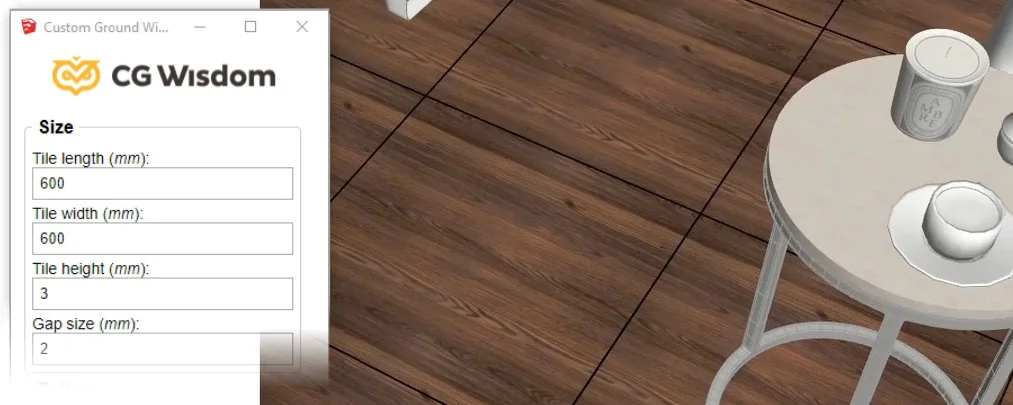
The “Size” tab allows you to set precise tile dimensions. In the Size panel, you enter precise tile values and set gap parameters, ensuring a consistent effect across the entire surface. Whether you're creating a floor, wall, or ceiling, the precise data allows for fast and seamless modeling.
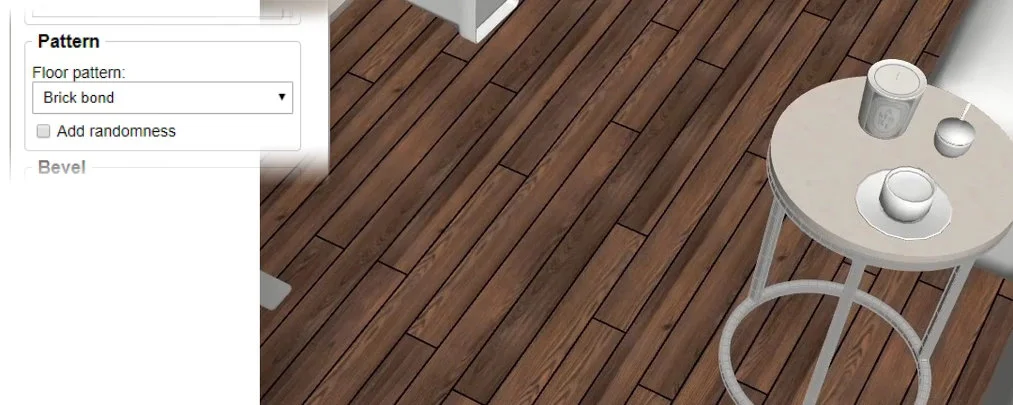
“Pattern” is the section where you choose how the tiles are laid out. You can choose between two layouts:
- Plain grid - a classic layout, ideal for tile, concrete slabs, and mosaics.
- Brick - a layout with staggered rows that mimics parquet, brick wall, or stone flooring.
The additional option of randomness gives the floor a natural feel. It allows you to add irregular offsets between tiles, while maintaining gap dimensions.
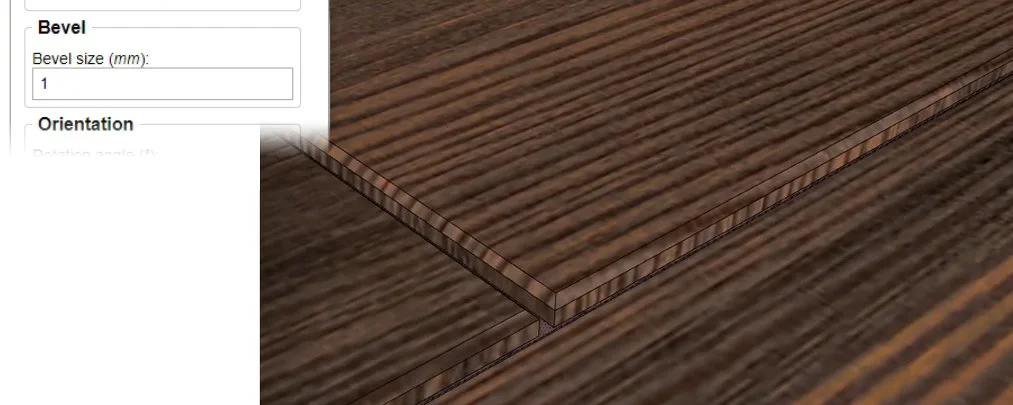
The beveling option allows you to bevel the edges of the tiles. It's a detail that makes a huge difference when it comes to photorealism. It gives floors a soft, natural finish. The solution helps bring the floors closer to reality and looks great in V-Ray.
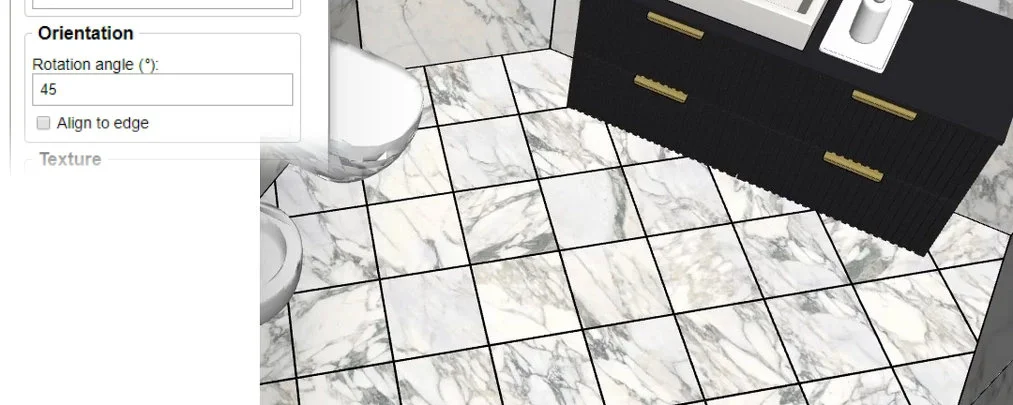
“Orientation” is the tab where you specify the rotation of the mesh. The recently fashionable 45-degree rotated tiles require multiple cutting operations; with our tool, the whole process takes literally a moment. You can set any rotation angle, which gives you full control over the end result.
The additional “Fit to edge” option automatically detects the most important edge of the selected surface and positions the tiles according to its direction.
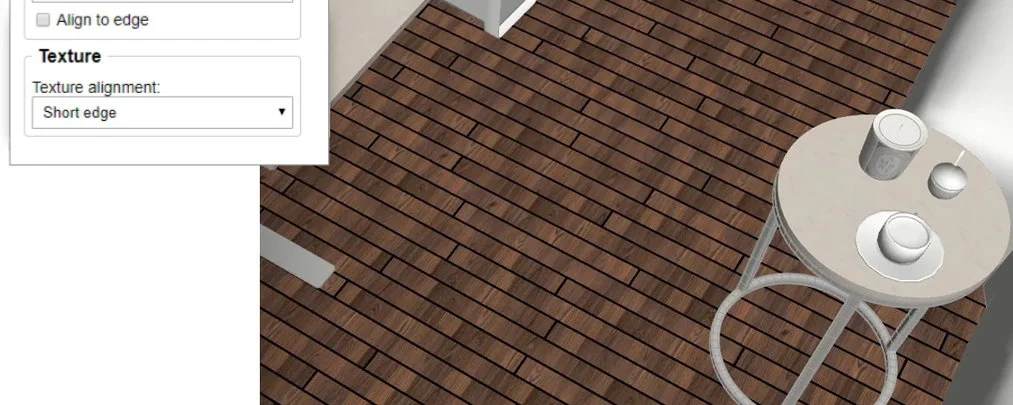
In the “Texturing” tab you can control the texture layout. Advanced texturing options allow you to precisely adjust the texture for each tile. You can select different modes:
- No adjustment - makes no changes to the texturing.
- Long edge - arranges the texture on the tiles along the U-axis of the map.
- Short edge - arranges the texture on the tiles along the V-axis of the map.
- Random (with a step of 90 degrees) - rotates the texture randomly, but every 90 degrees, so the floor layout will include tiles with maps rotated by 90, 180, and 270 degrees.
- Completely random - rotates the texture randomly without caring about any constraints. A great solution for marble, for example.
Application and demonstration of Custom Ground Wizard
The application of Custom Ground Wizard is not limited exclusively to floors. You can also generate wall and ceiling surfaces, creating complex layouts and effects that will perfectly fit into the arrangement of any interior.
To make you enjoy using the extension, we added the ability to undo generations. In large projects, the interrupt operation mechanism protects SketchUp from freezing. If an operation lasts longer than 10 seconds, you can automatically abort it without losing the effects of your work.
We encourage you to watch the instructional video, in which we present all the features and how Custom Ground Wizard works.
Limitations and future development plans
Please note that Custom Ground Wizard is in the early stage of development and has its limitations. At this point, the starting point for the generation cannot be precisely indicated, and the first tile always appears closest to the coordinate origin. In addition, the extension only supports convex surfaces. Attempting to generate on concave shapes results in an error.
Despite these limitations, we are actively working on improvements and hoping for your feedback, which will help us create an even better tool for you.
Download Custom Ground Wizard - the next generation of Floor Generator
Custom Ground Wizard is an innovative tool that will revolutionize the way you work in SketchUp. If you want to speed up your projects and generate realistic floors in a few seconds, download our extension now!
Do you have questions or suggestions? Contact us at kontakt@cgwisdom.pl or join our community on social media to stay up to date with the latest interior design trends.
Author

Read on our blog
-
![Magic Molding - stucco, moldings, and cornices in SketchUp in seconds]()
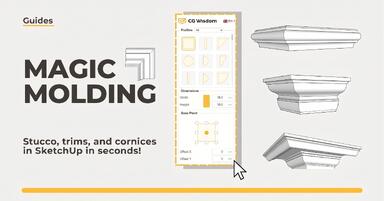
Magic Molding - stucco, moldings, and cornices in SketchUp in seconds
Does modeling baseboards, cornices, and stucco take you precious hours? Give up traditional methods and try the Magic Molding plugin, which will generate them for you. -
![AutoCAD or SketchUp - choose a course to start in architecture]()
AutoCAD or SketchUp - choose a course to start in architecture
Wondering which to choose: AutoCAD or SketchUp? Discover the differences, choose the right course, and start designing architecture and interiors -
![AutoCAD or Revit - when does switching programs make sense and when is it a waste of time?]()
AutoCAD or Revit - when does switching programs make sense and when is it a waste of time?
Stick with AutoCAD or choose Revit? Find out when investing in BIM truly pays off, and for which projects 2D documentation is sufficient. -
![Is GstarCAD as good as AutoCAD? Check out the comparison!]()
Is GstarCAD as good as AutoCAD? Check out the comparison!
Is GstarCAD a good alternative to AutoCAD? We compare the costs, interface, and features of both programs. See the comparison of perpetual licenses vs. subscriptions.