 EN
EN PL
PL ES
ES


Publication date: 24-11-2025 | Update date: 19-11-2025 | Author: Mateusz Ciećwierz

-
Online courses
- All
 3ds Max
 AI - Artificial Intelligence
 Blender
 Corona renderer
 GstarCAD
 LayOut
 Photoshop
 Interior Design
 Revit
Revit Sketchup
 Stable Diffusion
 V-ray
V-ray
"Online courses" are comprehensive online training programs that will help you quickly master the software you are interested in.
- Plugins
- 3D Models
- Help
- Articles
What are the most common mistakes made in Archicad by beginners?
Archicad is a powerful tool for architectural design that offers huge possibilities in creating technical documentation and BIM models. Despite its intuitive interface, people starting their journey with this program often make mistakes that can hinder work and prolong project completion time.Discover the most common pitfalls that beginner users fall into and learn how to avoid them.

Index
Lack of proper file structure and layer organization
One of the basic mistakes is chaotic project organization from the very beginning. Beginner users often neglect proper configuration of layers, layer combinations, and the graphic pen. The result is an unreadable project where it is difficult to find specific elements, and exporting documentation becomes a nightmare.
Archicad allows you to create a clear structure through the layer system – it is worth spending time on properly naming them and assigning them to specific building elements. This way you can quickly toggle the visibility of certain object groups, which greatly simplifies working on complex projects. It is also worth using logical layer naming from the outset, e.g. “Walls - Structural”, “Windows - External” or “Equipment - Sanitary”.
CHECK ARCHICAD COURSES FROM BASICS FOR BEGINNERS
Incorrect setting of levels and stories
Another common problem is improper definition of building levels at the project start stage. Many beginners do not fully understand the difference between the zero level and other stories, which leads to issues with element heights and errors in sections.
The key is to understand that in Archicad each element is assigned to a specific reference level. Incorrect story height settings can result in walls being too short or too long, and stairs not connecting properly between levels. Before starting modeling, it is worth carefully planning the vertical structure of the building and ensuring that all levels are correctly defined.
See in our guide how to set the model display on the selected story.
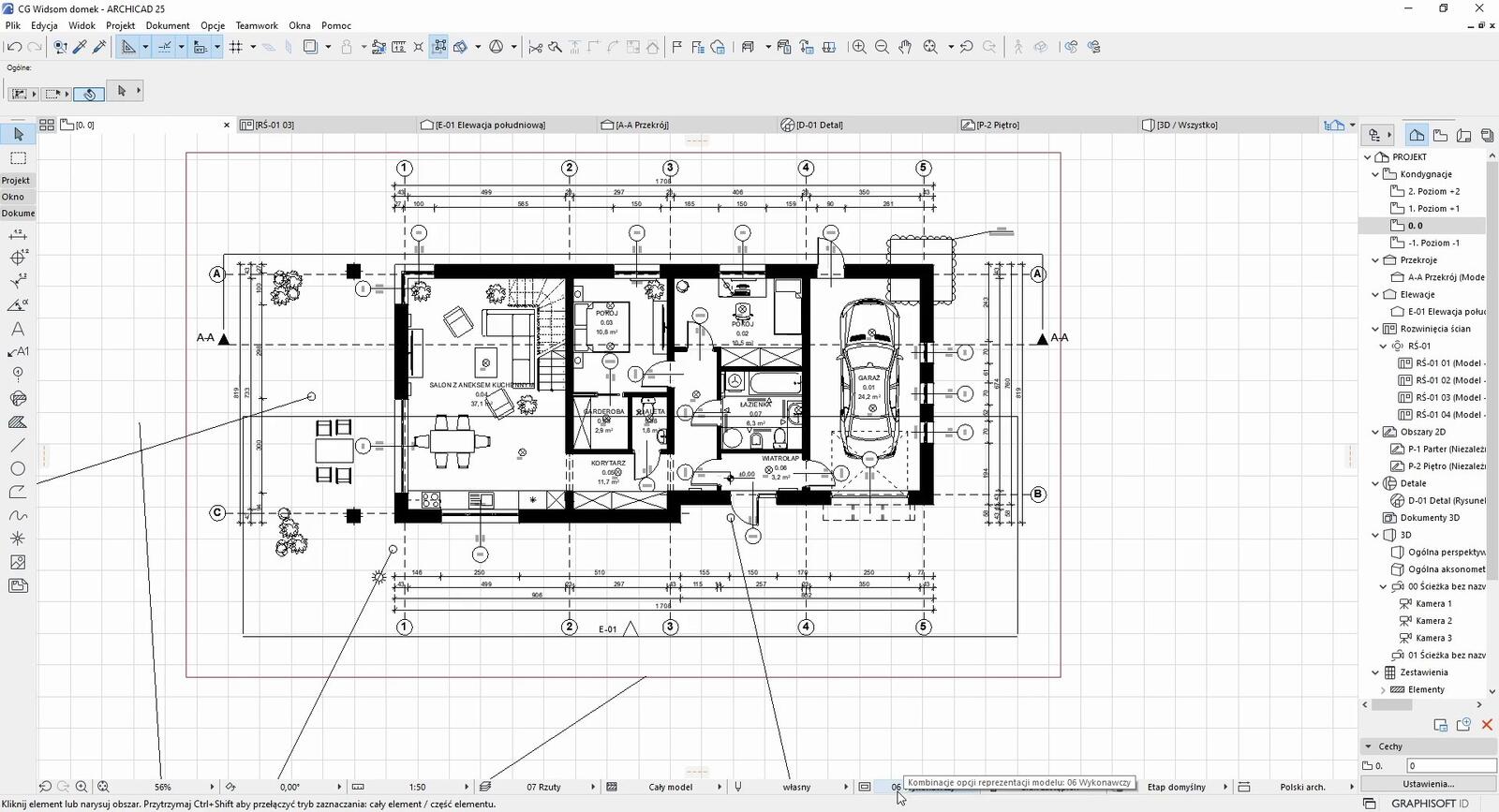
Neglecting tool settings and default values
Beginners often work with default tool settings without adapting them to the specifics of the project. This leads to every element requiring manual parameter modification after its creation. Meanwhile, Archicad offers the option to save favorite settings for individual tools.
It is worth taking time to configure default values for walls (thickness, materials, height), windows and doors (dimensions, type), and structural elements. You can also create your own favorites libraries, which will speed up work and ensure consistency throughout the project. This way you avoid monotonous adjustments of the same parameters dozens of times.
Not using libraries and ready-made elements
Many beginners try to model everything from scratch instead of using Archicad's rich library of ready-made GDL objects. This is not only time-inefficient but often leads to creating elements of low quality or with incorrect parameters.
Archicad provides an extensive library of furniture, sanitary fixtures, structural and decorative elements. It is worth learning to navigate this resource efficiently and adapt ready-made objects to your needs. If you want to develop your skills in this area, check out our offer of professional online Archicad courses, where you will find comprehensive training for beginners and advanced users.
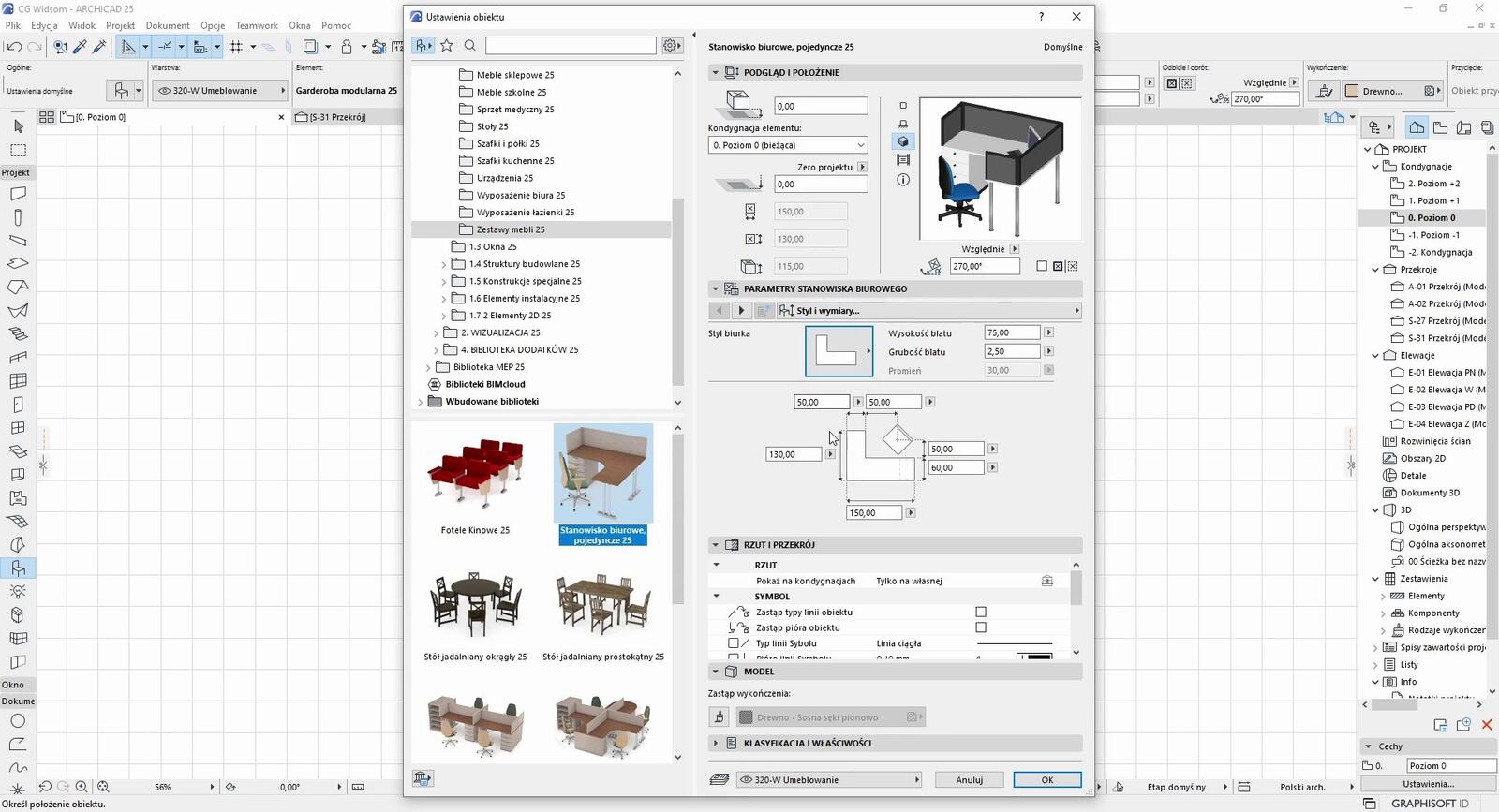
Issues with the SEO tool (Solid Element Operations)
The Solid Element Operations tool is a powerful Archicad feature, but also a source of much frustration for beginners. Incorrect use of subtraction, addition, or intersection operations can lead to unexpected results, geometry corruption, or visualization problems.
The most common mistake is the wrong order of operations or attempting to apply them on elements that should not be combined. Remember that SEO operations can always be undone and modified – you shouldn't fear them, but you need to understand their logic. It is also crucial to control which elements are operators and which are targets of the operations.
Neglecting element properties and classification
In a BIM environment, it is extremely important to correctly assign properties and classification to all project elements. Beginner users often skip this aspect, focusing solely on the visual side of the model. This is a serious mistake that prevents effective use of automatic schedules and reports.
Every wall, window, or door should have assigned information: materials, manufacturer, technical parameters, project phase. This data is later used to generate cost estimates, material specifications, and work schedules. Skipping this step means time-consuming data entry in later phases of the project.
CHECK ARCHICAD COURSE – PREPARING TECHNICAL DOCUMENTATION FOR INTERIORS
Errors in creating and editing sections and elevations
Another common problem is improperly setting section planes and lack of control over what is visible in each view. Beginners often do not realize that sections and elevations in Archicad are dynamically generated from the 3D model and require proper configuration.
It is important to understand section depth, the range of displayed elements, and the correct use of graphic overrides. It is also worth learning to use tools for manual drawing where automation is not sufficient – drawing lines, fills, or texts. Well-configured documentation views save hours of work when preparing final sheets.
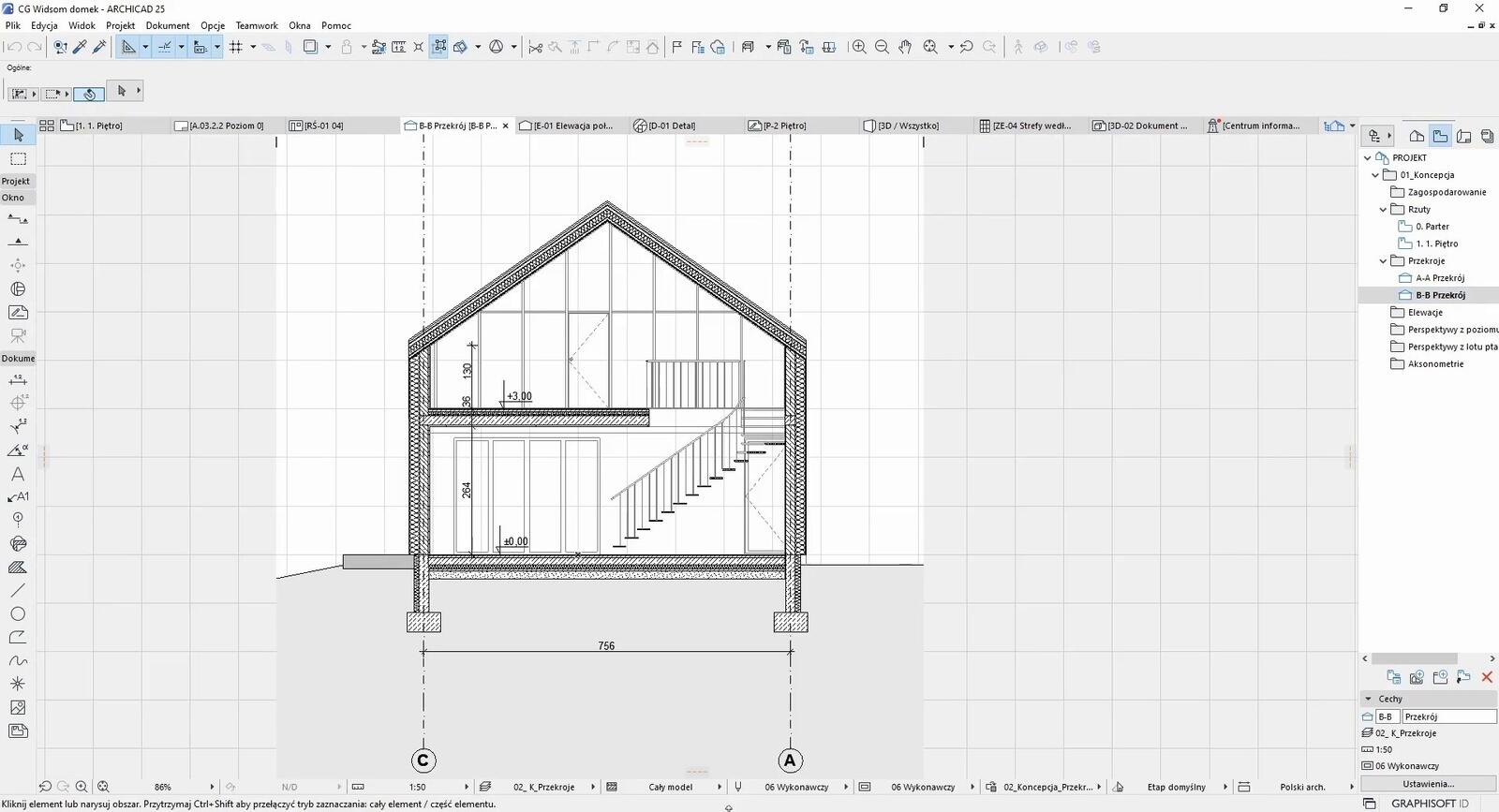
Ignoring the option to save views
Many beginners do not use the Saved Views function, which is one of the most useful in Archicad. Instead, they manually set the camera, scale, layer visibility, and other parameters every time they want to return to a specific view of the project.
Saved Views allow for instant switching between different working perspectives – floor plans, sections, 3D views, details. It is worth developing the habit of creating and naming views you'll need during the project from the outset. This greatly streamlines the workflow and eliminates the risk of accidentally overwriting important document settings.
If you are looking for more information on views, be sure to check our articles:
- Archicad – How to place multiple views on separate sheets - Guide, tutorial
- Archicad – High-quality 3D view for printing - Guide, tutorial
- Archicad – Displaying textures in elevation views - Guide, tutorial
Lack of regular backups
Although it sounds trivial, infrequent saving and lack of backups is a mistake that can cost many hours of work. Archicad offers an automatic saving function, but not all beginners activate or configure it properly.
It is worth setting up automatic saving every 10–15 minutes and regularly creating project archives with version numbering. This way, in case of a crash or mistaken edit, you can return to an earlier state of work. Also remember to store copies in the cloud or on external drives – a hard drive can fail at the most unexpected moment.
Inefficient use of keyboard shortcuts
The last but equally important mistake is relying solely on the mouse without using keyboard shortcuts. Archicad offers a comprehensive system of shortcuts that can speed up work many times over. Beginner users often lose valuable time searching through menus for functions instead of calling them quickly via the keyboard.
It is worth gradually learning the most important shortcuts – from basic ones like copy and paste to more advanced ones related to specific tools. Archicad also allows you to customize shortcuts according to your personal preferences. Investing time in learning these combinations will pay off many times over in daily efficiency.
Learn more about shortcuts in our article titled Archicad – Useful keyboard shortcuts - Guide.
Summary
Avoiding the above mistakes will greatly ease your learning of Archicad and allow you to focus on the creative side of design instead of struggling with technical problems. Remember that every expert was once a beginner – the key to success is systematic learning, patience, and making use of the educational resources available. Good luck mastering this fantastic tool!
Author

Read on our blog
-
![Profile Builder 4 or Magic Molding? Comparison of Ornamentation Plugins in SketchUp]()
Profile Builder 4 or Magic Molding? Comparison of Ornamentation Plugins in SketchUp
How does Profile Builder 4 differ from Magic Molding? Scope, pricing, profile libraries, and learning curve. Find out which plugin fits your projects. -
![The Best Free SketchUp Plugins for Interior Designers in 2026!]()
The Best Free SketchUp Plugins for Interior Designers in 2026!
Which SketchUp plugins are really worth having? Discover 7 free extensions for interior designers and find out which ones have just stopped being free! -
![English wainscoting in SketchUp - how to design wall panels step by step]()
English wainscoting in SketchUp - how to design wall panels step by step
How to design English wainscoting in SketchUp? Learn the rules for panel division, wainscot proportions, and speed up your work with the Magic Molding plugin. -
![Reversed Faces in SketchUp – why are blue faces showing and how to fix them?]()
Reversed Faces in SketchUp – why are blue faces showing and how to fix them?
Blue faces in SketchUp are flipped faces. Learn where they come from, how to quickly locate and fix them before they mess up your render or model export.



