EN
EN PL
PL ES
ES


Publication date: 19-01-2026 | Update date: 19-01-2026 | Author: Mateusz Ciećwierz

-
Online courses
- All
 3ds Max
 AI - Artificial Intelligence
 Blender
 Corona renderer
 GstarCAD
 LayOut
 Photoshop
 Interior Design
 Revit
Revit Sketchup
 Stable Diffusion
 V-ray
V-ray
"Online courses" are comprehensive online training programs that will help you quickly master the software you are interested in.
- Plugins
- 3D Models
- Help
- Articles
SketchUp - Advantages and Limitations
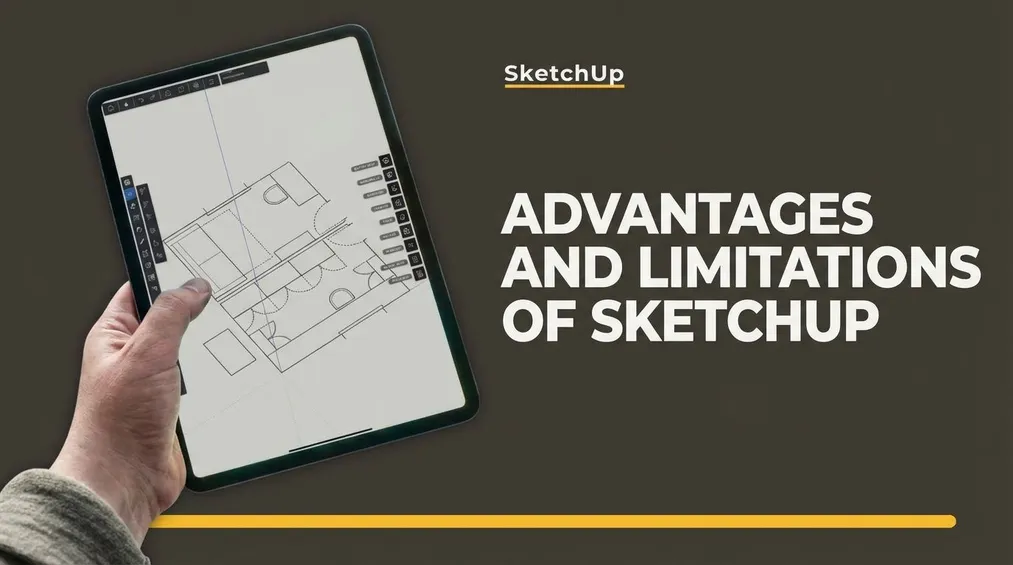
SketchUp is a popular 3D design program, valued for its simplicity and intuitiveness, allowing for rapid creation of conceptual models. A rich library of ready-made 3D models and ease of use make it ideal for novice designers. However, limited modeling capabilities and lack of advanced analytical features can be challenging for more complex projects. Learn when it's worth choosing SketchUp and when it's better to opt for other tools.
Index
SketchUp is a popular program supporting architects and interior designers. It is easy to use, so even beginners can create good designs. However, it has limited tools and lacks advanced features, which can be problematic in some projects. In this article, we will discuss the advantages and limitations of SketchUp to help you make a decision: SketchUp or other CAD tools?
Advantages of SketchUp - Easy 3D Modeling for Architects and Interior Designers
SketchUp is a program for creating 3D visualizations. Interior decorators, architects, and designers use it in their daily work. It allows for the preparation of advanced models and visualizations. Additionally, an extensive library of free 3D models and textures enables the quick creation of functional visualizations. SketchUp is often the first choice of software for individuals working in the interior design industry. Its intuitive tools and solutions make SketchUp an ideal tool for beginners who want to quickly and effectively learn the basics of 3D modeling.
Learn SketchUp in our online courses
Advantages of SketchUp:
- Intuitive Interface - SketchUp stands out with its simple and clear interface, making it accessible even to individuals with little experience. Through CG Wisdom's online SketchUp courses, you can grasp the basics of SketchUp in just a few hours, enabling you to work independently. Choose the SketchUp Pro for beginners from scratch training to learn the essentials in 6 hours.
- Relatively Easy to Learn - Compared to other CAD programs, learning SketchUp is quite easy. With well-structured training from the beginning, learning SketchUp can be enjoyable. If you are just starting with SketchUp, focus on learning from reliable sources to quickly adopt optimal practices. In our courses, we guide the students step by step through the process of creating a 3D model of an apartment or building.
- Cost - Another huge advantage of SketchUp is its friendly price. In addition to a free 7-day trial period, SketchUp also offers a free web-based version. You can use the web version initially while learning the program. It's only when you start using SketchUp more professionally that you would switch to the paid version tailored to your needs.
- Robust Community - The low entry threshold and relatively user-friendly tools have made SketchUp popular among architects and interior designers, leading to the creation of an extensive and supportive community around the program. Beginners can easily find help and support in solving encountered problems. On our blog, you'll find a variety of SketchUp guides and tutorials that provide insights on utilizing the full potential of this program.
- Rapid Creation of Conceptual Models - SketchUp is ideal for quickly creating conceptual models and visualizations. Tools such as 'Push/Pull' allow for the rapid transformation of 2D shapes into 3D objects, expediting the design process.
- Free 3D Models - The extensive library of ready-made 3D models, 3D Warehouse, facilitates the quick addition of elements to projects without the need to create them from scratch. Explore what SketchUp Warehouse library is and how to use it.
- Compatibility - SketchUp supports models in various formats. It also allows for importing and exporting models to collaborate with other programs. This is particularly useful when working with other tools and users. It also has an extensive collection of plugins and extensions available in the Extension Warehouse. By using them, users can enhance SketchUp's compatibility with other formats and tools.
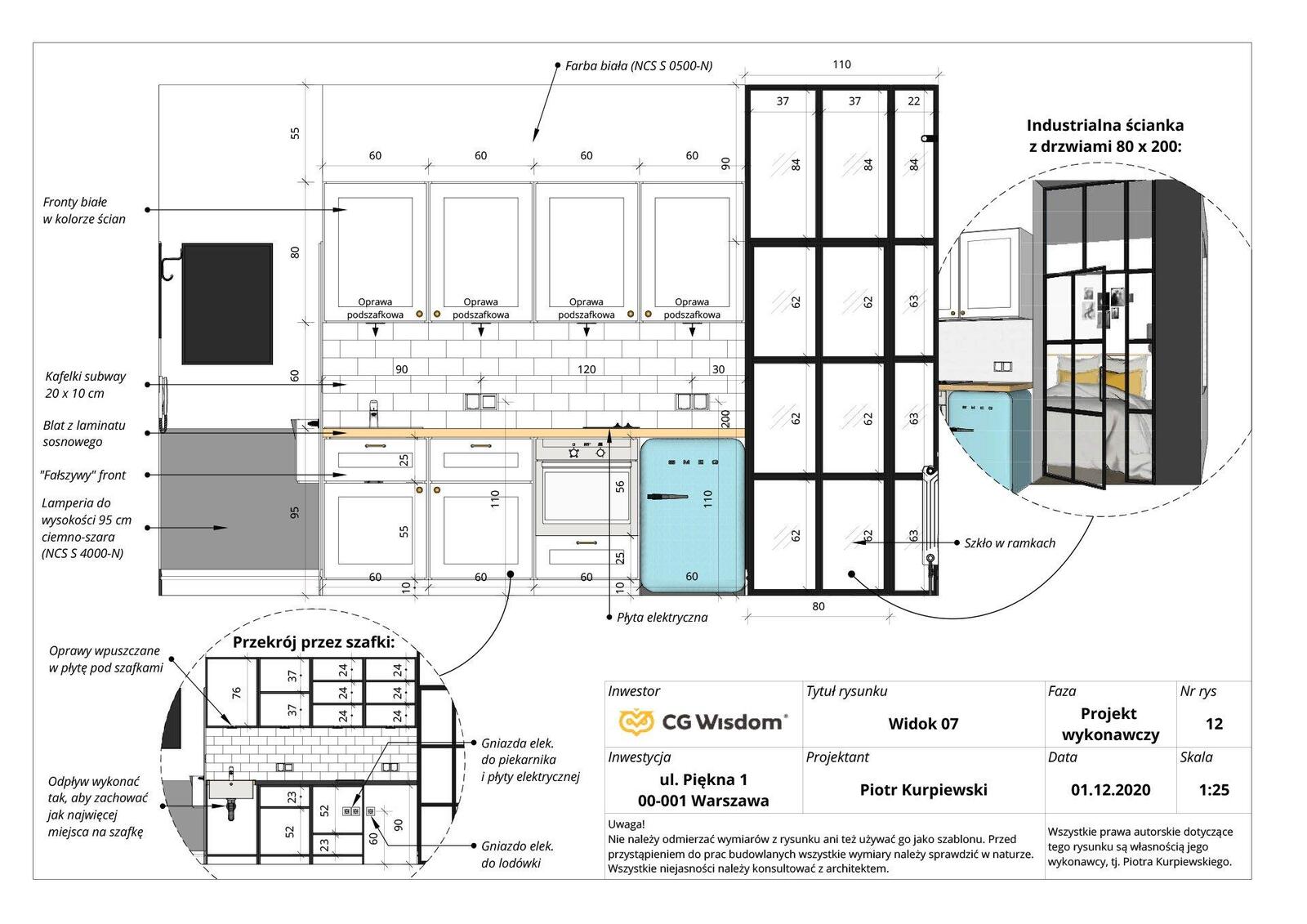
- Automatic Technical Drawings - In the SketchUp Pro package, you also receive the LayOut software. LayOut enables the creation of design documentation based on the 3D model. This is an excellent solution for interior architects and designers wanting to create photorealistic visualizations and technical drawings while staying within a single design environment. You can read more about this program in our blog post: What is LayOut and what is it used for?
Expert's opinionPiotr KurpiewskiArchitekt, Grafik, Wykładowca PJATK w Warszawie
SketchUp is one of the most popular 3D modeling tools, valued for its intuitiveness and accessibility. Its ease of use allows for a quick start, which is particularly beneficial for novice users. The program offers a wide range of tools enabling precise architectural and interior modeling, as well as integration with the 3D Warehouse library containing millions of ready-made models. However, in more advanced projects, SketchUp may be limited, especially in terms of advanced modeling and rendering. To achieve high-quality visualizations, additional plugins or external programs are often necessary. Nonetheless, SketchUp remains a powerful tool, ideal for rapid prototyping and basic 3D modeling.
Drawbacks of SketchUp - Limited Features and Lack of Advanced Tools
SketchUp undoubtedly has many advantages, making it a popular choice especially among beginners. However, on the flip side, the low entry threshold and user-friendly tools are associated with limitations. In this part of the text, we will compare the pros and cons of SketchUp.
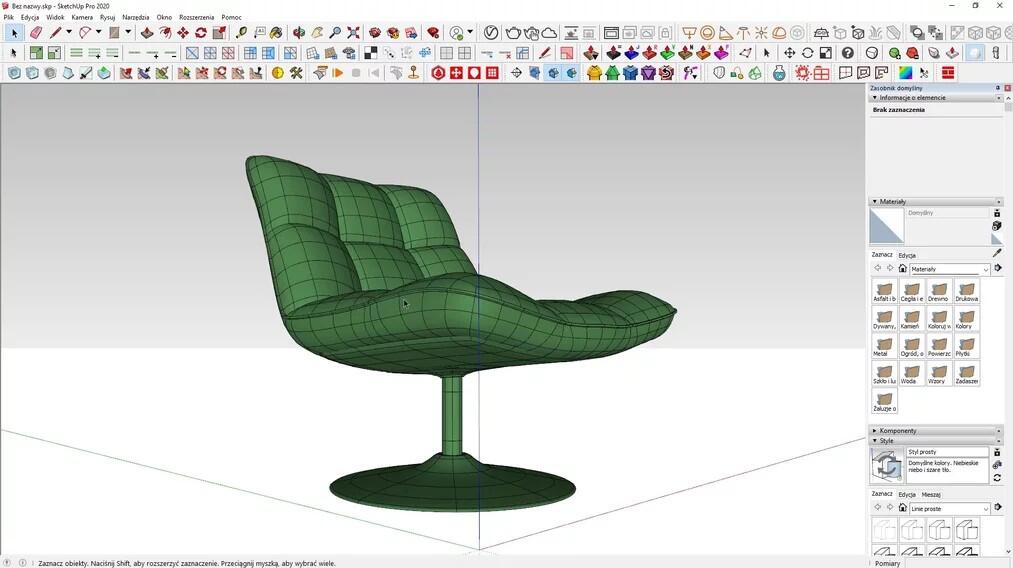
- Lack of Advanced Modeling Tools - This is one of the main drawbacks of SketchUp. It cannot be denied that the program is exceptional for simple and moderately advanced projects. However, you may reach a point in your work where you notice the absence of advanced tools. These deficiencies can be supplemented with extensions like Artisan or SubD, which you can learn more about in our 3D modeling training course, but still, more complex models are created using advanced CAD programs like Rhino, 3ds Max, or Maya.
- Limited Rendering Capabilities - SketchUp is not the top choice for photorealistic rendering. Achieving such effects is complex and requires excellent knowledge of additional software like V-Ray. If you want to create photorealistic visualizations in SketchUp, be sure to check out our Advanced Sketchup + Vray course - Techniques for achieving photorealism.
- Lack of Advanced Analytical Functions - SketchUp is not designed for structural analysis or energy analysis. To conduct such advanced simulations, additional software like Sefaira is required. However, these activities can be easily performed in Building Information Modeling (BIM) programs such as Autodesk Revit.
- Limitations in Working with Large Projects - Working on large and complex projects in SketchUp can be difficult and frustrating. Complex models can slow down or even crash the program. Managing large files and resources is also inconvenient.
- Limited Technical Documentation - SketchUp features the capability to create technical documentation in LayOut as mentioned earlier. However, this tool is less advanced compared to the capabilities of programs like Revit. Consequently, creating detailed and more precise drawings may be more laborious and less intuitive. Nevertheless, the SketchUp + LayOut pair is entirely sufficient for creating technical documentation for interiors, as demonstrated in our course - Sketchup - LayOut fundamentals - Preparing apartment projects.
- Less Advanced Editing Functions - SketchUp's editing functions are simple and intuitive, which is an advantage but also a limitation. It lacks more advanced editing tools, such as advanced modifiers or parametric modeling tools.
Conclusion - When to Choose SketchUp and When to Choose Other Software?
SketchUp is a great tool for 3D design and modeling. Among its benefits are intuitive tools and interfaces, relatively low cost, and numerous online tutorials. Furthermore, SketchUp is excellent for preparing quick design concepts.
Beginner interior designers like SketchUp because learning the program is effective and fairly quick. It is a tool that enables acquiring 3D graphics skills without the need for significant investment or excessive time commitment to training.
On the other hand, it is also important to remember the limitations of this program. SketchUp alone may not be the best choice when working on large 3D projects, creating complex technical documentation, or conducting advanced analyses. In such cases, opt for CAD software like Autodesk Revit or ArchiCAD.
Author

Read on our blog
-
![Profile Builder 4 or Magic Molding? Comparison of Ornamentation Plugins in SketchUp]()
Profile Builder 4 or Magic Molding? Comparison of Ornamentation Plugins in SketchUp
How does Profile Builder 4 differ from Magic Molding? Scope, pricing, profile libraries, and learning curve. Find out which plugin fits your projects. -
![The Best Free SketchUp Plugins for Interior Designers in 2026!]()
The Best Free SketchUp Plugins for Interior Designers in 2026!
Which SketchUp plugins are really worth having? Discover 7 free extensions for interior designers and find out which ones have just stopped being free! -
![English wainscoting in SketchUp - how to design wall panels step by step]()
English wainscoting in SketchUp - how to design wall panels step by step
How to design English wainscoting in SketchUp? Learn the rules for panel division, wainscot proportions, and speed up your work with the Magic Molding plugin. -
![Reversed Faces in SketchUp – why are blue faces showing and how to fix them?]()
Reversed Faces in SketchUp – why are blue faces showing and how to fix them?
Blue faces in SketchUp are flipped faces. Learn where they come from, how to quickly locate and fix them before they mess up your render or model export.




Want to learn Sketchup? Check out our free online course!